Text to Animation Generator
Enter written descriptions of what you want to see, let FlexClip’s AI create instantly. No animation skills needed.
TRUSTED BY
What Makes FlexClip a Nice Text to Animation Generator

Powerful AI
Built on the most advanced video generation models like Seedance, Veo 3, FlexClip can accurately interpret complex descriptive prompts and translate them into stylized animations.

Fast Generation
Traditional graphic animation takes hours. FlexClip bypasses the long waiting completely. The cloud-accelerated generation pipeline delivers a finished animated clip in minutes.

Information Security
FlexClip prioritizes your digital privacy above all else. Your script, generated animations, and personal information are prevented from unauthorized leaks or third-party data scraping.
Accurate & Dynamic Movements Like in the Real World
Gone are the days when AI video generators only give stiff, robotic clips. FlexClip generates animated subjects jump, run, glide that mirrors the physical laws of the real world. Characters interact realistically with their surroundings, maintaining appropriate balance and structural proportion throughout every second of screen time. If you use models like Seedance, you can even create multi-shot clips, along with audio.
Text to Animated Talking Clips with Perfect Lip Sync
Simply include written dialogue in the text prompt, or upload an audio track, you can watch the animated character delivering speech with accurate phonetic synchronization. The algorithm accounts for varying vocal inflections, speech speeds, and emotional emphasis, preventing awkward, mismatched lip movement.
Flexible Timeline to Polish Animated Clips
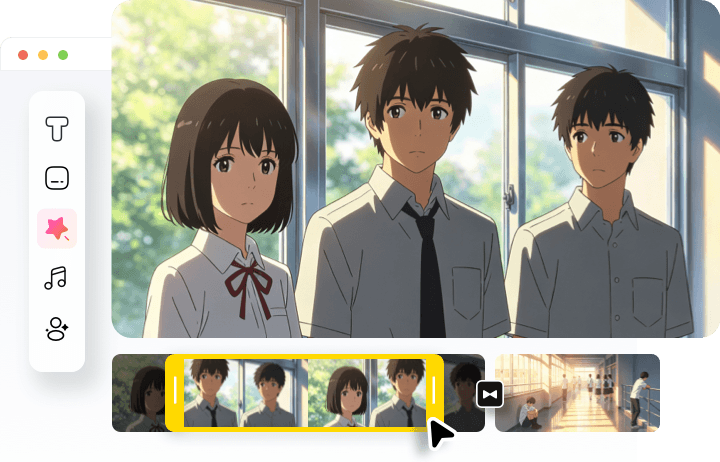
Automated generation process only serves as your foundation. It is the editing tool that gives you the granular control necessary to polish details. You can easily combine multiple clips, adjust clip durations, insert professional transitions or immersive visual overlays with standard drag-and-drop actions. Optimize the animated clips right now!
How to Turn Text to Animation
- 1
Enter a Prompt
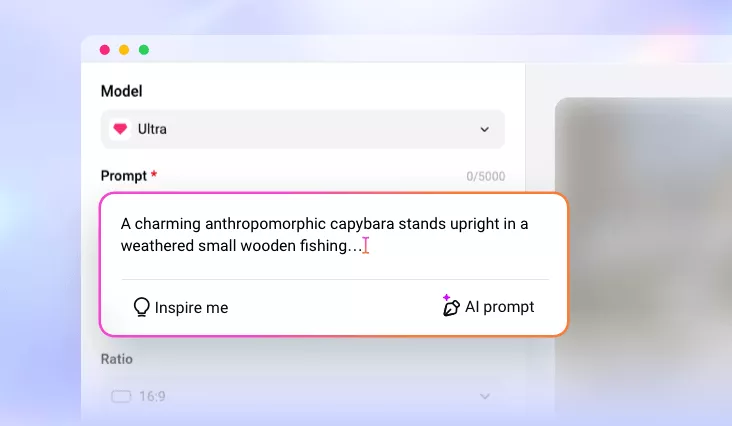
Access FlexClip’s Video Generator tool, copy and paste the text description of your video. If possible, upload a reference animated image.
- 2
Basic Setups
Make some basic setups like model selection, video duration, aspect ratio, hit Generate. The video should be done within several minutes.
- 3
Export & Share
Preview the video. If you are happy with the output, export it to a local folder, or post to social media.