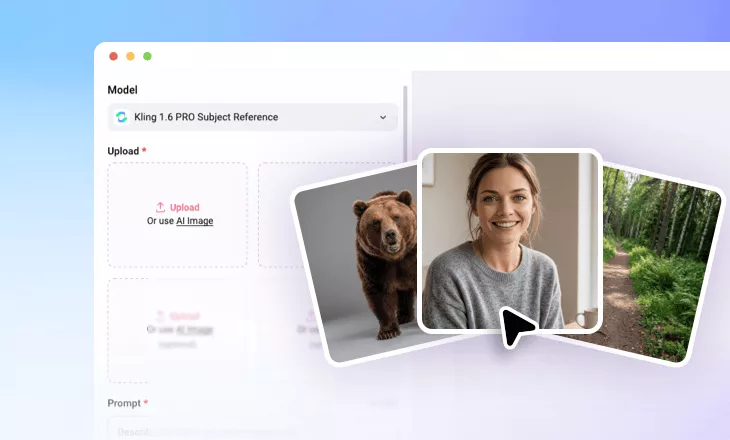
Reference to Video AI Generator
Create videos where characters, scenes, and objects stay true to your reference images throughout the generation process. Perfect for product showcases, social media content, character animation, and any project that requires consistent visuals.
TRUSTED BY
Why Use FlexClip’s Reference to Video Tool?

Smart AI Process
Upload reference images and let AI transform static images into stunning videos while preserving the subject’s details with precision.

Fast Generation
No endless waiting. FlexClip's AI transforms static images into dynamic, high-quality videos in just several minutes.

Privacy Protection
We take data security seriously. All the uploads are exclusively used to creating videos and all the generates will be handled securely.
Turn Reference Images into a High-Quality & Consistent Video
No more character shifts or inconsistent scenes in your AI-generated videos. Use FlexClip’s reference-to-video generator to turn images into stable, cohesive visuals. Simply upload your characters, objects, or scenes, add text prompts, and let the AI create videos that stay consistent in every detail from start to finish.
Remix Images into a Single Cohesive Video
Create storytelling videos by remixing images into a cohesive sequence. Whether you’re adding new characters to your favorite scenes, pairing your selfie with a stylish cap, or placing your pet in different worlds, this tool seamlessly blends multiple images into a smooth, unified video that captures both the essence of storytelling and authenticity.
Product Display with Unified Visual Styles
Boost conversions with AI-generated product videos featuring consistent visual styles and smooth animations. Simply upload multi-angle images and choose your desired background, then let the AI transform them into a seamless, cohesive video based on your prompt. Elevate your product with unified visuals using our reference-to-video generator.
Edit AI Consistent Video with Ease
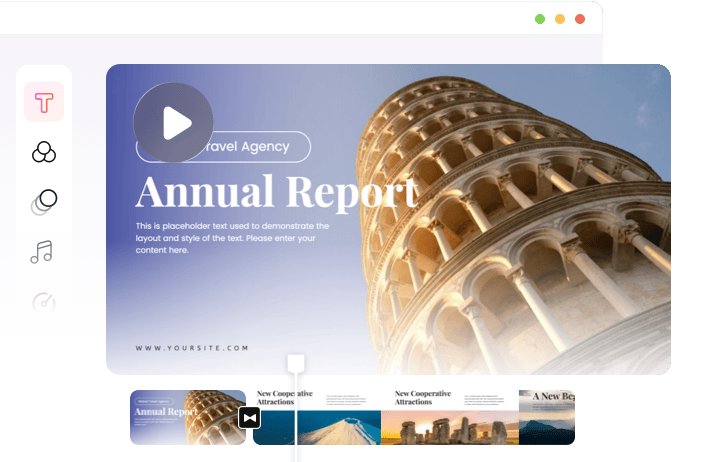
FlexClip goes beyond generating consistent AI video clips. With its built-in timeline editor, you can take your videos to the next level by trimming clips, adding text animations, transitions, music, and more. Even without advanced editing skills, you can easily customize your reference-generated videos to match your vision.
How to Use FlexClip’s Reference to Video
- 1
Upload the Reference Images
Start by uploading 1-4 images that represent the character, scene or object you want to animate with consistency.
- 2
Add Prompt Description
Enter a detailed prompt describing the scenario you envision. Then configure the desired duration, aspect ratio, AI SFX according the specific model you choose.
- 3
Generate and Download
Click Generate, and the AI will quickly create a high-quality video with consistent reference images. Within minutes, your video will be ready to preview and download.