AI Slice Video Effect
Let’s create viral split & slice effects with FlexClip’s AI slice video effect generator!
TRUSTED BY
Why Choose FlexClip's AI Slice Video Effect?

Fast Generation
Once you upload still images and typed text prompts, our AI slice video effect generator will instantly create realistic slice shots for it in seconds.

100% Online
No installation needed—simply open your browser, upload your photo, and use our online AIslice video effect generator to create slice footage. And there is also no need to have professional skills in video editing.

Secure and Private
Your privacy comes first. Unless you make it public, every image/video you upload or generate is exclusively visible to you.
Create AI Slice Video from a Still Image
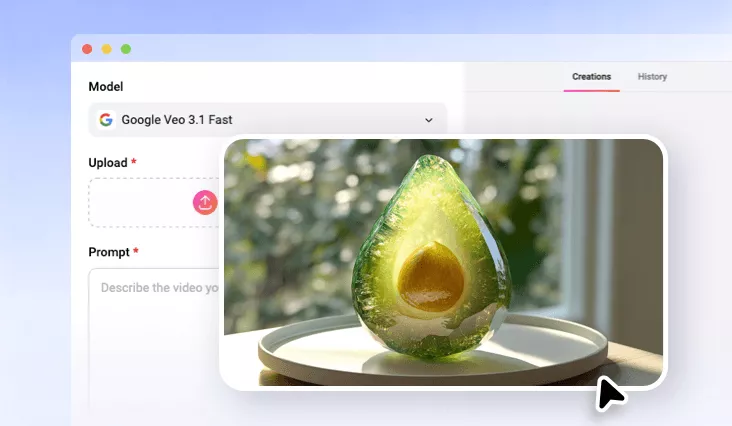
FlexClip’s AI slice video effect generator lets you create hyper-realistic slice effect videos from a single image in seconds. Bring your wildest creative ideas to life by transforming ordinary objects into stunning glass-textured masterpieces. Powered by advanced AI technology, FlexClip automatically converts your uploaded image into a realistic glass-like material and then slices through it with a precise cut that produces crisp. Watch a sharp knife glide effortlessly through glass, fruits, crystal objects, stones, or virtually anything you can imagine.
Add Relevant Slice SFX to Video
This type of AI slice effect video is perfect for ASMR enthusiasts and short-form content creators looking to captivate their audiences. To make your slice videos even more immersive, FlexClip offers a range of AI-powered tools that can take your content to the next level. For example, you can use AI to automatically analyze your slice video and generate high-quality, perfectly synchronized sound effects. FlexClip intelligently matches audio with every slicing action, ensuring that each cut is accompanied by crisp, realistic sounds that align seamlessly with the on-screen motion.
Explore More AI Video Effects
FlexClip offers a variety of preset AI video effects for you to explore beyond the AI slice effect. One of the most popular options is the AI cakeify video effect, which can transform virtually any image—from portraits and pets to logos and landmarks—into a realistic cake-cutting animation. With just a single click, your photo is automatically turned into a lifelike cake, complete with realistic textures, layers, and a mesmerizing slicing animation. Watch as the cake is cut open to reveal delicious-looking layers inside, creating a visually captivating experience.
How to Create AI Slice Video Effect?
- 1
Upload a Photo
Start by uploading a photo of anyone you want to transform into the AI Slice Effect video.
- 2
Generate AI Slice Video
After uploading the photo, write the text prompts for the desired AI slice video effect and tap the Generate button to generate a video.
- 3
Download & Share the Video
Once the AI slice video is generated, you can review the final result, then download or share your high-quality AI slice effect video.