AI Drone Video Generator
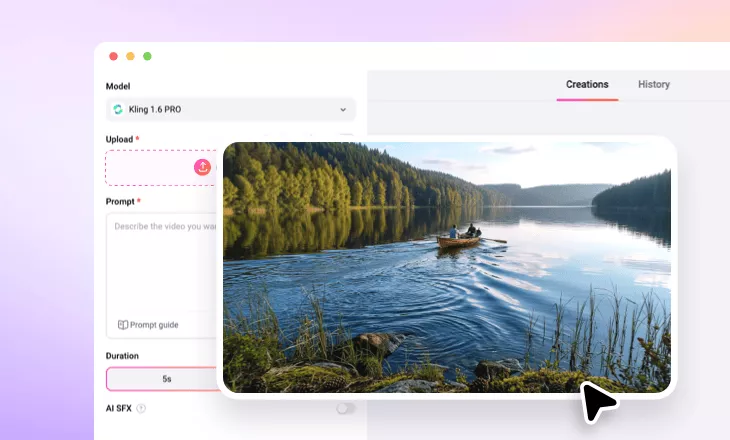
Transform your still image or text prompts into breathtaking, high-speed first-person flight visuals with FlexClip’s AI drone video generator.
TRUSTED BY
Why Choose FlexClip’s AI Drone Video Generator?

100% Online
No installation needed—simply open your browser, upload your photo, and use our online AI drone video generator to create FPV drone footage. And there is also no need to have professional skills in video editing.

Fast Generation
Once you upload still scenery images and typed text prompts, our AI drone video generator will instantly create first-person view drone shots for it in seconds.

Secure and Private
Your privacy comes first. Unless you make it public, every image/video you upload or generate is exclusively visible to you.
Create FPV Drone Shots from Still Image
Ever want to create lifelike drone flyovers for a specific scene? FlexClip’s AI drone video generator allows you to transform your still image into breathtaking, high-speed first-person flight visuals effortlessly. You can upload any type of scenery image, like a city, forest, or lake, and so on. Powered by FlexClip’s advanced AI models, you can generate stunning drone-like footage from a still image instantly. Whether you need a scenic aerial sweep or a dynamic city flythrough, just type relevant text prompts to create quick drone POVs.
Create FPV Drone Shots from Text Prompts
Except for creating FPV drone shots from still images, you can also choose to directly create FPV drone shots from text prompts. In FlexClip’s AI drone video generator, you can directly enter a detailed prompt describing your AI drone video. Include movement, scenery, and perspective like high-speed FPV flight, dive shots, orbit moves, or flying through tight spaces for a cinematic result. Then, you will get an excellent AI drone video with flawlessly smooth motion and rich detail.
Diverse AI Video Effects for You to Select
FlexClip is a strong AI video editor, so you can try its diverse AI video effects online. For example, you can try its AI mimic motion generator to transfer motion, expressions, and movements from your reference video to static photos. Perfect for creating dance videos, music content, and performance animations without any learning curve. Or you can try FlexClip’s preset AI video effects to enjoy trendy AI video effects online.
How to Create an AI Drone Video?
- 1
Upload Scenery Photo
Enter FlexClip’s AI drone video generator, upload a scenery photo, and begin AI creation.
- 2
Generate AI Drone Video
Write the text prompts for the desired drone effect and tap the Generate button to generate AI drone footage.
- 3
Download AI Drone Video
Check the video result and see if you are happy with it. Download and share this AI drone video according to your needs.