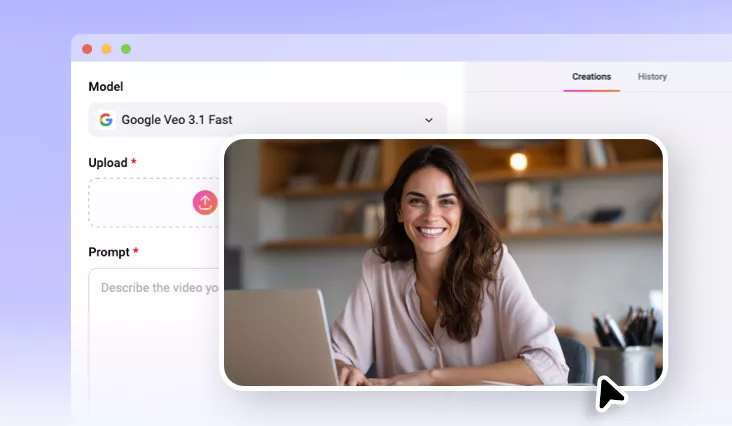
AI Talking Photo Generator
Try FlexClip’s AI talking photo generator to bring your still portrait to life online.
TRUSTED BY
Why Choose FlexClip’s AI Talking Photo Generator?

100% Online
No installation needed—simply open your browser, upload your still portrait, and use our AI talking photo generator to transform your still picture into a dynamic talking photo. And there is also no need to have professional skills in image editing.

Easy AI
It only takes a few clicks to generate a lifelike talking photo, and skills and experience are not required.

Fast Generation
FlexClip's easy and fast-responding AI talking photo generator makes sure you always get a high-quality talking photo instantly. No endless waiting!
Generate Lifelike Talking Photo from Prompt
Bring any still image to life with FlexClip’s AI talking photo generator. It allows you to create realistic talking videos with perfect lip-sync technology. Simply upload a portrait, selfie, historical photo, cartoon character, or AI-generated image, and transform it into a realistic talking video in seconds. The AI automatically synchronizes lip movements, facial expressions, and head motions with your text or voice input, creating natural and engaging speech animations. Whether you want to create social media content, personalized greetings, educational presentations or virtual spokespersons, this AI talking photo feature makes it easy to turn static photos into dynamic, lifelike speakers.
Also Generate Movement for the Talking Photo
In addition to letting your photo talk like a real person, FlexClip’s AI talking photo generator also allows you to generate smooth movement for your talking photo. Just describe your desired pose in the simple text prompts, then FlexClip will generate smooth movement for your talking photo effortlessly. So you can try FlexClip’s AI talking photo generator to create your own talking photo as you like. With FlexClip, it's easier than ever!
One-Tap to Go Viral with AI Talking Photo
If you want to post this talking photo on social media, FlexClip will help you to reach this goal faster by offering eye-catching text, social icons, speed curve, etc. Then you are able to post the talking photo video directly to TikTok and YouTube. You can even share the AI-powered talking photo video via a short link.
How to Use the AI Talking Photo Generator?
- 1
Upload Your Photo
Upload a clear, well-lit photo where your face is visible to FlexClip’s AI talking photo generator and begin AI creation.
- 2
Enter Text Prompts
Write the text prompts for the words you want to say in our talking photo. Tap the Generate button to wait for it.
- 3
Download Your Talking Photo
Check the results and see if you are happy with them. Download and share this AI-generated talking photo according to your needs.