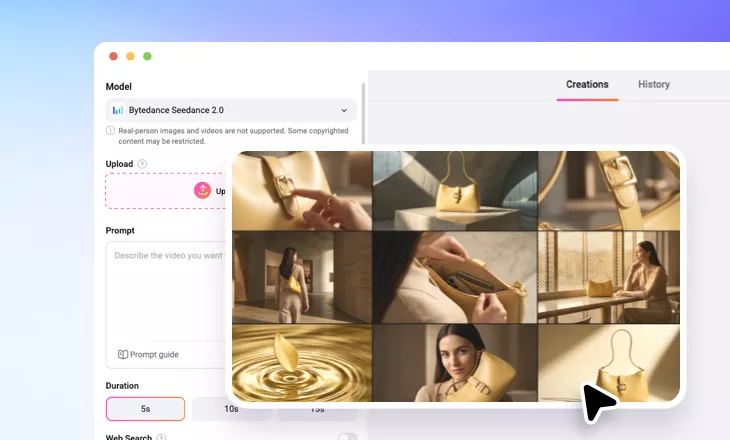
Seedance 2.0 Storyboard to Video
Turn a static storyboard into a video using Seedance 2.0 model.
TRUSTED BY
Why Use FlexClip to Convert Storyboard to Video

Advanced AI Model
Currently, FlexClip uses advanced Seedance 2.0 model to help convert a storyboard into a video. We are bringing in more storyboard to video generation models, please stay tuned.

Multi-Scene Storytelling
Instead of animating the whole image, Seedance 2.0 splits a storyboard into multiple scenes, animate them, and apply logical transitions between them.

Instant Results
FlexClip eliminates long rendering times and complicated workflows. A professional-looking results accessible within several minutes.
Multi-Input Creation
Besides uploading a simple storyboard for a story visual, FlexClip offers you greater creative control. Users can guide the creative generation process by uploading more reference media resources like video, music. This flexibility enables personalized video creation tailored to specific themes, moods, or branding needs.
Advanced Motion & Camera Control
Bring your storyboard to life with cinematic motion. FlexClip applies dynamic camera movements, changes camera angle to mimic real filmmaking techniques. The AI analyzes each image to determine natural motion parts, creating smooth visual flow without distortion or unnatural animation.
Character Style & Consistency
FlexClip maintains consistent character appearance and visual style throughout the generated video. The AI tracks visual elements from your storyboard and preserves them as the video generates. The consistency ensures a professional and believable viewing experience, especially for storytelling, branding, or memory preservation.
15-Second Video Generation Length
Most video generation models stuck at 8-second generation length. Seedance 2.0, can convert a photo grid into a up to 15-second video. Whether you are turning a 2*2 grid photo, or 3*3 grid photo into a video, Seedance 2.0 covers all your needs.
How to Convert a Storyboard to Video
- 1
Upload Your Storyboard
Access FlexClip’s Image to Video Tool, select the Seedance 2.0 model, then drag and drop a collage photo to the upload section.
- 2
Enter a Prompt
Enter a prompt describing each scene in details. You may turn to ChatGPT for help. Select the Video Duration.
- 3
Export & Share
Hit Generate. You will have a video converted from the storyboard within several minutes. Preview, share via a link, or post to FlexClip’s community.