AI Bullet Time Generator
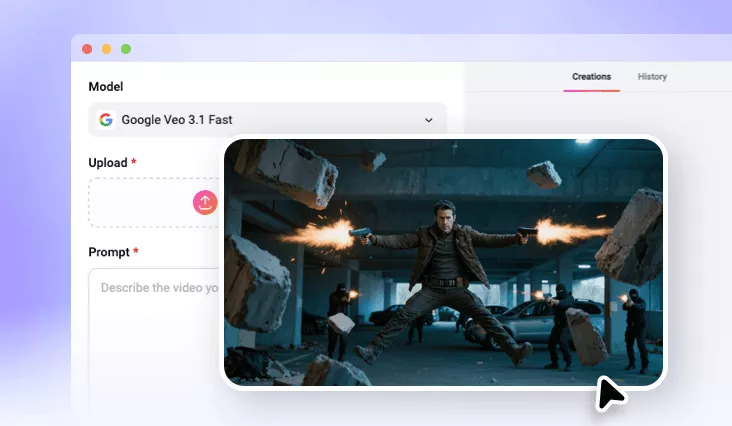
You can always get the professional, big-budget cinematic bullet time effect video in seconds using FlexClip’s AI bullet time generator.
TRUSTED BY
Why Use FlexClip’s AI Bullet Time Generator?

Secure and Private
Your privacy comes first. Unless you make it public, every image you upload or generate is exclusively visible to you.

Seamlessly AI Bullet Time Generation
Backed up with cutting-edge AI technology, this AI bullet time generator makes sure you can generate AI bullet time effect seamlessly.

Low Cost
We save you a lot of money compared to traditional video editing process. This AI bullet time generator is extremely cost-effective.
Generate Bullet Time Effect from Still Image
Ever want to create bullet time effects seen in The Matrix? It means you should let the camera rotate around the target to create this stunning slow-motion effects. Nowadays, with the help of FlexClip, you can generate bullet time effect from still image with AI. Simply upload a still image and describe bullet time effect prompts, the AI will generate slow-motion sequences, 360° rotations, cinematic freezes, and polished effects without requiring advanced editing skills.
Professional Bullet Time Effect
It takes time for ordinary people to create professional bullet time effect. However, with a right tool, like FlexClip, you can quickly achieve the desired cinematic bullet time effect to make your image more dynamic. Its AI image to video generator can help you to create elaborate camera movements for your image in post-production. You can let the camera rotate around the target to create this stunning slow-motion effects. The entire bullet time creation process is fully automated.
Explore More AI Video Features
FlexClip isn’t just about an AI bullet time generator, it's also a complete editing tool that contains diverse AI video features. For example, you can try its AI mimic motion generator to transfer motion, expressions, and movements from your reference video to static photos. Perfect for creating dance videos, music content, and performance animations without any learning curve. Or you can try FlexClip’s preset AI video effects to enjoy trendy AI video effects online.
How to Create AI Bullet Time Effect in FlexClip?
- 1
Upload Your Photo
Enter FlexClip’s AI image to video generator and upload your still image to begin AI video creation.
- 2
Generate AI Bullet Time Effect Video
You should type bullet time effect prompts to let AI add bullet time effect to your uploaded image, then tap the Generate button.
- 3
Download Your Video
When you are done with the AI-powered bullet time effect video process, you can directly save it to a local folder or directly post to social media.