Live Portrait AI
Bring your portrait to life with AI! Animate your photos with facial expressions, head movements, emotions, or even voices to make them appear truly alive. Instantly transform your static portraits into dynamic, animated videos.
TRUSTED BY
Why Use FlexClip to Create Live Portrait?

One Click Generation
Animate your portraits in one click. Simply upload a photo and a reference video, then AI automatically handles the entire animation process.

Privacy Protection
Your privacy comes first. We use your photos solely for live portrait generation, and all uploads are kept completely secure and confidential.

Precision Motion Capture
FlexClip transfers every facial expression from the driving video to your static portrait, ensuring the motion is smooth and lifelike.
Animate Your Portrait with Every Detail Perfectly Captured
FlexClip animates your portrait using natural facial expressions and head movements from a reference video. From subtle blinking and gentle head turns to expressive facial changes and accurate lip sync, it captures every detail with precision. Transform your photos into animations in seconds and create engaging AI portrait videos.
Have Fun with Your Creative Portrait Animation
Have fun with FlexClip’s Live Portrait AI tool. Whether it’s a photo of your beloved pet, an anime character, a famous painting, or a funny meme, FlexClip can bring it to life with realistic smiles, blinking, head movements, and expressive emotions. Upload your portrait and watch AI transform it into a captivating, dynamic animation that adds energy and personality to any image.
Realistic Live Portrait Animation, Ready to Share
Want to create a portrait animation that goes viral on social media? Whether you’re recreating a trending animation or transferring your own real expressions, FlexClip delivers high-quality portrait videos with smooth, dynamic motion—ready to download and share instantly.
How to Generate a Live Portrait AI Video?
- 1
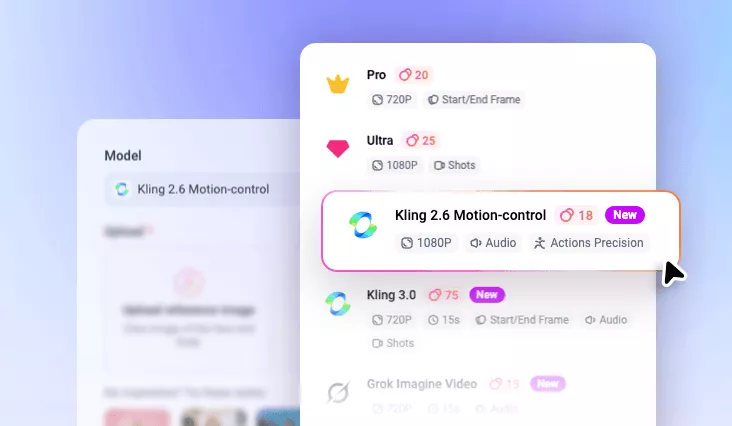
Select FlexClip Motion Control Model
Access FlexClip’s AI Motion Mimic tool and choose Kling 2.6 or 3.0 Motion-Control to create dynamic, animated portrait videos.
- 2
Upload Photo & Driving Video
Upload the portrait you want to animate and select a reference video to mimic the subject’s movements.
- 3
Generate and Share
Click Generate and your portrait photo will move exactly like the reference. Preview, download or directly share share in just moments.