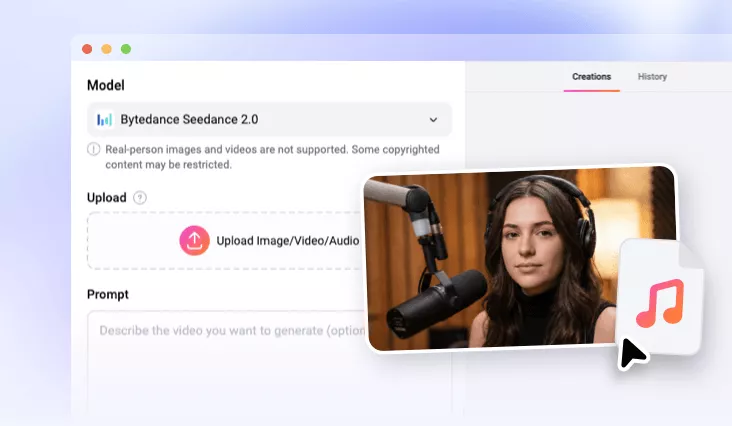
Animate from Audio Using AI
Farewell to massive animation task. With FlexClip, you can turn audio into high-quality animated clips with realistic movements and perfect lip sync.
TRUSTED BY
FlexClip’s Top Features to Animate from Audio

Easy & Powerful AI
FlexClip eliminates the technical friction of video creation with powerful AI. It understands the audio track, then automatically animate the character to match the audio. No editing skill’s involved.

High-Quality Clips
FlexClip’s AI creates and exports videos created with audio in 1080P. The best resolution to share while maintaining a polished, crisp look.

Information Security
Data privacy is crucial when uploading unique music tracks, or corporate audio assets. FlexClip is built on robust security standards to protect your upload files and personal data. Feel safe using FlexClip.
Customized Podcast Animation
Audio-only podcasts often struggle to capture the fleeting attention spans of social media scroll-by audiences. FlexClip’s audio-to-video bridges the gap by transforming raw audio clips into highly engaging vodcasts. Creators can upload their audio tracks, and an animated character image. AI will immediately add natural lip movements, and sync audio with visual.
Animated Business Messages
For marketers and businesses, FlexClip provides a streamlined workflow to convert promotional voiceovers into high-converting video advertisements. Rather than starting with a blank canvas, creators can combine their spoke sales pitch with animated captions, custom graphics, and stylized transitions. This scenario is ideal for producing quick product teasers, seasonal discount announcements, or business event invitations that command visual authority.
Personalized Greetings Videos
We are not just talking about any greeting videos, but a video with animated character with your features. FlexClip’s Image to Image tool turns your photo into an animated character. The Audio to Video tool converts the audio and the image into a personalized greeting video. Craft a custom, touch-of-heart visual masterpiece right now!
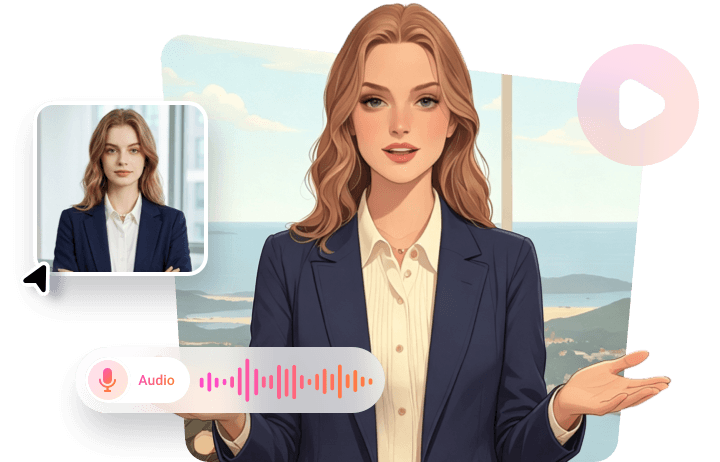
Singing Animations for Entertainment
Music creators, lyricists, and virtual entertainers can bring their musical creations to life through FlexClip’s singing animation capabilities. By dragging and dropping music tracks or vocal recordings, and the singer’s photo, FlexClip can animate the singer with perfectly synced lip movements, as well as natural expressions.
How to Animate from Audio Using AI
- 1
Upload Audio/Animation
Upload your audio and the animated photo directly to FlexClip’s Video Generator. Choose Seedance 2.0 as the generation model.
- 2
Enter Prompt
Write a prompt describing the animated video you like, for instance, this is an animated video of a girl doing podcast in a professional studio. Hit Generate.
- 3
Export & Share
The video should be done within several minutes. If you are happy with the output, save it to a local folder or post to social media.