A professional headshot always makes a huge difference. Whether you need one for LinkedIn profile, personal website, or social accounts, a polished and well-crafted headshot showcases your professionalism and wins more credibility.
A great headshot is so hard to come by. You either need a professional photographer, or advanced photo editing skills. However, that’s not true anymore with the following 5 AI headshot generators. From perfect lighting to flattering angles, you can always get AI headshots that suit preferences in clicks.
Table of Contents

View More Video Templates You Love >
Can't Miss: How to Create Cartoon Portrait of Yourself >
Class 101: What's an AI Headshot Generator
AI headshot generators are tools that automatically create professional-level portrait photos. They operate through a sophisticated blend of machine learning algorithms, computer vision, and neural networks. Here is a breakdown of how AI headshot generators work.
Every AI headshot generator is trained on a massive library of images featuring human faces in various conditions. AI will learn from those features and have a general knowledge of what makes a great headshot.
Once you upload a photo, AI starts to analyze the photo and identifies the key landmarks including the position of the eyes, nose, mouth, and ears, as well as jawline, and forehead shape. All these details are crucial for generating an excellent headshot.
Image generation is where differences start merging. Some headshot generators create entirely new headshots by combining elements from various images. In other cases, headshot generators enhance the uploaded photo, improving lighting, smoothing skin imperfections, and sharpening details based on the trained data.
Some AI headshot generators even have the ability to customize the final output, for instance, adjust the background, modify the lighting, or alter your attire.

Surprised by AI Headshot Generator
Best 5 AI Headshot Generators Worth a Try
We've tested over 10 AI headshot generators in the market and the following 5 are the best. Each of them has their unique advantages and downsides. Check them out for more details.
1. FlexClip
FlexClip AI Headshot Generator Preview
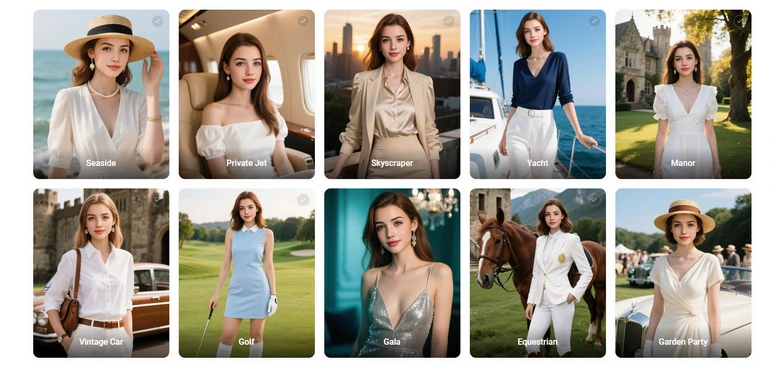
FlexClip is one of the newest AI headshot generators, but it deserves a try because of the studio-quality portraits. FlexClip's AI is trained with massive polished headshots, so it can maintain strong likeness while adding realistic lighting, and professional backgrounds to your image.
Check out the pre-themed styles, from formal business looks, to fashion poses. You will instantly know how versatile FlexClip can be. Each pack is carefully designed to match different occupations or creative needs. Use them without the stress or cost of a traditional photoshot.

Pros of Using FlexClip to Generate Headshots
Cons of Using FlexClip to Generate Headshots
2. Aragon
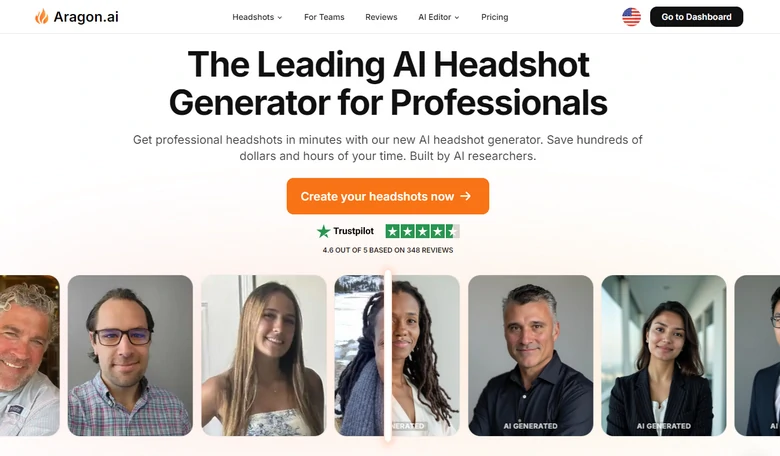
Aragon AI Website Interface
If you do a search on Google, the first AI headshot generator recommendation is Aragon. It asks you to upload at least 6 photos of yourself so that AI can get familiar with all facial features. To make sure every detail is perfect, it also asks you some details like hair color, race, etc.
The face is not all about Aragon. The outfit, the poses, the lighting are all crucial factors in a headshot. Aragon is trained on millions of headshots. You only need $35 to generate 20 headshots in 5 outfits and backgrounds, and 5 poses. According to our test, the poses, outfits, and backgrounds are extremely natural. They won’t be too fancy for business purposes.
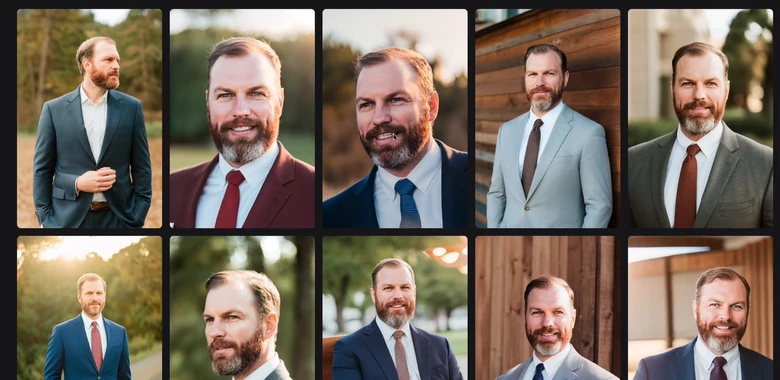
Image from Studio Hacks
Pros of Using Aragon to Generate Headshots
Cons of Using Aragon to Generate Headshots
3. Fotor
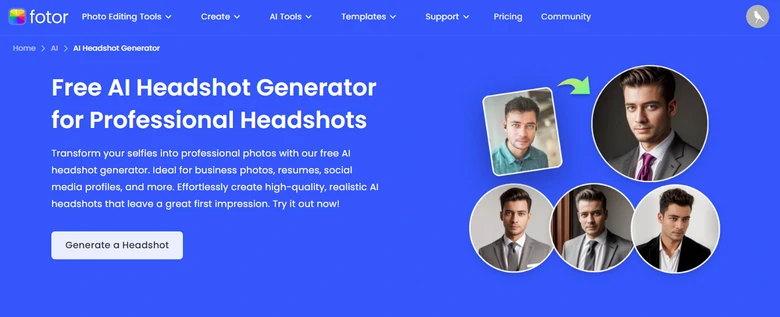
Fotor Headshot Generator Overview
Fotor is a renowned photo editor, but its AI headshot generator is like your own personal photographer on speed dial, minus the awkward small talk. Similar to other AI headshot generators, Fotor can analyze your facial details and generate 20 photos for $19.99.
Instead of generating random poses and outfits, you can select poses and outfit styles you love in advance to reduce the number of less satisfying photos. It also supports generating headshots of different aspect ratios for different platforms.
Fotor also uses advanced algorithms to ensure consistency and professionalism. Upload all your team members’ photos and generate headshots in the same style to enhance your company’s image and show expertise.
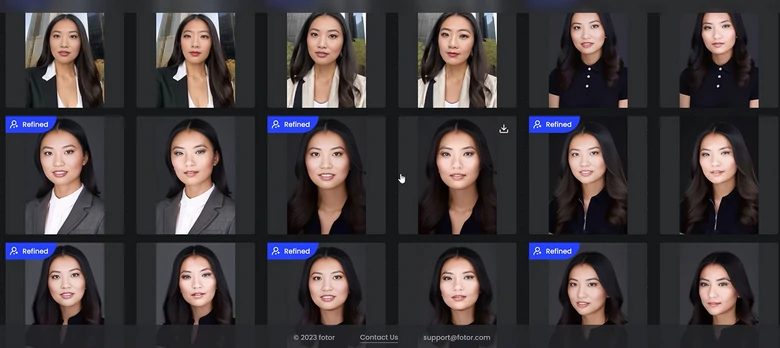
Image from Annie Margarita Yang
Pros of Using Fotor to Generate AI Headshots
Cons of Using Fotor to Generate AI Headshots
4. Secta Lab
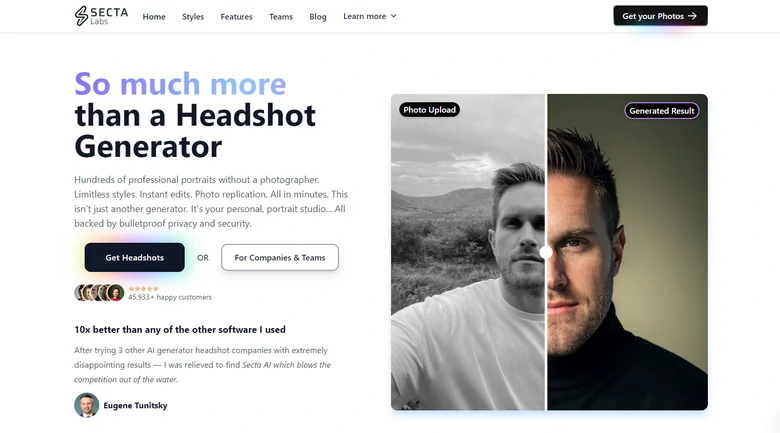
Secta Lab Overview
Secta Lab stands head and shoulders above the rest. Unlike other AI headshot generators leaving you 20 more 40 one-size-fits-all looks, Secta AI generates cool results in different backgrounds, outfits. Get unlimited high-resolution headshots for only $49.
The beauty of Secta Lab is its unparalleled ability to adapt to different industries and styles. You can easily tweak lighting, backgrounds, and even subtle facial adjustments to make the final result perfectly reflect not just your face, but a vibe.
Secta Lab also commits to quality. It enhances them to a large degree, ensuring your headshots stand out from the crowd.
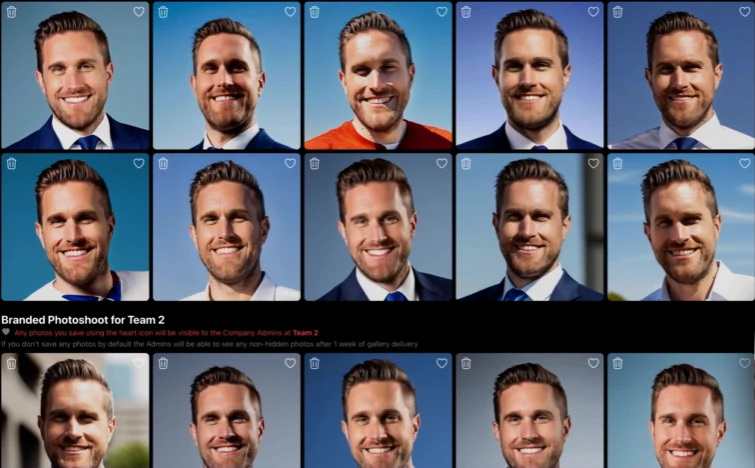
Image from Secta Labs
Pros of Using Secta Lab to Generate AI Headshots
Cons of Using Secta Lab to Generate AI Headshots
5. Headshot Pro
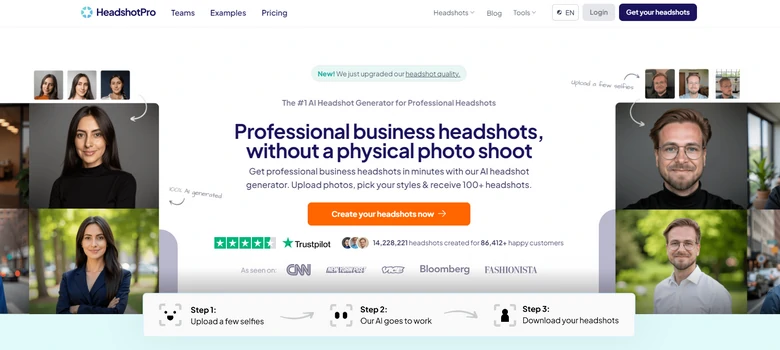
Headshot Pro Overview
You can always except professional-level headshots without any hassle from Headshot Pro. It takes all the guesswork out of the process and offers standard outputs with high precision. According to our test, all facial details are perfect. Some minor mistakes on fingers, clothes may exist, but they are hard to notice.
What sets Headshot Pro apart is its reality. It is the only major AI headshot generator powered by FLUX to maximize realism. You will never encounter a photo that looks fake to people.
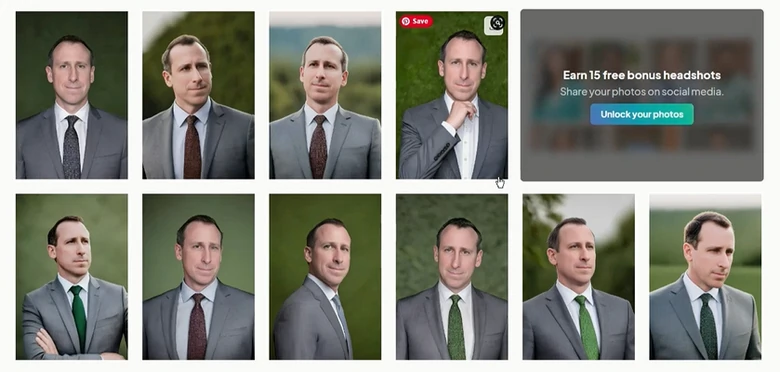
Headshot Pro Output
Pros of Using Headshot Pro to Generate AI Headshots
Cons of Using Headshot Pro to Generate AI Headshots
Tips to Generate Great AI Headshots
All tools are using different AI models, so the outputs vary. Yet, there are some tricks to help get better headshots.
1. Use High-Quality Original Photos
Start by using well-lit, high-resolution photos. Only with a sharp image, can AI get the most details of your face and eradicate any distractions in the background.
2. Face to Front
The image should be well-composed, with your face to the front and positioned in the right position. A side portrait is never welcomed.
3. Consistent Looks
Most AI headshot generators ask you for more than 6 images. Even if you don't have that many photos, do make sure you don’t pick a recent image and a photo taken 10 years ago. AI may mistakenly believe these photos do not belong to one person.




FlexClip AI Video Maker
Reach professional-quality videos faster with easy editing tools, templates, and smart AI.
Start Now for Free
Hot & Trending
-

Best Ways to Find Music in YouTube Videos
-

Instagram Story Video Quality Bad After Upload? Fix It!
-

How to Repost Video on TikTok & How to Remove TikTok Repost
-

Improve Video Quality Online: 3 AI Video Quality Enhancers You Can't Miss
-

4K Convert to HD 1080p without Watermark: Best 4k Video Converters
-

Best 8 Free Video Editors - No Download Required
-

Top 13 Birthday Video Makers with Music and Effects Free
-

How to Search Filters on TikTok & Use a Filter You See - TikTok Filter Guide