Do you have a photo where your loved ones are not together, which can make you feel unhappy? But don’t worry, we’re here to help you solve this.
To join 2 separate photos in 1 frame easily, all you need is an two photos in one frame editor! With the right tool, anyone can edit two pictures in one frame for a new image and even a video project in a matter of seconds.
Bonus: Beautiful Video Templates for Your Photo/Video Editing Inspiration



Create Video Faster with FlexClip's Pre-Made Templates →
Start from Scratch Easily with FlexClip's Online Video Maker →
Can't Miss: The Photo Grid Maker Helps You to Create Photo Grid Online >
Part 1 Recommended Online Two Photos in One Frame Editor
When it comes to putting two photos in one frame, FlexClip is the best tool you can’t miss! Whether you're trying to combine and join two separate photos in one frame as a group photo, collage two photos and more into one frame to showcase your favorite snaps, or overlay one image onto the other to create surrealist masterpiece, and even combine two photos or multiple images into a video project with natural animation, FlexClip has got you covered!


Online Photo/Video Editor - FlexClip
Best Features of FlexClip to Put Two Photos in One Frame:
How to Put Two Photos in One Frame into a New Image or Video
Whether you want to join 2 photos into one frame to turn your separate photos into a group photo or transform them into a dynamic and realistic video, FlexClip offer unique and personalized ways for you.
2.1 Put Two Photos in One Frame into a New Image
Here, let's show you how to combine 2 different backgrounds photos in one frame to make a group photo like the one below.
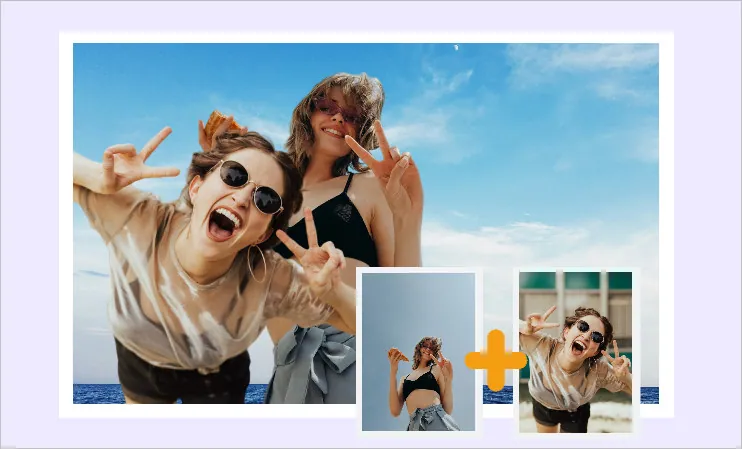
2 Photos in 1 Frame Example
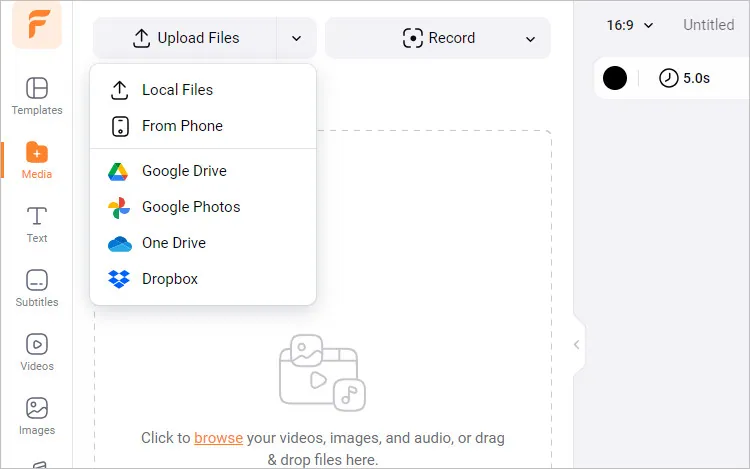
Join Two Photos in One Frame Online with FlexClip - Upload
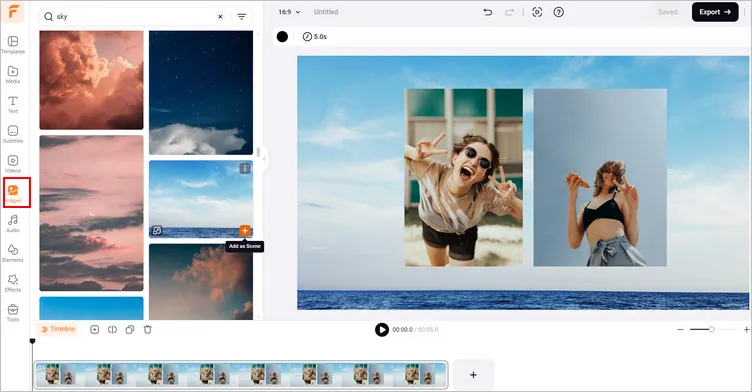
Join Two Photos in One Frame Online with FlexClip - Add Your Images
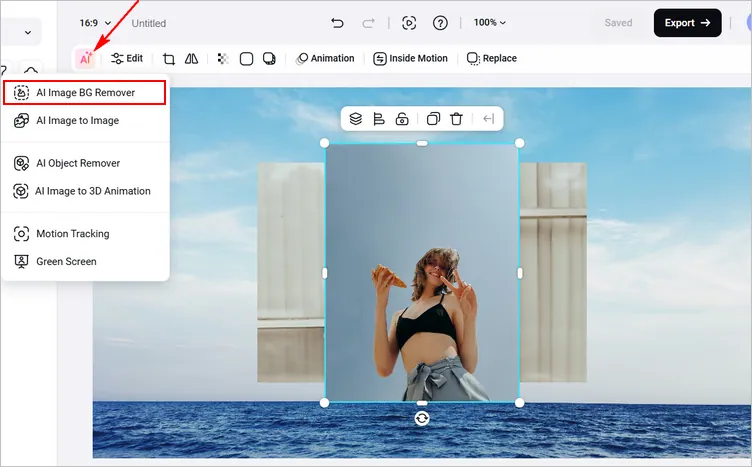
Join Two Photos in One Frame Online with FlexClip - Remove Background
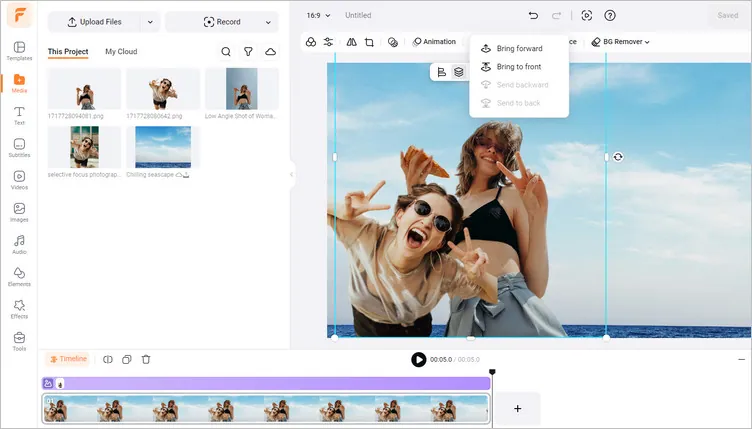
Join Two Photos in One Frame Online with FlexClip - Edit Your Image
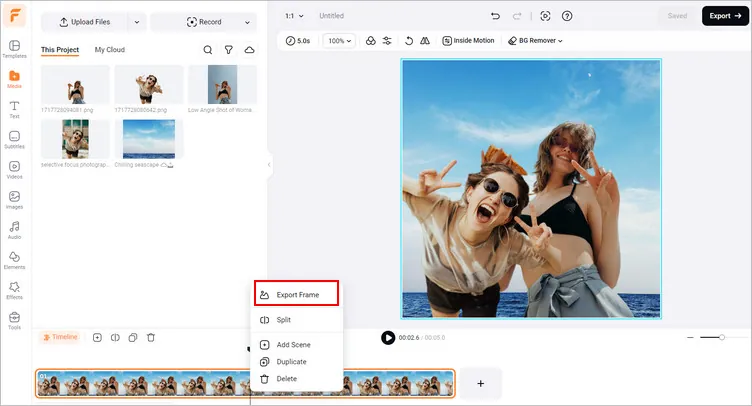
Join Two Photos in One Frame Online with FlexClip - Save Your Image
2.1 Put Two Photos in One Frame into a Video with AI
Try to edit your two images into a video? FlexClip's AI video generator is here to help you out. Its advanced image-to-video tool is integrated with Kling 1.6 PRO, which allows you to combine multiple images into a video with simple clicks.
2 Photos in 1 Frame Video Example
Let's Click the Have a Try Now button to access FlexClip's Image to Video tool and follow the steps below to learn how you can put two photos into one frame with AI and generate a video project like the one above.
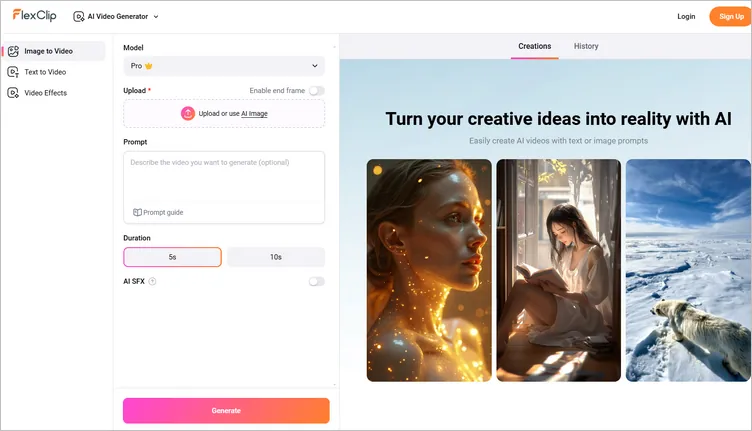
Put Two Photos in One Frame into a Video with AI Image-to-Video
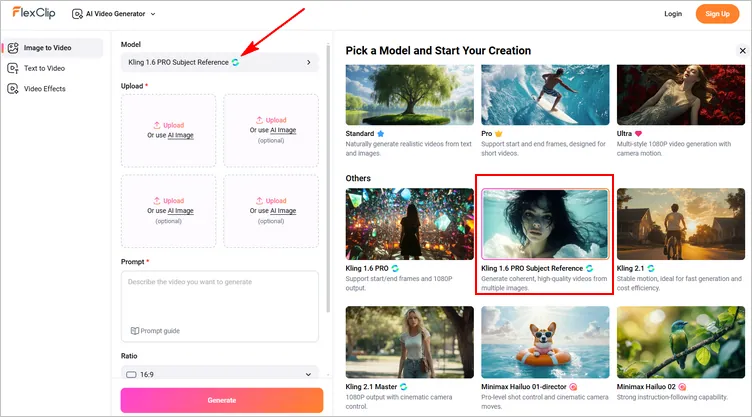
Put Two Photos in One Frame into a Video with AI - Select Model
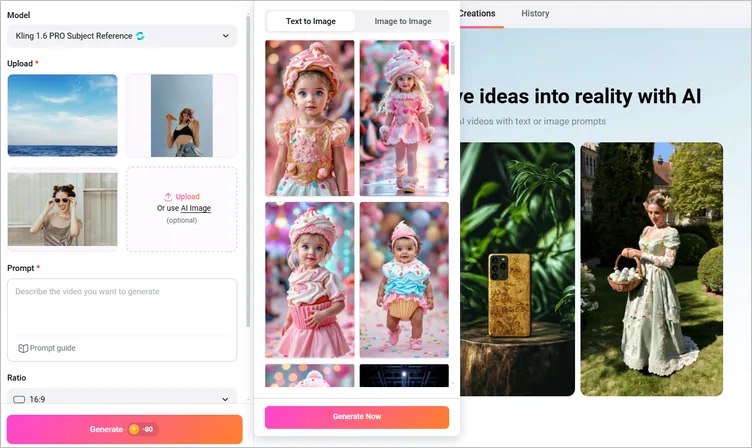
Put Two Photos in One Frame into a Video with AI - Upload Images
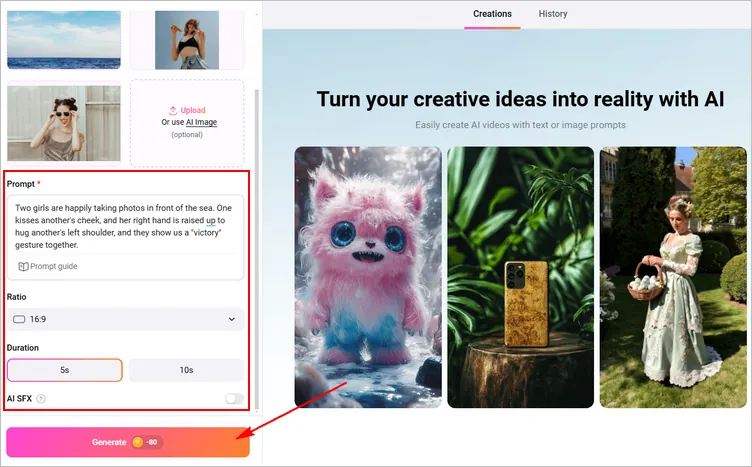
Put Two Photos in One Frame into a Video with AI - Write Prompts
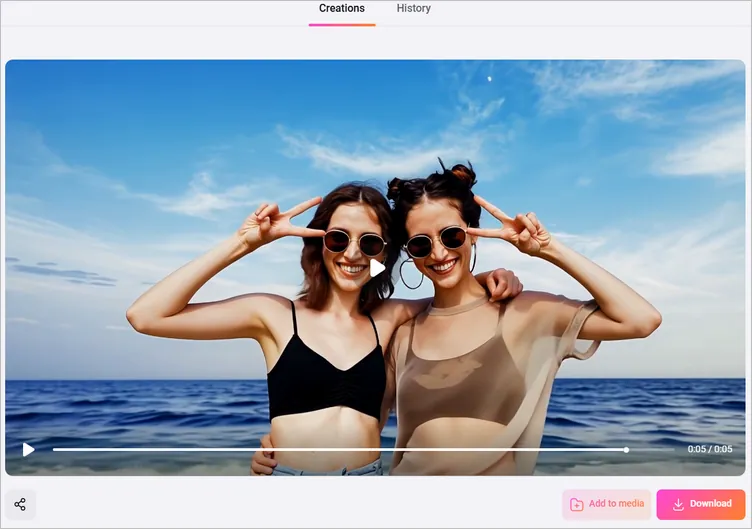
Put Two Photos in One Frame into a Video with AI - Download or Edit
Final Words
That’s all for the best two photos in one frame editor for you to put your separate photos into a group photo or video project. Now, it is your move to combine 2 photos in 1 frame with our recommended tool, FlexClip. Except for combing photos in one frame, FlexClip’s other photo or video editing features are waiting for you to explore, like adding overlay effect, color grading your image and video, turning your photos into a stunning photo album video, and more. Happy making!




FlexClip AI Video Maker
Reach professional-quality videos faster with easy editing tools, templates, and smart AI.
Start Now for Free
Hot & Trending
-

Best Ways to Find Music in YouTube Videos
-

Instagram Story Video Quality Bad After Upload? Fix It!
-

How to Repost Video on TikTok & How to Remove TikTok Repost
-

Improve Video Quality Online: 3 AI Video Quality Enhancers You Can't Miss
-

4K Convert to HD 1080p without Watermark: Best 4k Video Converters
-

Best 8 Free Video Editors - No Download Required
-

Top 13 Birthday Video Makers with Music and Effects Free
-

How to Search Filters on TikTok & Use a Filter You See - TikTok Filter Guide