


Watercolor painting is a hugely popular art style that many people want to bring into their photos. An excellent image editing tool can satisfy your needs! Under this circumstance, you don't need to be a master artist to create such realistic watercolor effects for your photos. Therefore, we will recommend two different tools to help you convert any image into a hand-made watercolor painting.
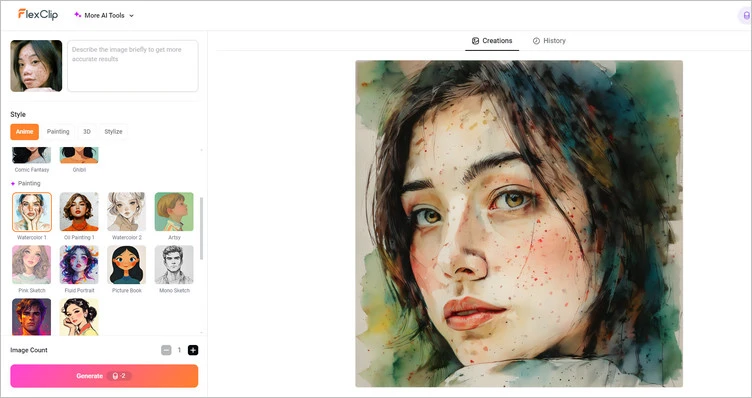
I guess there is no one who doesn’t want to achieve watercolor painting effect with our recommended image editing tools. For example, we’ll show you an AI-generated watercolor painting image below using FlexClip’s advanced AI photo editor.
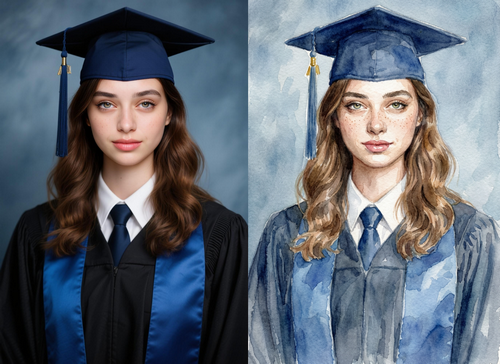
AI Watercolor Painting Example Photo - FlexClip
Moreover, there are many templates with watercolor style that can help you to display your watercolor style images better. Try it!


Part 1 Online Way to Turn Photo into Watercolor Painting - FlexClip
As one of the most popular AI photo editing brands, FlexClip can be your better alternative to Photoshop to create a watercolor effect for images. It’s designed to be user-friendly and efficient, so you can achieve great results in a short amount of time. It allows you to create watercolor effect for any image without any editing experience.
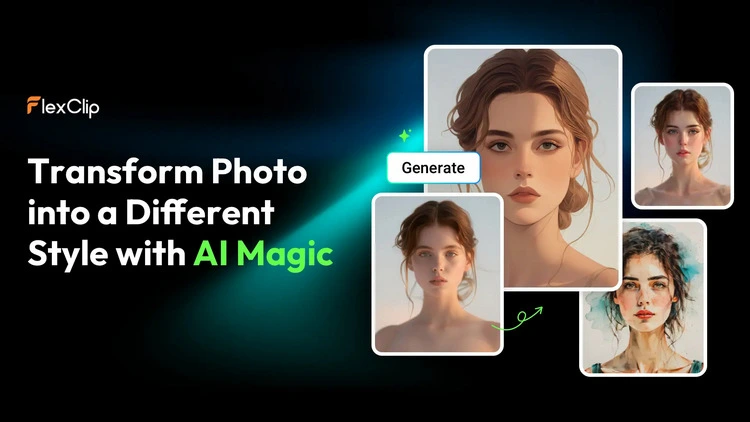
Turn Photo into Watercolor Painting - FlexClip
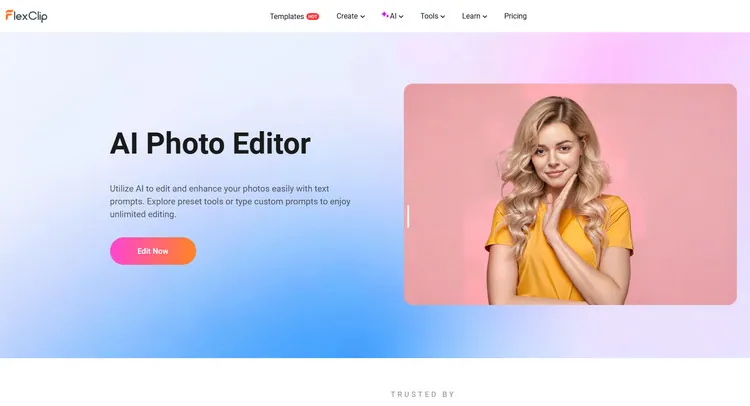
AI Photo Editor - FlexClip

AI Image to Image Generator - FlexClip

Frame & Elements Library - FlexClip
Method 1 Turn Photo into Watercolor Painting in FlexClip
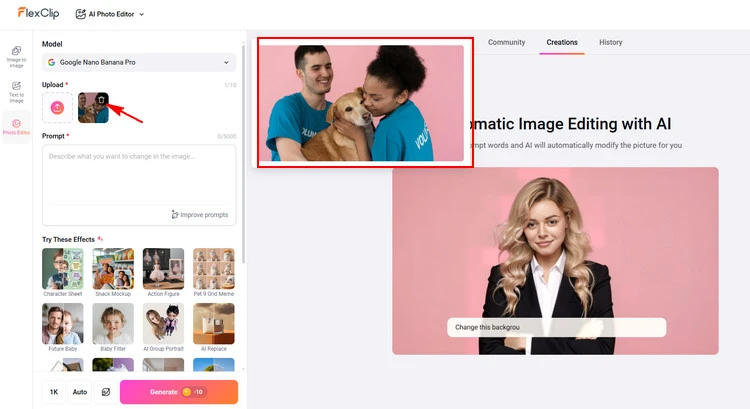
Upload Photo - FlexClip
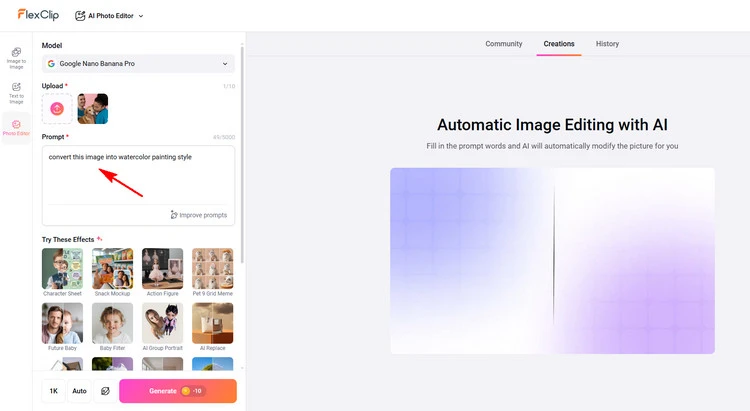
Write Prompts - FlexClip
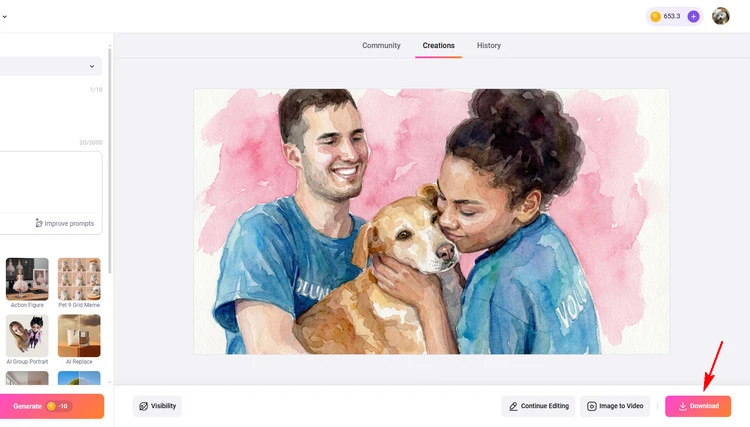
Download Photo - FlexClip
Method 2 Turn Photo into Watercolor Painting in FlexClip
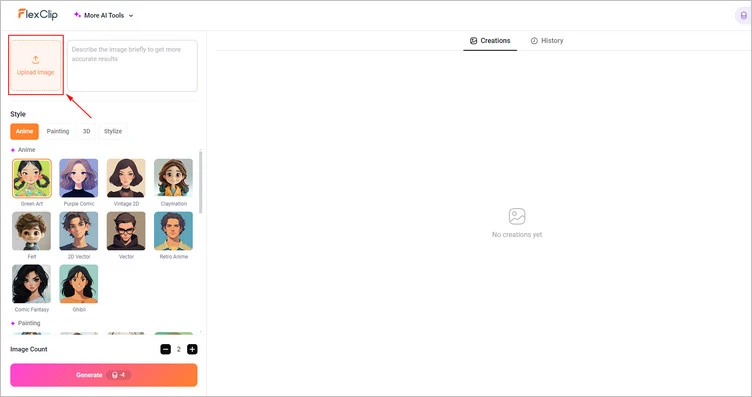
Upload Your Images - FlexClip
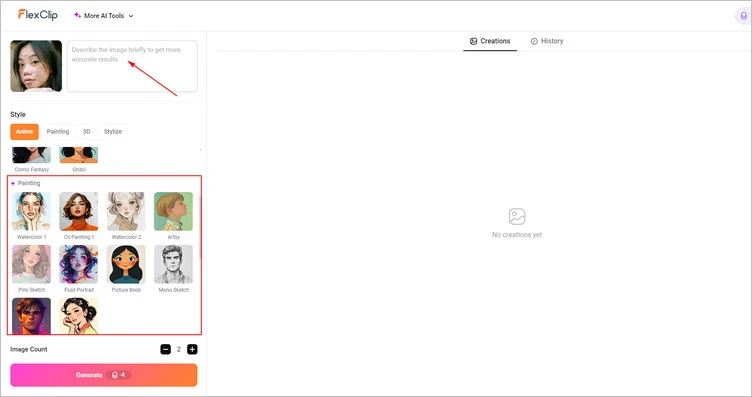
Add Watercolor Effect - FlexClip
Download Your Images - FlexClip
Part 2 Software to Turn Photo into Watercolor Painting - Photoshop
Adobe Photoshop is an excellent tool that allows you to create watercolor effect for image on Mac and Windows. A range of Photoshop filters will produce the foundations of the effect, then the addition of a paper texture and deformation with watercolour Photoshop brushes add an extra level of realism to produce a convincing effect. Besides, once you have finished creating watercolor effect for image, you can also customize it for different social media.
The Bottom Line
Hope you’ve learned how to effortlessly create watercolor effect for image in Photoshop and its alternative - FlexClip. And FlexClip also provides many video/image creation functions for you to explore. Now, it’s your move!




FlexClip AI Video Maker
Reach professional-quality videos faster with easy editing tools, templates, and smart AI.
Start Now for Free
Hot & Trending
-

Best Ways to Find Music in YouTube Videos
-

Instagram Story Video Quality Bad After Upload? Fix It!
-

How to Repost Video on TikTok & How to Remove TikTok Repost
-

Improve Video Quality Online: 3 AI Video Quality Enhancers You Can't Miss
-

4K Convert to HD 1080p without Watermark: Best 4k Video Converters
-

Best 8 Free Video Editors - No Download Required
-

Top 13 Birthday Video Makers with Music and Effects Free
-

How to Search Filters on TikTok & Use a Filter You See - TikTok Filter Guide




