In today's busy world, voicemail messages have become an integral part of effective communication, ensuring that anything important will never be missed out. For business owners, voicemail greeting plays a crucial role in establishing a professional image, managing customer expectations, and providing necessary information to callers, thereby enhancing the overall customer experience.
However, composing the perfect voicemail greeting can be a daunting task for many. The process of writing a voicemail greeting script, finding a professional voice actor and dubbing engaging voicemail message is rather labor-consuming. Don’t worry! In this article, we dig into the importance of voicemail greetings and provide some tools for creating a welcoming and compelling message that leaves a positive impression on your callers.

What Is a Voicemail Greeting Message
Also Interested in: How to Make a Radio Ad with AI>>
What Is a Voicemail Greeting Message
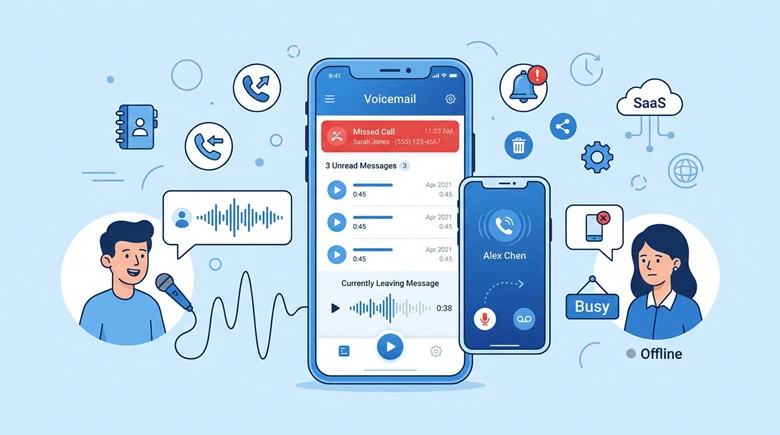
A voicemail message is a recording played to the callers when you are unable to answer their call and they will reach your voicemail message instead. It typically includes a personal/professional greeting and prompts the caller to leave a message with their name, phone number, and reason for calling so that nothing important will be missed even when you’re out of reach. Moreover, it may also provide alternative contact information or instructions for urgent matters.
What Is a Voicemail Greeting Message
Now that you have a general understanding of voicemail greeting, let’s delve into the three best voicemail message makers that create a welcoming and effective message that leaves a positive impression on your callers.
#1 FlexClip - A Free Voicemail Greeting Generator
Best for: People who want to create professional voicemail greetings with complete customization over speed, pitch, style, mood and accents.
FlexClip’s text-to-speech tool makes it easy to generate an automated voicemail response in seconds. It supports 3700+ voices in 140+ languages with full customization of mood, pitch, speed, and accents, allowing you to craft tailored, realistic voicemail greetings effortlessly.
Whether it’s a service-specific greeting, a business out-of-reach response or a holiday away greeting, a natural-sounding voicemail message will be at your disposal after a one-click operation. Additionally, thanks to its flexibility and simplicity, you can produce voice greetings at any time to serve different purposes while keeping your brand’s identity using voice clone feature. No editing experience is required!


Key Features of FlexClip Voicemail
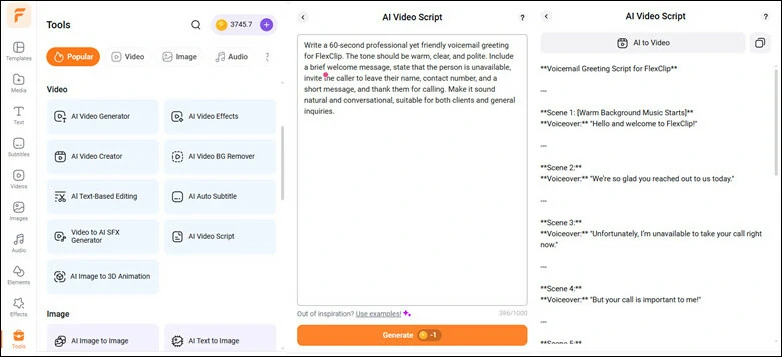
Voicemail Greeting Scrip Generator in FlexClip
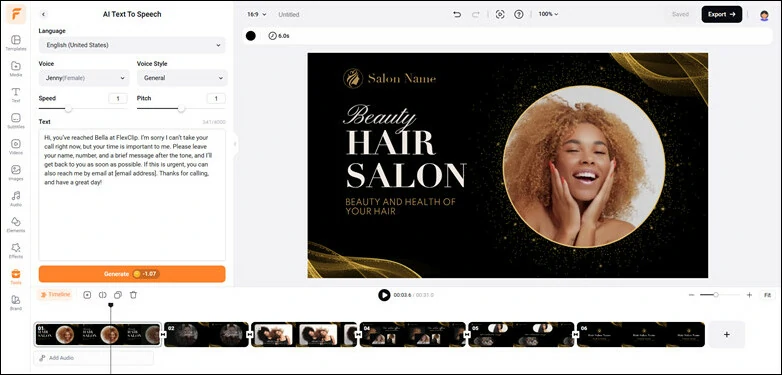
Flexible Voicemail Recording Settings

Create Custom Voice Avatar with Voice Clone Feature
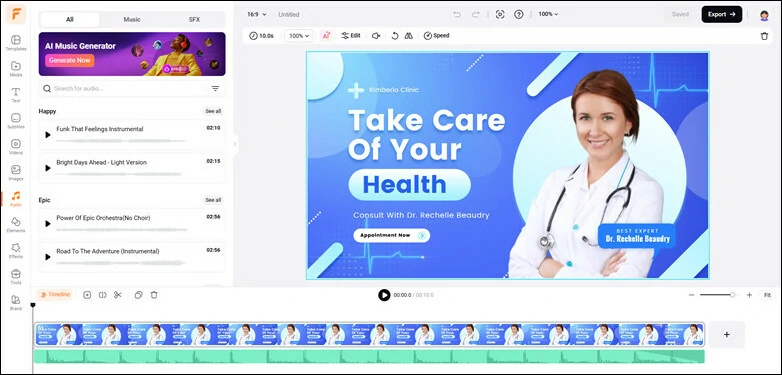
Add Background Music to Voicemail Recording
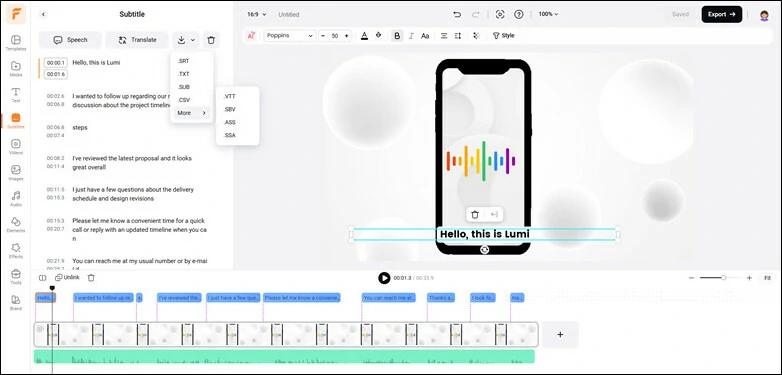
Turn Voice Memos into Text




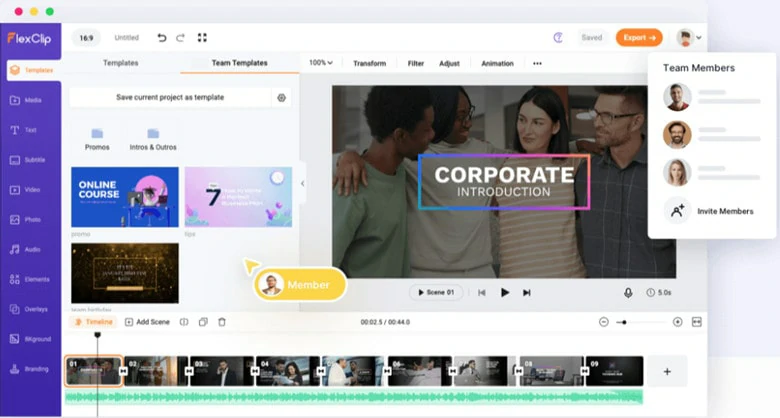
Team Collaborative Feature in FlexClip
How to Make a Voicemail Greeting in FlexClip
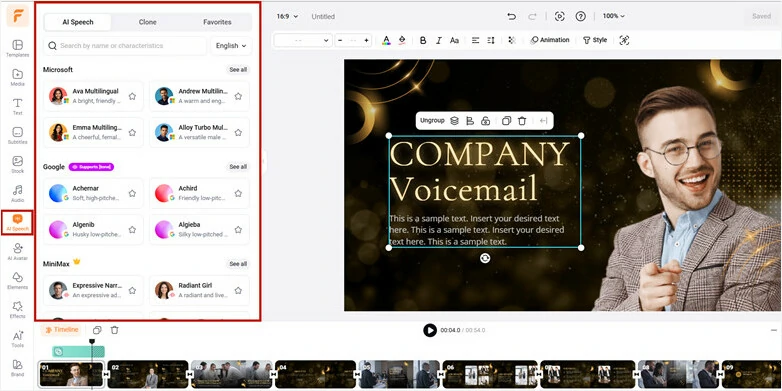
Go to AI Speech and Select the Preferred Voice Avatar
Alternatively, you can create a custom voice avatar using voice clone feature. Just switch to Clone to drag and drop a voice recording or record a snippet with our voice recorder. Within seconds, AI will recognize the voice and create a clone you can use to turn text into natural-sounding voicemail greeting.
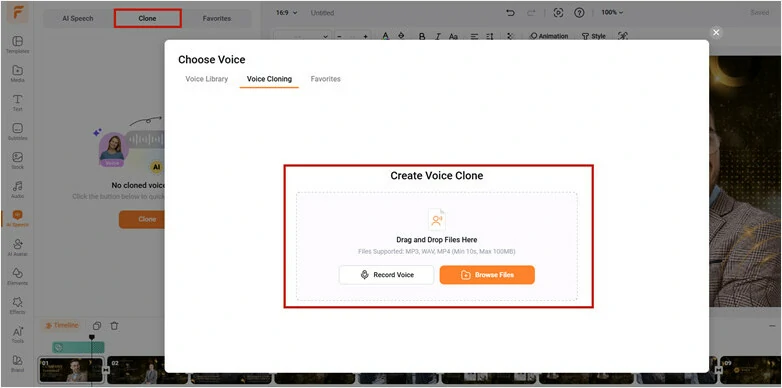
Create Your Custom Avatar Using Voice Clone
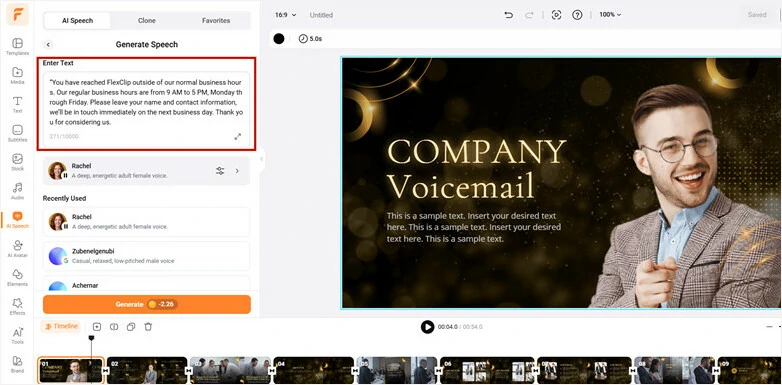
Copy and Paste Voicemail Greeting Message to Dialogue Box
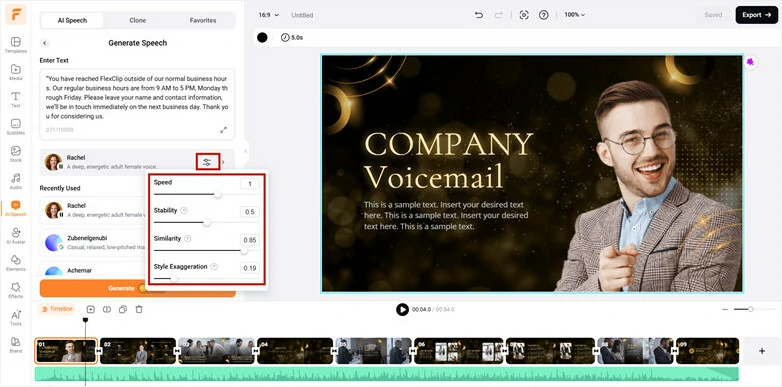
Customize the Voice Setting for the Perfect Outcome
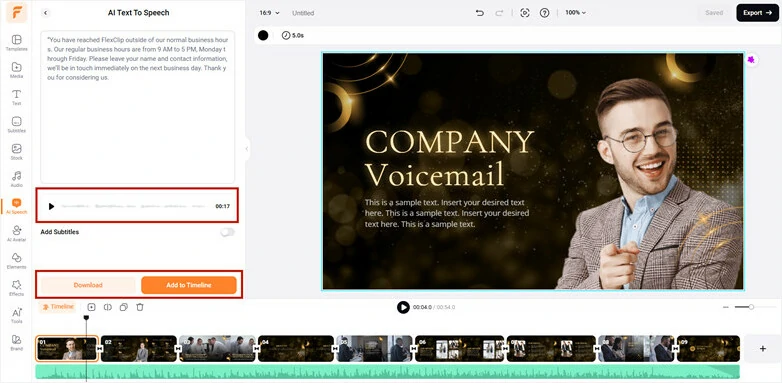
Download the Generated Audio File
Here let's preview the voicemail greeting generated by FlexClip:
Natural-sounding Voicemail Greeting Generated by FlexClip
Pros:
Cons:
# 2 Narakeet - AI Voicemail Greeting Generator
Best for: People who want to create voicemail greetings for commercial use.
Narakeet is a text-to-speech maker, allowing you to turn script into engaging voicemail greetings without recording self-narration. Depending on the voicemail quantum you need, the plan it offers varies. Free users can select from 36 voices in 11 languages and save the voicemail recording as MP3, WAV or M4A file. While if you’re a subscribed customer, congratulations, you can make voice mail greetings in 90 languages with 700 voices.
Additionally, it utilizes deep neural network (DNN) speech translators, which excel in understanding contextual cues and delivering high-quality content by appropriately adding pauses and customizing reading speed to create a seamless flow.

Voicemail Greeting Generator Online - Narakeet
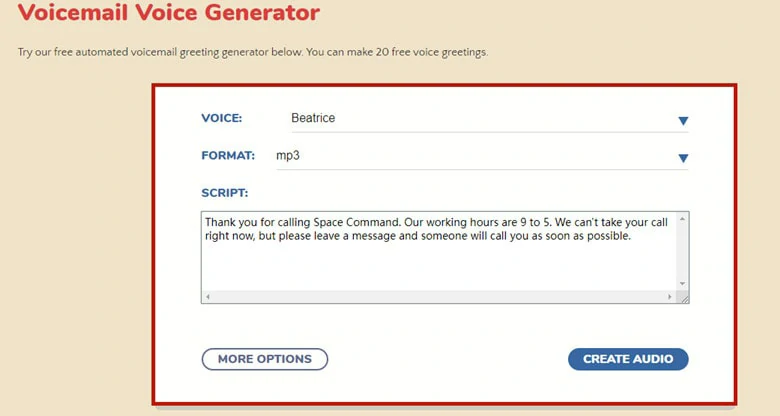
Enter the Voicemail Script You Want to Generate
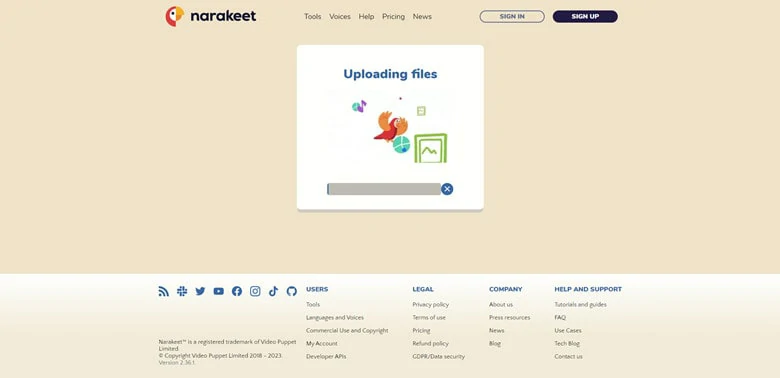
Launch the Generation Process
Alternatively, click on New Audio button to change the voice or edit the message with more selection of voices and languages. When you’re ready, launch the generating process with Create Audio button to make a new voicemail message. Ultimately, download the recorded file to your device.
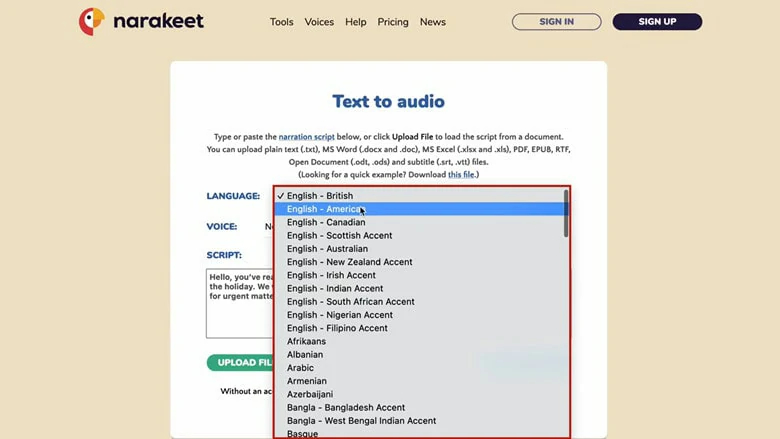
Generate Voicemail Greeting with Multiple Customization
Pros:
Cons:
# 3 Inperium Talk - Comprehensive Business Voicemail Greeting Generator
Best for: Professional who needs an automated tool to assist business
Inperium Talk is a comprehensive business phone call system to talk, text and manage contacts. To level up your business calls, it integrates various AI-driven tools to handle incoming calls professionally, reach out to your prospects easily around the globe and make and receive calls remotely. For example, the auto-transcription function eliminates the need to take notes as it can accurately transcribe any recorded call, giving you the complete text to analyze or refer back to.
If you’d like to create voicemail greetings, after-hour greetings or other custom greetings that can always provide useful information to the callers when you’re out of reach, follow the guide below.

Voicemail Greeting Generator Online - Inperium Talk
How to Generate Voicemail Greeting Online with Inperium Talk
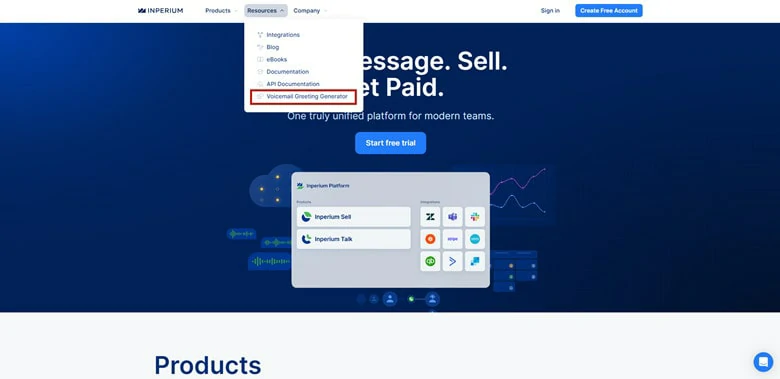
Find Voicemail Greeting Generator in Inperium Talk
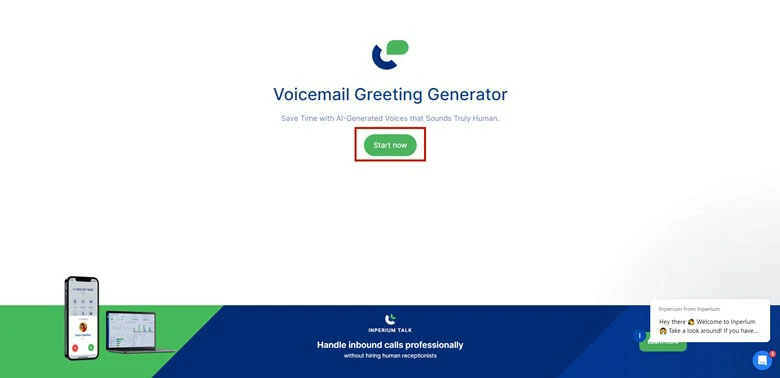
Enter the Voicemail Greeting Interface
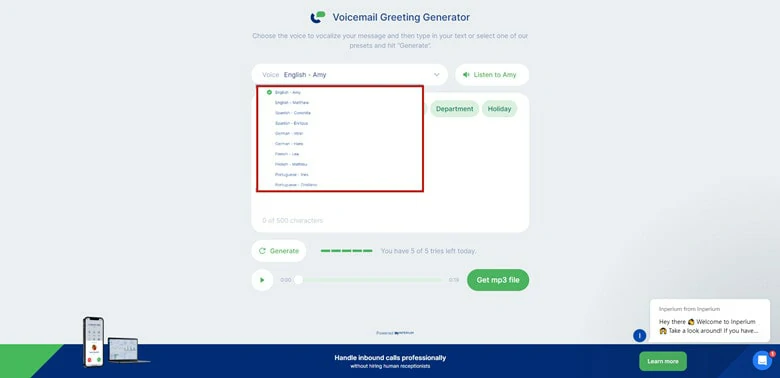
The Preset Offered by Inperium Talk
From there, select the voice genre you want and type in the voicemail greeting script (up to 500 characters) or inspire by the text presets, after that click on Generate icon to vocalize your message.
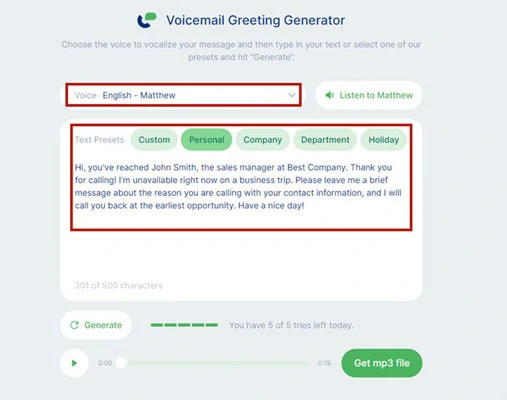
Generate Voicemail Greeting in Inperium Talk
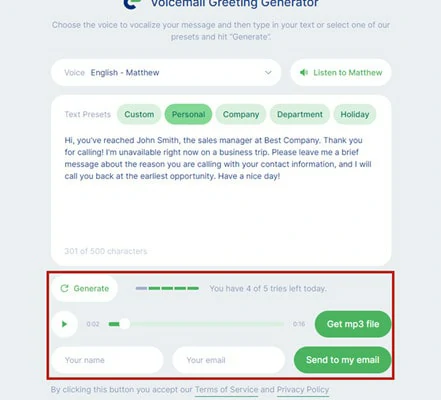
Check the Generated Voicemail File and Download it
Pros:
Cons:
Voicemail Greeting Examples
Voicemail greetings serve different purposes depending on the scenario and the intended recipient. Here are six general voicemail greeting examples to rely on.
FAQs
Fiverr is a website where you can hire freelancers to record voicemail greetings. The freelancers come from all over the world, serving voicemail messages in almost all the languages you can think of, yet with strong personalities. Just type in Voice Greeting and extensive results will appear with ratings, customer reviews, number of services, voicemail examples, and other detailed information about the freelancer. Pick the optimal voicemail artist and contact him/her to make a deal.
Well, it will take some time to get the customized voicemail recording. Additionally, compared with automated voicemail greetings, hiring a realistic voice actor costs much more.
If you want to set up a voicemail greeting on iPhone, follow the steps below.
Step 1: Open the Phone app and switch to the Voicemail panel and click Set Up Now. If this is the first time you evoke a Voicemail, you’ll be asked to create a voicemail password.
Step 2: iPhone gives two options to add a voicemail greeting: Default or Custom. If you want a personalized voicemail message, tap Custom to record a new recording by yourself.
The messages are saved until you delete them or your carrier erases them.
If you use the Google Voice app, you can record a greeting up to 3 minutes long. While Safari records the greeting, the duration changes to one minute. Here is a guide for recording a voicemail greeting on Android.
Step 1: Open the Google Voice app and tap Settings on the menu panel.
Step 2: In the Voicemail section, tap Voicemail greeting and then Record a greeting to capture a unique voice message.
Step 3: Enter a name for the new voicemail recording and tap on Save.




FlexClip AI Video Maker
Reach professional-quality videos faster with easy editing tools, templates, and smart AI.
Start Now for Free
Hot & Trending
-

Best Ways to Find Music in YouTube Videos
-

Instagram Story Video Quality Bad After Upload? Fix It!
-

How to Repost Video on TikTok & How to Remove TikTok Repost
-

Improve Video Quality Online: 3 AI Video Quality Enhancers You Can't Miss
-

4K Convert to HD 1080p without Watermark: Best 4k Video Converters
-

Best 8 Free Video Editors - No Download Required
-

Top 13 Birthday Video Makers with Music and Effects Free
-

How to Search Filters on TikTok & Use a Filter You See - TikTok Filter Guide