Your Tinder profile plays a crucial role in determining how many likes and matches you get. It’s your personal window for others to discover who you are and decide whether they want to connect. However, with countless profiles on the platform, standing out has become increasingly competitive.
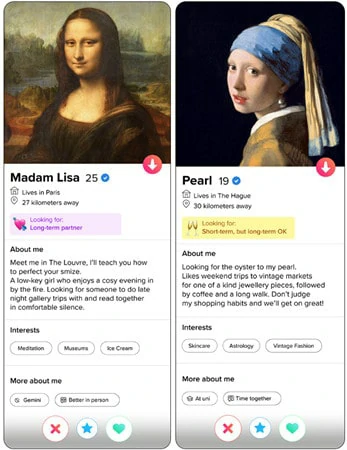
Examples of Tinder Profile Look for You
That’s why many users want to upload a video to Tinder — a Tinder profile video can show your real personality, boost authenticity, and attract more matches.
If you’re curious how to do it, you’re in the right place. This guide covers how to add a video to your Tinder profile and smart tips to get more likes.
Can You Put Videos on Tinder?
Yes, you can upload videos to your Tinder profile, but the feature has changed over time. In the past, Tinder allowed users to add a 15-second video clip, but this option was removed in mid-2022.
Now, you can still add videos on Tinder through the Upload from Library option. Simply choose a video from your camera roll and select a two-second segment, which Tinder automatically converts into a looping GIF-style clip for your profile.
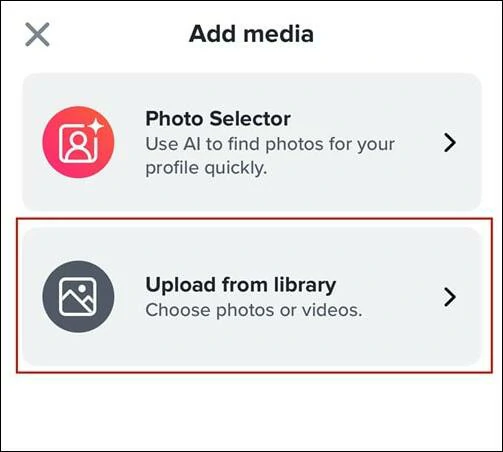
Put Videos on Tinder Through the Upload from Library Option
Here is a brief tutorial on how to add profile video on Tinder:
How to Put Videos on Tinder Profile
You can easily upload a short video to your Tinder profile to show off a moment of your charm. However, these two-second looping video often can't capture your personality and unique appeal as you imagined. People browsing your profile may only spend a few seconds on it, which isn’t enough to truly impress them. To get more likes and matches, you need more than just videos—you need a set of carefully crafted, eye-catching photos that showcase your profile as a whole.
This is exactly where the Tinder Profile Generator comes in. It helps you quickly optimize every photo’s angle, lighting, and style, creating a professional and attractive Tinder profile that makes potential matches stop and take a closer look. Keep reading to explore it.
The Best Tinder Profile Generator for Appealing Pictures to Show Personality
If you want to craft a standout Tinder profile, the only tool you really need is FlexClip—an AI-powered video and photo editor that helps you create, edit, and enhance your social media look. No download or prior editing experience is required. Just access FlexClip and craft your perfect Tinder Profile in no time.
With FlexClip, you can:
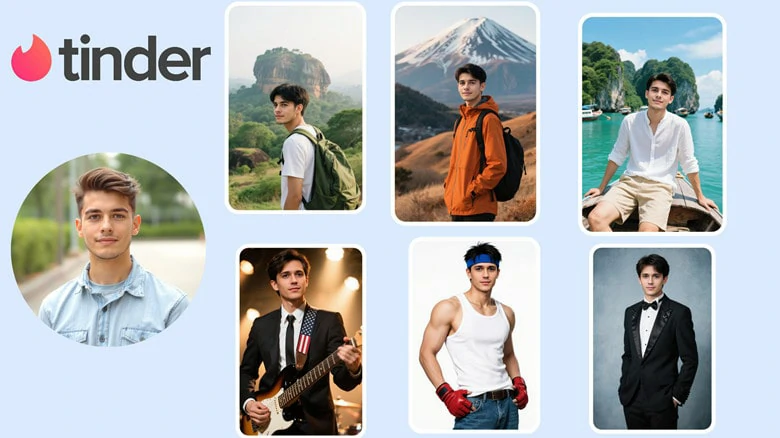
FlexClip's AI Dating Generator for Professional-level Tinder Profile Picture
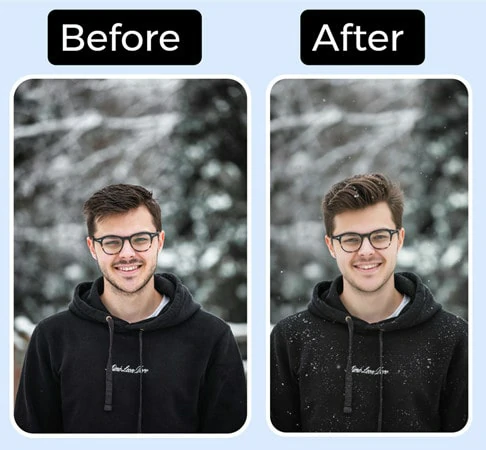
AI-powered Enhancement Tool for Existing Profile Pictures
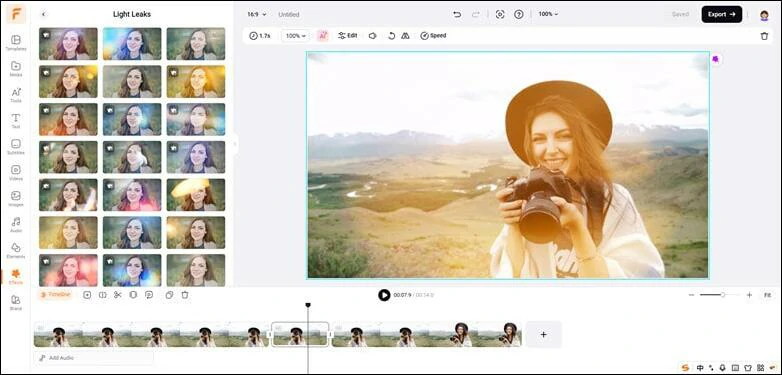
Easy to Use Editing Tool to Customize Your Tinder Profile Video
Powerful Extras to Take Your Tinder Chats to the Next Level
How to Create Attractive Tinder Profile Pictures
Now let's see how you can create a set of Tinder profile pictures using FlexClip.
Step 1: Open FlexClip's AI Headshot Generator
Go to FlexClip's AI headshot generator and choose a headshot category to get started. Then select your gender, hair length & color, attire, background and more options to help AI generate better results.
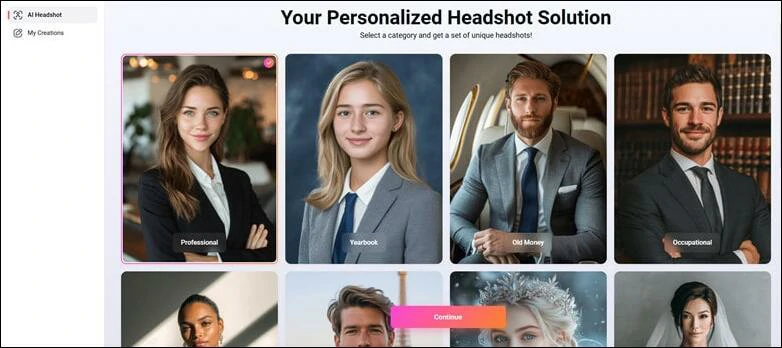
Open FlexClip's AI Headshot Generator
Step 2: Upload Your Photo and Generate
Simply upload a clean, front-facing picture and AI will instantly recognize, analyze and generate pro-quality Tinder profile pictures that truly resemble you.
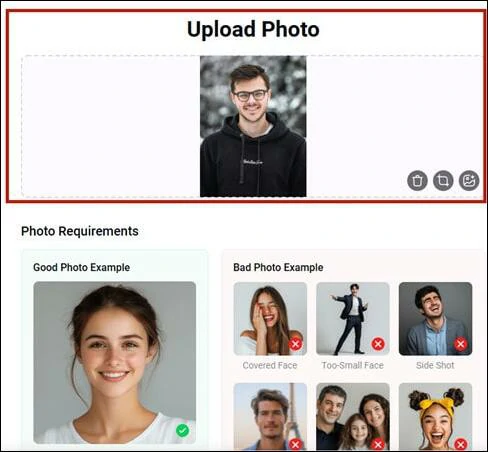
Upload Your General Photo and Generate Tinder Profile Pictures
Step 3: Download and Change Your Tinder Profile Picture
In just minutes, you’ll have dozens of AI-generated attractive Tinder profile picture ready to download and upload effortlessly.
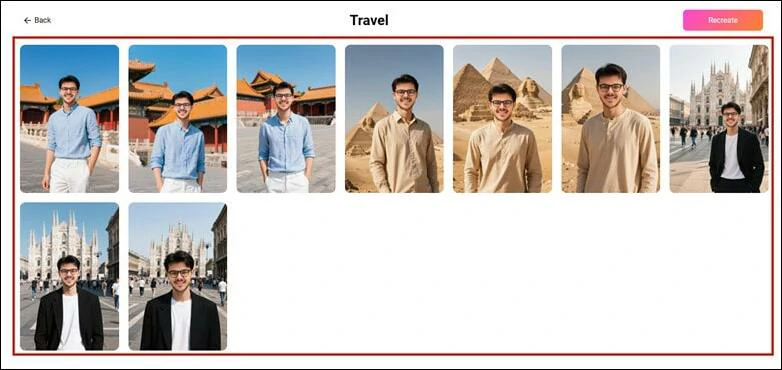
Download and Change Your Tinder Profile Picture
FAQs About Tinder Profile Video
1.Can I upload a video to Tinder Profile?
Yes. You can upload a short video from your camera roll using the Upload from Library feature. Tinder converts it into a 2-seconding looping clip that plays on your profile.
2.Can I record a video directly in Tinder?
No. Tinder doesn’t allow you to record videos directly using this app. You must need to select a video from your camera roll.
3.Having a profile video increases matches?
Profile videos can make your profile stand out and give potential matches a better sense of your personality. However, photos still play a key role, so a combination of high-quality photos and videos works best.
4.What types of video work best?
Short, eye-catching clips that show your personality or interest work best. Smiling, a funny moment, or showing a hobby can make your profile more engaging.
5.Why Tinder Removes My Profile Video?
Tinder will remove your content from this app if it breaks the rules of community rules. You can check this article to see whether there is a violation of Term of Use.




FlexClip AI Video Maker
Reach professional-quality videos faster with easy editing tools, templates, and smart AI.
Start Now for Free
Hot & Trending
-

Best Ways to Find Music in YouTube Videos
-

Instagram Story Video Quality Bad After Upload? Fix It!
-

How to Repost Video on TikTok & How to Remove TikTok Repost
-

Improve Video Quality Online: 3 AI Video Quality Enhancers You Can't Miss
-

4K Convert to HD 1080p without Watermark: Best 4k Video Converters
-

Best 8 Free Video Editors - No Download Required
-

Top 13 Birthday Video Makers with Music and Effects Free
-

How to Search Filters on TikTok & Use a Filter You See - TikTok Filter Guide