Ever wondered if it’s possible to unblur text in an image? Maybe you’ve taken a photo of your lecture notes, an important document, or even a crucial screenshot that looks too blurry to read. Frustrating, right? The good news is you don’t need Photoshop or expensive software to fix it.
Thanks to online powerful AI image enhancers like FlexClip, making text clear is easier than ever. In this guide, you’ll learn the best ways to unblur text in photos and recover the information you need.
Can't Miss: Online Image Censor Remover: Uncensor Images with Great Ease →
Also Read: How to Unpixelate Images in Photoshop and in its Alternative Easily →
How to Unblur Text in an Image Online with AI
FlexClip is an all-in-one online video and image editor with built-in AI-powered tools. One of its most useful features is the AI Image Enhancer, which is designed to reduce blur and improve clarity, making it ideal for deblurring text in images. You can unblur text online quickly and easily at FlexClip—whether it’s a screenshot, a scanned document, or a photo. Just upload your photo, set the upscale size, and FlexClip automatically analyzes your photo and applies adjustments to make words stand out, improving readability.
Now, click on the Unblur Text in Image button below, follow us and make text clearer in an image in seconds.


Step 1 Upload Your Blurry Text Image
Once you click the Unblur Text in Image button, you are led to FlexClip’s AI Image Upscaler page. It works right in the browser, so you don’t need to download anything to your device. Just upload or drag and drop your image or screenshot to the upload section directly.
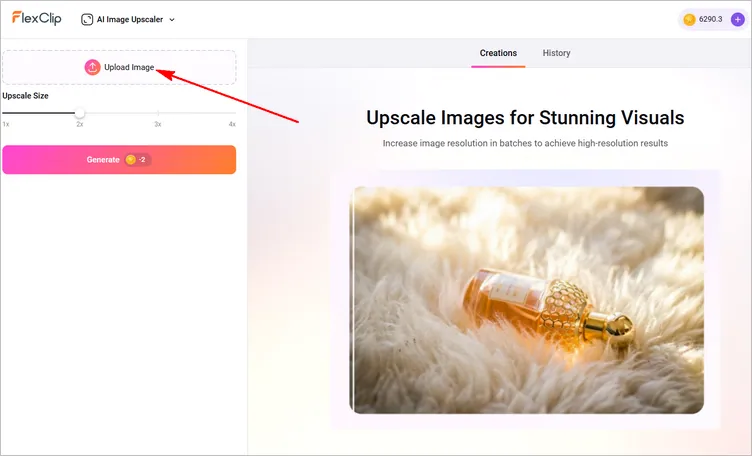
Deblur Text in Image with FlexClip - Upload
Step 2 Deblur Text in Image with AI
Now, set the upscale size, such as 1x, 2x, 4x, and click the Generate button to unblur text your images. Then FlexClip will automatically reduce blur, sharpen edges, and improve overall clarity.
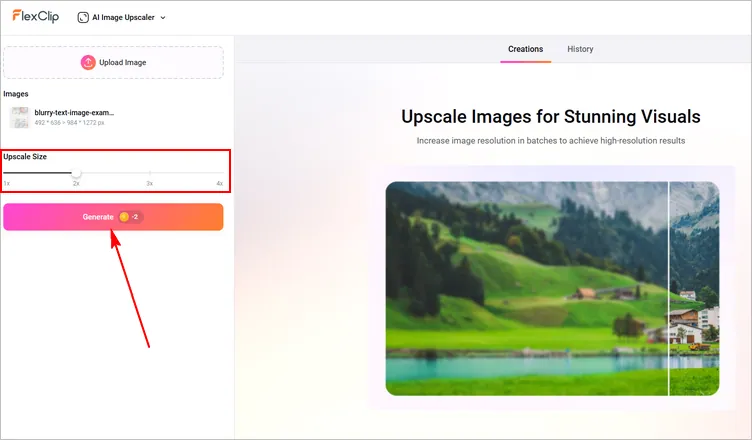
Deblur Text in Image with FlexClip - Generate
Step 3 Save Your Enhanced Image
You are about to get the enhanced image within several seconds. Once the text looks clear, download the improved version or directly share to social media. Your blurry text is now readable!
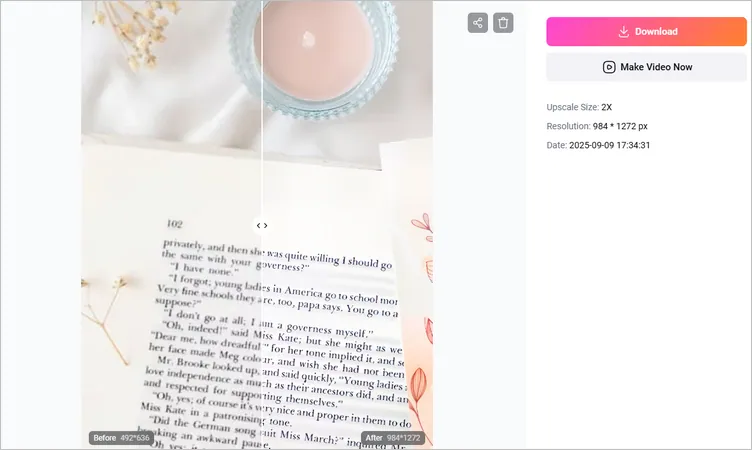
Deblur Text in Image with FlexClip - Download
What Are Other Options to Unblur Text in an Image Online
While FlexClip’s AI Image Enhancer is one of the easiest ways to unblur blurry text in an image, it’s not the only tool available. Here are some other reliable online AI image text enhancer options you can try:
Fotor
Fotor offers an image text enhancer for you to unblur text in just a few seconds. From blur to clear, this AI blurry text enhancer brings every detail to life. Whether you’re trying to deblur text in screenshot of a document or a chat, this tool quickly restores the text details, helping you to handle your work more efficiently. Simply upload a blurry text image, and the text will become sharp and clear in no time.
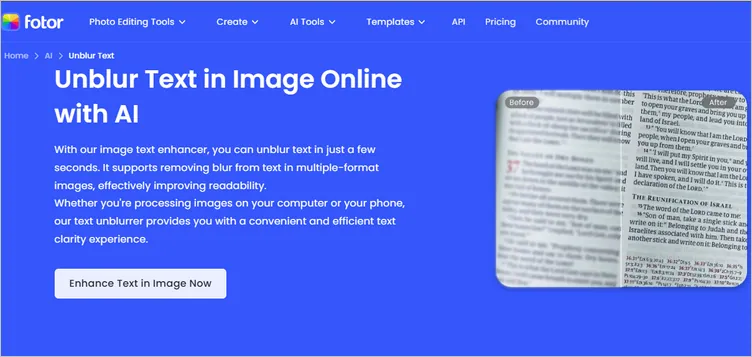
Online AI Image Text Enhancer - Fotor
Picwish
Another AI solution you can try to deblur text in an image is Picwish, which provides its game-changing AI technology that revolutionizes the way you work with the blurry text images. It helps you enhance text in image and ensure the clarity to turn it into readable content. No matter if the image is from documents, screenshots, or camera captures, it works flawlessly to improve text legibility and ensure you understand the information effectively.
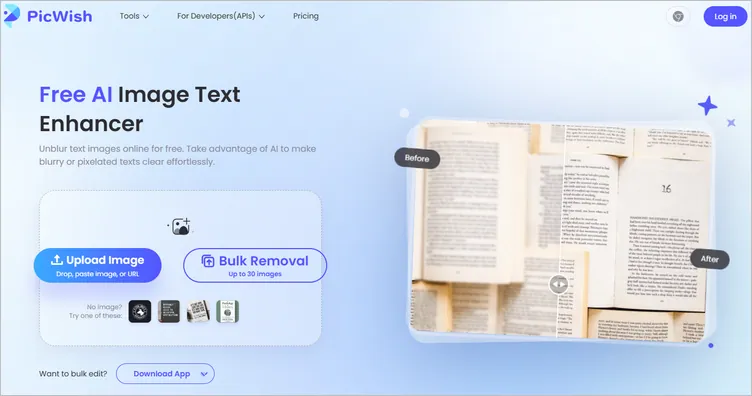
Online AI Image Text Enhancer - Picwish
Pica AI
Pica AI is online tool that comes with an AI photo enhancement feature. This AI-powered enhancement tool always brings clarity to every text element in your image. From scanned books ro old manuscripts, blurry PDFs to pixelated smartphone photos, Pica AI’s photo enhancer works perfectly to transform any unclear text into sharp, legible content. Just upload your image and watch it transform in seconds – see the improvement side by side.
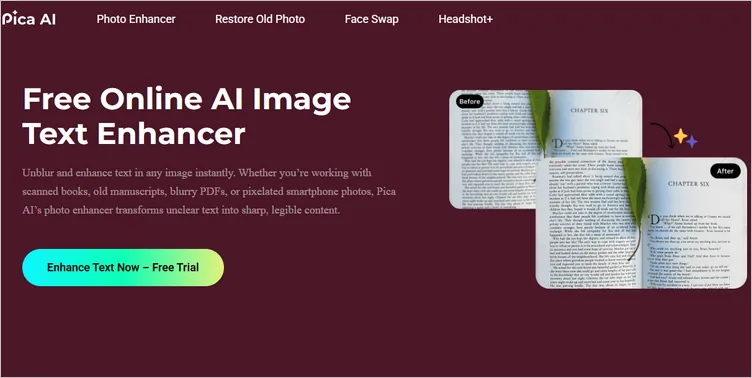
Online AI Image Text Enhancer - Pica AI
YouCam
YouCam is a popular online editor that provides a range of video and image editing tools. One of its excellent tools is AI Image Enhancer, which can help you unblur text image online by automatically enhancing its quality and sharpness. YouCam Online Editor's AI Image Enhancer is designed to be user-friendly, requiring no technical skills: you can simply upload their image, and the AI takes care of the rest.

Online AI Image Text Enhancer - Youcam
FAQ About Deblur Text in an Image
Q: Can I deblur text from a screenshot?
A: Yes, you can deblur text from a screenshot by manually adjusting the sharpness, brightness, or contrast of an image or try an AI-powered image enhancer tool. Online tools like FlexClip’a AI Image Enhancer use AI to enhance text clarity.
Q: Can I unblur severely blurred text in an image?
A: Severely blurred text images are generally impossible to fully restore to perfect sharpness. Many tools can handle mild or moderate blur, it’s important to have realistic expectations—severe blur is unlikely to be corrected completely.
Q: What should I consider before deblurring text?
A: Before unblurring text, think about legal and ethical issues. Make sure you aren’t breaking copyright or privacy rules. Respect why the text was blurred and consider the effects of your actions. This way, you can use online text-unblurring tools responsibly and appropriately.




FlexClip AI Video Maker
Reach professional-quality videos faster with easy editing tools, templates, and smart AI.
Start Now for Free
Hot & Trending
-

7 Best Ways to Find Music in YouTube Videos
-

Instagram Story Video Quality Bad After Upload? Fix It!
-

How to Repost Video on TikTok & How to Remove TikTok Repost
-

Improve Video Quality Online: 3 AI Video Quality Enhancers You Can't Miss
-

4K Convert to HD 1080p without Watermark: Best 4k Video Converters
-

Top 13 Birthday Video Makers with Music and Effects Free
-

How to Search Filters on TikTok & Use a Filter You See - TikTok Filter Guide
-

Large Collection of Creative and Funny Birthday Video Ideas for Ones You Care