


There is no doubt that Hailuo AI always turns simple prompts and images into vivid animations. However, it is not the only option. You might prefer alternatives that offer different animation styles, more flexible pricing, as well as smooth workflows.
In this post, we will explore the top alternatives to Hailuo AI. Let’s dive in and find the perfect solution for your next project!
List of the Best Hailuo AI Alternatives




Check More Animated Templates to Get Inspired >
Can't Miss: Create Animated Videos with ChatGPT & AI >
Google Veo 3
Google Veo 3 is leading the trend! While other Hailuo AI alternatives are working hard to generate 1080P videos with fewer hallucinations, Google Veo 3 has taken the video generation level by incorporating natural voiceover.
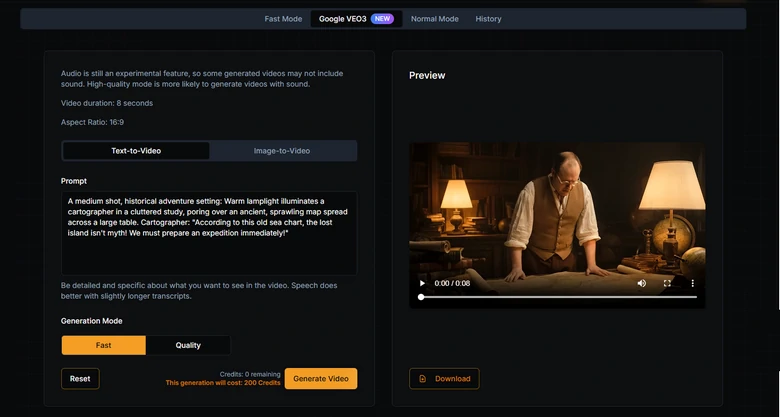
Google Veo 3 Overview
Why You Should Try Google Veo 3
Google Veo 3 Downsides
Google Veo 3 Pricing
The subscription plan starts from $37.5 per month, 7500 credits. The most expensive Enterprise plan costs $150 per month, 30000 credits.
FlexClip
Unlike Hailuo AI, which mainly focuses on animating sketches, FlexClip is more like a comprehensive AI generation tools that help you realize all your visual ideas. Including:
FlexClip AI Features Overview
Why You Should Try FlexClip
FlexClip Downsides
FlexClip Pricing
FlexClip adopts a flexible credit-based system. You don’t need subscriptions for each of those tools. 800 credits take only $19.99, and 1400 credits take $29.99. Following are how many credits you need for each generation.
Video Generation: Standard Mode, 2 credits per second, Professional Mode, 5 credits per second.
Video Effects: 40 credits for turning an image into a 5-second video.
Image Generation: Based on the model and tool you use, it can cost you 1-3 credits for each generation.
Kling AI
Kling AI is another AI generation suite. Using cutting-edge 3D spatiotemporal models and diffusion technology, Kling AI produces lifelike motion, realistic physics, as well as smooth scene transitions. Here are some key features of Kling AI.
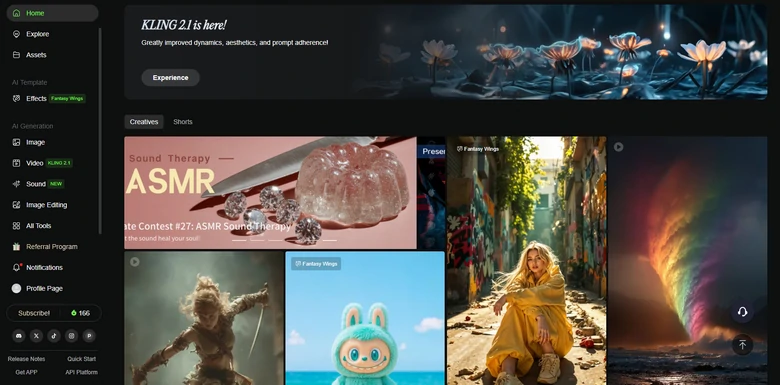
Kling AI Overview
Why You Should Try Kling AI
Kling AI Downsides
Kling AI Pricing
The Standard plan costs $79.2 per year, 660*12 credits. Faster generation and watermark removal.
Pro plan costs $293.04 per year, 3000*12 credits. All features in the standard plan, plus priority access to new features.
PixVerse
PixVerse can be used to deliver professional-level movies. Maximally, you can generate videos up to 1080P resolution with customized styles, consistent characters, as well as customized backgrounds. Here are more details.
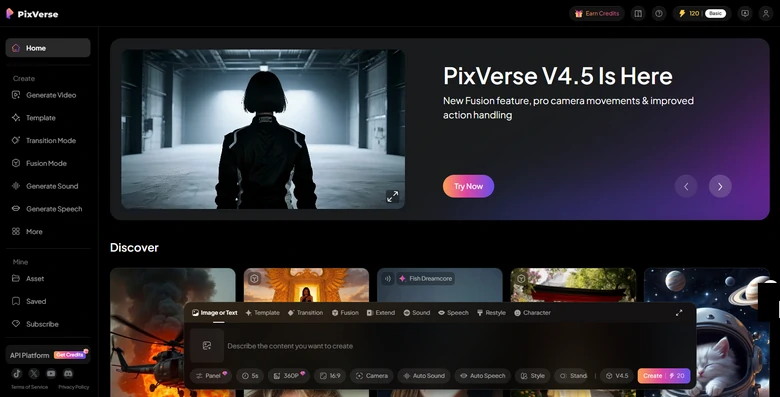
PixVerse Overview
Why You Should Try PixVerse
PixVerse Downsides
PixVerse Pricing
$1 = 100 credits, and how many credits are needed for each generation largely depend on the video resolution. 360P & 540P video generation costs 45-90 credits, 720P video costs 60-120 credits, while 1080P costs 120 credits.
Krea AI
You will never regret using Krea AI. It is like an assembly of video generation models. That’s to say, if you use Krea AI, you have access to all mainstream AI video models in one go, for instance, Kling, HunYuan, Veo, Pika, etc.
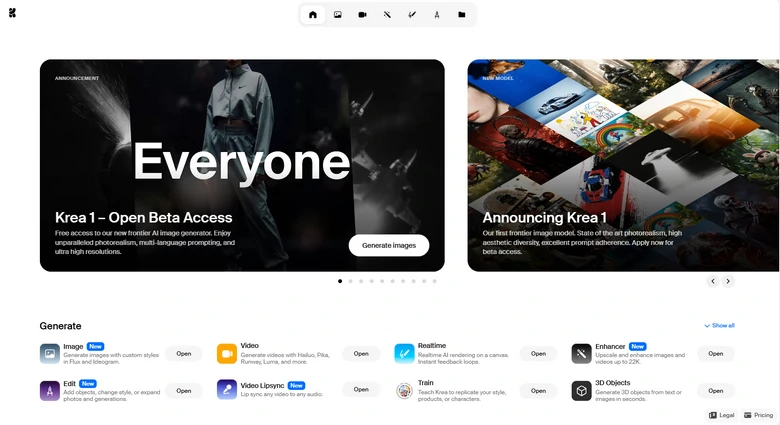
Krea AI Overview
Why You Should Try Krea AI
Krea AI Downsides
Krea AI Pricing
Free trial with limited generations per day. The Basic plan costs $10, the Pro plan costs $35, and the Max plan costs $60 per month. Only with the Max plan, you can generate videos.
Vidu AI
Vidu AI is specially designed for video generation. It creates realistic videos in different aspect ratios, in up to 1080P. You can even customize the video style, or the movement range.
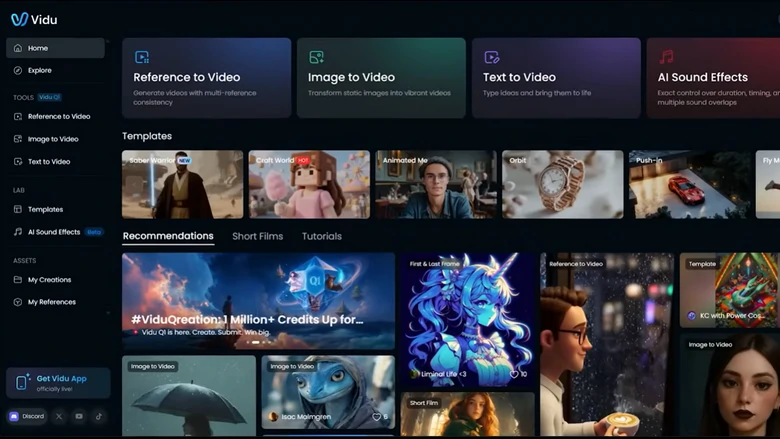
Vidu AI Overview
Why You Should Try Vidu AI
Vidu AI Downsides
Vidu AI Pricing
120 free credits are on your account after the subscription. The standard plan costs $8 per month, Premium costs $28, and the ultimate costs $79.
How to Select the One Hailuo AI Alternative?
We get it, it is just so hard to render among all the great options. Here are some key factors that are helpful to make the right decision.
1. Evaluate Output Quality
Nearly all Hailuo AI alternatives on this list support 1080P video generation. However, the resolution doesn’t mean all. You should try and see whether the output has any distinguishable hallucinations, or follows your prompts. Most of the tools offer free credits. Make sure you try them out before the subscription.
2. Features
You can’t find two tools that offer exactly the same features. Hailuo AI is famous for making animations, while Veo 3 may work better at realistic clips. Figure out what you need and eradicate less satisfying options.
3. Pricing & Limits
Are credits required per video? Does the subscription match your usage? We did mention the pricing of each Hailuo AI alternative, but it does no harm to check their pricing page.




FlexClip AI Video Maker
Reach professional-quality videos faster with easy editing tools, templates, and smart AI.
Start Now for Free
Hot & Trending
-

Best Ways to Find Music in YouTube Videos
-

Instagram Story Video Quality Bad After Upload? Fix It!
-

How to Repost Video on TikTok & How to Remove TikTok Repost
-

Improve Video Quality Online: 3 AI Video Quality Enhancers You Can't Miss
-

4K Convert to HD 1080p without Watermark: Best 4k Video Converters
-

Best 8 Free Video Editors - No Download Required
-

Top 13 Birthday Video Makers with Music and Effects Free
-

How to Search Filters on TikTok & Use a Filter You See - TikTok Filter Guide




