Graduation is a meaningful milestone - it marks the end of one chapter and the beginning of a new journey.
Whether you’re wrapping up your final year of high school or completing your collage program, graduation photos are a great way to preserve such precious moments and revisit this special day for years to come.

AI Graduation Photos Made with FlexClip
However, capturing the perfect shot isn’t always easy—photobombers, poor lighting, a missing important guest, and other uncontrollable factors can easily spoil photos from your unique and special day. Luckily, with an AI graduation photo editor like FlexClip, you can effortlessly turn imperfect shots into perfect graduation snapshots through simple adjustments and creative personal touches. Let’s see how AI can truly make your special moments shine!
Table of Contents:
Customizable and Captivating Graduation Video Templates to Inspire:


Directly Embark Your Graduation Photo Adjustments Journey with AI>>
Can’t Miss: How to Make a Graduation Video with Template>>
The Best AI Graduation Photo Editor You Need - FlexClip
When it comes to editing graduation photos, FlexClip, an AI-powered graduation photo editor online, is the only tool you need to save your precious memories with the perfect shot. With a streamlined workflow, FlexClip makes it easy for anyone to create professional-looking graduation photos in minutes.
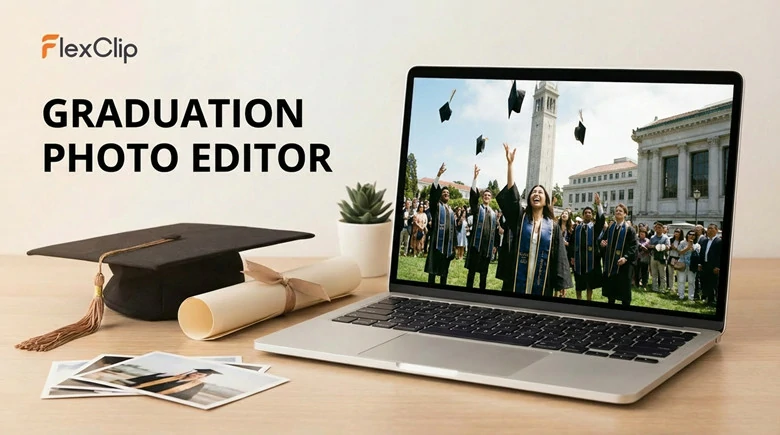
AI Graduation Photos Editor - FlexClip
Whether you want to remove blemishes, change backgrounds, adjust lighting & angles or other personal creative touches, AI will handle all the technical adjustments automatically to eliminate all imperfections. It also ensures character consistency, avoiding distortions or unnatural results, so your photo always looks authentic and flawless. With FlexClip, creating satisfying graduation photos is fast, easy and fun!

Key Features of FlexClip’s AI Graduation Photo Editor

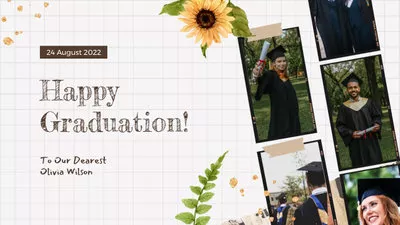
How to Edit Graduation Photos Using FlexClip’s AI
Having a general understanding of FlexClip’s AI graduation photo editor, it’s time to see how it works to edit perfect graduation photo frame.
Step 1: Upload Your Graduation Photo to FlexClip
Access FlexClip’s AI Photo Editor, drag and drop your image to the upload section. You can upload an imperfection ceremony shot, a casual portrait to create a graduation look, or even multiple photos and let AI seamlessly combine them into a polished group photo.
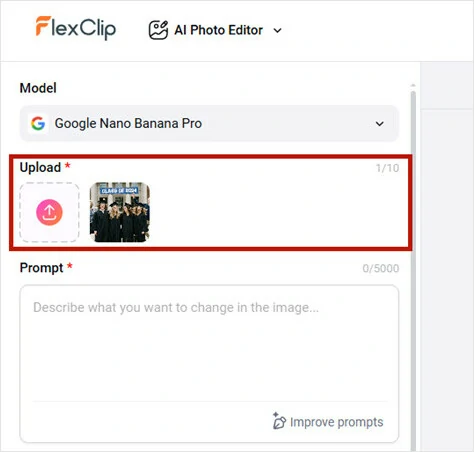
Upload Your Graduation Photo to FlexClip
Step 2: Pick a Generation Model
FlexClip currently offers you 10 photo editing models, including Google Nano Banana Pro, Bytedance Seedream, Qwen Image Edit, OpenAI GPT Image and Flux. You can easily choose the model that best fits your needs by reviewing each model’s introduction. Here, we’ll use the default option—Google Nano Banana Pro, known for preserving character consistency while editing graduation photos.
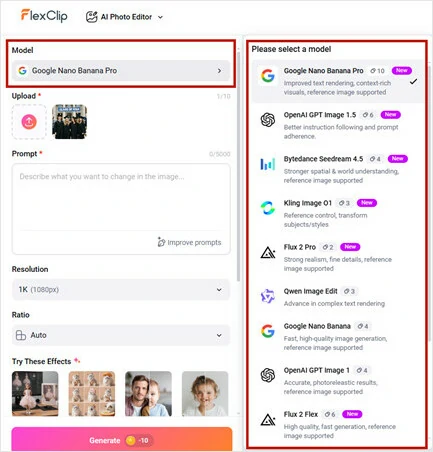
Pick a Generation Model for the Perfect Graduation Photo
Step 3: Enter a Simple Prompt
Enter a prompt to describe how you want to turn this upload photo into your ideal graduation photo. Here we put a graduation photo prompt: Tidy up messy hair and create a softer, more gentle lighting effect throughout the photo.
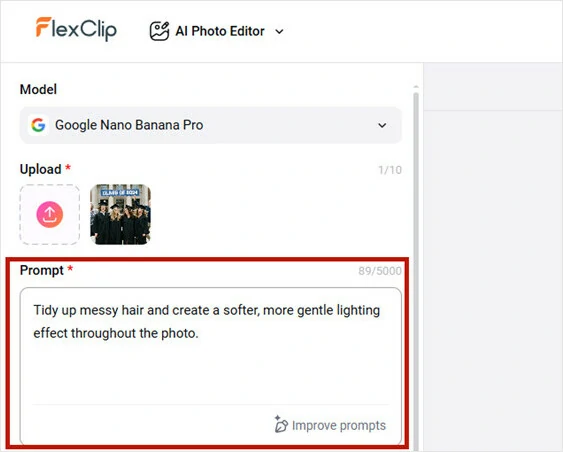
Enter a Simple Prompt for the Perfect Graduation Photo
Step 4: Generate and Download
Hit Generate, FlexClip will turn your graduation photo ideas into captivating visuals in seconds. Then you can preview the AI-enhanced commencement photo, save it to a local folder or seamlessly share the special moments with your friends.
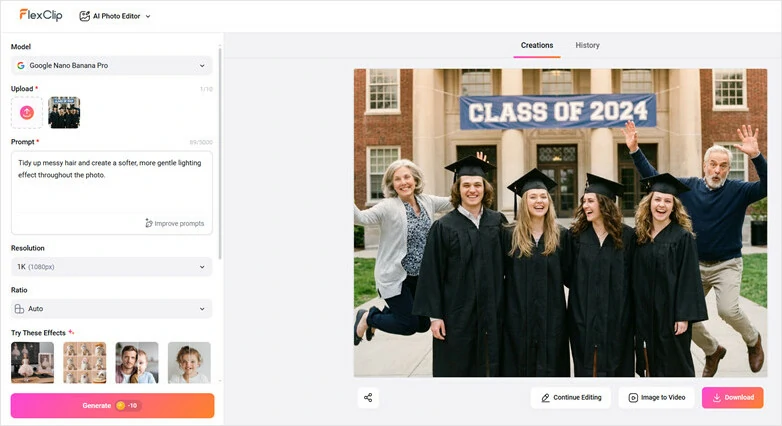
Generate and Download Your Edited Graduation Photo
Stunning Examples to Edit Graduation Photo with FlexClip’s AI
Messy hair, skin blemishes, or lipstick on your teeth? Feeling less than your best after a sleepless night of excitement? Don’t worry. FlexClip’s AI graduation photo editor can retouch your photo to remove imperfections, so only your confidence, beauty, and happiness shine through. Simply upload your photo and let AI restore your best look effortlessly.
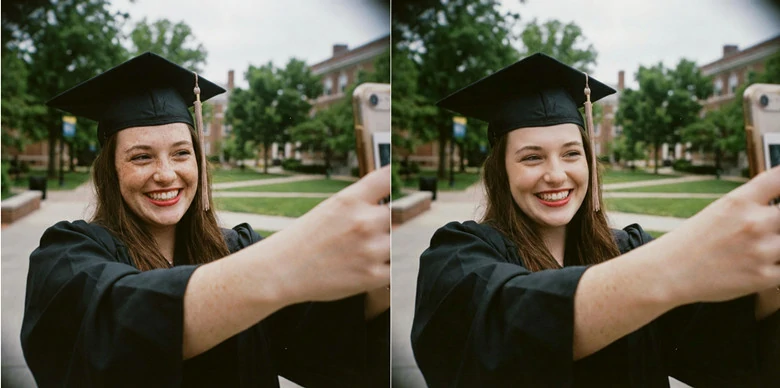
Edit Graduation Photo for the Perfect Look
With FlexClip, editing graduation photo is flexible and easy. Whether you want to change the background for a brilliant one, or add cap and gown for a formal look, this AI-powered graduation photo editor can make it easy for you.
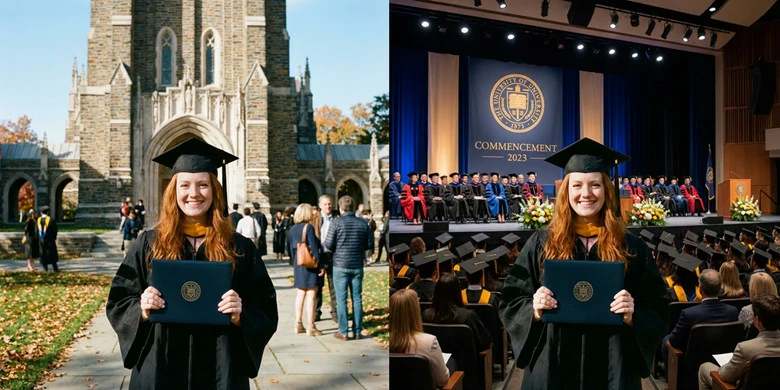
Change Background and Clothing for a Formal Look
Feeling upset that someone important can’t share your special day? Whether it’s a beloved grandparent who’s passed on, a dear friend far away, or even your adorable puppy who’s been by your side throughout the journey, FlexClip can help make it whole. Simply upload your photos, and AI will create a warm, studio-style graduation group photo that looks as realistic as if it were captured together in person.
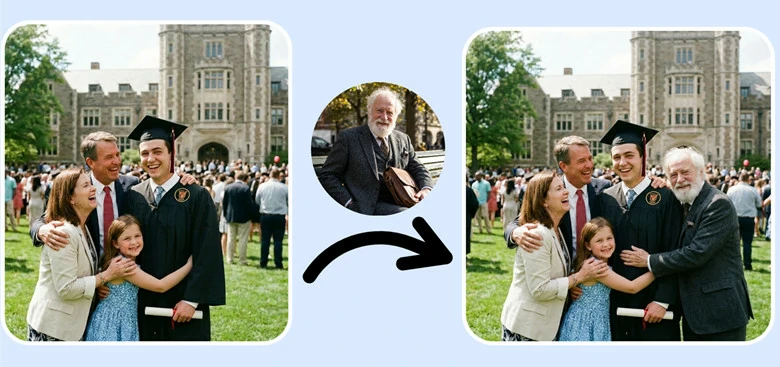
Edit to Generate Warm Graduation Group Photo
Feel like standard graduation photos don’t fully reflect your personality? Transform them into a variety of artistic styles that match your unique flair. Step into a Ghibli-inspired world, turn your graduation portrait into a van Gogh–style painting, or go bold with a cyberpunk look for a cooler, more eye-catching result. Explore FlexClip’s extensive collection of photo styles and find the one that speaks to you.
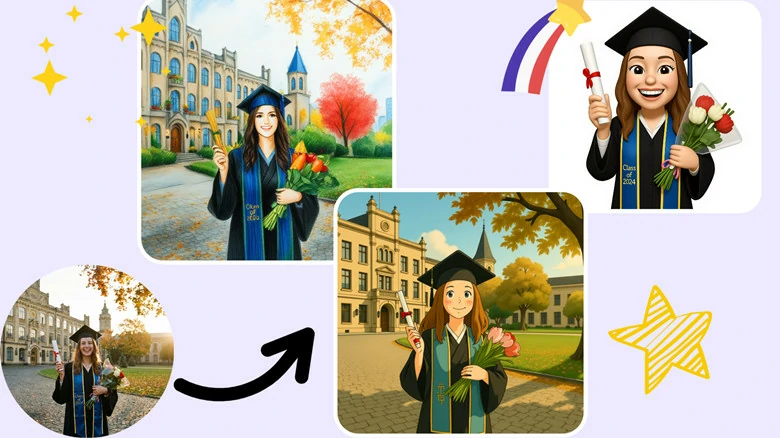
Enhance Graduation Shots with Creative Styles
Want to give your graduation photo a retro look by adding Polaroid frames or other vintage ornaments? FlexClip's AI graduation photo editor gets you covered. Just upload your image and share what you want, then AI will bring your vision into reality.

Add Polaroid Frames and Other Ornaments to Photo
Bonus: Create Studio-like Graduation Photo from Daily Photos with FlexClip
FlexClip is more than just a graduation photo editor, it’s also a graduation photo generator. With its AI-powered graduation photo generator, simply upload an everyday portrait, and the AI will instantly create dozens of studio-quality photos, preserving your precious moments beautifully without a physical studio visit required.
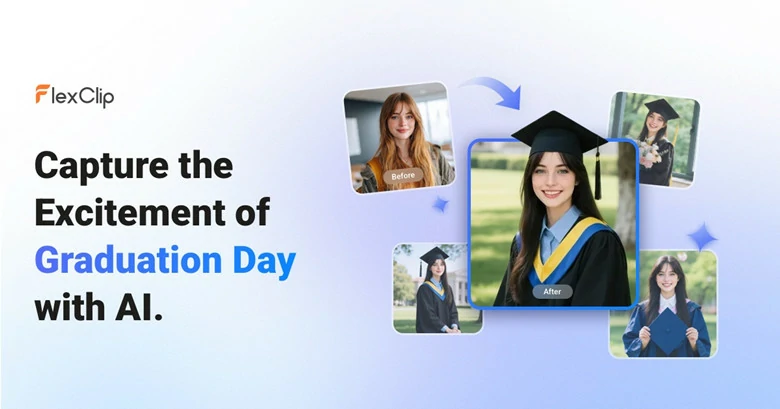
Turn Daily Photo into Professional Graduation Photos
With so many stunning graduation snapshots to share, you can choose your favorite template from FlexClip’s extensive template library to let AI recreate with your flair, or transform your still images into dynamic videos with smooth, eye-catching animations. In short, FlexClip is your go-to tool to effortlessly spark creativity!


FAQs About AI Graduation Photo Editor
1.What is an AI graduation photo editor?
It’s a tool powered-by AI technology to enhance, edit or create stunning graduation photos. You can use it to remove blemishes, change background, erase photobombers, adjust lighting or even generate a full set of graduation photos from one portrait.
2.Can I use it to add gown and cap to my graduation photo?
Yes. FlexClip’s graduation photo editor can automatically overlay realistic graduation gowns, caps, and tassels onto your portrait, even if you don’t have them physically.
3.Do I need any prior editing experience to use it?
Not at all. FlexClip’s AI handles most of the editing adjustments automatically, so you don’t need any curve learning or prior editing experience to generate perfect graduation photos.
4.Can I customize the background or style?
Of course. You can choose from a verity of pre-designed backgrounds, adjust colors or enter prompts to create the backgrounds and styles that truly reflect your achievements and personal style.




FlexClip AI Video Maker
Reach professional-quality videos faster with easy editing tools, templates, and smart AI.
Start Now for Free
Hot & Trending
-

Best Ways to Find Music in YouTube Videos
-

Instagram Story Video Quality Bad After Upload? Fix It!
-

How to Repost Video on TikTok & How to Remove TikTok Repost
-

Improve Video Quality Online: 3 AI Video Quality Enhancers You Can't Miss
-

4K Convert to HD 1080p without Watermark: Best 4k Video Converters
-

Best 8 Free Video Editors - No Download Required
-

Top 13 Birthday Video Makers with Music and Effects Free
-

How to Search Filters on TikTok & Use a Filter You See - TikTok Filter Guide