Snapped the perfect photo only to find it ruined by overexposure? Whether you’re dealing with a photo of a sunny landscape or a portrait taken under harsh lighting, overexposure can ruin your shot in an instant. But with AI technology, fixing overexposed photos is simpler than ever before. With AI-driven editing tools, you can fix overexposed photos effortlessly in just one click. No more spending hours adjusting sliders or dealing with complicated photo editing software.
Stop worrying about overexposed photos! Discover the power of AI photo editing tools, like FlexClip, that automatically fix overexposure and recover lost details with just one click.
Contents:
Traditional Methods vs. AI Solutions: Which Method Is Better?
Traditionally, fixing overexposed photos was a lengthy process, full of manual tweaks. But with the power of AI tools, it's never been easier. Let's take a closer look at how the traditional methods compare with the AI-powered approach:
Traditional Way: Manual Photo Editing
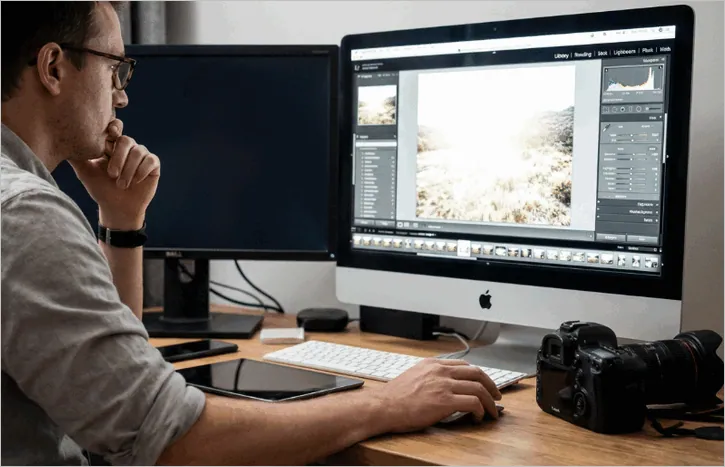
Manual Photo Editing to Fix Overexposed Photos
When overexposure occurs, photographers usually rely on manual adjustments in editing software like Adobe Lightroom and Photoshop. Here’s the process involved in traditional photo editing:
Manually editing overexposure photo can be time-consuming and requires skill to get it right. If you don't have much experience with photo editing, it’s easy to overdo adjustments and end up with an unnatural-looking photo.
AI-Powered Way: Quick, Automated Photo Fixing
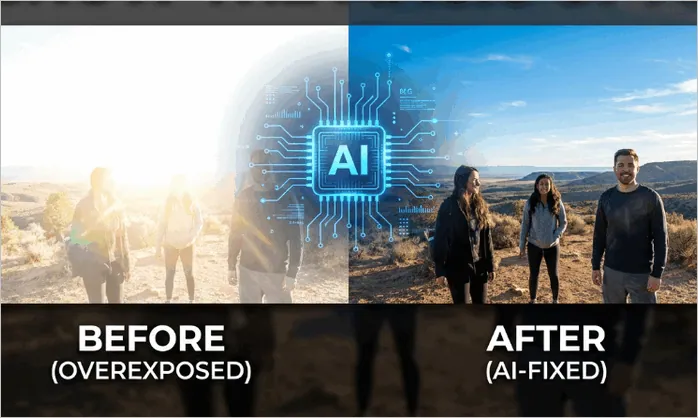
AI Solution for Your Overexposed Photos
AI tools, like FlexClip, have revolutionized photo editing by automating most of these adjustments. AI-powered photo editors can automatically detect overexposed areas and apply corrections in seconds. Here’s how it works:
Compared to the traditional manual process, AI is faster, easier, and requires less expertise. You can go from a washed-out photo to a beautifully restored image in just a few clicks.

How to Fix Overexposed Photos Using FlexClip AI
If you're looking for an easy way to fix overexposed photos, FlexClip AI Photo Editor offers a quick, user-friendly solution.
FlexClip’s AI photo editor is one of the most popular AI-powered tools that can help you quickly fix overexposed photos. Whether you're a beginner or an experienced photographer, FlexClip’s intuitive design makes it easy to restore overexposed images with just a few clicks. Besides editing overexposed photo, you can use it to correct underexposure, adjust lighting, and enhance photos with challenging light conditions.
Step-by-step Guide to Fix Overexposed Photos with FlexClip AI
Here’s a simple step-by-step guide to using FlexClip AI to fix overexposed photos. Let’s check the steps below:
Step 1 Upload Your Image
Begin by uploading your overexposed image to FlexClip's AI photo editor. Whether it’s a landscape shot with a washed-out sky, a portrait with overexposed skin tones, or any other type of image, FlexClip can handle it.

Access FlexClip's AI Photo Editor
Step 2 Enter Fix Overexpose Prompt
Now, here comes the magic! FlexClip makes it incredibly easy to fix overexposed photos by simply typing a text prompt. No need for complicated manual adjustments, FlexClip’s AI will handle it all for you.
Go to the prompt box and enter a simple command like "Fix overexposure" or "Adjust exposure". Then customize the settings, including resolution, aspect ratio, and visibility—choosing whether to share your creations with the FlexClip AI community or keep them private.
Quick Tip: Also Check out our post: "Copy-and-Paste Prompts for Stunning AI Image" for more image generation inspiration.
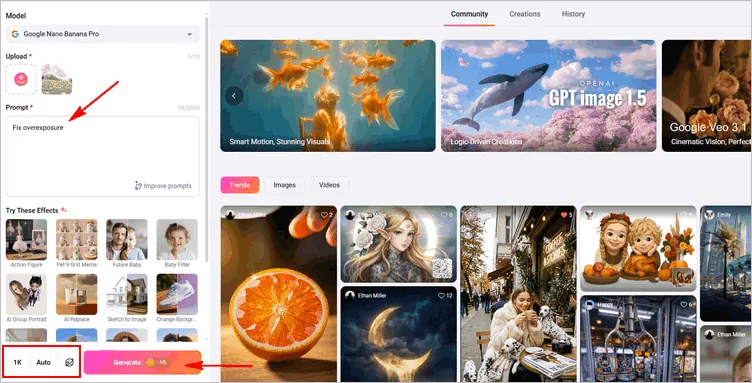
Fix Overexpose Prompt and Adjust Settings
Once done, click the Generate, and FlexClip's AI will instantly interpret the prompt, analyze your image for overexposure, and apply automatic adjustments.
Step 3: Download the AI-corrected Photo or Keep Editing
Now, the AI adjusts the exposure, recovers lost highlights, and balances the brightness, ensuring that your image is restored to its natural beauty.
Once the AI has worked its magic, you can preview the AI-corrected image and make any adjustments by clicking the Continue Editing button. Here, you can enhance the warmth or adjust the brightness, fine-tune everything to get your desired effect, or even change the background, and more.
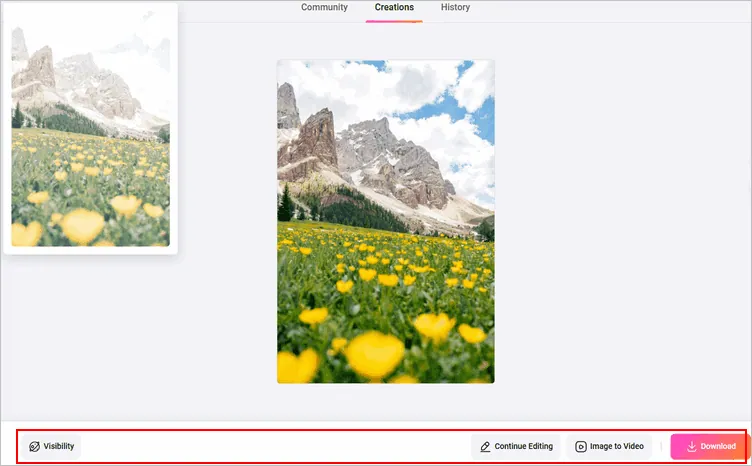
Preview, Fine-Tune, and Download the Photo
When you're happy with the results, simply save your corrected photo. You can now share your beautifully enhanced photo on social media, send it to friends, or use it for professional purposes.
Bonus: Beyond Fixing Overexposed Photos
While FlexClip AI is perfect for fixing overexposed photos, it’s packed with even more features. You can change backgrounds, add text and graphics, remove any object, enhance image quality, and even turn your photos into animated videos. It’s a one-stop tool for creating stunning content in just a few clicks. Try it now and see the magic!




FlexClip AI Video Maker
Reach professional-quality videos faster with easy editing tools, templates, and smart AI.
Start Now for Free
Hot & Trending
-

Best Ways to Find Music in YouTube Videos
-

Instagram Story Video Quality Bad After Upload? Fix It!
-

How to Repost Video on TikTok & How to Remove TikTok Repost
-

Improve Video Quality Online: 3 AI Video Quality Enhancers You Can't Miss
-

4K Convert to HD 1080p without Watermark: Best 4k Video Converters
-

Best 8 Free Video Editors - No Download Required
-

Top 13 Birthday Video Makers with Music and Effects Free
-

How to Search Filters on TikTok & Use a Filter You See - TikTok Filter Guide