Nano Banana Pro just dropped, and the internet is exploding with stunning images, slides, and infographics.
Nano Banana Pro Just Dropped (AI-Generated Image from FlexClip)

This guide is your toolkit for mastering that creative power—packed with unbeatable prompt hacks, high-impact structures, and a full copy-and-paste prompt library to elevate every piece you generate. From first-timers to seasoned artists, you'll find everything you need to create visuals that truly stand out.
Contents:
Part 1 Introducing the Pro Version: A Quantum Leap Beyond Nano Banana
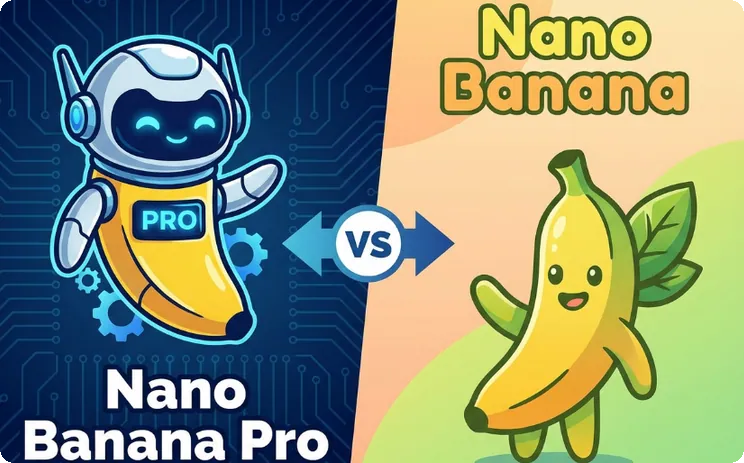
While Nano Banana made waves as a lightweight and efficient tool, the Pro version takes things to a whole new level.
Nano Banana Pro vs. Nano Banana (AI-Generated Image from FlexClip)
Here are the enhanced features the Pro model brings:
Reasoning / "Thinking" Process
The "Thinking" process is one of Nano Banana Pro's most impressive features: it uses built-in reasoning to analyze your prompt before generating a response, allowing it to detect and correct logical errors along the way.
Advanced Text Rendering & Designing
Say goodbye to awkward line breaks or messy designs, always create images with clear and more accurate text with Nano Banana Pro model. It ensures your content looks professional every time. Whether it’s polished text formatting, intricate layouts, or designing visually appealing content, everything comes out sharp, consistent, and publication-ready.
Search Grounding for Enhanced Knowledge
Knowledge is only as reliable as its source. Nano Banana Pro can also connect to Google Search's vast knowledge base to anchor outputs in accurate, up-to-date information. This reduces errors, boosts credibility, and supports data-driven visuals, infographics, diagrams and educational visuals or brand-aligned content, making it ideal for research, content creation, and fact-based decision-making.
Seamless Multi-Reference Consistency
A standout feature of Nano Banana Pro is its ability to maintain character consistency across multiple reference images. The model can process up to 14 references at once, ensuring characters retain their appearance, poses, and styles across different scenes. This keeps outputs cohesive, logical, and consistent, even for complex, multi-step tasks.
Studio-quality Editing Controls
Nano Banana Pro gives you deeper, studio-level control over every element of your image. Fine-tune lighting, adjust camera angles, customize aspect ratios, and refine specific regions with advanced localized editing. You can shift focus, apply cinematic color grading, or completely transform the scene's lighting, all with precision.
Part 2 Expert Prompting Tips: How to Write Better Prompts
To get the most out of Nano Banana Pro, mastering prompt crafting is key. Now that you’ve seen what sets Nano Banana Pro apart, it’s time to unlock its full potential.
How to Write Better Prompts (AI-Generated Image from FlexClip)
Nano Banana Pro reads your prompt like a full creative stack-subject, scene, lighting, style, and technical details. The clearer your intent, the more the output stays aligned and consistent. Below are expert prompting tips to help you harness Nano Banana Pro’s full power.
Be specific about physical traits, textures, materials, colors, and defining features. The more detail you provide, the more accurate and consistent the output becomes.
State whether you want a portrait, product shot, illustration, diagram, blueprint, technical drawing, infographic, map, icon, screenshot, or 3d model. This instantly guides the model toward the correct visual language.
Tell Nano Banana Pro exactly how you want your image to feel. Think about atmosphere: cinematic, editorial, soft natural light, whimsical, futuristic. Choose a style or medium: 3D animation, watercolor, graffiti, McKinsey-style slides, 90s product photography. You can also reference a particular designer or style from a TV show, movie, or anime to give the model more direction.
For scenes with multiple elements, clear formatting dramatically improves output quality. Use a structured format like:
[Subject + Descriptive Adjectives] doing [Action] in [Location / Context]. [Composition / Camera Angle]. [Lighting / Atmosphere]. [Art Style / Medium]. [Specific Constraints or Text Requirements].
This formula gives Nano Banana Pro precise creative direction across every layer of its vision-generation system, resulting in more coherent, reliable, and visually consistent images.
Part 3 AI Image Generation Examples & Copy-and-Paste Prompts
Ready to create? Here are high-quality, ready-to-use prompts you can copy and paste directly to create your own AI art, perfect for slides, infographics, illustrations, or any creative project.
#1 Characters & Creative Art
Maintaining character consistency across multiple artworks or exploring bold artistic transformations is effortless. Whether you're crafting anime heroes, comic-style adventurers, or stylized portraits, Nano Banana Pro preserves key details while adapting characters to any creative aesthetic.
Use Cases:
Examples with Copy-and-Paste Prompts
Character Style Transformation Prompt Template: Create a [STYLE, e.g., anime, cartoon, photorealistic] rendition of [SUBJECT, e.g., person, character, scene, animal]. Include [POSE/EXPRESSION, e.g., dynamic, playful, dramatic] and [DETAILS, e.g., clothing, accessories, environment]. Use [COLOR PALETTE OR EFFECTS, e.g., vibrant, pastel, cinematic lighting] and maintain [STYLE SPECIFIC ELEMENTS, e.g., line art, cell shading, realism]. Ensure high-quality detail suitable for [USE CASE, e.g., social media, portfolio, illustration, concept art].
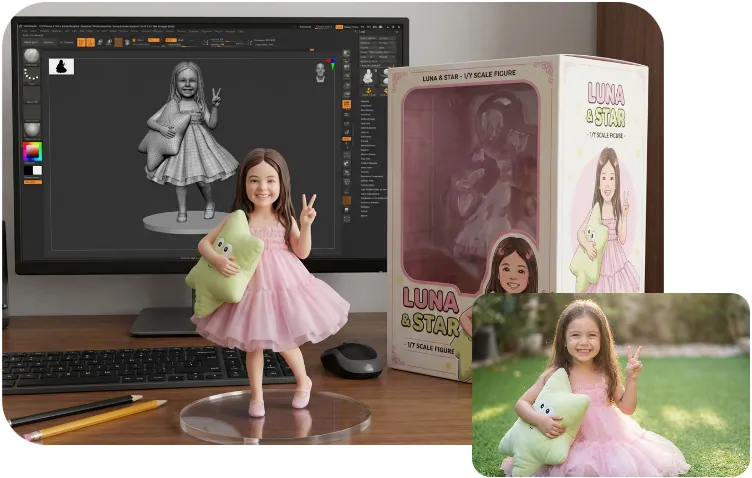
Example 1: Create a 1/7 scale commercialized figurine of the character in the picture, in a realistic style, in a real environment. The figurine is placed on a computer desk. The figurine has a round transparent acrylic base. The content on the computer screen is a 3D modeling process of this figurine. Next to the computer screen is a toy packaging box, designed in a style reminiscent of high-quality collectible figures, printed with original artwork. The packaging features two-dimensional flat illustrations of the figurine.
AI Action Figure (AI-Generated Image from FlexClip)
Example 2: Generate a cartoon rendition of the little girl. Include expressive eyes, exaggerated features, and a cheerful pose. Use bright, bold colors with simple shading. Suitable for children's book illustrations or social media content.
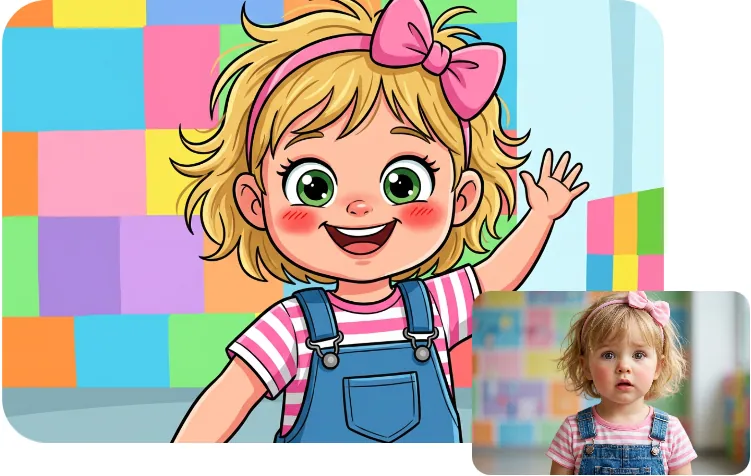
AI Cartoon Rendition (AI-Generated Image from FlexClip)
Character Design Base Prompt Template: Create a detailed character design of [CHARACTER TYPE] with [KEY FEATURES: hair, fur, clothing, accessories, colors]. Show a clear, expressive pose that highlights personality. Use lighting, shading, and style that emphasize the character’s design.
Example: Create a detailed character design of a young fox warrior with orange fur, green scarf, leather armor, and a small satchel. Show a confident pose, bright ambient lighting, and a clean background.
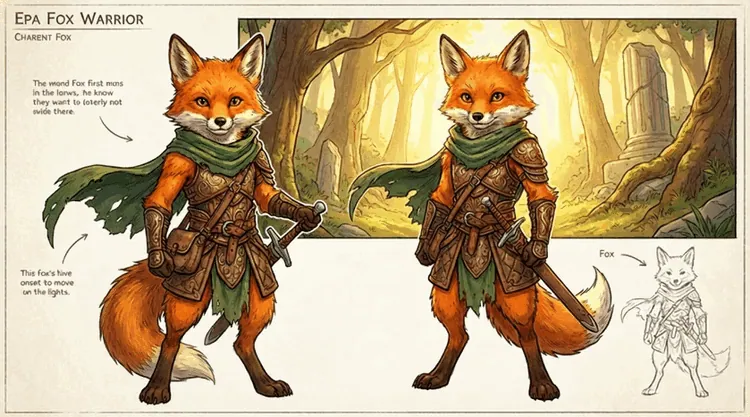
AI Character Design (AI-Generated Image from FlexClip)
Consistent Character in Multiple Poses Prompt Template: Create [NUMBER] poses of [CHARACTER] maintaining the same colors, outfits, and proportions. Vary expressions and body language to show personality while keeping style, lighting, and design consistent.
Example: Create 5 poses of the fox adventurer character. Keep the orange fur, green scarf, and detailed leather armor consistent. Include poses such as standing heroically with the sword drawn, exploring with a map, sneaking through the forest, leaning on the shield confidently, and giving a cheerful wave. Maintain the soft, whimsical lighting and vibrant fantasy-cartoon style of the original.
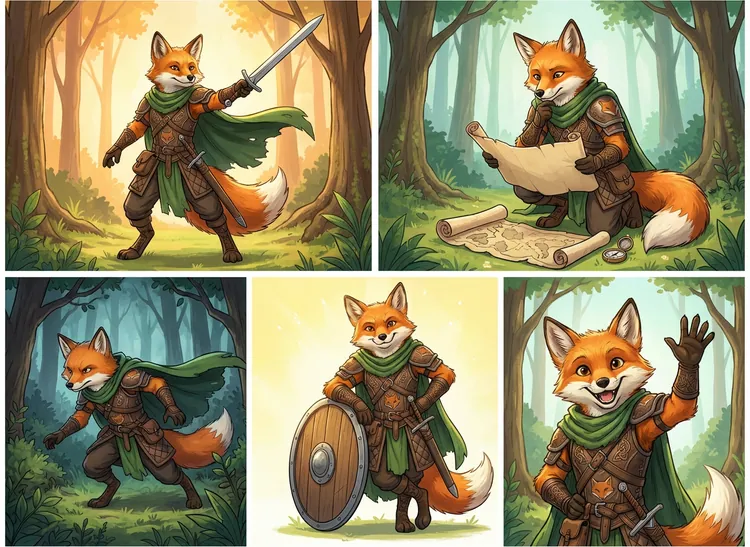
Consistent Character in Multiple Poses (AI-Generated Image from FlexClip)
Character Expression Sheet Prompt Template: Create a character expression sheet of [CHARACTER] showing [NUMBER] emotions. Keep character identity consistent while clearly differentiating facial expressions and mood. Use clean framing and simple background.
Example: Create a 6-expression sheet of the fox character. Emotions: happy, sad, surprised, angry, scared, excited. Keep fur patterns and scarf consistent. Style: colorful, cartoonish.
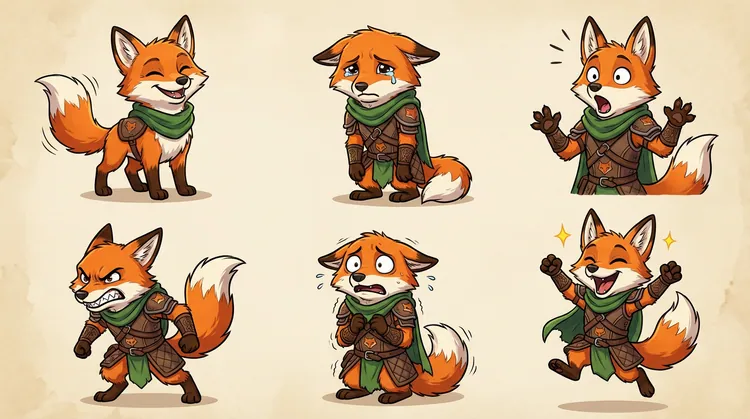
Consistent Character Expression Sheet (AI-Generated Image from FlexClip)
# 2 Storytelling & Narrative Scenes
From heartfelt slice-of-life moments to epic fantasy quests, Nano Banana Pro brings multi-scene storytelling to life with strong emotional arcs. Each scene stays consistent in mood, lighting, and character identity, making it perfect for everything from storybooks to comic panels and full sequential art.
Use Cases:
Examples with Copy-and-Paste Prompts
General Prompt Template: Create a [NUMBER OF SCENES]-part story sequence featuring [CHARACTERS] as they experience [EVENT OR ADVENTURE]. Keep their look, outfits, and personalities fully consistent from scene to scene. Each image should capture a different emotional moment, angle, or action, progressing the narrative smoothly. Maintain the same visual style, color palette, and rendering quality across all images while evolving the environment logically.
Example: Create an 8-scene fantasy adventure featuring three fluffy friends traveling through a magical forest. Keep all character traits, outfits, and proportions identical in every scene.
Scenes:
1. Entering the glowing forest.
2. Following a floating magical orb.
3. Getting startled by a glowing creature.
4. Finding a mysterious map.
5. Crossing a sparkling river.
6. Reaching a hidden ancient tree.
7. Unlocking the magical door.
8. Celebrating their discovery.
Use consistent fantasy lighting, whimsical colors, and dreamy atmosphere across the entire sequence.
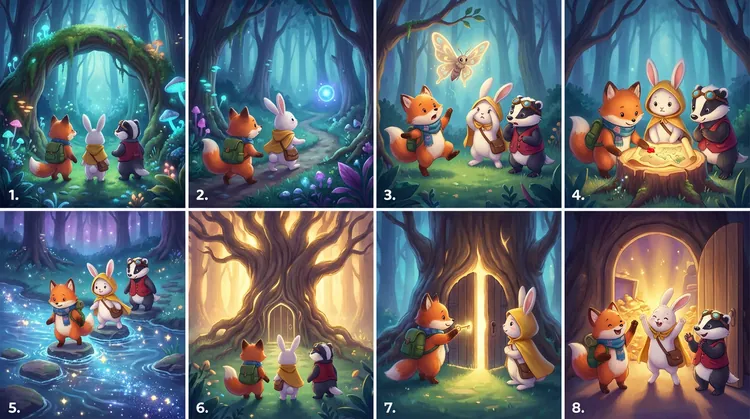
AI Storytelling & Narrative Scenes (AI-Generated Image from FlexClip)
#3 Portraits & Creative Photography
Nano Banana Pro makes high-impact portrait creation effortless, offering consistent identities, cinematic lighting, and editorial-level detail. It’s a powerful tool for creators, brands, and agencies who want fast, studio-quality visuals without investing in cameras, backdrops, or photo shoots.
Use Cases:
Examples with Copy-and-Paste Prompts
General Prompt Template: Create a high-quality portrait of [SUBJECT, e.g., person, influencer, model]. Use [LIGHTING STYLE, e.g., cinematic, soft, natural, dramatic] lighting and a [BACKGROUND TYPE, e.g., studio, outdoor, textured, minimalist] background. Capture [POSE/EXPRESSION, e.g., confident, joyful, contemplative] with editorial-level detail. Ensure consistent identity, facial features, and styling. Style should be [STYLE, e.g., photorealistic, cinematic, fashion editorial] and suitable for [USE CASE, e.g., portfolio, social media, magazine, campaign].
Example 1: Generate a portrait of a model with artistic, conceptual styling. Use colorful, dramatic lighting and a minimal or abstract background. Capture a dynamic pose with expressive emotion. Ensure editorial-level detail and consistent identity. Style should be cinematic and suitable for creative moodboards or campaign concept visuals.
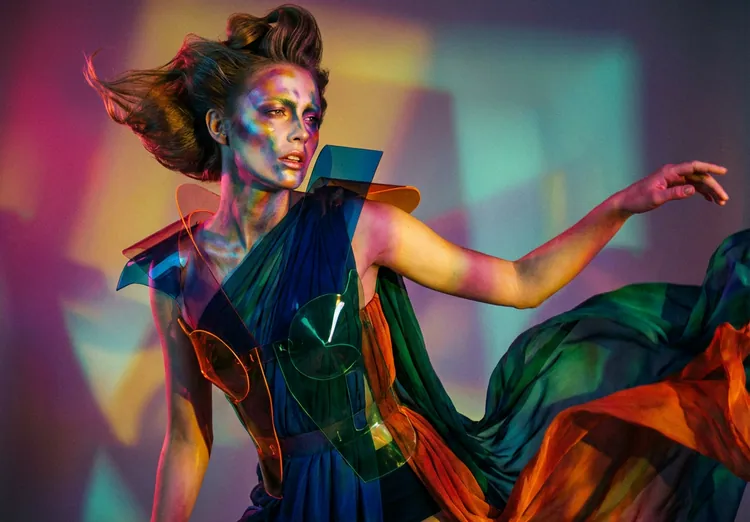
AI Portrait of a Model (AI-Generated Image from FlexClip)
Example 2: Create a professional headshot of a male executive. Use soft studio lighting with a clean neutral background. Capture an approachable, confident expression. Ensure consistent identity, realistic detail, and subtle editorial polish. Style should be photorealistic and suitable for LinkedIn, website profiles, or branding.
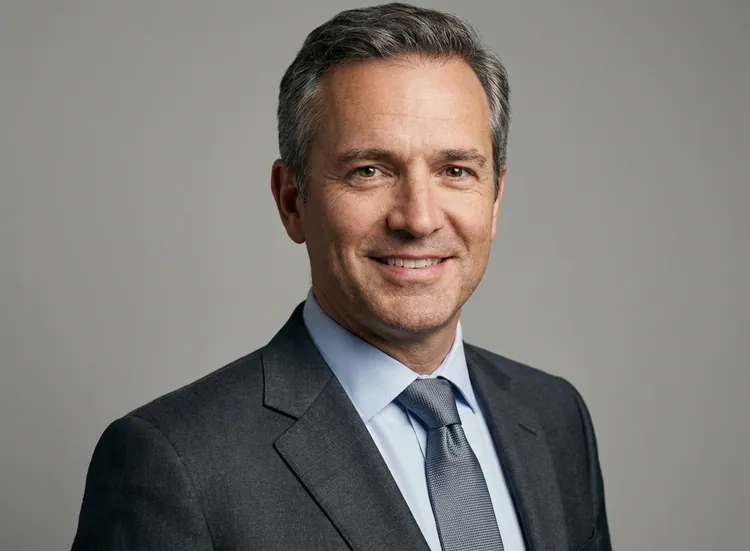
AI Headshot (AI-Generated Image from FlexClip)
Example 3: This image is a candid snapshot with a retro film-like quality: Subject: A young woman stands sideways, her hair casually tied in a ponytail, wearing a simple white top and carrying a dark backpack. She turns back to smile at the camera, appearing relaxed and natural. Scene: The background is an indoor corridor environment, showing light-colored walls and doors. In the distance, there are blurry lights and figures. The overall atmosphere resembles a school, hospital, or ordinary public building corridor, with warm yellow lighting and a slight graininess characteristic of film photography.
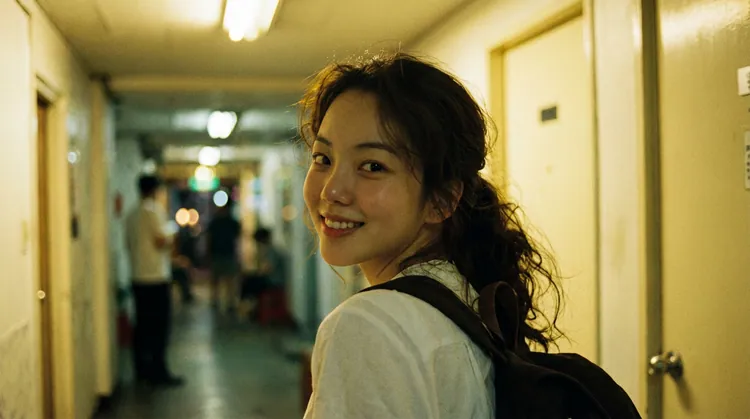
AI Candid Snapshot (AI-Generated Image from FlexClip)
Example 4: This image captures a showstopping moment from a high-fashion runway: a model glides down a glittering catwalk (lit by grand chandeliers in the opulent venue behind her) wearing an ethereal, shimmering light-blue gown paired with enormous, iridescent butterfly wings. The dress is a couture piece—figure-hugging at the bodice (adorned with sparkling details and a cutout design) and flowing into a long, sweeping train that shimmers under the lights. The wings, matching the gown’s icy blue hue, are dramatically large (nearly spanning the width of the runway) and feature delicate, translucent layers that catch the light, giving them a magical, almost glowing effect. In the background, the audience is visible, holding up phones to capture the striking look—emphasizing the gown’s showstopping, "fairy-tale meets high-fashion" allure.
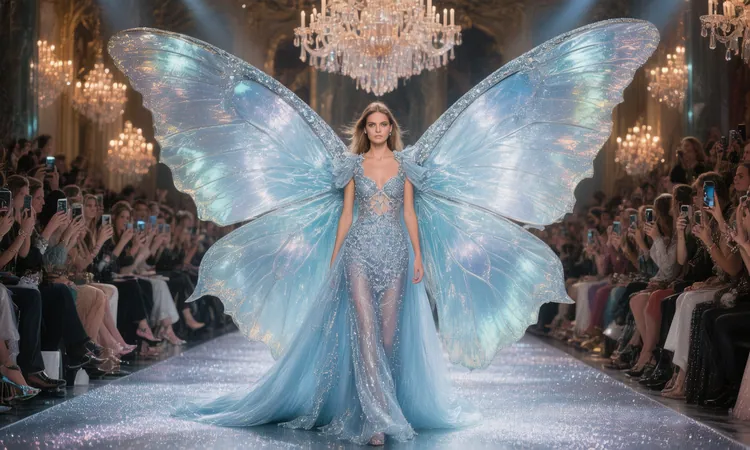
AI Fashion Model Portrait (AI-Generated Image from FlexClip)
#4 Product Photography for E-Commerce
One of the most powerful features for online stores is the ability to generate clean, professional product images in seconds, with consistent lighting, shadows, and multiple color variations, without needing a photography studio.
Use Cases:
Examples with Copy-and-Paste Prompts
General Prompt Template: Create a high-quality product photo of [PRODUCT NAME]. Place it on a [BACKGROUND TYPE, e.g., clean white, wooden, or textured] background. Add realistic lighting with [LIGHTING STYLE, e.g., soft shadows, studio lighting, or natural light]. Show [NUMBER] angles or color variants: [COLOR OPTIONS]. Ensure reflections, shadows, and highlights are realistic. Style should be [STYLE, e.g., photorealistic, minimal, or lifestyle] and suitable for [USE CASE, e.g., e-commerce, social media, catalog].
Example 1: Generate an image captures a vibrant yellow canned beverage—labeled "LIMONATA" (meaning lemonade in Italian)—submerged or positioned in a watery, underwater-like setting. Surrounding the can are fresh lemon halves and clear ice cubes, with tiny bubbles and splashes adding a crisp, refreshing vibe. The bright yellow of the can and lemons contrasts sharply with the cool blue-green aquatic background, emphasizing a cold, zesty drink perfect for hot days.
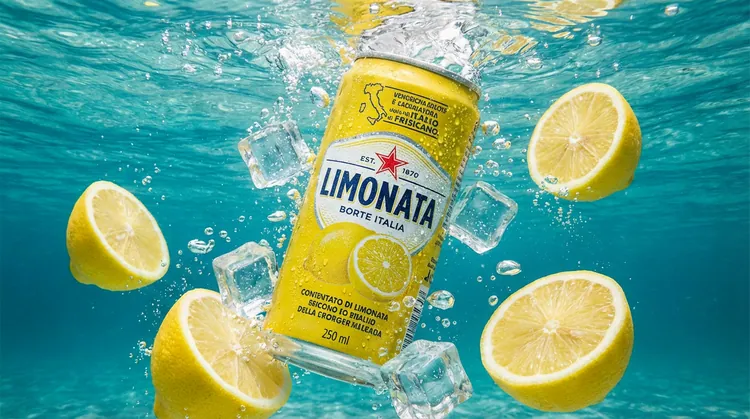
AI Product Photography (AI-Generated Image from FlexClip)
Example 2: Create a high-quality product photo of a ceramic coffee mug. Place it on a wooden table background. Add natural morning light with soft shadows. Show 2 color variants: black and white. Ensure reflections, shadows, and highlights are realistic. Style should be lifestyle and suitable for social media.
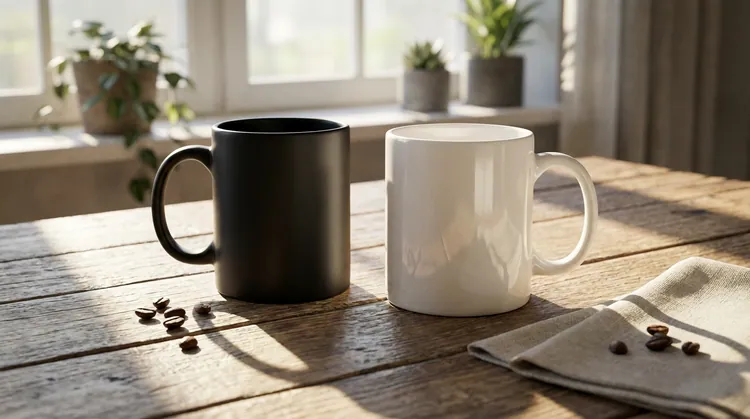
AI Product Photography (AI-Generated Image from FlexClip)
Example 3: Generate product photos of sneakers in three color variants: red, blue, black. Place each on a clean white background with soft shadows and realistic reflections. Photorealistic style suitable for online store listings.
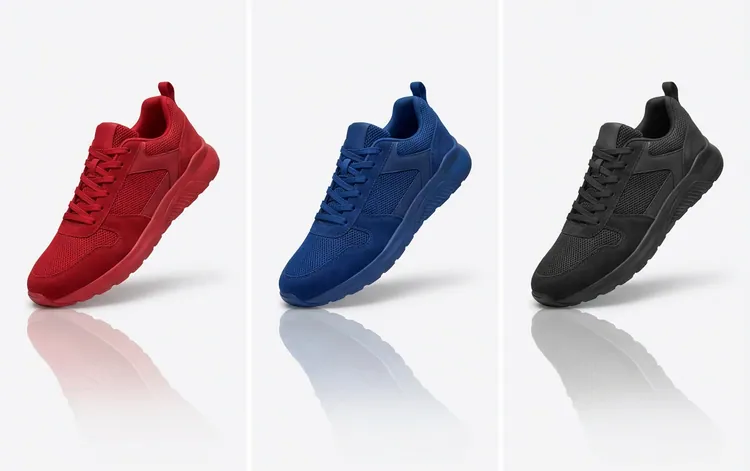
AI Product Photography (AI-Generated Image from FlexClip)
#5 Text, Logos & Graphic Editing
Seamlessly editing or replacing text, logos, and other graphic elements within images is one of the most valuable editing feature of the Pro model. You can translate or modify text while perfectly preserving style, lighting, perspective, and surrounding details, making it ideal for multilingual content, rebranding, or updating promotional materials without losing quality.
Use Cases:
Examples with Copy-and-Paste Prompts
General Prompt Template: Edit the existing image of [IMAGE DESCRIPTION]. Replace or modify the text [OR LOGO/GRAPHIC] to [NEW TEXT OR LOGO DETAILS]. Preserve the original style, font, color, size, lighting, perspective, and surrounding elements. Ensure seamless integration so the edits appear natural. Apply [ADDITIONAL STYLE OR EFFECTS, e.g., bold, 3D, shadow, metallic, minimal] as needed for [USE CASE, e.g., social media, website, marketing, print].
Example 1: Translate all text in this image into Chinese while preserving the exact font style, size, placement, alignment, shadows, and texture. Rebuild the text so it looks naturally integrated into the scene.
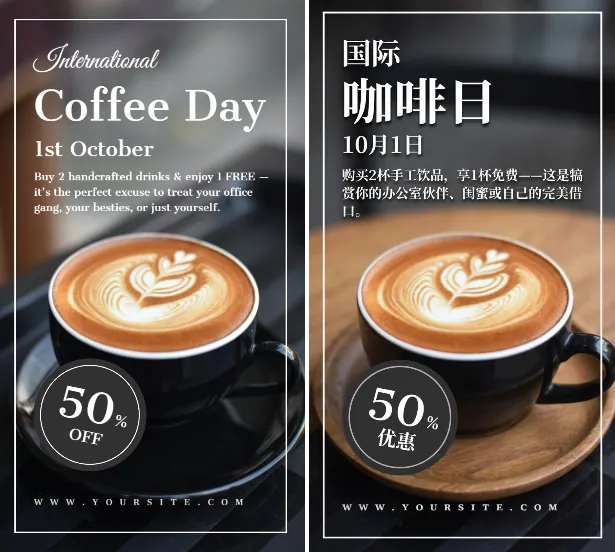
AI Translate Image Text (AI-Generated Image from FlexClip)
Example 2: Edit the existing image of a promotional flyer with the headline "Grand Opening". Replace the text with "Holiday Special Event". Preserve the original font, color, size, lighting, and surrounding decorative elements. Ensure seamless integration so the new text looks natural. Apply subtle shadow and gradient effects suitable for print and digital marketing.
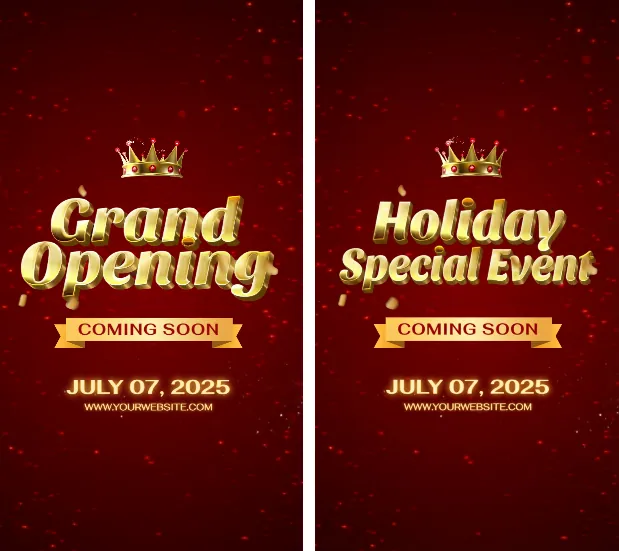
AI Replace Image Text (AI-Generated Image from FlexClip)
#6 Marketing & Media Content
Nano Banana Pro excels at creating marketing visuals that stand out, including social media thumbnails, magazine covers, and promotional graphics, allowing you to capture attention instantly with bold colors, layouts, and professional design.
Use Cases:
Examples with Copy-and-Paste Prompts
General Thumbnail Image Prompt Template: Create an eye-catching [PLATFORM, e.g., YouTube, Instagram] thumbnail for [TOPIC OR VIDEO TITLE]. Include bold text, vibrant colors, and engaging icons or images. Make it visually striking and easy to read at small sizes. Style should be [STYLE, e.g., photorealistic, minimal, cartoonish].
Example: Make a YouTube thumbnail for a travel vlog in Paris: Eiffel Tower in background, traveler holding camera, clear readable text, bright and cinematic style.
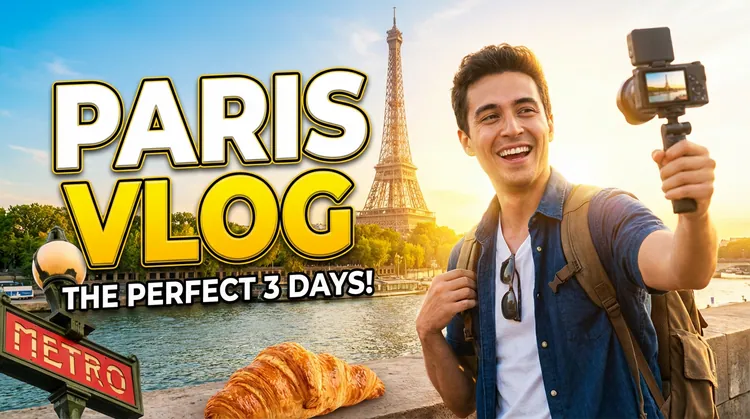
AI YouTube thumbnail (AI-Generated Image from FlexClip)
General Magazine Cover Prompt Template: Create a high-quality magazine cover for [MAGAZINE NAME OR TOPIC]. Include a main subject (person, product, or illustration), headline text, subheadings, and subtle background elements. Use [STYLE, e.g., photorealistic, bold, minimalist] and vibrant colors suitable for print.
Example: Create a high-fashion magazine cover featuring a female model in winter clothing. Include the main headline text "Winter Trends 2025", subheadings like "Top 10 Cozy Outfits", and "Accessories Guide". Use a snowy cityscape background with soft lighting. Style should be photorealistic and cinematic, with bold typography and vibrant winter colors. Ensure the layout looks professional and magazine-ready.
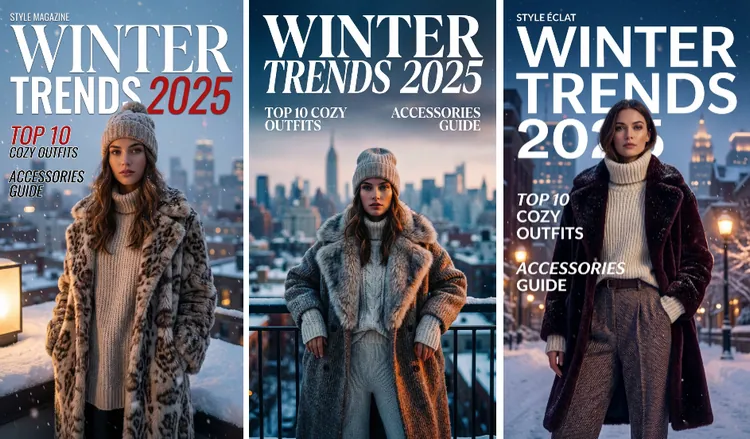
AI Magazine Cover (AI-Generated Image from FlexClip)
General Promo Banner Prompt Template: Design a promotional banner for [PRODUCT OR EVENT]. Include headline text, main product image, call-to-action button, and background design. Use [STYLE OR COLOR SCHEME] to make it visually striking and suitable for [USE CASE, e.g., website, email, social media].
Example: Design a promotional banner for a summer sale. Include headline text "Up to 50% Off", images of sunglasses and beach items, and a "Shop Now" button. Use bright summer colors suitable for a website banner.
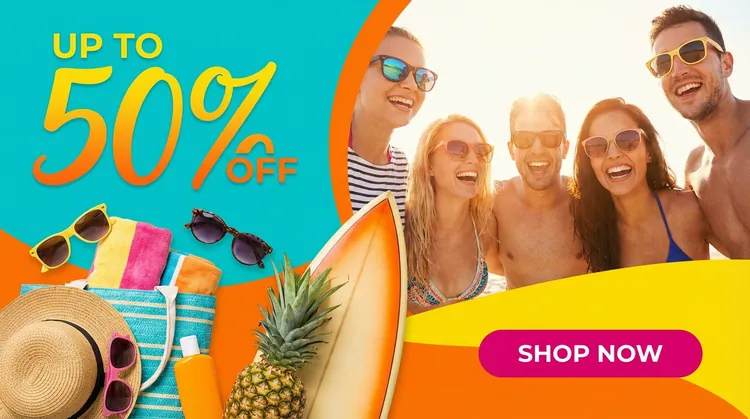
AI Promo Banner (AI-Generated Image from FlexClip)
#7 Environment & Scene Adjustments
Another standout feature is the ability to edit environments and scenes, adjusting lighting, weather, seasons, or even replacing entire backgrounds, while keeping objects, shadows, and perspectives consistent.
Use Cases:
Examples with Copy-and-Paste Prompts
General Prompt Template: Edit the existing image by adjusting the environment and overall scene. Change [ENVIRONMENT ELEMENTS TO MODIFY: lighting, weather, background, objects, mood] while keeping the main subject unchanged. Ensure all edits match the original perspective, shadows, reflections, and color tone. Maintain realism and seamless integration so the updated environment looks naturally part of the original scene.
Change Background / Replace Setting Example: Replace the background with a modern cityscape at sunset while preserving the main subject in its original quality. Ensure the new background matches the lighting, perspective, and style of the subject for a realistic and cohesive result. Blend edges naturally and maintain shadows or reflections if applicable.
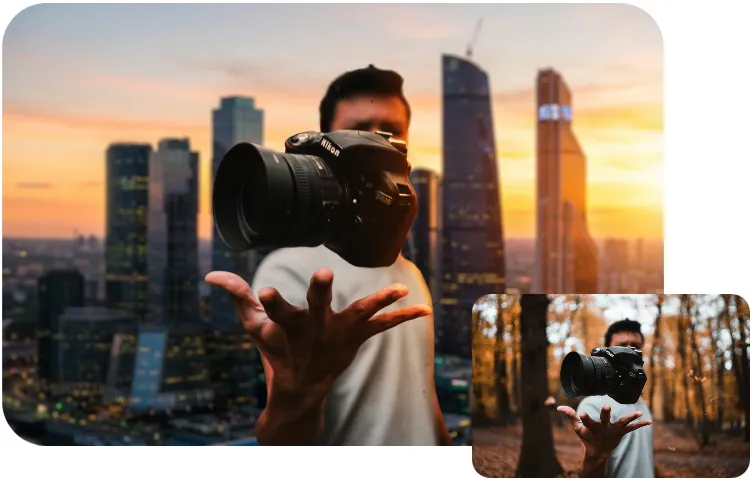
AI Change Background (AI-Generated Image from FlexClip)
Adjust Lighting & Time of Day Example: Transform the scene from daytime to golden hour. Add warm sunlight, long shadows, and soft orange highlights. Keep all subjects unchanged and apply lighting that matches their shape and position.
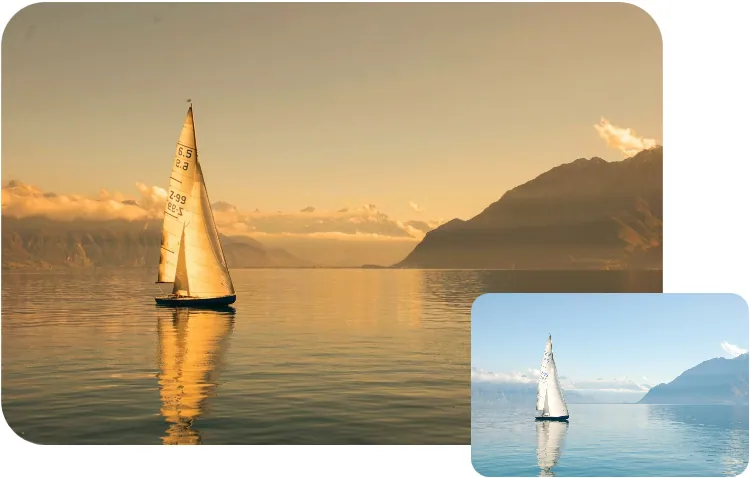
AI Change Time of Day (AI-Generated Image from FlexClip)
Indoor Scene Upgrade Example: Enhance the indoor environment to look brighter and more modern. Replace old furniture with minimal contemporary pieces while preserving the original room layout, perspective, and lighting.
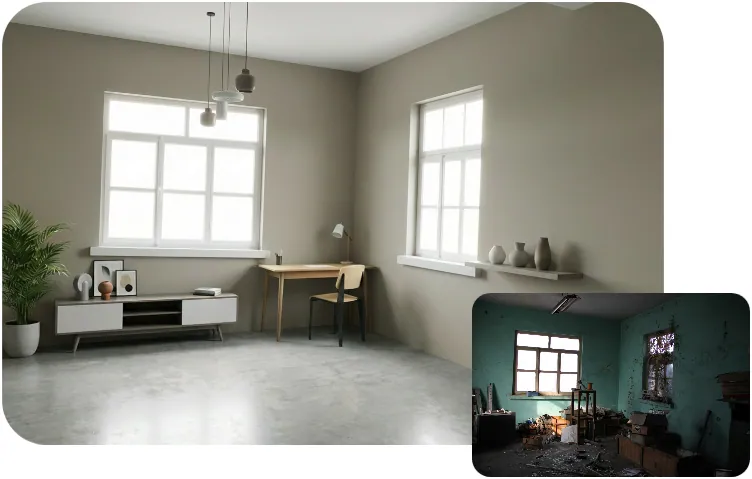
AI Indoor Scene Upgrade (AI-Generated Image from FlexClip)
#8 Slides & Infographics
Nano Banana Pro also shines at turning complex ideas or data into visually compelling slides and infographics. Whether you need business presentations, timelines, process flows, or educational visuals, it can generate professional layouts that combine charts, icons, and illustrations, saving hours of manual design while keeping your content clear and engaging.
Use Cases:
Examples with Copy-and-Paste Prompts
General Prompt Template: Create a visually engaging slide/infographic illustrating [TOPIC OR DATA]. Include [CHART TYPES, e.g., bar, pie, line, comparison chart], icons, and relevant illustrations. Use a [COLOR SCHEME, e.g., professional, vibrant, pastel] palette and clear typography. Layout should be [STYLE, e.g., clean, modern, minimal, corporate] and suitable for [USE CASE, e.g., presentation, social media, report]. Ensure data, labels, and elements are accurate and visually balanced.
Example 1: Create an engaging infographic with 5 quick social media marketing tips. Include numbered icons, small illustrations, and concise text. Use a bright, vibrant color palette with minimalistic layout. Suitable for Instagram, LinkedIn, or Facebook carousel posts.
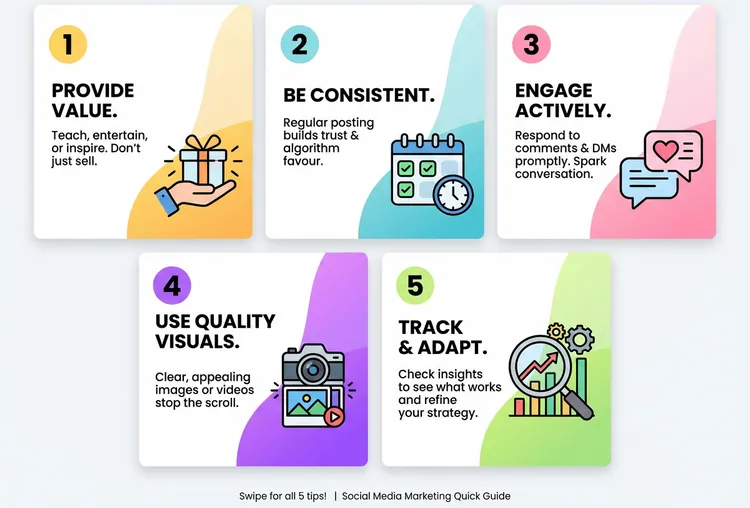
AI Infographics (AI-Generated Image from FlexClip)
Example 2: Draw a bilaterally symmetrical frontal anatomical illustration of the cat, styled similarly to an infographic. The image should show the creature's external features on both sides, with its internal anatomy partially exposed. Detailed text should flank the image, explaining the creature's biology, abilities, behavior, habitat, and the specific functions of its anatomical structures. The overall design should be clear, informative, and in the style of a scientific illustration.
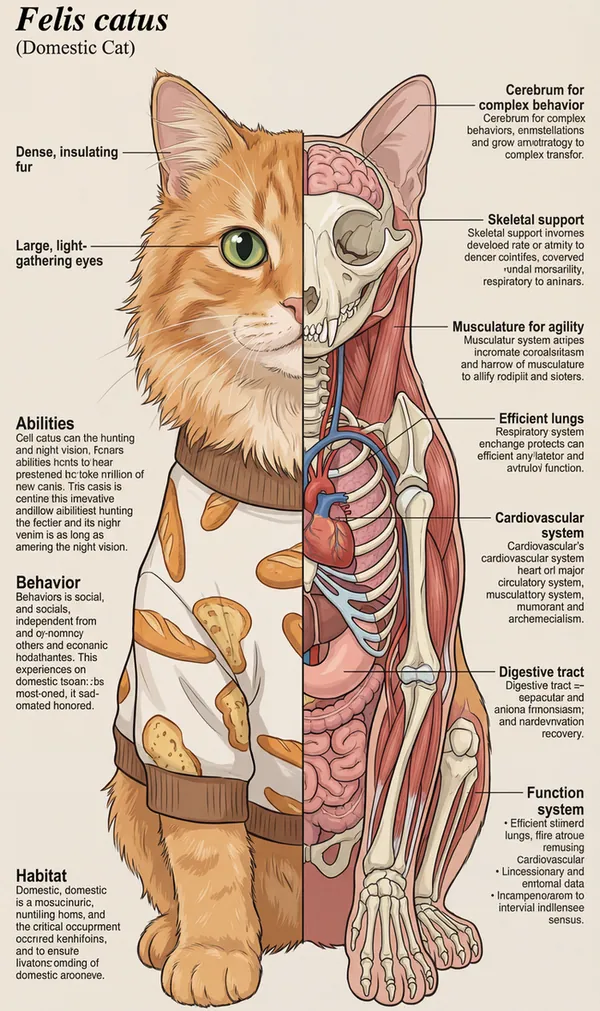
AI Anatomical Illustration (AI-Generated Image from FlexClip)
Example 3: Create a whiteboard-style timeline of World War II events. Include years, major battles, important figures, arrows showing sequence, labeled bullet points, and clean layout. Use black marker lines with red highlights for key events.
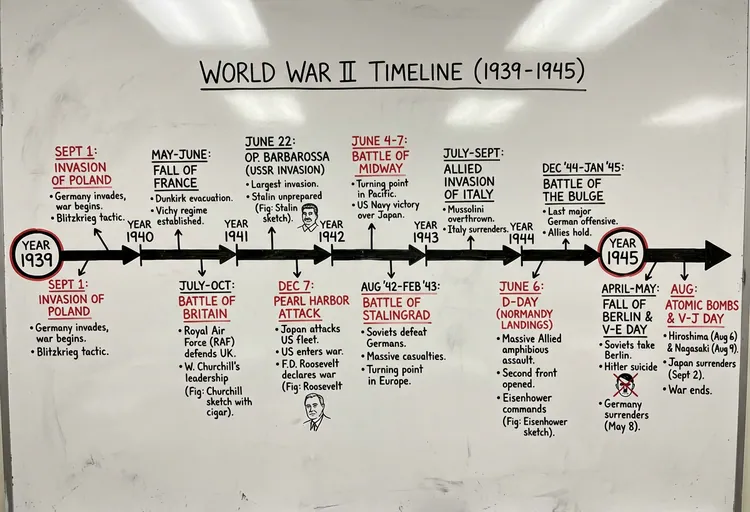
AI Whiteboard Summary (AI-Generated Image from FlexClip)
Ready to Create And Remix Photos with Google Nano Banana Pro?
You can try it out in FlexClip! FlexClip supports Nano Banana Pro in AI Image Generator and AI Photo Editor feature, allowing you to generate and edit stunning, high-quality AI images directly on your device—no advanced technical skills required.
Whether you're creating new images from scratch, or editing your visuals with precise control, FlexClip gives you two powerful workflows to get the most out of Nano Banana Pro. Have a try now!




FlexClip AI Video Maker
Reach professional-quality videos faster with easy editing tools, templates, and smart AI.
Start Now for Free
Hot & Trending
-

Best Ways to Find Music in YouTube Videos
-

Instagram Story Video Quality Bad After Upload? Fix It!
-

How to Repost Video on TikTok & How to Remove TikTok Repost
-

Improve Video Quality Online: 3 AI Video Quality Enhancers You Can't Miss
-

4K Convert to HD 1080p without Watermark: Best 4k Video Converters
-

Best 8 Free Video Editors - No Download Required
-

Top 13 Birthday Video Makers with Music and Effects Free
-

How to Search Filters on TikTok & Use a Filter You See - TikTok Filter Guide