


Captured the perfect shot only to find the lighting too dark or want to change your product image’s lighting to create a different mood?
Lighting is the foundation of every photo as it shapes mood, depth, and overall look. But not every picture is taken in perfect lighting. Fortunately, you can adjust lighting during post-production.
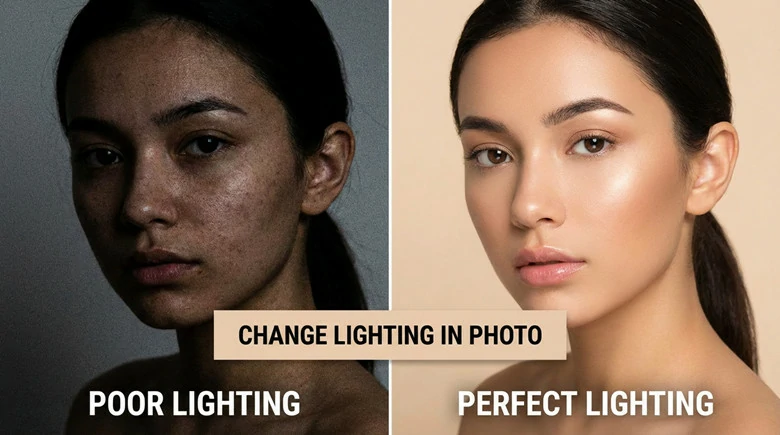
Comparison Between Photo with Poor and Right Lighting
The best part? You don’t need professional skills or expensive software to fix poor lighting or even completely relight a photo. In this blog, we’ll show you a simple, AI-powered way to enhance your photo lighting and share examples of how this tool can effortlessly fine-tune your images.
Also Interested: Change Angles of Image Online with AI>>
The AI-powered Tool to Change Lighting in Photo
Changing lighting in a photo with professional software like Photoshop can be time-consuming. It usually goes with a steep learning curve and detailed manual edits. But now with FlexClip, an AI-powered photo lighting editor, adjusting lights in photo to correct lighting flaws is just a few clicks away, even for beginners.
It uses artificial intelligence to analyze the lighting in your original image and adjust the depth and placement of lighting to achieve the perfect illumination, add moody shadows or high-contrast lighting for a dramatic effect based on your text prompts. You don’t need any manual edits. Simply describe how you want the light to fall, or upload a reference image to mimic, and FlexClip’s AI lighting editor will take care of the rest.
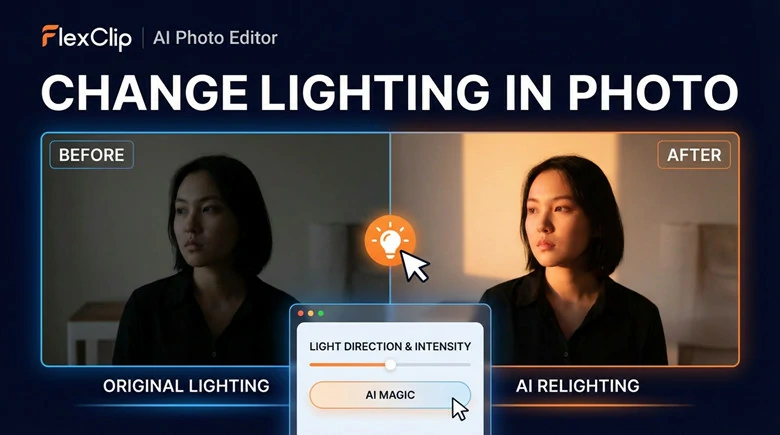
The AI-powered Tool to Change Lighting in Photo
Key Features of FlexClip’s AI Photo Lighting Editor
How to Change Lighting in Photo with AI Using FlexClip
Now let’s take a look of how FlexClip’s AI lighting editor can fix bad lighting into flawless by following step-by-step guide below.
1)Fix Poor Lighting in Photo
If you want to brighten the eyes, soften harsh shadows, enhance skin tones, or even reshape the light direction for a more flattering look, you can fix lighting flaws in just one click. Here’s how to do it.
Here we'll use this picture with dark lighting as an example to edit:
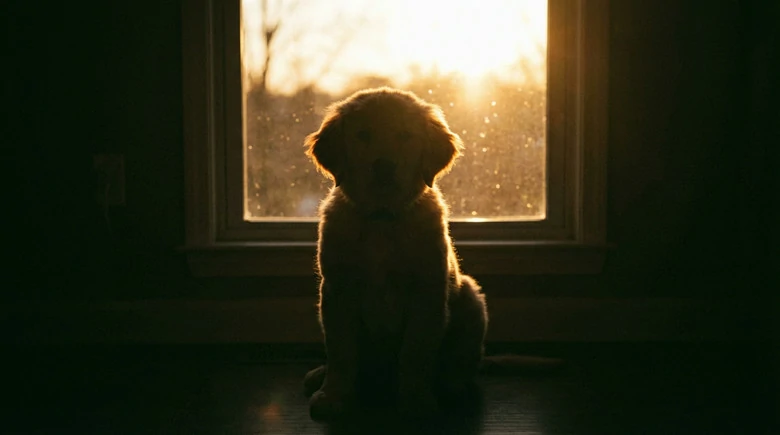
Cute Dog Image with Bad Lighting
Step 1: Upload Your Bad Lighting Photo
Access FlexClip’s AI photo editor and upload a selfie, landscape or product image with poor lighting you want to retouch.
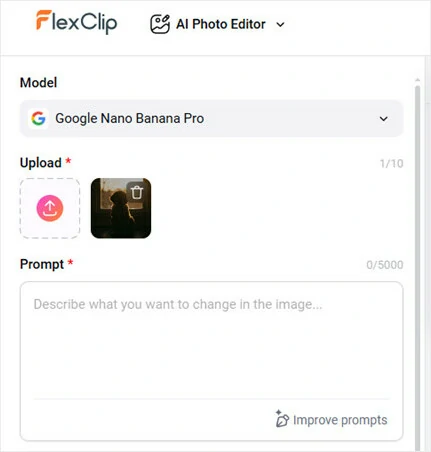
Upload Your Bad Lighting Photo
Step 2: Enter Lighting Enhancement Prompt
Describe the lighting area you want to fix with details like the lighting time of a day, the mood you desired or even a classic style you want to recreate. For example, you can say enhance the lighting with soft morning light, calm, airy mood, vintage film portrait look.
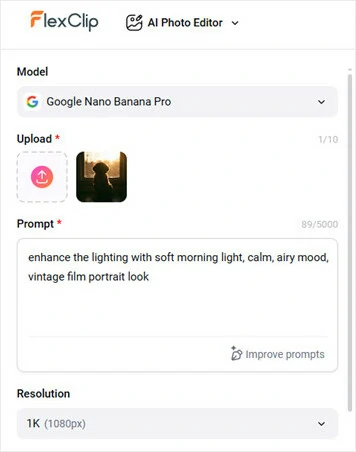
Enter Lighting Enhancement Prompt
Step 3: Generate and Download
Hit on Generate button and AI will automatically retouch your lighting to make it look sharper while keeping all the rest unchanged. Once it completes creation, download your relighted photo and share it with friends.
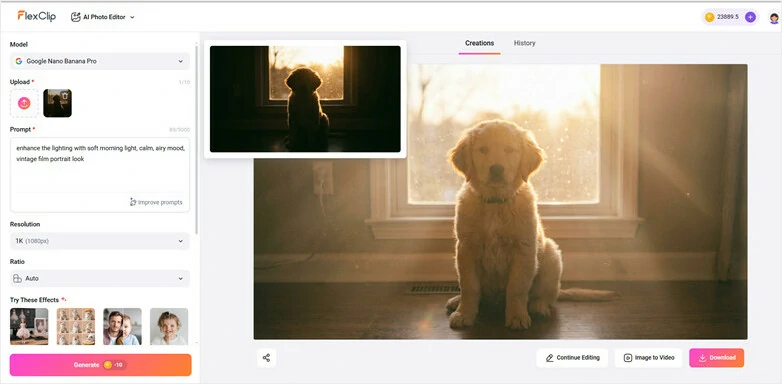
Generate and Download Your Lighting-enhanced Picture
2)Retouch Photo Lighting with a Reference Photo
Feel overwhelmed to describe the exact lighting mood you want? Or looking to adjust your photo’s lighting to match a specific style? Simply upload a reference photo with the lighting you prefer, and FlexClip’s AI will accurately simulate its direction, texture, mood, and quality in your own image. Here’s how to do it.
Here we'll recreate lighting of this picture into your photo:

A Picture with the Lighting and Style You Like
Step 1: Upload Your Photos
Begin by opening FlexClip’s AI photo editor, selecting the generation models you like and uploading both the image requiring lighting enhancement and the reference photo here.
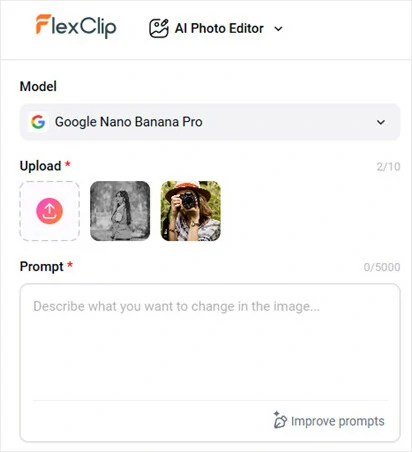
Upload Your Photos to FlexClip
Model options such as Google Nana-Banana/Nana-Banana Pro, OpenAI GPT-Image 1, Bytedance Seedream 4/4.5, Flux 2 Flex, and Flux 2 Pro all support uploading multiple images.
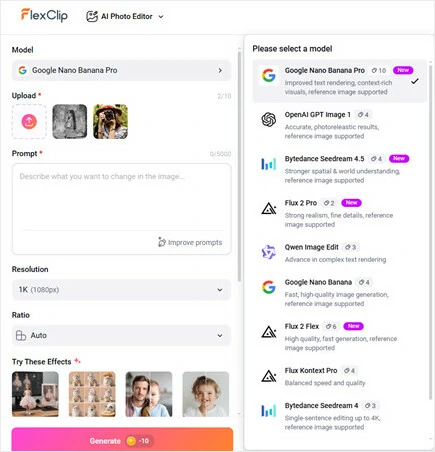
Select Image Generation Model You Like
Step 2: Let AI Retouch Lights with Prompts
Write prompts to let AI swap the lighting style in the reference image into yours. Once you’re done, tap Generate button and watch as AI relight your original image in seconds.
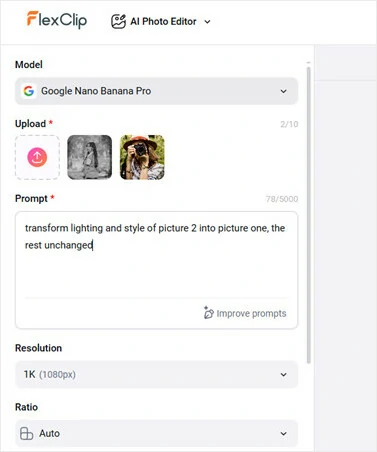
Let AI Retouch Lights with Prompts
Step 3: Download and Share
Now preview your photo with the perfect lighting and mood. Download and share it to amaze your friends now.
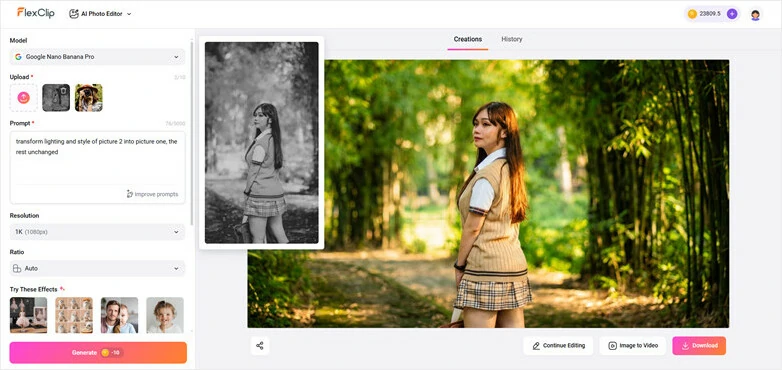
Download and Share Your Perfect Lighting Photo
Bonus Tips: FlexClip’s AI photo editor goes far beyond simple lighting adjustments. Whether you want to generate images from text, restyle your photos, perfect your portraits, merge multiple images, or animate still shots, FlexClip gives you the easiest, all-in-one solution to bring your ideas to life.
AI Features of FlexClip to Retouch and Edit Your Photos
More Cases of Images Editing Using FlexClip’s AI Photo Editor
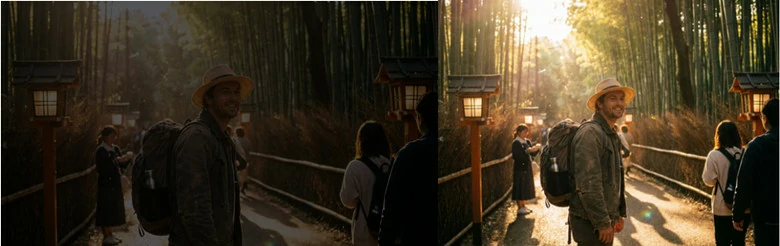
Travel Photo in Golden Hour Effect

Change Daytime to Sunset

Beautifying Food or Product Images
The Bottom Line
That’s everything you need to know about changing lighting in photos with FlexClip’s AI-powered photo lighting editor. With this tool, you can brighten dark areas, create a cinematic mood, or even replicate the lighting from your favorite image—all powered by AI.Ready to give it a try? Upload your photo to FlexClip and start creating now!




FlexClip AI Video Maker
Reach professional-quality videos faster with easy editing tools, templates, and smart AI.
Start Now for Free
Hot & Trending
-

Best Ways to Find Music in YouTube Videos
-

Instagram Story Video Quality Bad After Upload? Fix It!
-

How to Repost Video on TikTok & How to Remove TikTok Repost
-

Improve Video Quality Online: 3 AI Video Quality Enhancers You Can't Miss
-

4K Convert to HD 1080p without Watermark: Best 4k Video Converters
-

Best 8 Free Video Editors - No Download Required
-

Top 13 Birthday Video Makers with Music and Effects Free
-

How to Search Filters on TikTok & Use a Filter You See - TikTok Filter Guide



