


Capturing Halloween spooky spirit using photos wasn’t easy. Traditional editing tools always require advanced skills to replace background, add eerie lighting, or zombie makeup.
AI Halloween photo editor completely changes the situation. You can instantly transform your daily photos into spine-chilling, eye-catching masterpieces, without previous editing skills.
Now, follow us to know how to add Halloween vibes to photos in a smarter and easier way.
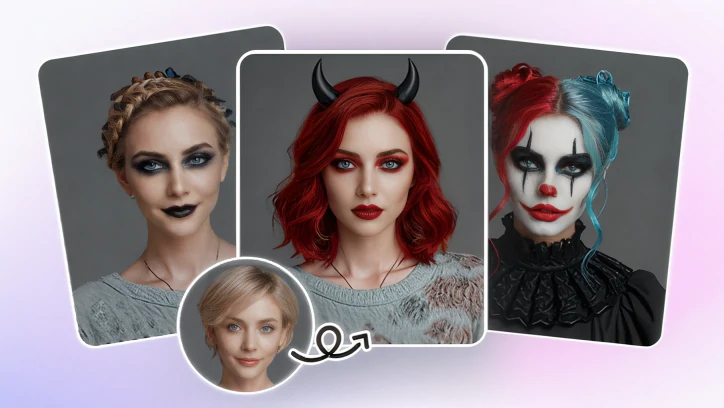
Add Halloween Vibe to Photo
FlexClip: The Best AI Halloween Photo Editor Online
The only photo editor you need for this Halloween is FlexClip. Backed up by the most advanced generation models like Google Nano Banana, Flux, Seedream, it can transform any daily shots into Halloween masterpieces.
Instead of offering fixed Halloween filters and providing monotonous outputs, FlexClip encourages you to be creative. You can go from the cute Day of the Dead skeletons, to horrifying ghostly looks.

How to Edit a Halloween Photo
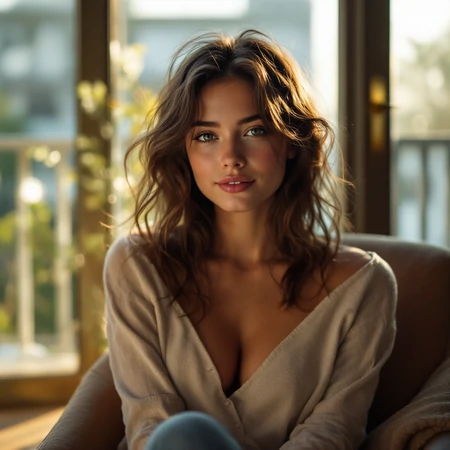
Example Image
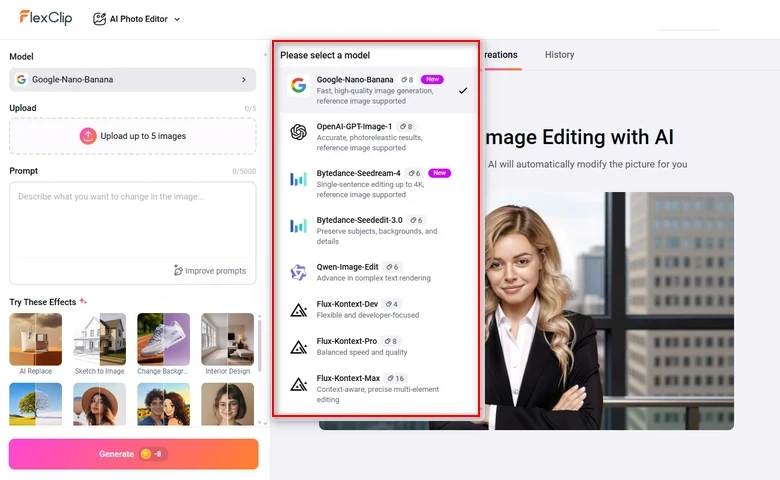
FlexClip Generation Models
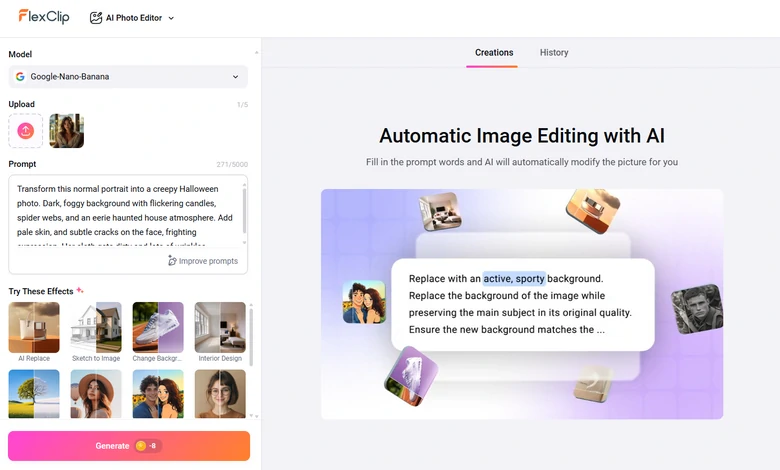
FlexClip Input a Prompt
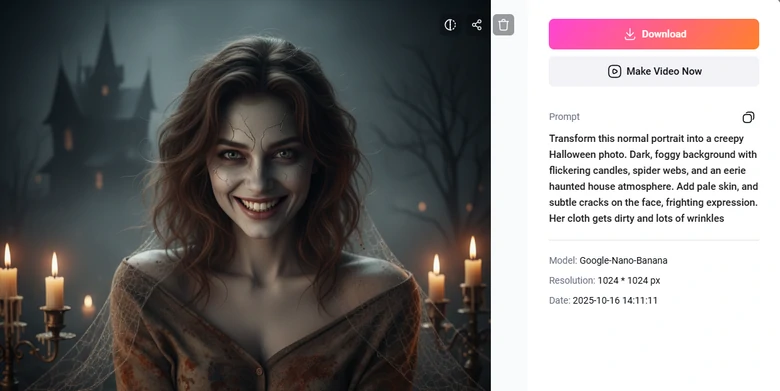
FlexClip Export & Share Output
Creative Halloween Photo Editing Ideas
Ready to make your daily shots outstanding in this Halloween season but don’t know exactly how to do it? Here are several creative ideas to follow.
1. Put on Spine-Chilling Halloween Makeup
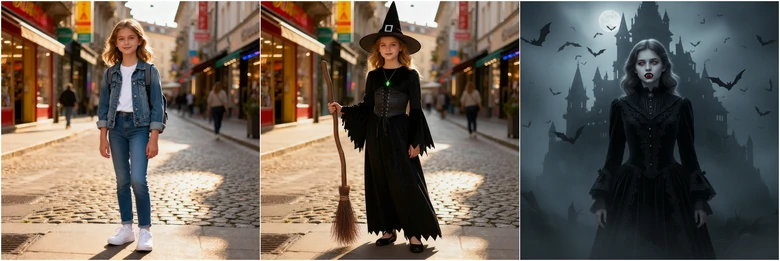
Want to surprise everyone with a unique Halloween makeup? From zipper face, mystical witches, to vampire fangs, FlexClip lets you experiment all without the mess. Besides makeup, you can also virtually try-on different outfits, saving you real investments on costumes.
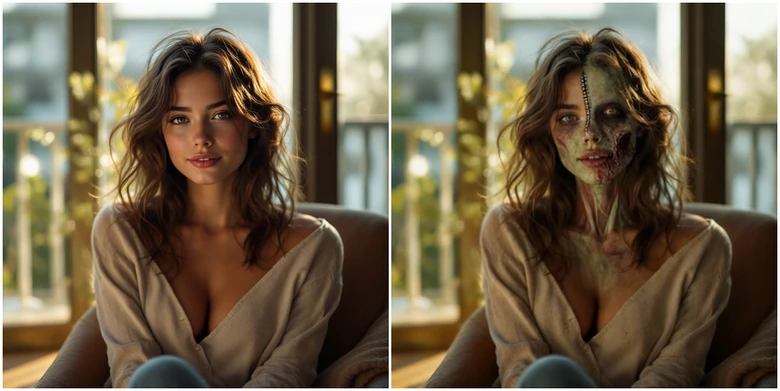
Put on Virtual Makeup
2. Swap in a Horrifying Background
A Halloween makeup photo without a proper background can be called mundane. Haunted houses, foggy cemeteries, or deserted tombs can instantly elevate the horror factor. Now, create spine-tingling imagery that perfectly matches your costume, mood, or seasonal social media posts.
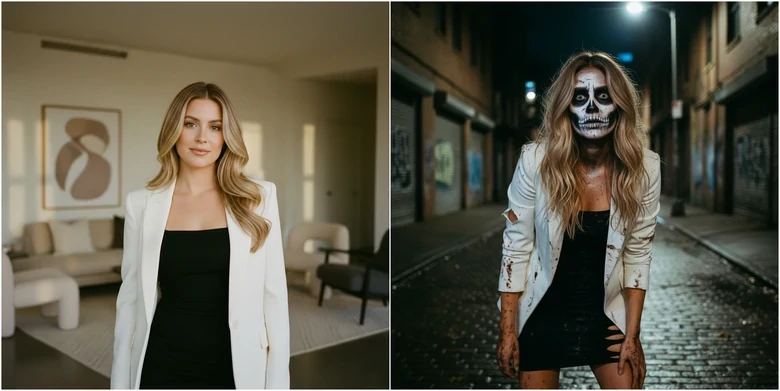
Swap in a Horrifying Photo Background
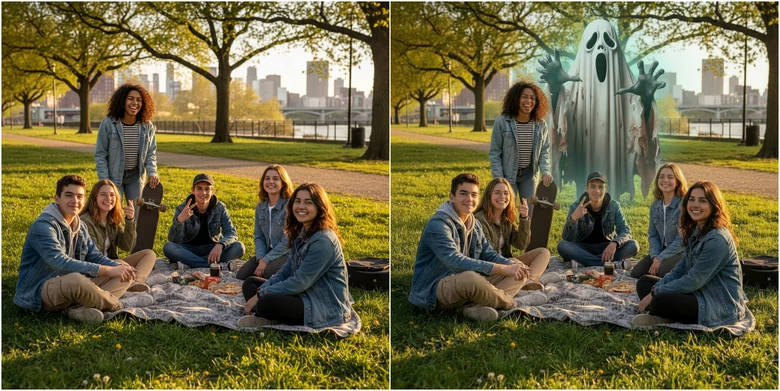
3. Fake a Ghost Photo
Fake ghost face photo is a big trend this year. Fake ghost photo means placing a ghost into an ordinary daily photo. They never fail to give people a huge fright. All you need to do is merging the ghost photo with your photo at FlexClip.
Face Swap with a Horror Video Character
4. Face Swap with Horror Movie Characters
Step into the shoes or masks of your favorite horror icons. Swap your face with characters like Naomi Frenette, or Freddy Krueger using AI. It is a fun way to immerse yourself in cinematic horror, producing instantly shareable content.

Face Swap with a Horror Video Character
5. Daily Photo into Horror Comics
Have you ever thought about being one of the characters in horror comics? FlexClip adds dramatic shading, eerie stroke, and exaggerated expressions to your photo. Perfect for Halloween-themed stories, posts or creative holiday gifts.

Turn Photo into Horror Comic
Halloween Photo to Halloween Video, FlexClip Made It Easy
Now you have a great Halloween photo, but that’s not the ultimate fun. With FlexClip, you can bring static images into videos with smooth animations. Whether you love to add flickering lights, flying bats, or horrifying smoke, FlexClip always sets the perfect Halloween mood.
Switch to FlexClip’s AI Image to Video tool, enter a prompt describing the video you need, and get a cinematic horror clip instantly. This is the video we got from FlexClip.
Animated Videos Generated with FlexClip
Let’s combine images, video clips into a cohesive Halloween intro, Halloween party invitations, or Halloween greeting! FlexClip’s video editor panel is extremely easy to get started. Drag and drop your resources to the timeline, select editing tools and get started.
You also have access to FlexClip’s 7000+ video templates, including Halloween-themed videos. Pick one you love, replace the resources and make the template yours.


FAQs About AI Halloween Photo Editor
1. How does FlexClip’s AI Halloween photo editor work?
FlexClip’s AI Halloween photo editor is trained on millions of real photos. It can understand your prompts, make edits like applying themed filters, eerie lighting automatically to the original photo.
2. Can I use it for group photos?
Yes, FlexClip can edit group photos. However, it may struggle with identifying each face. If you feel like editing a specific person, FlexClip can make mistakes. It is better to use it on a single portrait.
3. Is my photo data safe?
FlexClip is a reputable AI photo editor. It uses secure servers and encryption to protect your data. Nobody can access your photo and personal information without your permission.
4. What if I am not satisfied with the photo I generated?
Most of the time, FlexClip gives you satisfying outputs. Yet, when there are unsatisfied outputs, you can regenerate using another model, or make edits to the output directly.




FlexClip AI Video Maker
Reach professional-quality videos faster with easy editing tools, templates, and smart AI.
Start Now for Free
Hot & Trending
-

Best Ways to Find Music in YouTube Videos
-

Instagram Story Video Quality Bad After Upload? Fix It!
-

How to Repost Video on TikTok & How to Remove TikTok Repost
-

Improve Video Quality Online: 3 AI Video Quality Enhancers You Can't Miss
-

4K Convert to HD 1080p without Watermark: Best 4k Video Converters
-

Best 8 Free Video Editors - No Download Required
-

Top 13 Birthday Video Makers with Music and Effects Free
-

How to Search Filters on TikTok & Use a Filter You See - TikTok Filter Guide


