Summary: Dubbing a video for an animal or favorite character in a movie is fun. If you are planning to dub a video, you've come to the right place. Just read through this tip and learn how to dub a video online easily.
Recently, there are a lot of videos of dubbing characters in film and television dramas on various apps like YouTube, Facebook, TikTok, Instagram, etc. It seems very fun, so how to dub a video for your favorite character with ease?
In this article, we'll show you an online method to dub a video easily. No software needs to download, no complicated features need to learn. Let's walk through this article and learn how to dub a video online.
Image board: How to Dub A Video
Also Read: How to Add Voice Over to Video
Quick Navigation:
Part 1. The Tool You'll Need
To dub a video online easily, FlexCip is ready to help. It's developed as an online video editor as well as video maker, FlexClip has helped millions of users create stunning videos with ease! Let's check some main features below:
1. Dubbing: It supports dubbing a video online with ease, and you don't need to install a program to your computer.
2. Rich templates: Offers a variety of video templates, which makes it super simple to make a video online even you have no video editing experience.
3. Advanced features: You can edit your videos online like trim, split, record voice, add filter, add text, add music, add watermark, speed up, slow down and more.
4. Abundant media resources: It provides a lot of media resources like music, video clips, intro, outro, widget, overlay and more.
Depict video: Dub the Avengers
Part 2. How to Dub A Video Online
Step 1. Visit FlexCip on your browser and click Make a Free Video to start.

Image board: How to Dub A Video Online - Step 1
Step 2. Then you can click + Start From Scratch to upload your videos here. You can also choose a video template to customize it.
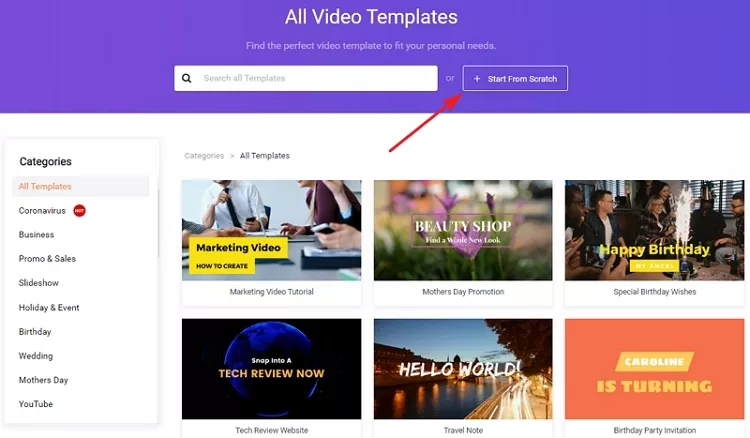
Image board: How to Dub A Video Online - Step 2
Step 3. Before dubbing, you can lower the video volume or mute the video here.
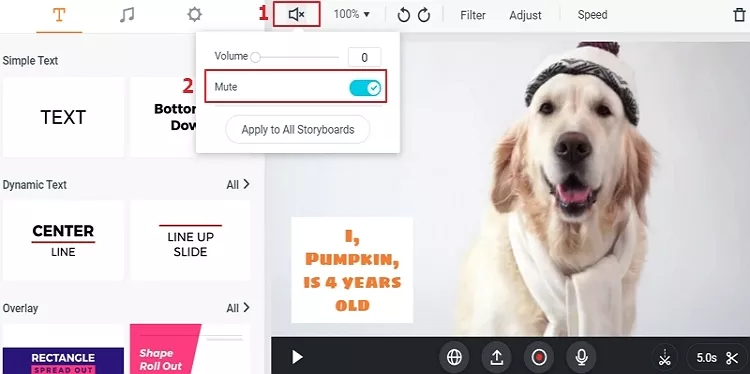
Image board: How to Dub A Video Online - Step 3
Step 4. Then just press hold the Record Voice button and dub your video.
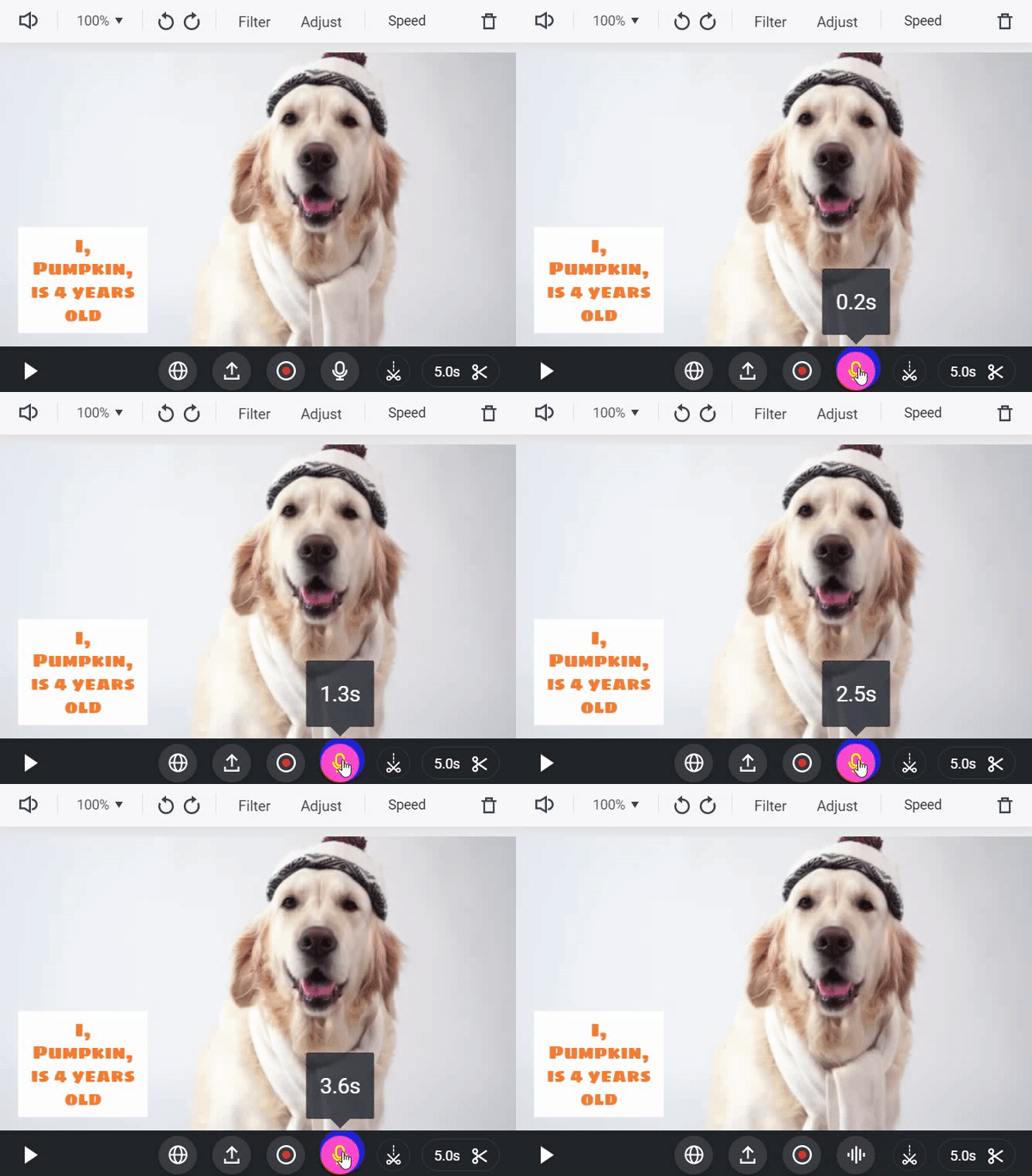
Image board: How to Dub A Video Online - Step 4
Part 3. How to Edit Dubbed Video Online
After dubbing your video, you may also want to edit this video like add subtitles, add background music, speed up and more. Then you can use FlexCip to edit dubbed video online for free. You can add text, music, watermark, filter with ease, and it offers abundant media resources for users.
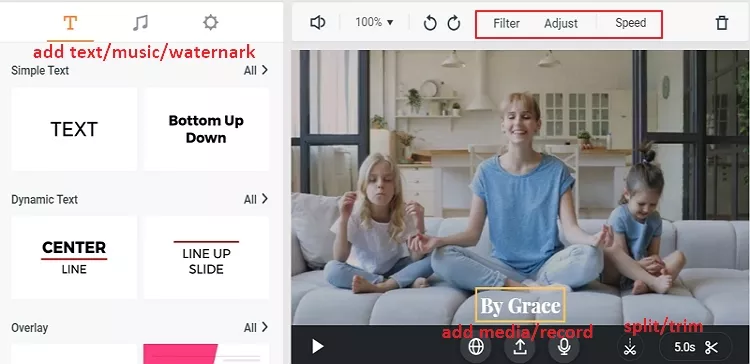
Image board: How to Edit Dubbed Video Online
TipsYou can also convert AVI, MOV, M4V, MP4, AVI, FLV, MKV formats to MP4 or WEBM with FlexClip Converter now.
The Bottom Line
That's all about how to dub a video online with the help of FlexCip, and you can rely on this tool to make a video with its templates or edit videos online easily.




FlexClip AI Video Maker
Reach professional-quality videos faster with easy editing tools, templates, and smart AI.
Start Now for Free
Hot & Trending
-

7 Best Ways to Find Music in YouTube Videos
-

Instagram Story Video Quality Bad After Upload? Fix It!
-

How to Repost Video on TikTok & How to Remove TikTok Repost
-

Improve Video Quality Online: 3 AI Video Quality Enhancers You Can't Miss
-

4K Convert to HD 1080p without Watermark: Best 4k Video Converters
-

Top 13 Birthday Video Makers with Music and Effects Free
-

How to Search Filters on TikTok & Use a Filter You See - TikTok Filter Guide
-

Large Collection of Creative and Funny Birthday Video Ideas for Ones You Care