Usually, people turn to the reviews and testimonials to see if a product or service is as good as they claim to be. Research shows that 86% of consumers turn to online reviews to determine whether or not a local business is trustworthy.
Testimonial videos are an incredibly effective way to build trust and showcase your product or service. But creating them can be time-consuming and resource-intensive. What if there was an easier way?
Meet the AI video testimonial creator, your shortcut to create high-performing customer testimonial videos. Transform your marketing effortlessly and learn how AI can help you create engaging, persuasive testimonial videos that convert. Let’s get started!
How to Make Customer Testimonial Videos with FlexClip AI
Making a customer testimonial video is easier than you think with AI. Follow the tutorial below to produce a strong testimonial video with AI.
The only tool we need here is FlexClip. It takes your testimonial videos to the next level, helping you generate video script, create engaging footage(both the A-roll main content and the B-roll footage), add realistic human-sounding voice narration, choose motivating music, and edit seamlessly. Let's dive into the detailed steps below.
Step 1 Use AI Video Script Generator to Write Scripts for Your Testimonial Video
Every video starts with a script. Manually writing a video script always takes a lot of time, but FlexClip's AI video script generator helps you out. With it, you can have a customer testimonial video script ready within minutes.

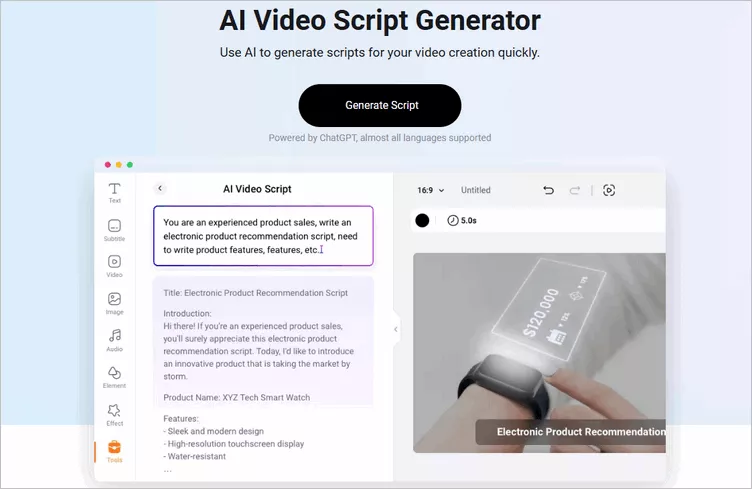
FlexClip AI Video Script Generator
Simply go to FlexClip's AI Video Script Generator, enter a testimonial prompt based on your product or service, and let the AI create a video script you can easily customize to match your brand. You can also specify the style of testimonial video you want, such as Interview Q&A, Multi-Customer Montage, Problem–Solution–Result, or Day-in-the-Life, to create a video that best showcases your product experience.
Step 2 Create Engaging Testimonial Video Footage (Both the A-rolls and B-rolls)
Once your testimonial video script is ready, it's time to create engaging footage without needing to appear on camera. With FlexClip, you can use the AI Photo Editor to combine a portrait with your product photo and generate a realistic product try-on image. Alternatively, try the Text to Image tool to create a lifelike avatar if you prefer not to appear on camera or have limited time. This avatar can serve as the main speaking role (A-roll) in your video.

Generate AI Testimonial Video Footage with FlexClip's
But it doesn't stop at still images. With FlexClip's AI Image to Video tool, you can animate your images in any way you like. Powered by multiple advanced AI video generation models, FlexClip AI can even generate videos with native audio in certain modes.
Keep in mind that effective testimonial videos often include B-roll footage—supplementary clips layered over the main content—to capture attention and build trust with viewers. Be sure to create some B-roll shots, such as product shots that highlight your product’s key features and design, or demo shots showing the product in use to demonstrate how it works.
Now, go to FlexClip's AI Video Generator to turn your still images into engaging video clips and generate b-roll footage using any desired AI model according your testimonial video scripts.
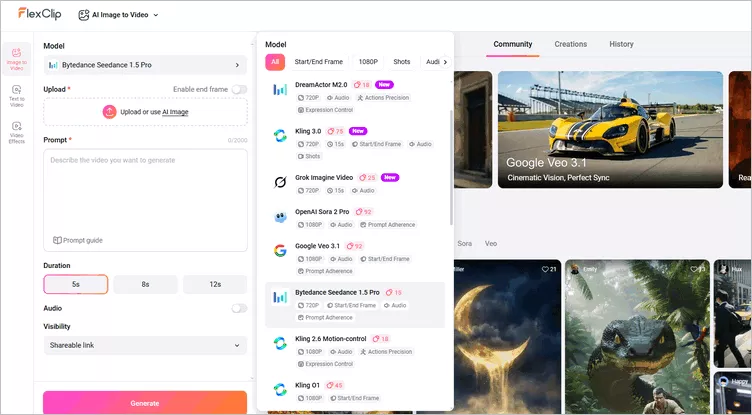
Generate AI Testimonial Video Footage with FlexClip's AI Video Generator
Step 3 Combine and Edit Your Footage into a Raw Testimonial Video
Once your testimonial video footage is ready, bring it into FlexClip's built-in video editor and combine all the clips into a raw customer testimonial video. If you've downloaded your previous generated pieces, simply upload them. Alternatively, head to the Media section and switch to the AI tab to browse through your AI-assisted clips and select the ones you need.
With its simple drag-and-drop functionality, you can easily arrange, trim, cut, and split your clips. From there, experiment with various background music, sound effects, transitions, overlays, and more to fine-tune your video until you're happy with the result.
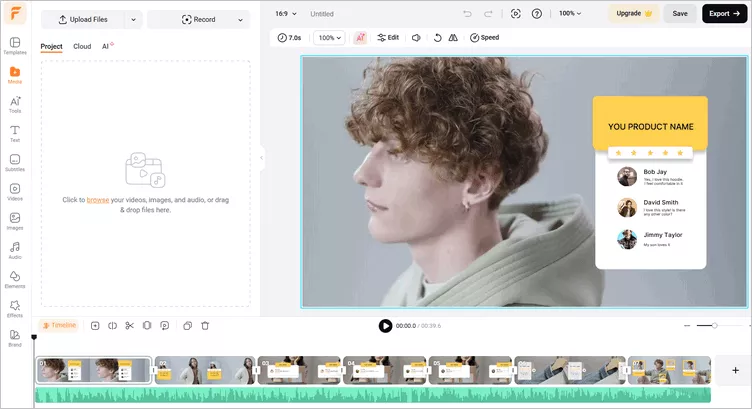
Combine Your Footage into a Raw Testimonial Video
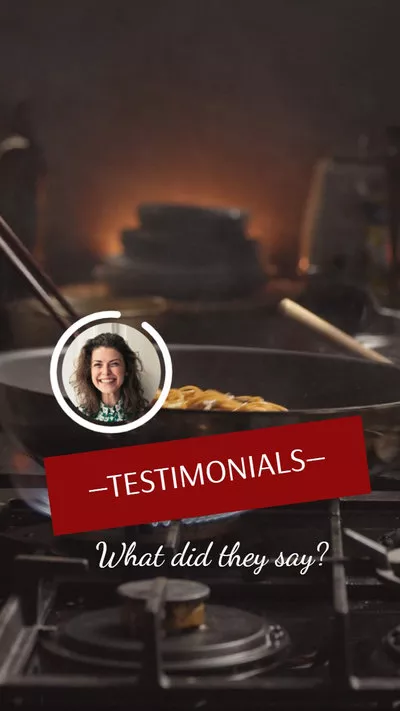
Pro Tip: To help you edit your testimonial video easily, FlexClip offers a rich library of customizable and professionally designed video templates for your inspiration. Just go for those templates that can simplify your testimonial video creation process.


Step 4 Edit the Testimonial Video Voice and Subtitle Your Video
After assembling your testimonial video, you can fine-tune the voiceover to match your needs. Replace the AI avatar's voice to achieve greater clarity and realism, and generate additional voiceovers for B-roll footage using FlexClip's AI text-to-speech tool.
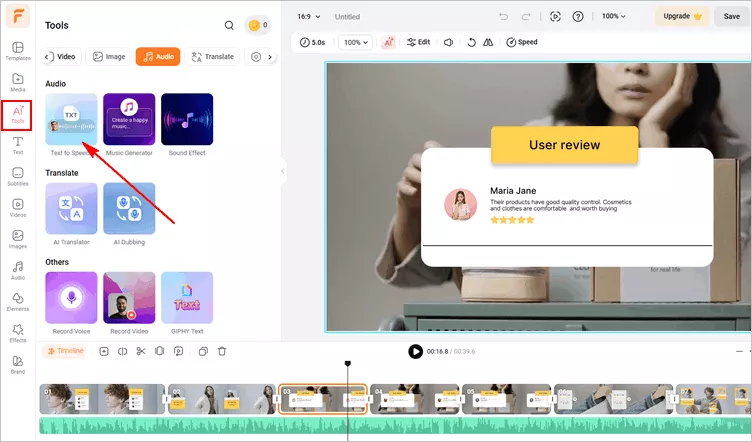
Edit the Testimonial Video Voice with AI Text to Speech
You can also use the Auto Subtitle tool to add subtitles automatically or edit them manually to ensure accuracy. Customizing fonts, colors, and placement helps improve readability and makes your testimonial video more accessible and professional-looking.
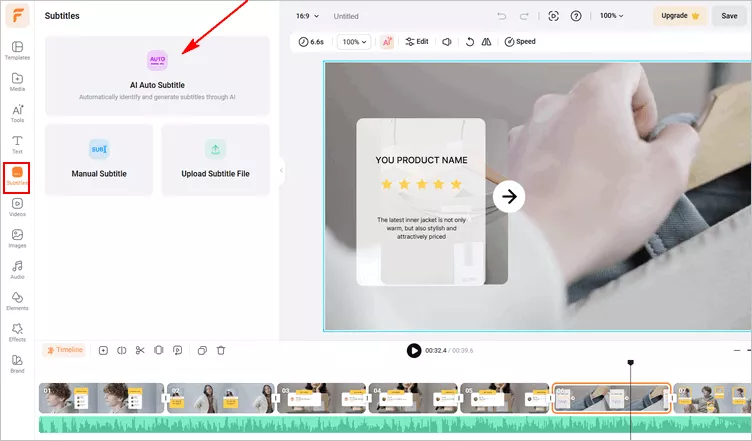
Subtitle Your AI Testimonial Video
Step 5 Preview and Download the AI Testimonial Video
Congratulations! The AI testimonial video is ready to share. You can hit the preview button to ensure your testimonial video matches your vision and then make any edits if needed. Once satisfied, simply export it in your desired resolution and format. FlexClip allows for various quality options from 480p to a full HD 1080p. Also, you can share your testimonial video to social media platforms, like YouTube, or generate a video link to send and share your video easily.
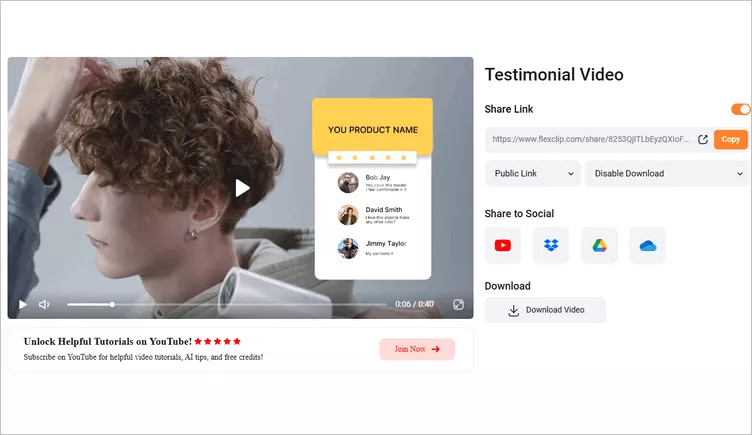
Download and Share Your AI Testimonial Video
Best Testimonial Video Ideas and Tricks You Can't Miss
This format uses prepared, open-ended questions to guide a conversation while still keeping it natural. Instead of simple yes/no questions, it encourages detailed responses (e.g., asking what changed after using a solution). It's especially useful when customers have difficulty organizing their thoughts, because the questions provide structure while still allowing their personality and experiences to come through.
A day-in-the-life testimonial demonstrates how a customer uses the product in their daily workflow. Instead of just talking about benefits, it shows real tasks and interactions with the product. Though it takes more effort to produce, it creates stronger engagement and helps prospects understand how the solution actually works.
Using a three-step narrative, this format highlights the customer's pain point, the moment they found the solution, and the results that followed. It keeps the story clear and relatable while emphasizing real outcomes, which is especially valuable for business-focused audiences.
Most consumers prefer to choose a product from "people like me". So you can make a customer testimonial video that multiple customers talk about their experience to appeal to all of your prospective leads. Instead of a single long testimonial, this approach features several customers giving quick 10–15 second responses about a shared benefit or experience. Hearing the same positive message from multiple people makes the feedback more convincing and relatable.
Another great testimonial video idea is to show the specific and tangible results. This approach leads with a compelling success metric and then walks through the actions that produced it. By highlighting results upfront, it quickly appeals to decision-makers who care about measurable impact.
Final Words
That's all for how to make your own customer testimonial videos with the help of AI. We hope this article helps you make a good testimonial video easily and quickly. Just turn to FlexClip online video maker to make amazing customer testimonial videos in short and simple steps right now.




FlexClip AI Video Maker
Reach professional-quality videos faster with easy editing tools, templates, and smart AI.
Start Now for Free
Hot & Trending
-

7 Best Ways to Find Music in YouTube Videos
-

Instagram Story Video Quality Bad After Upload? Fix It!
-

How to Repost Video on TikTok & How to Remove TikTok Repost
-

Improve Video Quality Online: 3 AI Video Quality Enhancers You Can't Miss
-

4K Convert to HD 1080p without Watermark: Best 4k Video Converters
-

Top 13 Birthday Video Makers with Music and Effects Free
-

How to Search Filters on TikTok & Use a Filter You See - TikTok Filter Guide
-

Large Collection of Creative and Funny Birthday Video Ideas for Ones You Care