Say goodbye to the tedious process of manually colorize every detail of your sketch drawings. An AI sketch colorizer can automate the process, saving you time and effort. Just upload your sketch drawing, prompt your desired style, and watch as AI works to add color and fill your sketch and enhance the beauty of your original artwork.
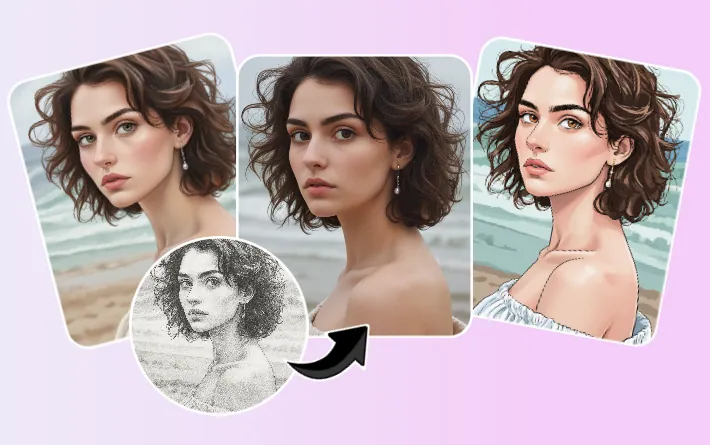
Color Sketch Examples Generated with FlexClip

This article explores the technique using an AI tool called FlexClip - where it offers different ways to colorize your sketch drawings with AI, including the AI Photo Editor and Image to Image AI Generator. Let's dive in and learn how to using AI to color your sketch, black and white line art, line drawings, sketches, and manga pages, etc.
Bonus: Free Templates for You to Share Your Images


Create Video Faster with FlexClip's Pre-Made Templates →
Start from Scratch Easily with FlexClip's Online Video Maker →
Also Read: Turn Your Normal Photo into a Ghibli Style Portrait >
Part 1 Best AI Colorizer for Sketches, Drawings, and Line Art - FlexClip
If you've ever wished to bring your sketches, line art, or black-and-white drawings to life with color, FlexClip is the best AI sketch drawing colorizer available today. With its advanced AI photo editor and AI image-to-image generator, FlexClip gives you both accuracy and creativity to colorize your sketch drawings. Whether you want to preserve the integrity of your original drawing or experiment with unique artistic styles, FlexClip offers the best of both worlds.
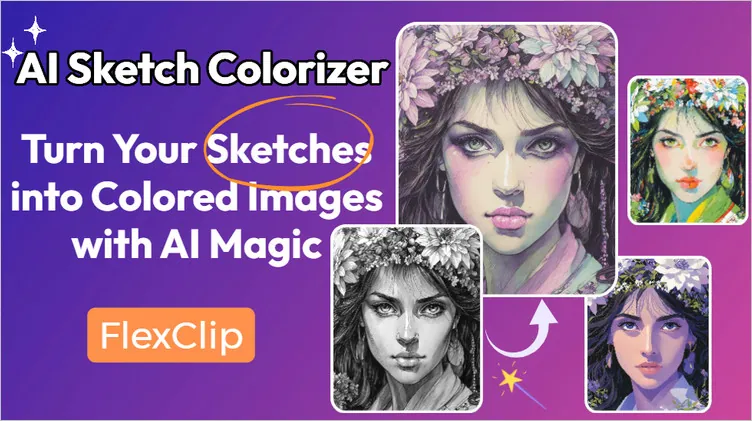
AI Sketch Colorizer: FlexClip
Traditional coloring methods take hours of manual work, but FlexClip's AI-powered features streamline the process while keeping your artwork’s integrity intact. You get two powerful options to transform your sketches into beautiful, colored artworks:

Option 1 AI Photo Editor – Keep Character Consistency by Text Prompt
FlexClip's AI photo editor is more than a basic editing tool — it's a powerful AI-powered engine that understands natural language prompts. When you use it to colorize a sketch drawing, it keeps your characters and design elements consistent, ensuring the essence of your original sketch is preserved.
Behind the scenes, this powerful AI photo editor is integrates various advanced AI models like Google-Nano-Banana, OpenAI-GPT-Image-1, Flux Kontext, etc, giving you flexibility to experiment with different edits, effects, and color palettes. Besides colorizing sketch drawing, you can so much more edits at FlexClip's AI photo editor, from removing unwanted objects, changing backgrounds, enhancing portraits, etc.
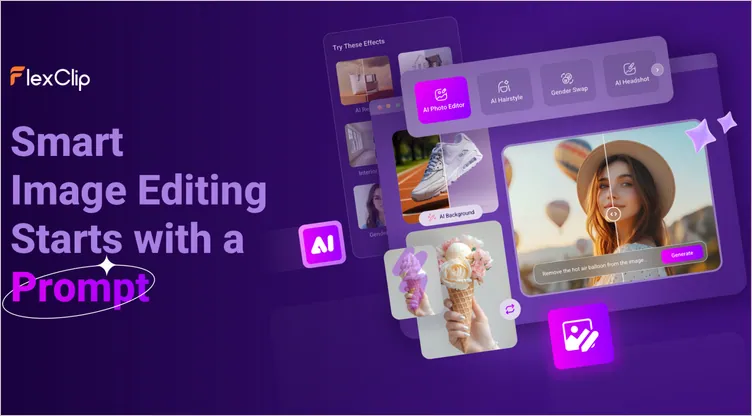
Colorize Sketches: AI Photo Editor
Option 2 AI Image-to-Image Generator – Explore Creative Styles with Preset Filters
If you're looking for instant artistic transformations, FlexClip’s AI image-to-image generator is the perfect choice. With a wide range of preset filters, you can give your sketches a unique style in seconds.
Generally, an image-to-image tool offers a fun and fascinating way to generate AI images based on an existing image. Specifically and surprisingly, the image-to-image tool can also work as an AI colorizer helping us colorize sketch drawings or any black & white line art cartoons, turning them into colored images in any desired style, including trendy Ghibli style, Manga Art, Oil Panting, and more!
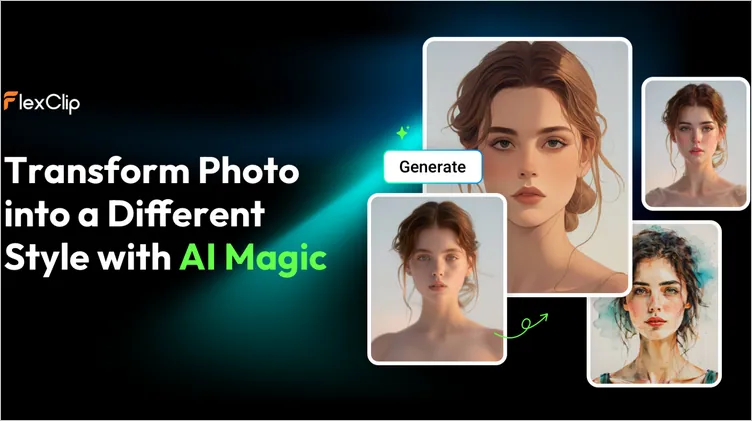
Colorize Sketches: AI Image to Image Generator
Quick Tip: Want to colorize your drawing or any sketch image with AI filter on your mobile device? Click the buttons below to get from app store accordingly.
Bonus: Along with the AI tools helping you auto colorize your drawings, FlexClip also comes with AI image upscaler, AI old photo restoration, image extender tools which help you do more to transform your pictures. Feel free to explore all methods and AI tools to enhance your images at FlexClip!
FlexClip AI Suite: A Better Way to Transform Your Images
Part 2 Step-by-Step Tutorial: How to Colorize Sketch Drawings with FlexClip's AI
FlexClip combines AI precision with creative freedom, making it the best choice for anyone who wants to transform sketches, line art, and drawings into vibrant works of art. Now Let's try FlexClip and turn your black-and-white sketches into colorful masterpieces — effortlessly.
Method 1: Colorize Sketch Drawing with AI Photo Editor (by Text Prompt)
Step 1 Upload Your Sketch Drawing
Go to the AI Photo Editor, upload or drag and drop your sketch image to the upload section. It offers various AI models like Google-Nano-Banana, OpenAI-GPT-Image-1, Flux Kontext, etc. As for colorizing your sketch drawing while keeping character consistency true to the original, Nano Banana is the best choice.
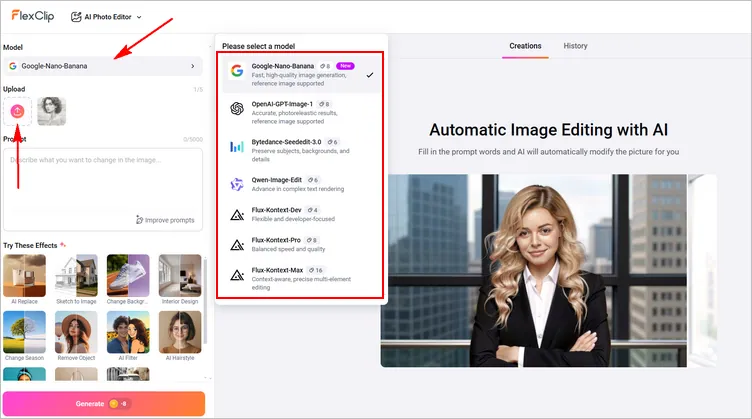
Colorize Sketch Drawing with AI Photo Editor: Upload
Step 2 Enter Your Prompt Asking Colorize the Sketch
Now, in the prompt box, type how you want your sketch to be colorized. For example, "Color this sketch with soft watercolor shades, keeping character details consistent". What's the best? You can try the preset Sketch to Image effect to turn your sketch into a realistic image, not just a colored image. Just click Generate and let FlexClip process your sketch.
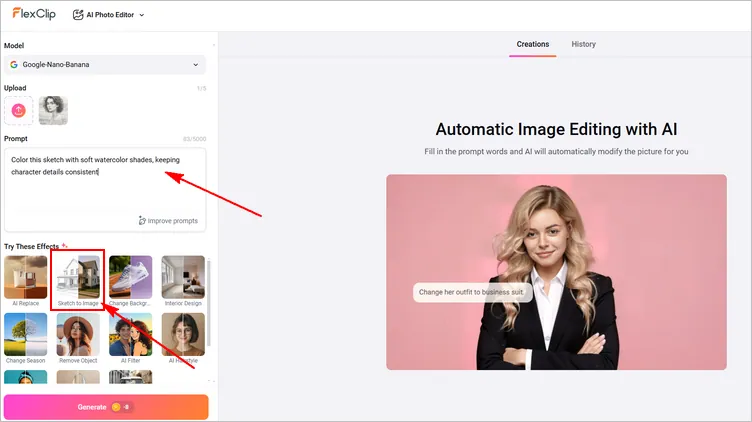
Colorize Sketch Drawing with AI Photo Editor: Prompt
Step 3 Download and Share Your Colored Image
Once you hit Generate, you will be about to get the sketch drawing colored within several seconds. Whenever you are happy with the output, you can save the image to a local folder, or post to social media directly. If not, you can continue editing via prompt to level up your colored image.
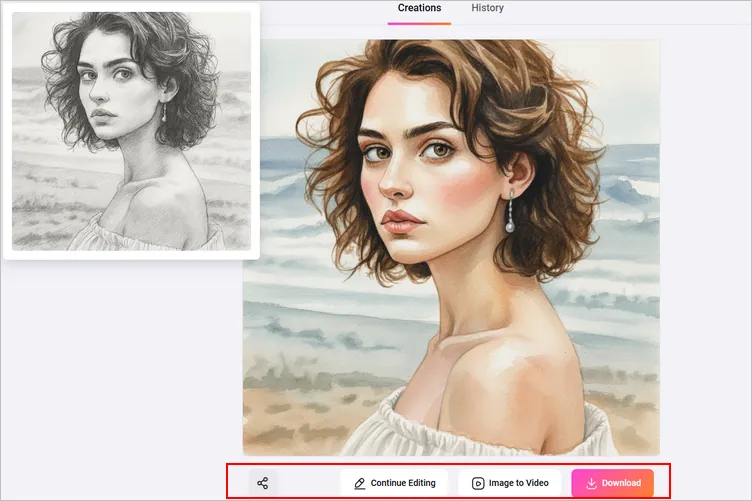
Colorize Sketch Drawing with AI Photo Editor: Download
Method 2: Colorize Sketch with AI Image-to-Image Generator (Preset Filters)
Step 1 Access FlexClip's AI Image to Image Tool
FlexClip's AI image-to-image generator is an online tool. You will not have to download anything to your computer. Click the Filter Your Sketch Drawing button above to get started.
Step 2 Import Your Sketch & Pick a Style for Coloring and Filling
Import your sketch drawing, select from different options to colorize your sketch in your desired styles, including Color Sketch, Pink Sketch, Green Art, Purple Comic, Gbihli style, Manga Art, 2d Vector, 3d Cartoon, and more.
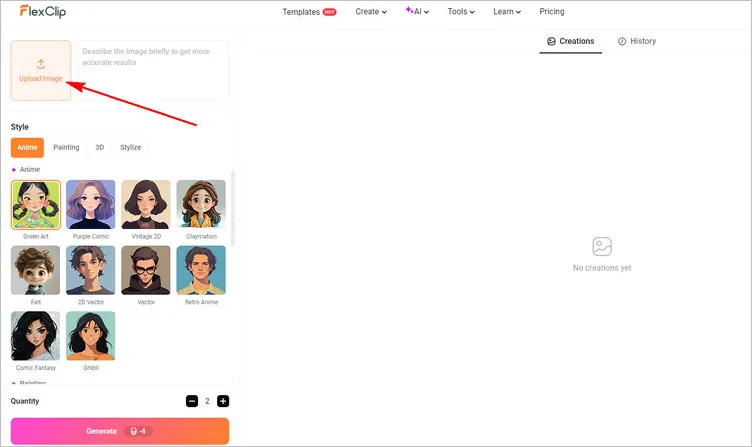
Import Your Sketch & Pick a Style for Coloring and Filling
Step 3 Generate AI Colored Image from Your Sketch
Once selected, set the number of images to generate at once, up to a maximum of 4, then click the Generate button and start the process. Here, you can also write a brief description defining some details to bridge the difference between the final generated image and the original one.
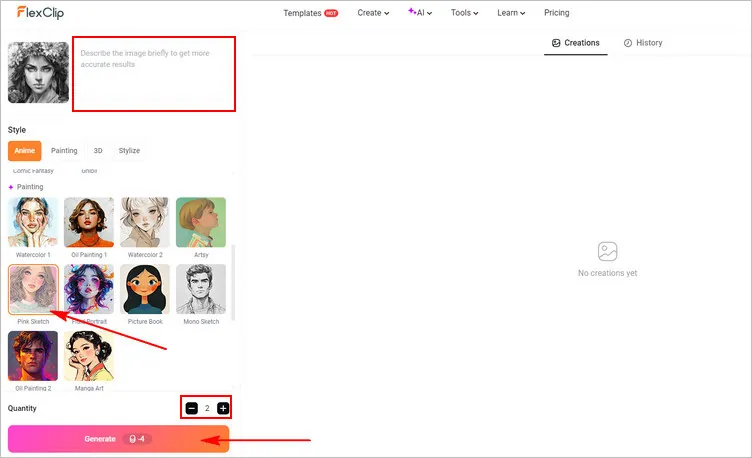
Generate AI Colored Image from Your Sketch
Step 4 Download and Share Your Color Image
The AI will analyze your photo, then add color to your sketch and convert it into the style with you desired. You will soon get the results, preview all the results and save the most satisfying one.
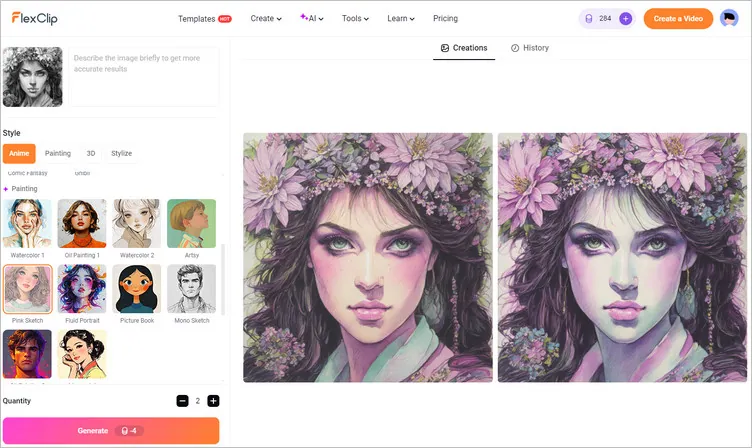
AI-Generated Colored Image from Your Sketch
Here you can also click your desired AI-generated colored image to share it to social media directly or continue editing it with text, emojis, stickers, frames, and more.
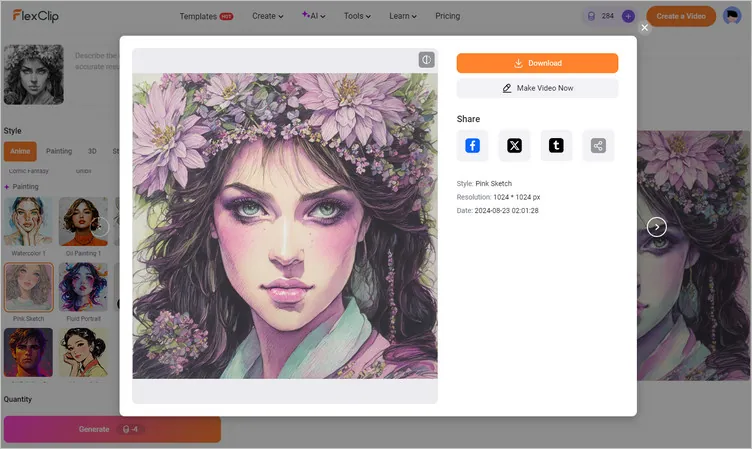
Download the AI-Generated Colored Image
Part 3 More Examples of Colored Images Converted from Sketches with FlexClip
To show you what FlexClip can really do, here are some examples of sketches colorized using its AI-powered tools, AI Photo Editor and Image to Image Generator. Whether you want to colorize a portrait sketch, your pet, or wonderful landscape, there are always stunning effects that work for you. Choose one to convert any black and white sketch drawings into colored images in various styles and have endless fun now!
Examples Using AI Photo Editor:
FlexClip’s AI Photo Editor excels at maintaining character consistency while allowing full creative control via text prompts. Here are some real-world transformations:
Realistic Outdoor Portrait
Prompt: "Color this portrait with natural sunlight, warm skin tones, and background greenery softly blurred." Or try Sketch to Image Effect directly.
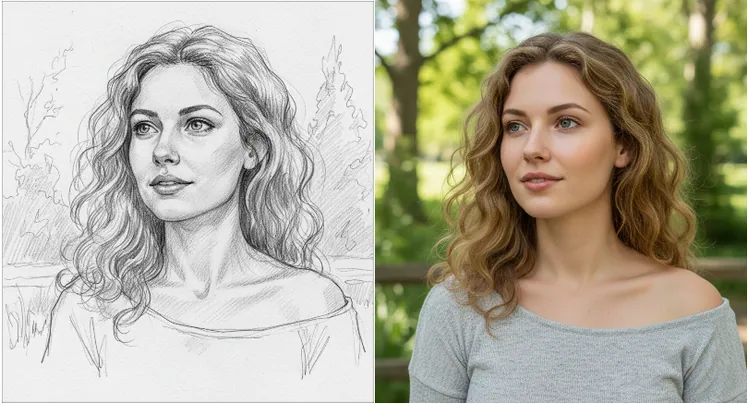
Colorize Realistic Outdoor Portrait Sketch
Modern Building Sketch
Prompt: "Color this architectural sketch with realistic materials: glass windows reflecting sky, concrete walls, and greenery around the building."
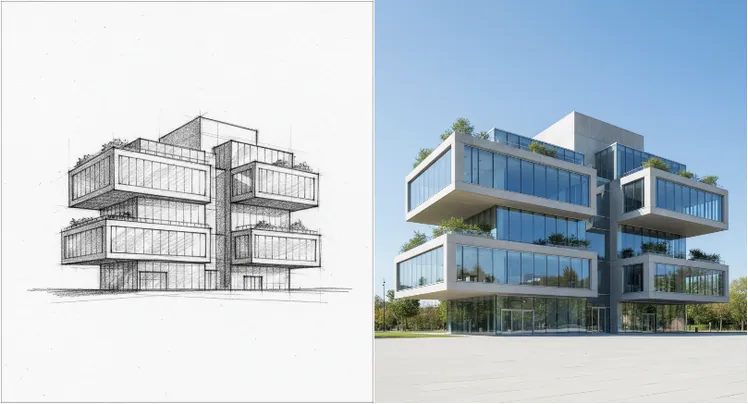
Colorize Modern Building Sketch
Anime Character Sketch
Prompt: "Color this with soft pastel shades, keep hair blonde, and eyes green."
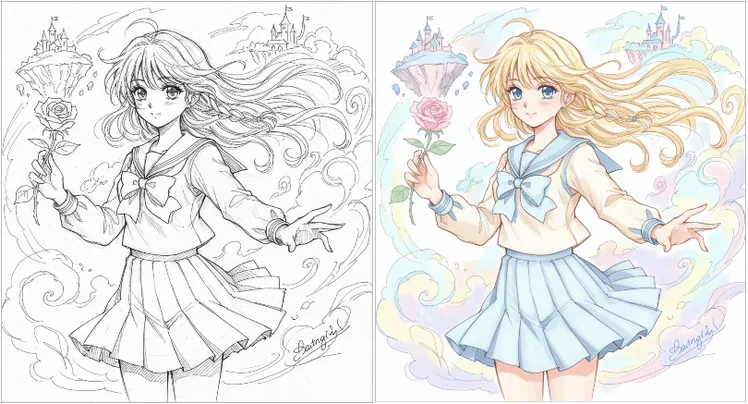
Colorize Anime Character Sketch
Nature Scene Sketch
Prompt: "Transform this landscape sketch into a warm sunset scene with orange and pink sky, golden sunlight on trees, and soft shadows on the ground."
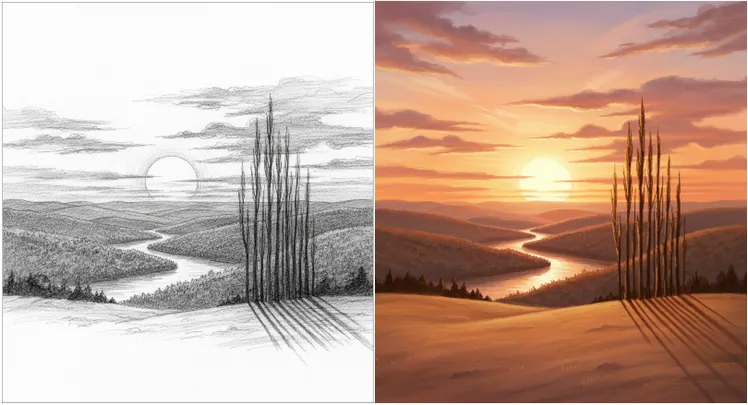
Colorize Nature Scene Sketch
Examples Using AI Image-to-Image Generator:
In contrast, the AI Image-to-Image Generator focuses on fast artistic transformations using preset filters. It’s ideal for exploring different styles and creative effects.
Colorize Sketch to Green Art - Portrait
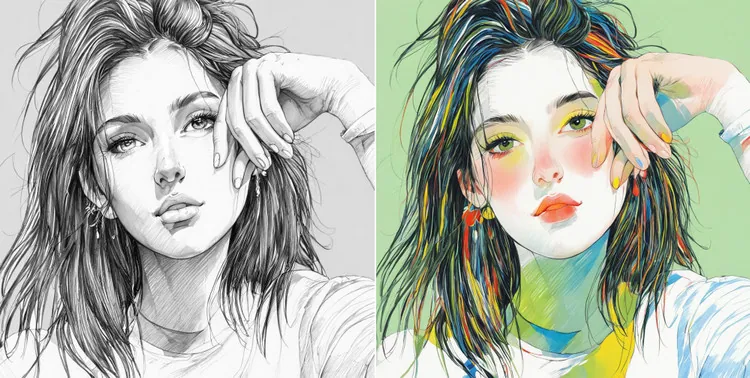
Colorize Sketch to Green Art
Colorize Sketch to Purple Comic - Pet
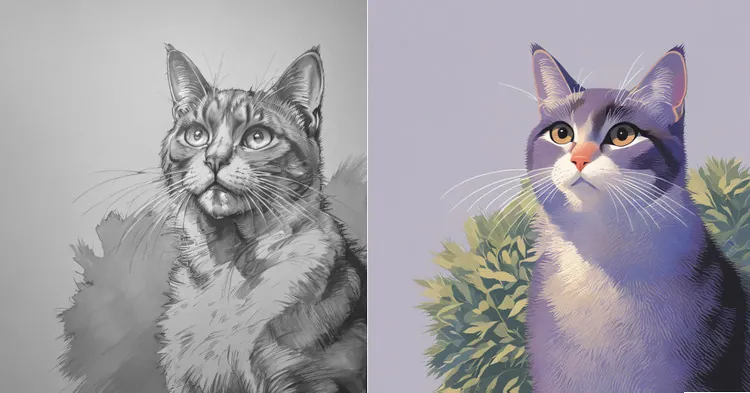
Colorize Sketch to Purple Comic
Colorize Sketch in Oil Painting Style - Landscape
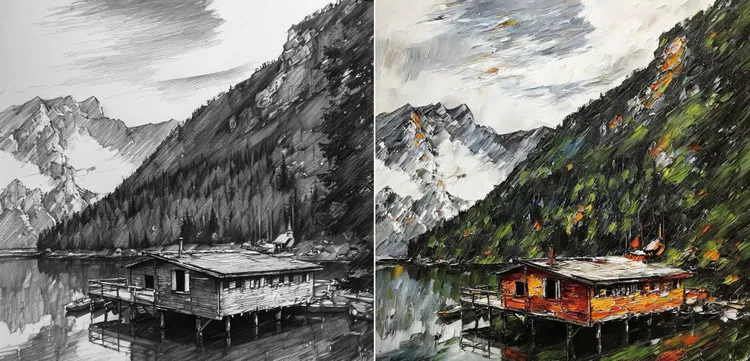
Colorize Sketch in Oil Painting Style
Colorize Sketch in Cyberpunk Style - Architecture
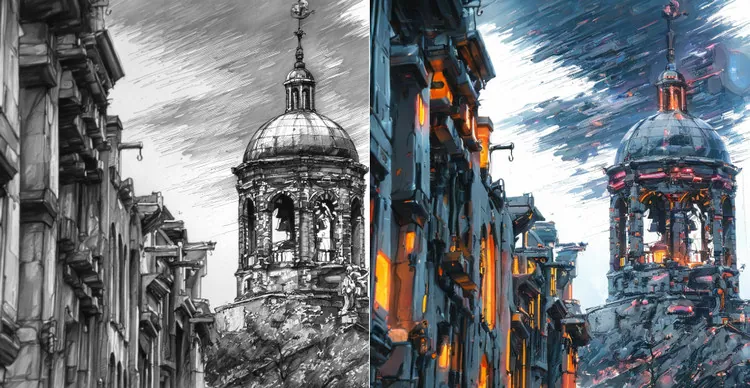
Colorize Sketch in Cyberpunk Style
With FlexClip, it's easy to make your sketch-to-color-image vision a reality with stunning results. Just turn to FlexClip's AI image-to-image generator or AI photo editor and explore more styles to colorize your black and white sketches and drawings right now!




FlexClip AI Video Maker
Reach professional-quality videos faster with easy editing tools, templates, and smart AI.
Start Now for Free
Hot & Trending
-

Best Ways to Find Music in YouTube Videos
-

Instagram Story Video Quality Bad After Upload? Fix It!
-

How to Repost Video on TikTok & How to Remove TikTok Repost
-

Improve Video Quality Online: 3 AI Video Quality Enhancers You Can't Miss
-

4K Convert to HD 1080p without Watermark: Best 4k Video Converters
-

Best 8 Free Video Editors - No Download Required
-

Top 13 Birthday Video Makers with Music and Effects Free
-

How to Search Filters on TikTok & Use a Filter You See - TikTok Filter Guide