


Grain, also called noise, refers to tiny speckles or a rough texture in images that diminishes clarity. If you’re shooting on location, you can avoid it by increasing lighting or using equipment with a low ISO setting.
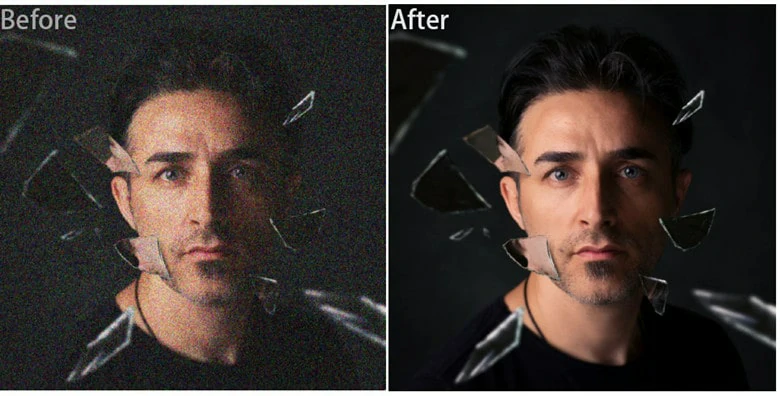
Before-and-after of a Grain Removed Photo
But if grain is noticed after shooting, or appears when you use the wrong enlargement ratio, removing that graininess is the smarter way to restore your photo’s clarity. In this article, we’ll walk you through three methods to remove grain from photo and achieve unbeatable sharpness.
Directly Remove Graininess from Photo with AI Online>>
Also Interested: How to Remove Unwanted Object from Photo with AI>>
1.Remove Grain from Photo in One Tap Using AI
FlexClip is an easy-to-use video editor with one-click AI grain removal feature. It’s perfect for casual users who don’t want complex editing to remove grains for photo sharpness enhancement. Meanwhile, the batch process feature greatly saves photography’s time if they have a bunch of photos to enhance.
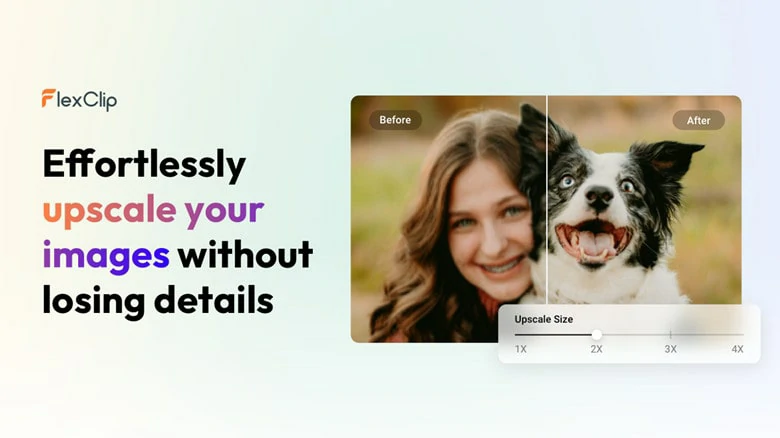
Remove Grain from Photo in One Tap Using AI - FlexClip
Just upload the grainy photo, choose the level of clarity you desire and then AI will distinguish the real image detail and unwanted noise, so your photo stays sharp instead of looking overly smooth. FlexClip’s AI doesn’t just remove graininess! It also enhances clarity, colors and contrast, making old or damaged photo restore into professional level.

How to Remove Grain from Photo in FlexClip
Step 1: Upload Your Photo
Access FlexClip’s AI Denoiser and upload the grainy image you’d like to restore its sharpness. If you have multiple photos, you can even batch-process up to 10 at once.

Upload Your Grainy Photo to FlexClip's AI Denoiser
Step 2: Select the Clarity Degree
Choose the level of clarity you desire and hit on Generate button. AI will automatically detect and remove all image noises, also enhancing colors and contrast to make the result professional. The whole process will complete within seconds.
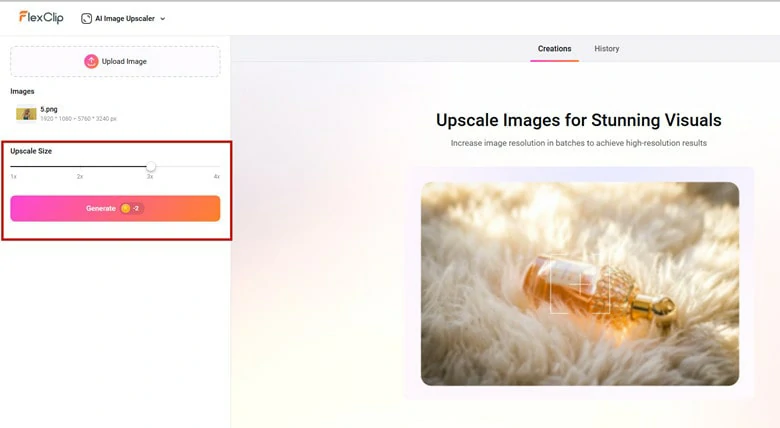
Select the Clarity Degree of Your Photo
Step 3: Download and Share
Before finishing, you have option to continue editing your photo using FlexClip’s built-in editor. Try to add filters, text, effects to give it a stylish look or even use AI-powered tools like image style changer, image-to-video and image background remover to have fun with enhanced photo.
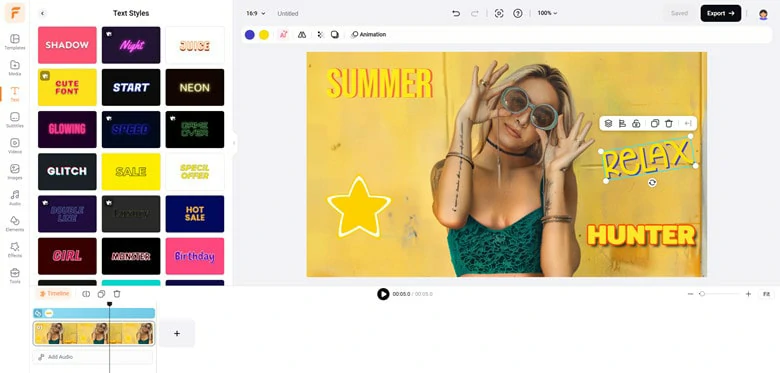
Continue Edits with Your Grain Removed Picture
Once you’re satisfied, download the high-quality image to save in local folder or seamlessly share across social media for engagement and views.

Grain Removed Photo Generated by FlexClip
2.Remove Noise from Photo with Adobe Photoshop
For professionals who want to precise manual control, Photoshop is a nice option to remove noise from photo. With Photoshop, you can handle both luminance noise (the grainy look) and color noise (random colored pixels) to restore photo’s clarity.
Unlike one-click AI tools that finish the whole work, Photoshop lets you adjust the strength, preserve details, and even apply noise reduction selectively to certain areas using layer masks. This makes it a top choice for photographers and designers who want precise, professional-quality photo enhancement.
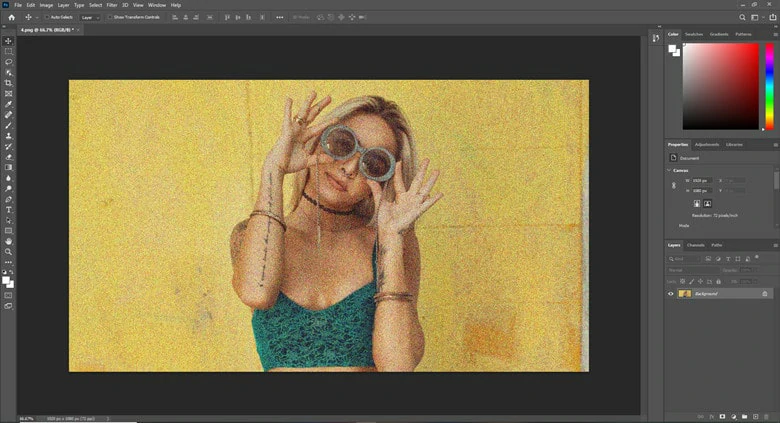
Remove Noise from Photo with Adobe Photoshop
How to Remove Grain from Photo in Photoshop
3.Remove Graininess from Photo with Topaz Photo AI
Topaz Photo AI is one of the most popular tools for removing grain and noise from photos. Trained on millions of real images, it quickly identifies noise in photos while preserving the original, true details. What’s more, it handles grain issues across all image types—including wildlife, portraits, macros, and even RAW files—so you can easily restore photo clarity without worrying about format compatibility.
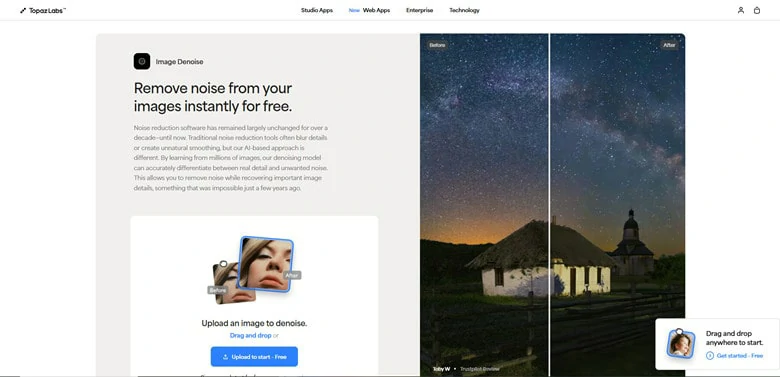
Remove Graininess from Photo with Topaz Photo AI
How to Remove Graininess from Photo with Topaz Photo AI
FAQs About Removing Grain from Photo
1.Why does grain appear in photos?
Grain usually happens when shooting in low light, using high ISO or when the image is enlarged too much.
2.Can noises be completely removed from photo?
Not always. While software tools can reduce or smooth out noise significantly, over-editing can cause loss of detail or make the image look unnatural.
3.Can AI tools remove photo noise better than traditional methods?
Yes. AI denoiser will analyze patterns and remove noises accurately, while preserving edges and textures better than older methods




FlexClip AI Video Maker
Reach professional-quality videos faster with easy editing tools, templates, and smart AI.
Start Now for Free
Hot & Trending
-

7 Best Ways to Find Music in YouTube Videos
-

Instagram Story Video Quality Bad After Upload? Fix It!
-

How to Repost Video on TikTok & How to Remove TikTok Repost
-

Improve Video Quality Online: 3 AI Video Quality Enhancers You Can't Miss
-

4K Convert to HD 1080p without Watermark: Best 4k Video Converters
-

Top 13 Birthday Video Makers with Music and Effects Free
-

How to Search Filters on TikTok & Use a Filter You See - TikTok Filter Guide
-

Large Collection of Creative and Funny Birthday Video Ideas for Ones You Care




