


If you want to help an image stand out, using a cool pop out effect to make a person's head pop out of the frame is a great idea. Maybe you’ll feel it’s difficult for new beginners to create pop out effect, however, the process of creating pop out effect is easier than you think. We’ll show you how to create pop out effect in Canva and FlexClip respectively.
Contents:
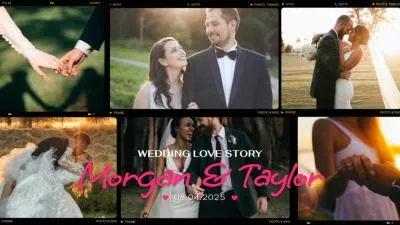
Bonus: Free and Customizable Video/Image Templates



Part 1 Strong Image Editing Tool to Create Pop Out Effect - Canva
Canva is an amazing graphic design tool that it owns diverse resources. It allows you to easily create portrait pop out effect using your photos. Moreover, Canva’s video creator can be integrated with other Canva graphic design tools. That means, if you have created some graphic design tools before, you can directly add them to your video. And you can also add tons of stunning elements to your video.
However, the downside of Canva is that it’s short of motion graphics or 3D effects, which will bring fewer possibilities to your image/video creation. And it lacks some normal AI tools like text-to-speech and so on.
And if you still want to use it to create pop out effect for your image, you can check this video tutorial below to learn how to create it!
Part 2 Strong Image/Video Editing Tool to Create Pop Out Effect - FlexClip
FlexClip, with its versatile image/video editing features, can be your best bet for creating pop out effect with your photos. With this clear tutorial on creating pop out effect, you can have full control of it, such as adjusting the position, size and shape of your photos. And you can explore the endless possibilities that make your image unique. Moreover, it also offers many strong AI image editing features, like AI Old Photo Restoration, AI Image to Image Generator, and so on.


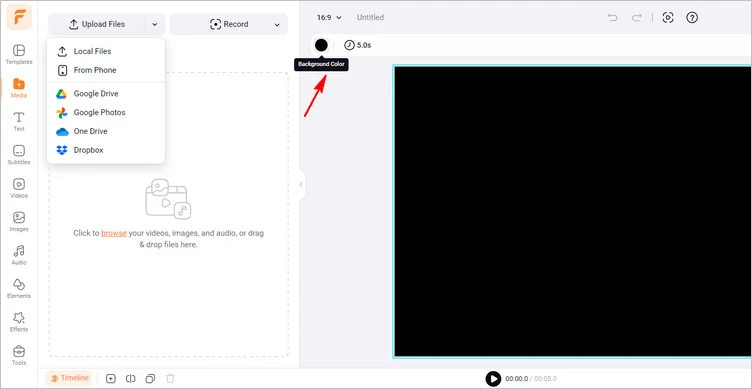
Upload Your Image - FlexClip
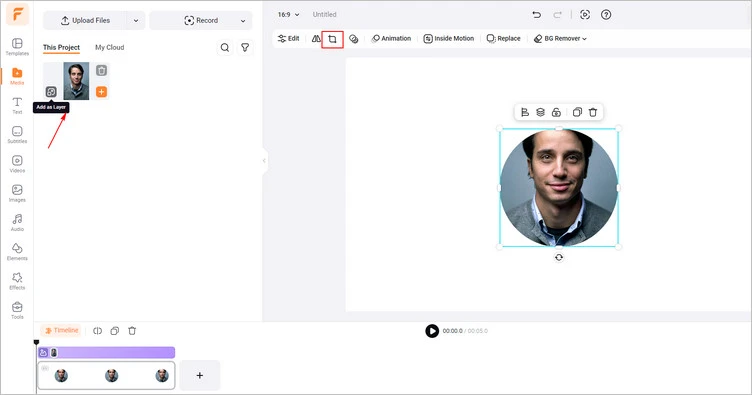
Add Image as Layer - FlexClip
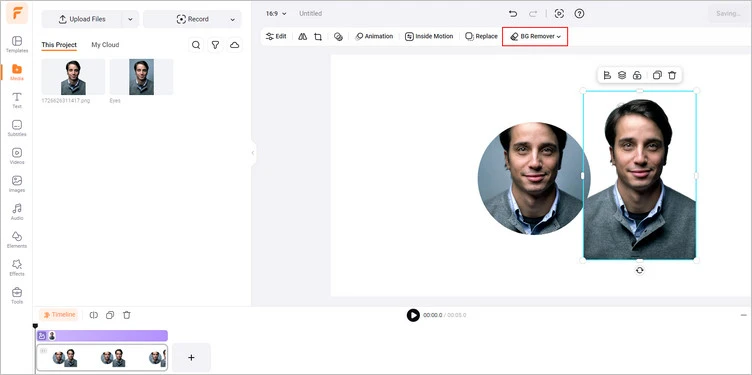
Remove Background - FlexClip
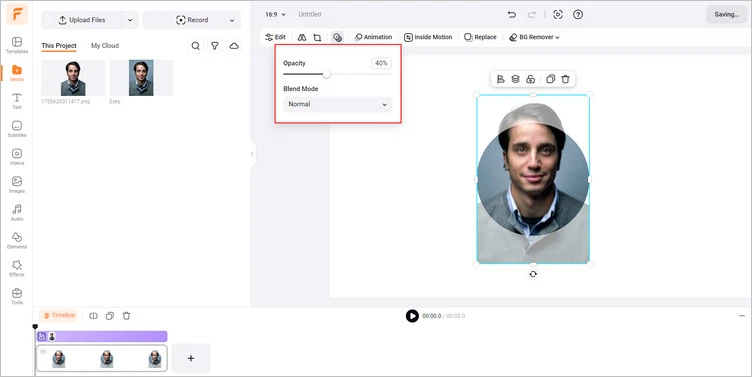
Adjust the Opacity - FlexClip
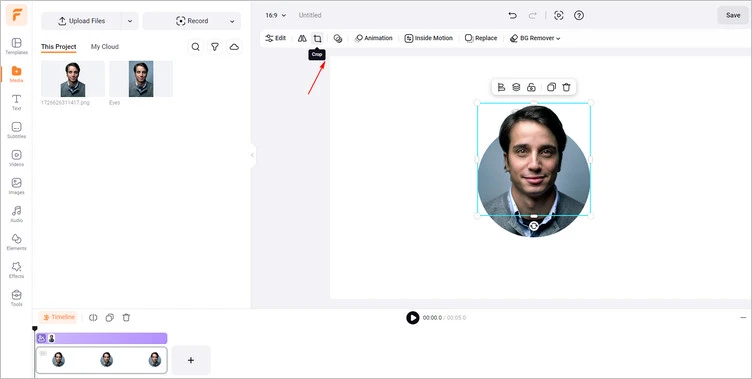
Adjust the Overlay Image - FlexClip
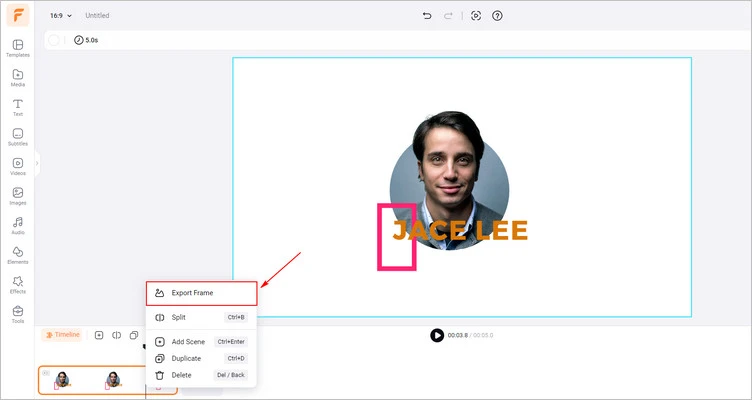
Download Your Image with Pop Out Effect - FlexClip
Conclusion
I hope that you got your answers through this article regarding creating a pop out effect for your photos. Luckily, with the help of FlexClip, creating a portrait pop out effect has become easier than ever. Try it!




FlexClip AI Video Maker
Reach professional-quality videos faster with easy editing tools, templates, and smart AI.
Start Now for Free
Hot & Trending
-

Best Ways to Find Music in YouTube Videos
-

Instagram Story Video Quality Bad After Upload? Fix It!
-

How to Repost Video on TikTok & How to Remove TikTok Repost
-

Improve Video Quality Online: 3 AI Video Quality Enhancers You Can't Miss
-

4K Convert to HD 1080p without Watermark: Best 4k Video Converters
-

Best 8 Free Video Editors - No Download Required
-

Top 13 Birthday Video Makers with Music and Effects Free
-

How to Search Filters on TikTok & Use a Filter You See - TikTok Filter Guide




