


It is not a secret that AI creates vivid animated videos, but the outputs are short of realism. When a character mirrors human motion, it feels more expressive and believable.
By applying the following method, you can easily replicate natural body movements, gestures, and expressions to animated characters. No complicated 3D software, no steep learning curve. Follow us and connect with audiences in a deeper level.

How to Make Animated Characters Move Like You
We will be using only FlexClip, an AI tool that is designed for quick, accessible, and visually engaging animation. Let’s dive right in!
Step 1. (Optional) Create an Animated Character
The first thing you will need is an image of animated character. FlexClip’s Image Generator creates animated characters based on prompts, or your daily shots.
Incorporated with advanced models like Google Nano Banana, OpenAI, Qwen, Flux, FlexClip will perfectly understand the prompt you’ve entered, analyze your facial features, and create animated characters in seconds.
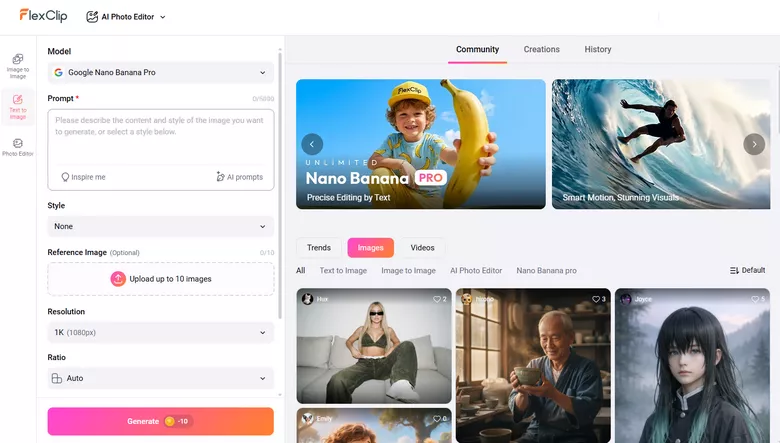
FlexClip Image Generator Interface
We input the following prompt: Anime girl walking through a snowy pine forest, wearing a knitted hat and boots, footprints in the snow, magical winter ambiance, moonlight reflecting on snow, fantasy anime style, detailed background. here is what we got.
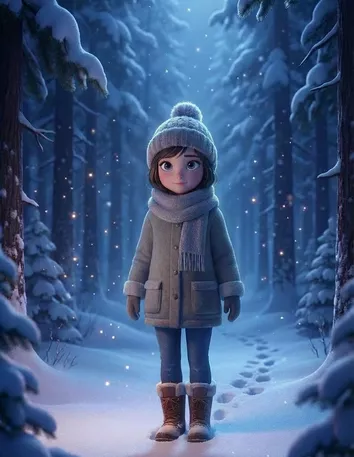
Anime Image Generated by FlexClip
Step 2. Upload Media Resources
Now, switch to FlexClip’s AI Image to Video tool. Use the Kling 2.6 Motion Control model. Drag and drop to upload the animated character image and a video of yourself to FlexClip. Please keep the character properly framed throughout the reference video.
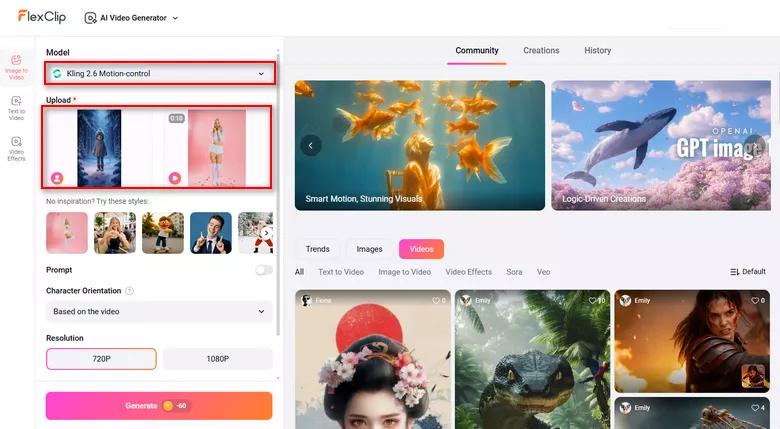
Upload Media Resources to FlexClip
Step 3. Basic Setups & Generate
Make some simple setups like character orientation, video resolution, hit Generate. The whole process takes only several minutes. Make preview and see if you like the output.
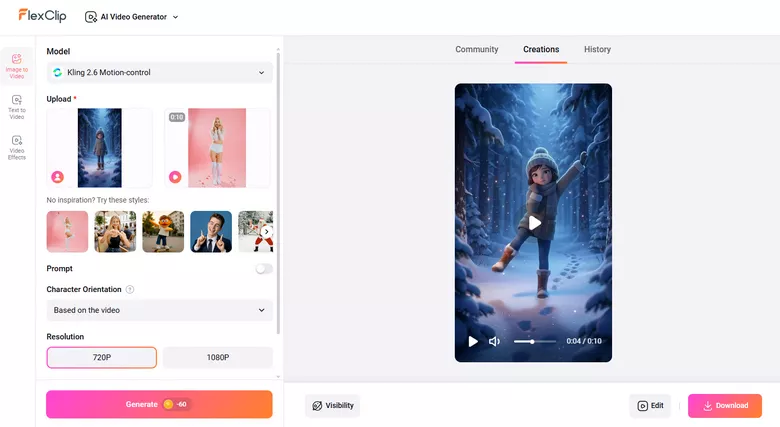
Preview the Result
Step 4. Edit the Animated Videos as You Wish
Now, turn to FlexClip’s timeline, where you can trim the animated video output, merge multiple clips, add text, bring in music, create a PIP to highlight the differences, and make more edits.
It is easy to create a video using FlexClip. Click on any video or element, all available editing features will pop up above the preview window. All available resources and AI tools are listed to your left.
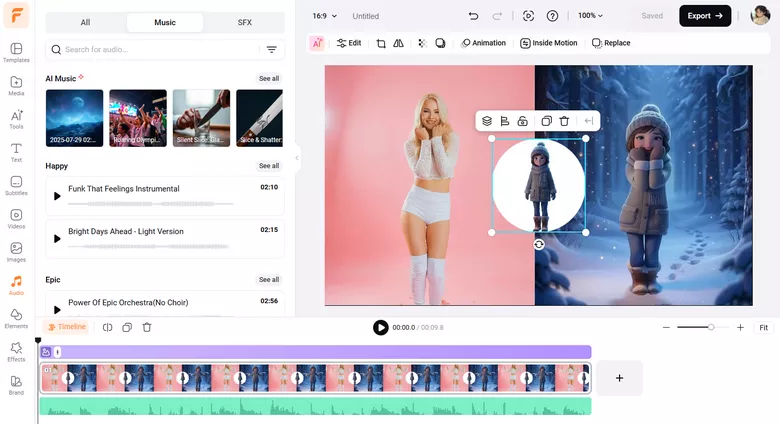
Edit the Video
Step 5. Share Videos Freely
FlexClip offers you the ultimate freedom of sharing videos. Besides exporting the video to a local folder, you are also able to share it via a short link, post to social media, or save to cloud services.
Why Use FlexClip to Make Animated Characters Move Like You
FlexClip isn’t the only tool in the market to animate characters from reference video, but here are several persuasive advantages.
Most tools ask you to upload a photo and video, then get task done. And that’s all. FlexClip, however, helps you generate animated images from prompts or images, edit the output, and share. You don’t have to switch between tools.
As for making animated characters move, FlexClip utilizes Kling 2.6 model. It also incorporates other advanced models like Google Nano Banana, Veo 3, Sora 2 to better help you process videos and images. We will also work hard to bring in more advanced models. Please stay tuned.
With a large library of templates, stock media, animated elements and effects, you can enhance animated videos easier than ever!


Frequently Asked Questions
1. What does it mean to make an animated character move like you?
It means capturing real human movements and applying them to a digital character to create more natural, lifelike animation.
2. Is this technique suitable for marketing or social media content?
Absolutely. Human-like animated characters perform well in ads, tutorials, brand videos, and social media posts, even professional animation creation.
3. Will animated characters look exactly like my movements?
They can closely match your motion, but results depend on video quality, lighting, and the animation model itself. But in general, FlexClip provides great results.




FlexClip AI Video Maker
Reach professional-quality videos faster with easy editing tools, templates, and smart AI.
Start Now for Free
Hot & Trending
-

Best Ways to Find Music in YouTube Videos
-

Instagram Story Video Quality Bad After Upload? Fix It!
-

How to Repost Video on TikTok & How to Remove TikTok Repost
-

Improve Video Quality Online: 3 AI Video Quality Enhancers You Can't Miss
-

4K Convert to HD 1080p without Watermark: Best 4k Video Converters
-

Best 8 Free Video Editors - No Download Required
-

Top 13 Birthday Video Makers with Music and Effects Free
-

How to Search Filters on TikTok & Use a Filter You See - TikTok Filter Guide




