Trying to recreate the viral AI snow trend or another image, but the results aren’t what you expected? The problem often comes down to the prompt—the essential foundation AI uses to understand and generate visuals.
Yet crafting a good prompt isn’t easy, even for seasoned creators. So is there a way to turn images into prompts automatically? Fortunately, with an image-to-prompt generator, this prompt generation workflow can be easier - AI accurately analyzes your image and creates detailed, ready-to-use prompts optimized for AI image generation.
When looking for a prompt generator, online options are particularly convenient as they don’t require any installation. To help you out, we’ve tested several tools and picked out three best image-to-prompt generators for you to choose from. Ready to explore? Let’s dive in!
Also Interested in: How to Write Effective Prompts for AI Image Generators>>
FlexClip - Free AI Image to Text Prompt Generator Online
As an all-in-one image and video editor, FlexClip features an AI Prompts tool that lets you effortlessly generate text prompts from images. It’s free and easy to use—simply upload the picture, and the AI will automatically analyze the content of the image, recognize patterns, and generate relevant prompts with high precision. With it, you can easily create high-quality text prompts from images, regardless of your editing level.
What’s more, you can switch to Improve Prompts to generate a more detailed and refined version with richer descriptions. Just like before, no manual editing is required—simply click once and let the AI handle the rest. There are no limits on how many times you can use it each day. Simply ask the AI to generate or enhance a text prompt, then use it to recreate the image exactly the way you want.
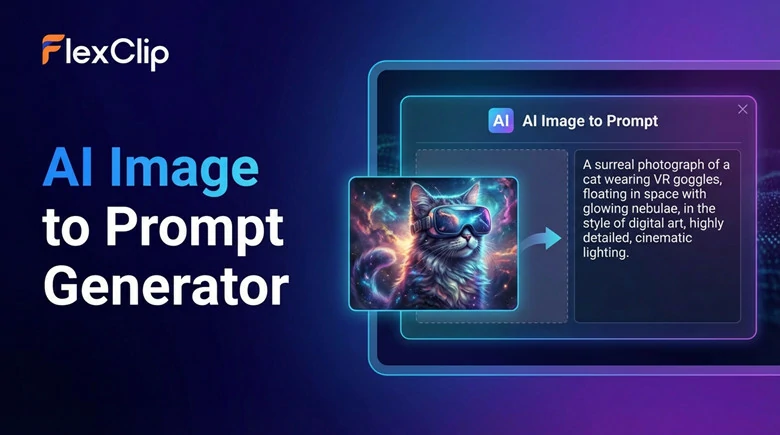
Free Image to Text Prompt Generator Online - FlexClip
How to Turn Image to Text Prompt Using FlexClip's AI Image to Prompt Generator?
Now let's see how to use FlexClip to turn image to text prompt in seconds!
Step 1: Open FlexClip on Your Browser
First, open your browser and go to FlexClip’s AI text-to-image tool, where you can use the built-in image-to-prompt generator for free. As a web-based platform, FlexClip works seamlessly on both PCs and mobile devices.
Open FlexClip Through Your Browser
Step 2: Upload a Photo and Generate Text Prompt
In the Prompts section, click AI Prompts and select Get Prompts from Images to upload your image. FlexClip's AI will automatically analyze the content and generate an accurate prompt instantly.
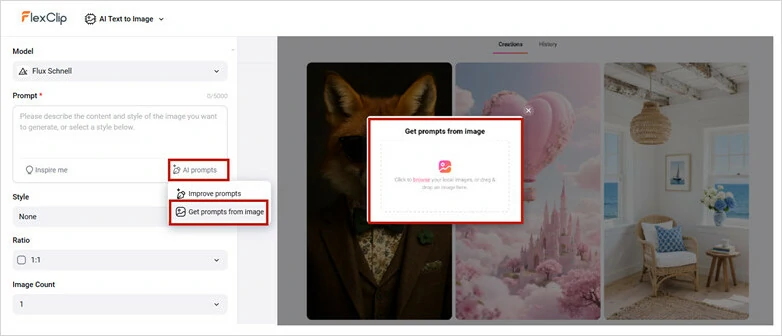
Upload a Photo and Let AI Turn it into Text Prompt
Step 3: (Optional)Improve the Prompt to Get Various Versions
If you want a more detailed prompt, use the Improve Prompts feature. The AI will fine-tune the prompt by adding richer details to make the description more accurate.
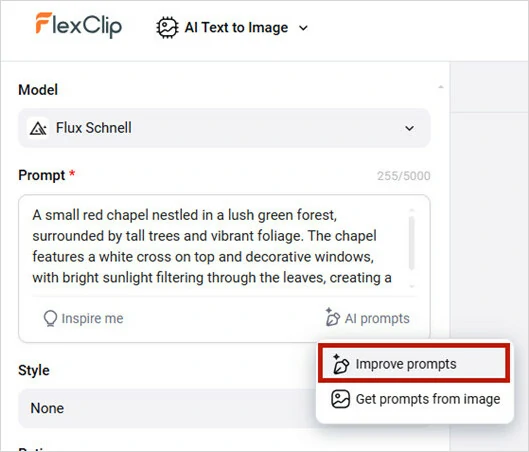
Improve the Prompt to Get Various Versions
You can now copy and save the generated prompt, or simply click the Generate button and let FlexClip's AI image generator turn your prompt into stunning visuals.
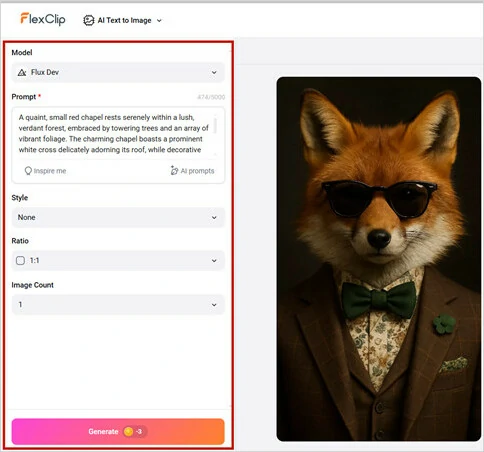
Save Generated Prompt or Directly Turn Prompt into Visuals
Bonus Tips: How to Directly Recreate an Image
Converting an image into a prompt and then recreating it is an effective way to preserve the details of the original. However, subtle differences are inevitable. If you want more control over the generation process, here’s a useful trick for you.
FlexClip’s AI photo editor is designed for consistency, allowing you to edit images without losing any details. Whether you want to recreate a picture’s style, transform your own appearance, or follow the latest Instagram photo trends, simply upload a reference image and start editing..
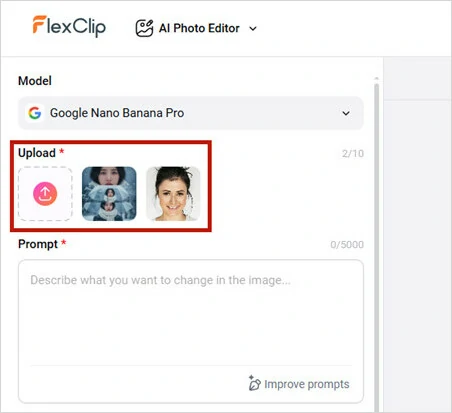
Open FlexClip's AI Photo Editor and Upload Image
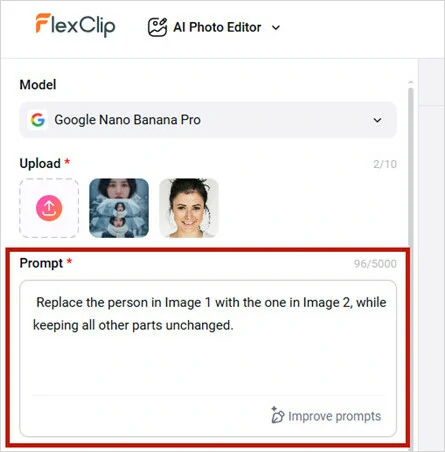
Enter Your Prompt to Recreate Photo
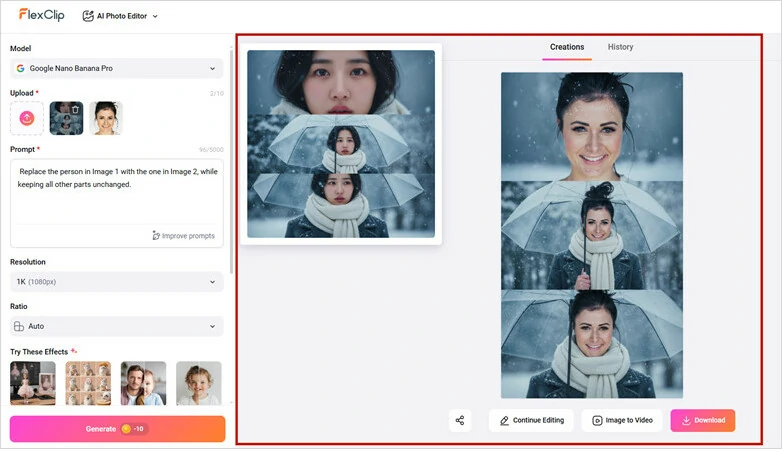
Let AI Generate the Image for You
Besides person replacement, FlexClip AI photo editor can help you mimic the style, angle, lighting, texture and anything of a picture directly with more precision and control. Just give it a try now!

CoCoClip.AI - AI Image to Prompt Generator
CocoClip.AI is a web-based image to prompt generator that uses AI to create text prompts from images. Each day, you can use it up to three times to transform your images into detailed AI prompts for creative generation. The workflow is simple: upload a picture, choose a generation style and your generated prompt will appear instantly.
What sets CocoClip.AI apart is the selection of generation model, which refine prompts to suit different AI systems. Currently, four options are available: General, Stable Diffusion, Flux, and MidJourney. If you need to generate image-based prompts for various applications, CocoClip.AI is a solid choice.
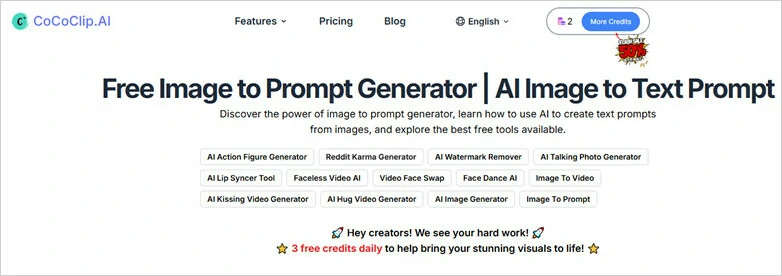
CoCoClip.AI - A Free Image to Prompt Generator Online
How to Generate Prompt from Image Using CoCoClip.AI
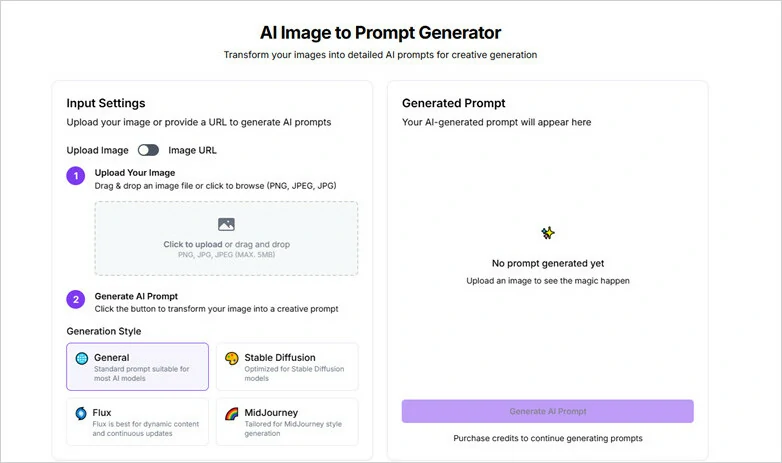
Access CoCoClip.AI and Log in Your Google Account
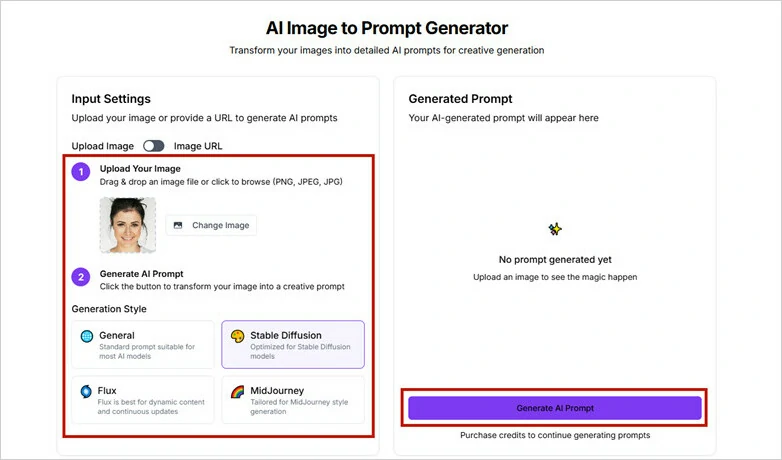
Drag and Drop Image to CocoClip.AI
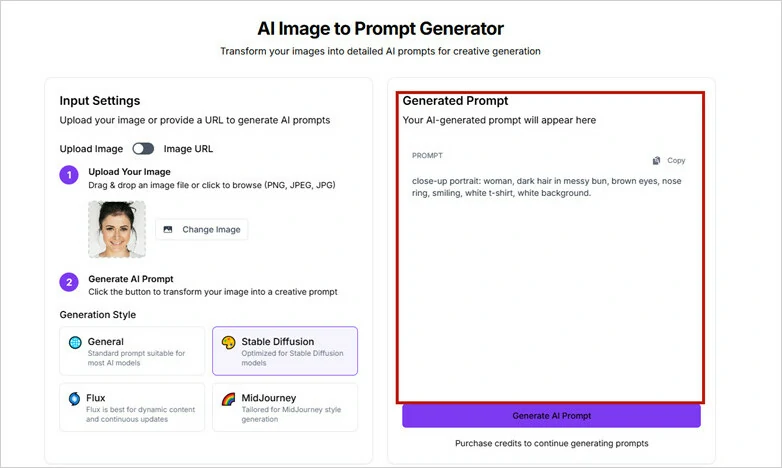
Choose Generation Style and Transform Image into AI Prompt
ChatGPT - Image to Text AI Prompt Generator
When it comes to generating AI Prompts, ChatGPT is an option bounded to your mind. With ChatGPT, you can effortlessly turn images into AI prompts as it utilizes artificial intelligence to handle the time-consuming process.
What makes ChatGPT different is its ability to instantly adapt and refine the prompt based on your feedback, ensuring you get the most accurate and satisfying result for image recreation. You don't need any technical expertise. Just talk to ChatGPT and it will generate a detailed prompt for you.
Image to Text AI Prompt Generator - ChatGPT
How to Transform Image into Prompt Using ChatGPT
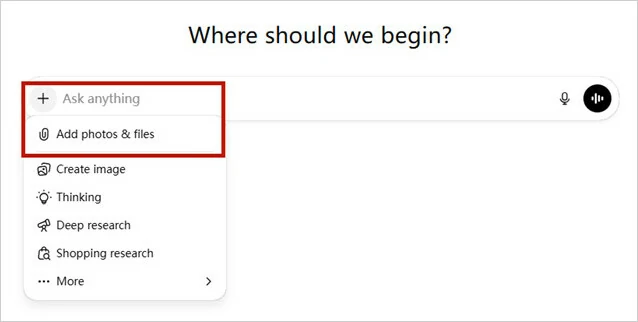
Visit ChatGPT Website and Add Your Image
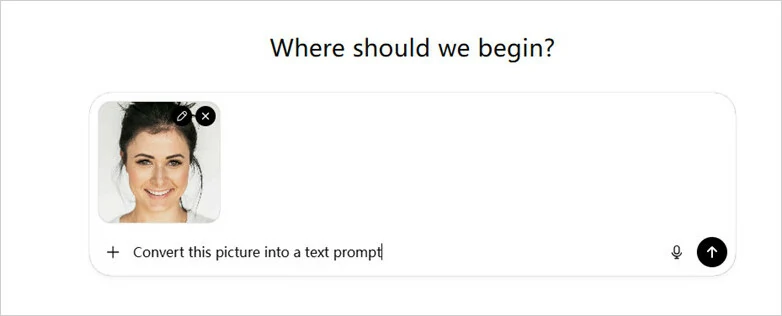
Enter Your Instruction for ChatGPT to Generate Prompt from Image

Review the Generated Prompt and Modify it to Get the Best One
Frequently Asked Questions
1.How accurate are the generated prompts from images?
The accuracy of the generated prompts is influenced by several factors, including the quality and clarity of the uploaded image, the AI model's understanding, and the training data it has been exposed to, etc. To save time and ensure reliability, it's best to try top-tier options, as these have already been tested by millions of users.
2.How to use AI image prompt to generate art?
There are many prompt-to-image tools available on the market, with popular options including Midjourney, DeepAI, NightCafe, Bing Image Creator, FlexClip, and more. However, if you're looking for a comprehensive solution that can both extract prompts from images and transform prompts into images, FlexClip, a versatile all-in-one image editor, is the perfect choice.
3.How to write a good AI image prompt?
Writing an effective AI image prompt can be a challenging task, even for experts. But don’t worry as AI can assist you. To create the perfect prompt, you can either write the script yourself and use AI prompt refinement tools to enhance it, or simply use an AI prompt generator that creates a tailored prompt based on the keywords and information you provide.




FlexClip AI Video Maker
Reach professional-quality videos faster with easy editing tools, templates, and smart AI.
Start Now for Free
Hot & Trending
-

Best Ways to Find Music in YouTube Videos
-

Instagram Story Video Quality Bad After Upload? Fix It!
-

How to Repost Video on TikTok & How to Remove TikTok Repost
-

Improve Video Quality Online: 3 AI Video Quality Enhancers You Can't Miss
-

4K Convert to HD 1080p without Watermark: Best 4k Video Converters
-

Best 8 Free Video Editors - No Download Required
-

Top 13 Birthday Video Makers with Music and Effects Free
-

How to Search Filters on TikTok & Use a Filter You See - TikTok Filter Guide