A photo with gentle snowfall, soft lighting, and a cozy winter vibe. Sounds like a scene straight out of a Korean drama, right? Nope—it’s the AI snow trend that’s taking over TikTok, Instagram, and Threads right now!
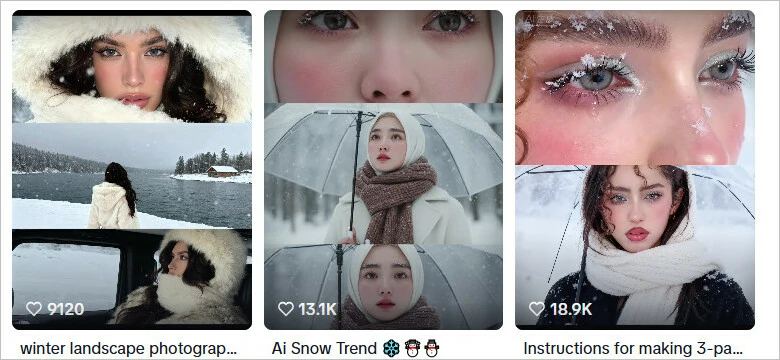
AI Snow Trend on TikTok
Want to see yourself in a K-drama-style winter wonderland? Follow our quick AI snow photo tutorial and learn how to effortlessly turn your selfies into dreamy, share-worthy winter scenes in just a few clicks.

What Is the AI Snow Trend on Social Media?
The secret behind those viral AI snow photos? It’s Meitu, an app that’s taken over Instagram, TikTok, X, and Facebook with its new AI snow filters. From dreamy multi-grid snowscapes to cozy snow-gazing portraits, Meitu’s AI doesn’t just toss on a snow overlay. It smartly analyzes your photo, tweaks the lighting, adds realistic reflections, and even softens your skin tone to perfectly match that frosty, cinematic winter vibe.
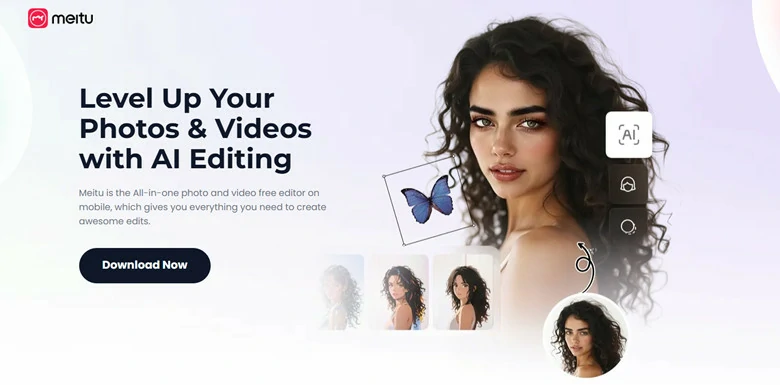
AI Snow Trend Generated by Meitu's AI Snow Effects
Curious about how everyone’s making those dreamy AI snow photos on Meitu? Here’s a quick guide to help you recreate the viral falling-snow effect in just a few taps!
How to Try This AI Snow Filter on Meitu
Here is how to get your own snow cinematic AI photo with Meitu’s AI snow filter.
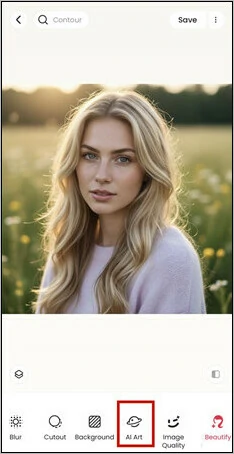
Slide the Bottom Menu to Choose AI Art Option
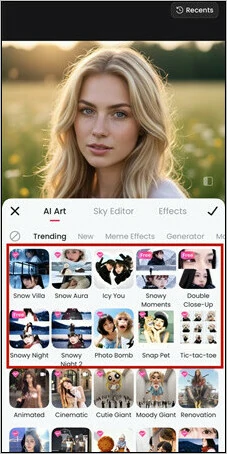
Browse AI Snow Filters Offered by Meitu
How to Catch AI Snow Trend Without Meitu
Meitu is a solid option for creating AI snow photos, but it’s mobile-based and requires a subscription to unlock its trending filters, you might be wondering — how can you join the AI snow trend without it?
That’s where FlexClip comes in! It lets you create stunning AI snow shots as easily as typing out your wish. Follow these simple steps, and you’ll have a TikTok-ready winter masterpiece in seconds.
Step 1: Access FlexClip’s AI Photo Editor
Head to FlexClip’s AI photo editor. It’s newbie-friendly with multiple built-in AI models like Google Gemini (also known as Google-Nano-Banana) to create dreamy effects like AI snow vibe.
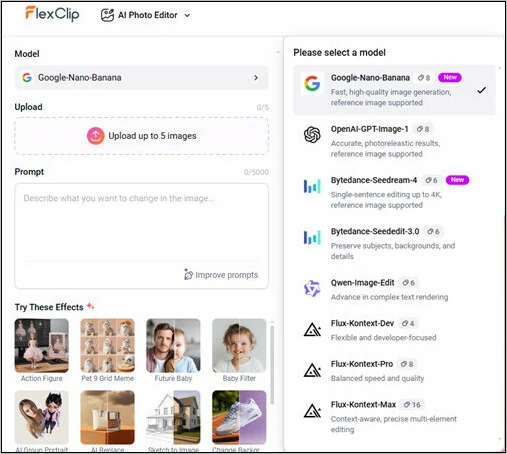
Access FlexClip’s AI Photo Editor
Step 2: Upload Your Photo
Tap Upload and pick your favorite photo from your computer — whether it’s a selfie, a cute couple shot, or a vacation moment. This AI snow photo editor will instantly elevate your image with its magical touch!
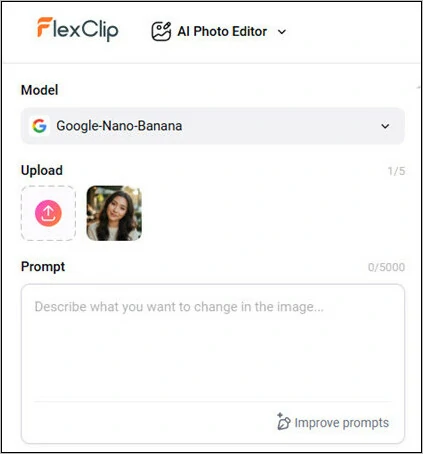
Upload Your Photo to FlexClip
Step 3: Enter AI Snow Photo Prompt
Here’s the time to make the magic happen: type your photo prompt. If you don’t know how to write a prompt, directly copy and paste this to use:
Design 9:16 vertical three-section cinematic snow portrait of Korean woman. Section 1: close-up from eyebrow to nose bridge, snowflakes resting on skin and lashes, fine facial hair visible, natural skin texture, frosty blush on cheeks. Section 2: mid-shot at 45° angle, transparent umbrella held elegantly, snow falling past her face, white scarf framing jawline, dark hair catching snowflakes. Section 3: full face portrait with pensive expression, slightly parted lips, eyes reflecting winter light, snow on shoulders. Dress: graphite wool coat, eggshell merino scarf, pearl earrings. Photography: Canon EOS R5, 85mm f/1.2, natural diffused light, HDR balanced, realistic grain. Vibe: Korean melodrama winter aesthetic, bittersweet emotion, photorealistic quality. Avoid: over-processing, unrealistic snow, distorted features, painted look.
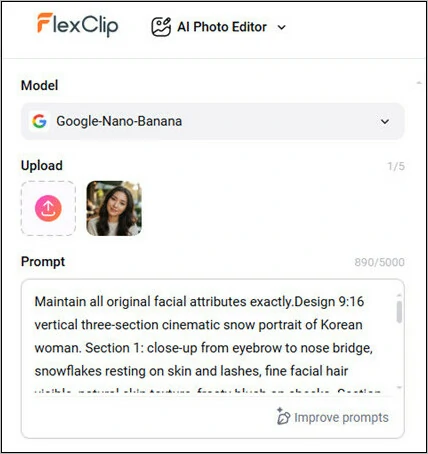
Enter Your AI Snow Photo Prompt
Step 4: Generate Your AI Winter Vibe Photo
Hit the Generate button and watch the magic happen! In just seconds, your AI winter snow photo will appear. Share it right to TikTok, or make a few versions with different angles and moods to start your own cozy snow series!
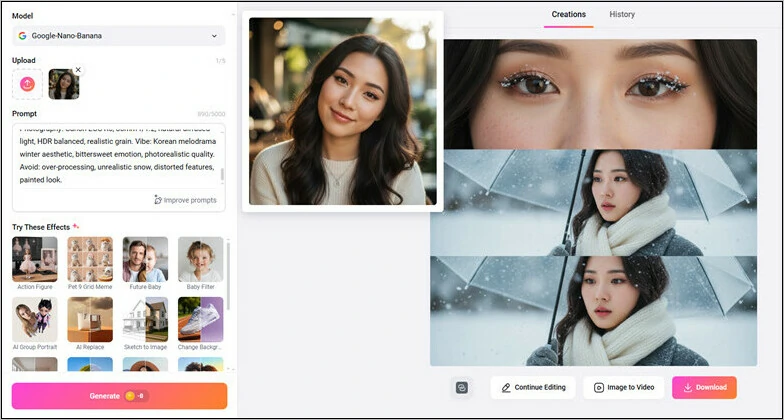
Generate Your AI Winter Vibe Photo
Bonus Tips: Animate Your AI Snow Photo for Engaging Short-form Video
Want to take your snowy photo to the next level? Try FlexClip’s image-to-video tool. This feature transforms your snow creation into a smooth, cinematic clip that feels straight out of a winter movie. Here’s how to do it:
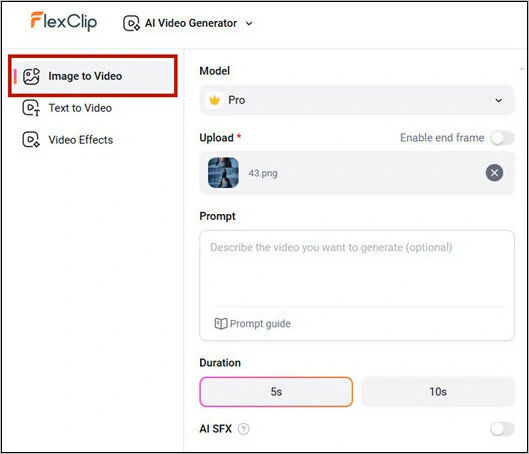
Go Ahead to FlexClip's Image-to-video Tool
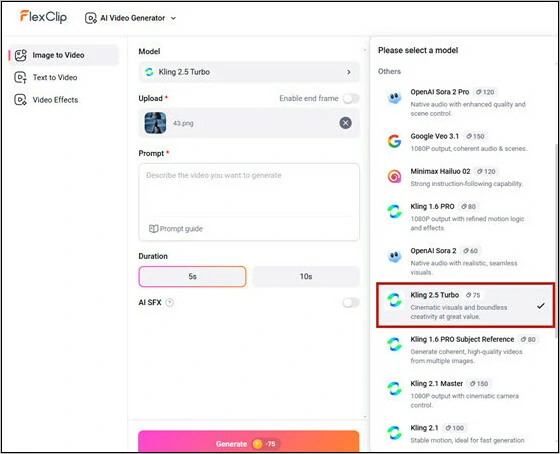
Choose Your Snow Video Generation Model
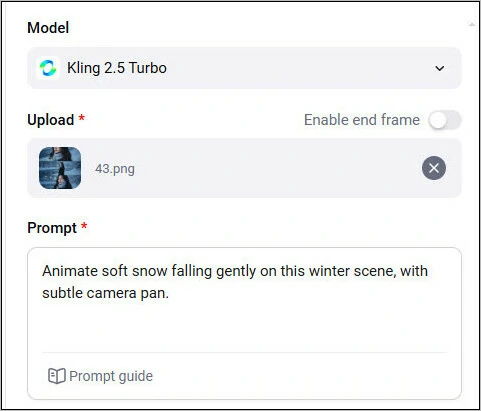
Enter Your AI Snow Video Prompt
Generate and Share Your AI Snow Video
5 Must-try AI Snow Photo Prompts
AI Snow Photo Prompt 1: Cinematic Three-Panel Snow Portrait
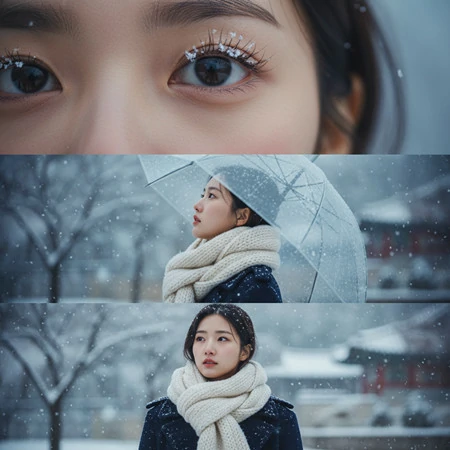
Cinematic Three-Panel Snow Portrait
Generate 9:16 three-frame vertical composition of me in Korean in winter snow environment.
Top segment: extreme close-up on one eye and surrounding area, individual snow crystals on eyelash tips, natural eye moisture, cold-induced redness on cheek.
Middle segment: side profile with head tilted upward 50°, clear umbrella partially visible, snow falling through frame, white scarf wrapping neck loosely.
Bottom segment: frontal shot with contemplative gaze, subtle melancholic smile, snowflakes in hair and on coat.
Wardrobe: navy wool peacoat, ivory chunky-knit scarf, minimalist makeup.
Camera: Canon R5 85mm f/1.2L, bokeh background, soft winter daylight, cinematic color palette.
Emotion: introspective Korean winter romance, gentle sadness, realistic portraiture.
Exclude: glossy skin, oversaturated, comic proportions, synthetic snow.
AI Snow Photo Prompt 2: Korean-style Woman Portrait with Scarf
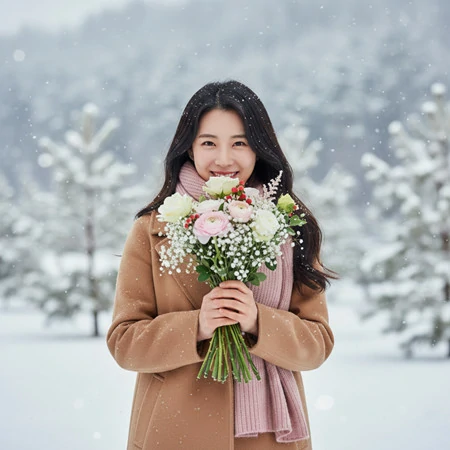
Korean-style Woman Portrait with Scarf
Generate 9:16 vertical single portrait of Korean woman in snowy scene.
Frontal view holding bouquet of winter flowers (white/pale pink), flowers partially covering lower face, eyes smiling over flowers, snow falling on flowers and hair.
Clothing: elegant beige/tan wool coat for soft look, soft pink knitted scarf, romantic feminine styling.
Technical: 85mm f/1.2 prime, bokeh background, soft winter daylight, Canon rendering, realistic snow.
Aesthetic: Korean romantic winter, feminine elegance, ultra-realistic quality.
Avoid: artificial flowers, over-smoothing, fake effects, distorted proportions.
AI Snow Photo Prompt 3: Winter Snow Portrait with Umbrella in Hands
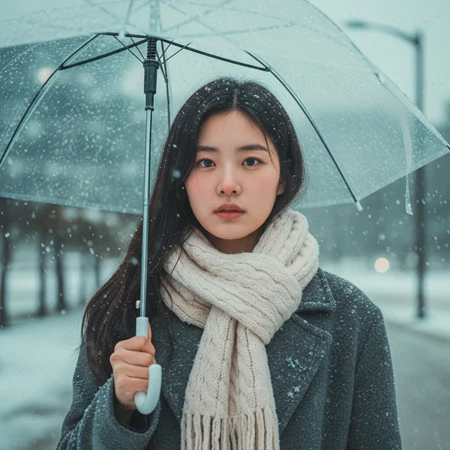
Winter Snow Portrait with Umbrella in Hands
Generate 9:16 vertical single portrait of Korean woman in snowy winter scene.
Frontal chest-up view with gentle contemplative expression, snowflakes settling on face and hair, cold blush on cheeks and nose, natural skin pores visible. Clear umbrella held elegantly, snow falling softly.
Wearing: charcoal wool overcoat, cream cable-knit scarf loosely wrapped, hair outside scarf with snow.
Camera: 85mm f/1.2 prime, bokeh effect, natural overcast light, Canon color science, cinematic grading.
Aesthetic: Korean drama winter mood, tender sadness, ultra-realistic.
Avoid: artificial smoothing, fake bokeh, distorted features.
AI Snow Photo Prompt 4: Romantic Couple in Heart-Shaped Snow
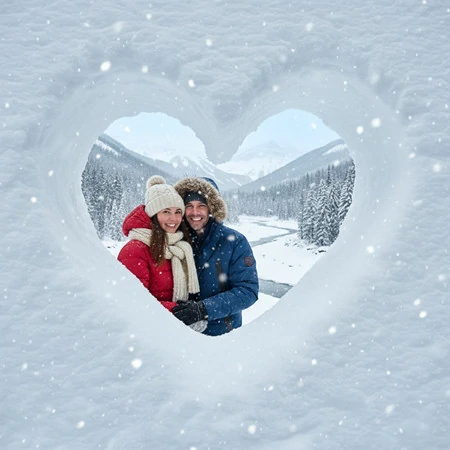
Romantic Couple in Heart-Shaped Snow
A heart-shaped window carved in snow, through which a smiling couple can be seen. They are dressed warmly in winter clothing, with a snowy landscape and mountains in the background. Gentle snowfall enhances the winter atmosphere.
AI Snow Photo Prompt 5: Snowy Night Three-Panel Portrait
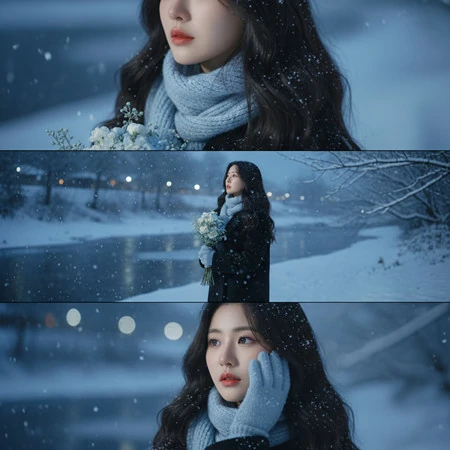
Snowy Night Three-Panel Portrait
Create a vertical 9:16 cinematic composite of a woman standing in the winter snowy night, split into three stacked frames.
Top: a close-up of her scarf and shoulder, snowflakes resting softly on her hair and coat under cool blue light.
Middle: a full-body ¾ profile of her standing by a snowy riverside, holding a bouquet of flowers, gazing upward as snow falls gently around her.
Bottom: a close-up portrait of her with long hair and soft makeup, wearing light blue gloves and scarf, one hand gently touching her face, eyes thoughtful and serene.
Lighting: soft natural night light with cool blue tones, HDR balance, cinematic depth, captured on Canon EOS R5 with 85mm f/1.2 lens.
Outfit: black wool coat, light blue knitted scarf and gloves, elegant winter style.
Mood: tranquil, romantic, emotional — inspired by Korean winter photography aesthetics and fashion editorial tones.
The Bottom Line
That’s all for AI snow trend. Both Meitu and FlexClip offer easiest way to jump on the trend. So prepare your photo and open FlexClip, then step into your AI snow wonderland.




FlexClip AI Video Maker
Reach professional-quality videos faster with easy editing tools, templates, and smart AI.
Start Now for Free
Hot & Trending
-

Best Ways to Find Music in YouTube Videos
-

Instagram Story Video Quality Bad After Upload? Fix It!
-

How to Repost Video on TikTok & How to Remove TikTok Repost
-

Improve Video Quality Online: 3 AI Video Quality Enhancers You Can't Miss
-

4K Convert to HD 1080p without Watermark: Best 4k Video Converters
-

Best 8 Free Video Editors - No Download Required
-

Top 13 Birthday Video Makers with Music and Effects Free
-

How to Search Filters on TikTok & Use a Filter You See - TikTok Filter Guide