


How do I edit a stream for YouTube?
How to turn Twitch streams into YouTube videos?
Have you had the same questions? Then, you’ve come to the right place! This post is a quick tutorial on how to edit Twitch videos for YouTube.
Never limit yourself to Twitch! You can share your gaming highlights or other unique stream moments to other platforms, like YouTube, to blow up your stream and take your channel to the next level. In most cases, you’ll need to do some editing before sharing them to YouTube!
Follow us and discover how to transform your Twitch streams into engaging YouTube highlights!


Create Video Faster with FlexClip's Pre-Made Templates →
Start from Scratch Easily with FlexClip's Online Video Maker →
How to Edit Twitch Stream Videos for YouTube, TikTok, and More
Well, you might know that Twitch's built-in Clip tool is the easiest way to edit your streams for social media. It helps you create, edit, and share videos on social media, including YouTube Shorts, TikTok, and more. However, it only allows you to create videos of up to 60 seconds with limited editing features. What if you want to upload a video longer than 60 seconds to YouTube or TikTok? Or try to make your video more exciting with more edits and effects? To do this, you need a flawless alternative, such as FlexClip, to editing your Twitch clips for YouTube and TikTok. Before that, you need to download the video you want to edit.
How to Save and Download Twitch Streams
Follow the detailed steps below to learn how to save and download your Twitch streams.
Enable Auto-Archiving to Automatically Save Streams
Twitch offers an automatic archiving feature for you to save your broadcasts automatically with a single switch. Here's how to do it:
Download Your Stream Video
Once you've saved your streams, follow the steps below to download them for editing.
How to Edit Twitch Stream Videos for YouTube and TikTok
FlexClip is a feature-packed online video editor that helps you edit your Twitch stream videos for YouTube and TikTok, with no software download and video editing experience needed.


Create Stunning Videos with FlexClip AI Video Maker
Key Features:
Now, let's learn how to edit Twitch videos for YouTube and TikTok using FlexClip.
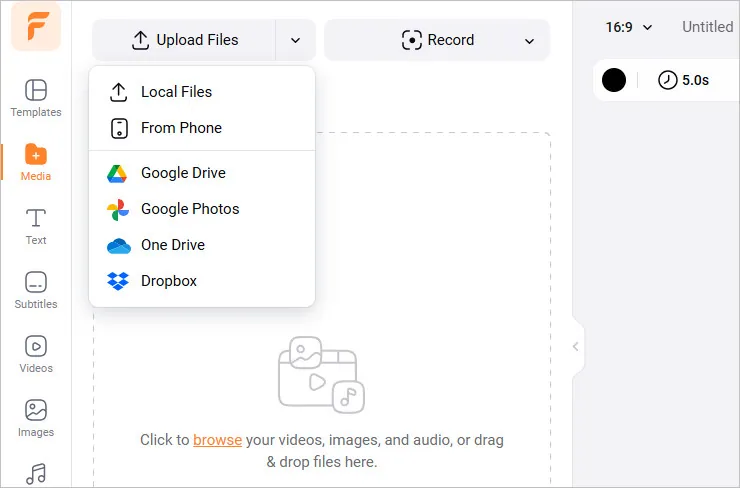
Edit Twitch Streams for YouTube and More - Upload
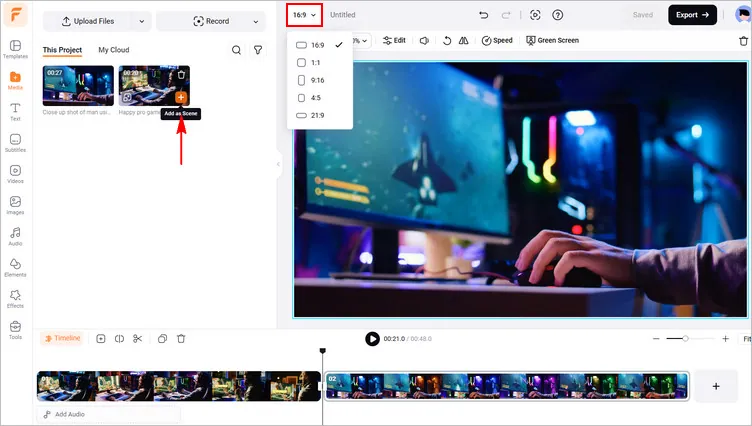
Edit Twitch Streams for YouTube and More - Add Footage
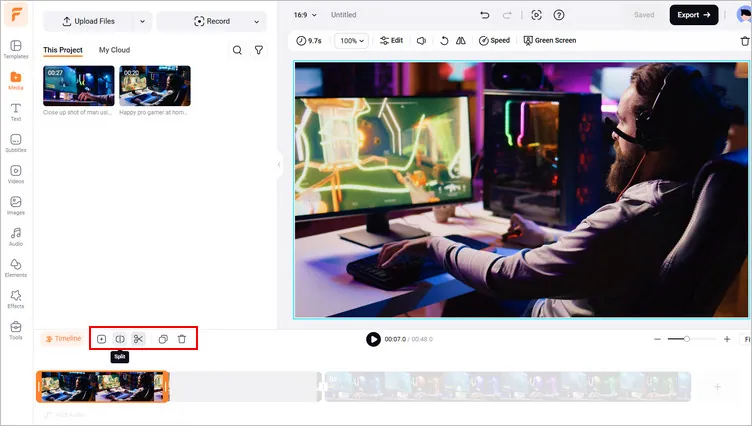
Edit Twitch Streams for YouTube and More - Trim and Split
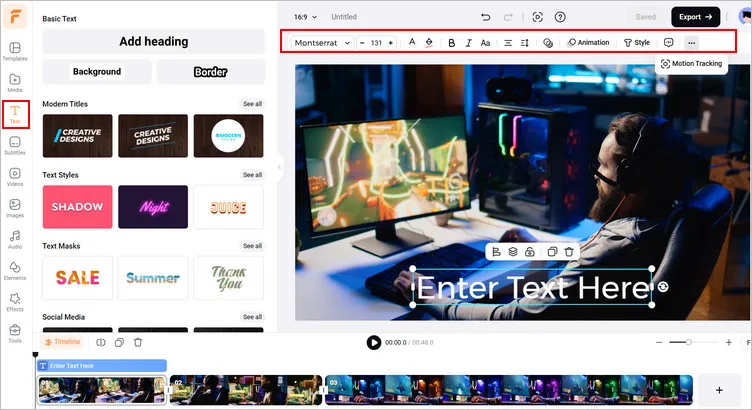
Edit Twitch Streams for YouTube and More - Edit Text
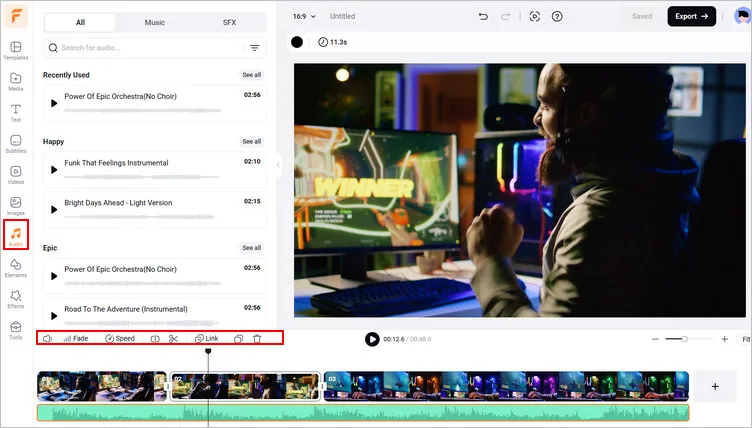
Edit Twitch Streams for YouTube and More - Edit Audio
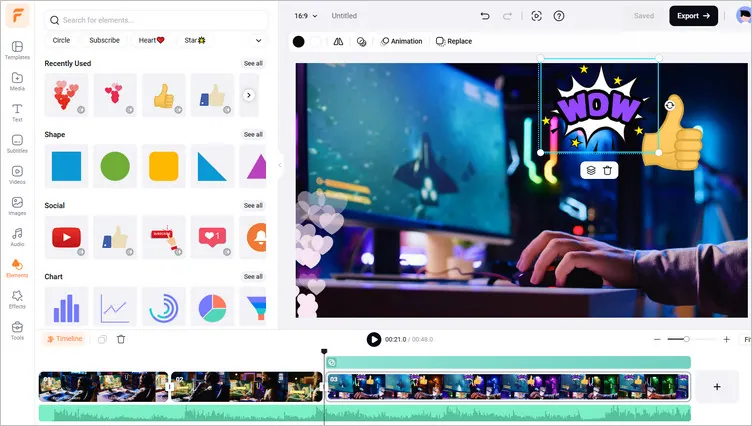
Edit Twitch Streams for YouTube and More - More Edits
Final Words
So, you have learned how to edit your Twitch streams for YouTube and TikTok. Editing your Twitch videos for other platforms like YouTube isn’t a daunting task any more. FlexClip can help you make professional-quality videos in minutes. Feel free to try Flex Clip right mow!




FlexClip AI Video Maker
Reach professional-quality videos faster with easy editing tools, templates, and smart AI.
Start Now for Free
Hot & Trending
-

7 Best Ways to Find Music in YouTube Videos
-

Instagram Story Video Quality Bad After Upload? Fix It!
-

How to Repost Video on TikTok & How to Remove TikTok Repost
-

Improve Video Quality Online: 3 AI Video Quality Enhancers You Can't Miss
-

4K Convert to HD 1080p without Watermark: Best 4k Video Converters
-

Top 13 Birthday Video Makers with Music and Effects Free
-

How to Search Filters on TikTok & Use a Filter You See - TikTok Filter Guide
-

Large Collection of Creative and Funny Birthday Video Ideas for Ones You Care




