


Whether you're designing a collage, creating a multi-layered graphic, or merging screenshots for a presentation, knowing how to combine PNG files can save you time and enhance your creative projects.
Combining PNG files opens up endless creative possibilities. In this blog, we'll show you how to combine PNG files, let’s explore how to combine your PNG files and bring your images together effortlessly.





Create Video Faster with FlexClip's Pre-Made Templates →
Start from Scratch Easily with FlexClip's Online Video Maker →
FlexClip - Recommended PNG Combiner to Merger PNG Files Online
Need a fast, no-installation-required solution to combine your PNG files? Online tools, like FlexClip, are the way to go.
FlexClip offers a best combiner to help you quickly combine PNG photos into one, put pictures side by side, and create photo collages or presentation slideshows. It streamlines the image combination process, requiring just a handful of clicks to fuse your PNG files together. Furthermore, here are powerful yet easy-to-use editing tools in FlexClip’s PNG merger, which can try to give your combined PNG picture that extra touch of creativity, elevating it from a simple amalgamation to a visually striking masterpiece.


Create Stunning Videos with FlexClip AI Video Maker
Key Features:
How to Combine PNG Files with FlexClip for Different Purposes
As you can see above, FlexClip is a powerful tool for you to combine two and more PNG files in different occasions. Now, let’s check the different methods to merger your PNG files for different purposes:
Combine PNF Files into a Single Image with FlexClip
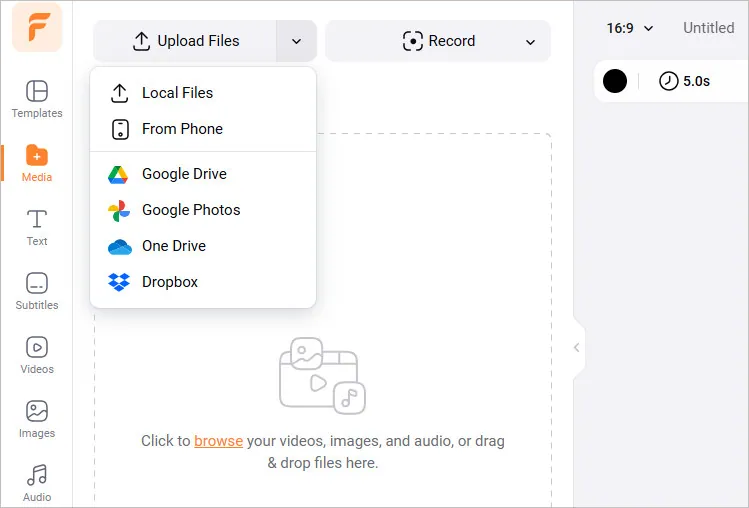
Combine PNF Files into a Single Image - Upload
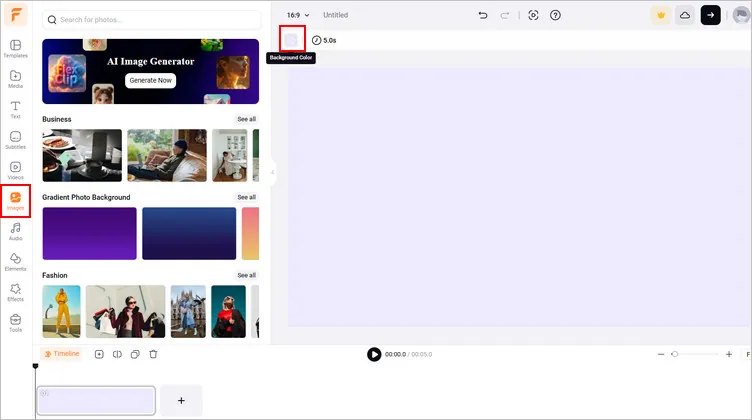
Combine PNF Files into a Single Image - Background
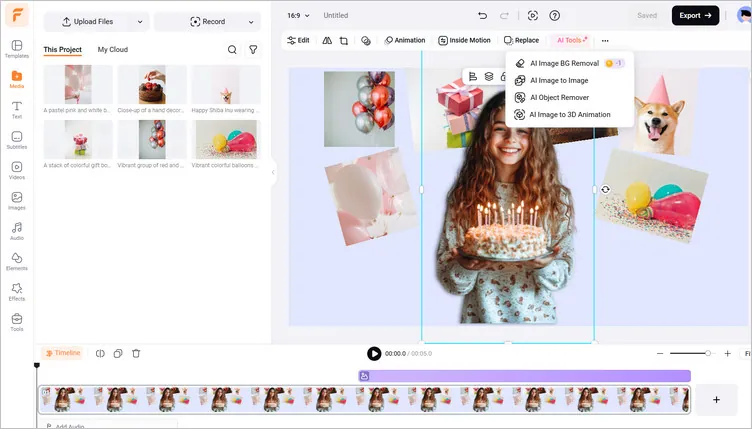
Combine PNF Files into a Single Image - Merge
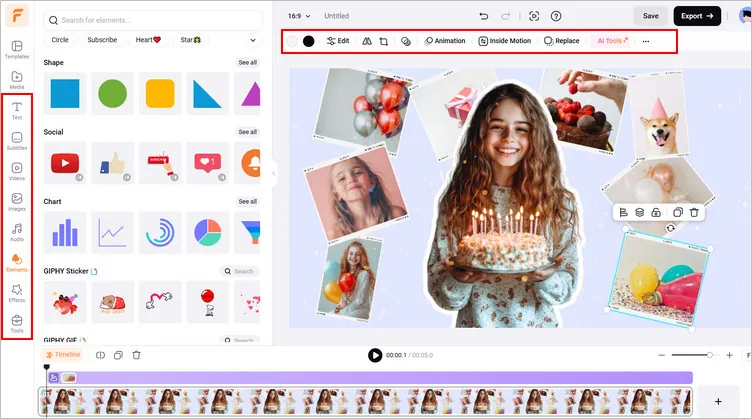
Combine PNF Files into a Single Image - Edits
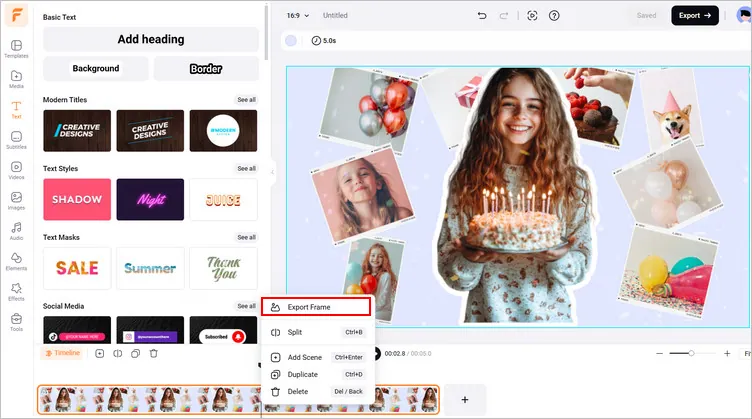
Combine PNF Files into a Single Image - Download
Combine PNG Files into a Presentation Slideshow with FlexClip
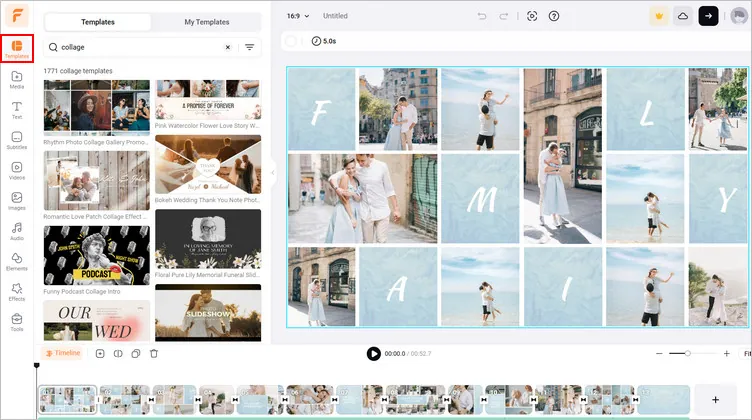
Combine PNF Files into a Presentation Slideshow - Template
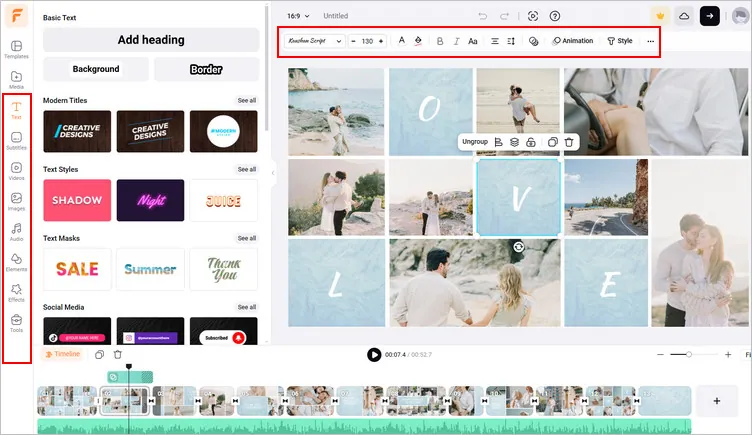
Combine PNF Files into a Presentation Slideshow - Adjust
Final Words
Combining PNG files is easier than ever, thanks to FlexClip’s online PNG combiner. Whether you need to combine multiple png files into a new image or organize them into a presentation slideshow, there's a method tailored to your needs. Just have a try now.




FlexClip AI Video Maker
Reach professional-quality videos faster with easy editing tools, templates, and smart AI.
Start Now for Free
Hot & Trending
-

Best Ways to Find Music in YouTube Videos
-

Instagram Story Video Quality Bad After Upload? Fix It!
-

How to Repost Video on TikTok & How to Remove TikTok Repost
-

Improve Video Quality Online: 3 AI Video Quality Enhancers You Can't Miss
-

4K Convert to HD 1080p without Watermark: Best 4k Video Converters
-

Best 8 Free Video Editors - No Download Required
-

Top 13 Birthday Video Makers with Music and Effects Free
-

How to Search Filters on TikTok & Use a Filter You See - TikTok Filter Guide




