Hey guys! Are you annoyed that the camera can always be picky about how your body or face looks in a photo? Sometimes you might look great in person, but not so much in the picture. Therefore, with an excellent body shape editor, you can easily capture your natural, great body in photos, just as you look in real life.
Here, you can redefine the natural curves and contours of your body. Whether it's your arms, legs, waistline, or buttocks, use our recommended body shape editors to make every body part look flawless.
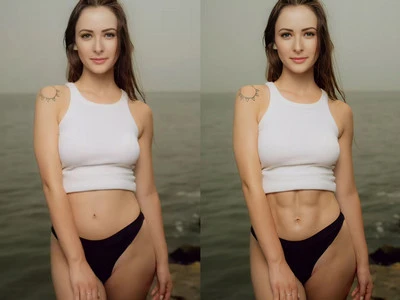
Example Image 1 - FlexClip
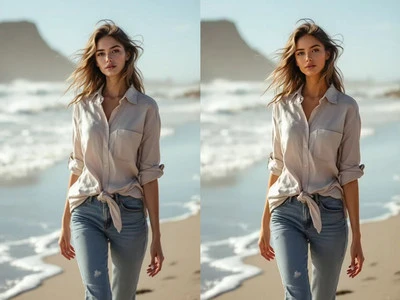
Example Image 2 - FlexClip
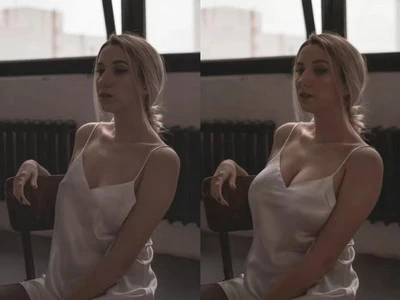
Example Image 3 - FlexClip
Also Read: Reshape Your Face Easily with AI
#1 Try Online Body Shape Editor - FlexClip
FlexClip’s AI body shape editor can help you edit your body shape in the photo effortlessly. It utilizes AI that allows you to edit your shape photos easily with text prompts. Just type what body effects you want and click the Generate button with just a tap, and its AI will handle the rest. There is no need to have professional skills to achieve your dream body look.
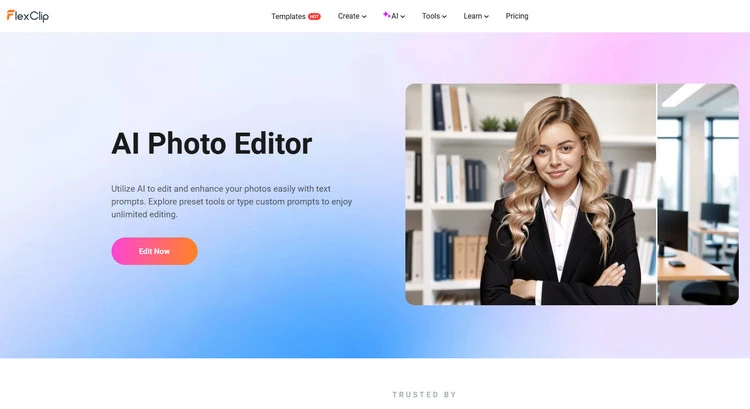
Online Body Shape Editor - FlexClip
High-quality body reshape results - FlexClip’s AI body shape editor can give users full control over their body edits without needing Photoshop. It will provide natural-looking body image transformation results in seconds with precision and no background distortion. It is easy to use and provides you with quick and high-quality results.
Achieve different body effects with AI - In addition to the example images that appear above, FlexClip’s AI body shape editor also offers diverse body effects for you to explore. For example, you can try to slim down your waist like “Narrow the waistline, making it more slender while keeping a natural posture” or try to shape the hip “Increase the fullness of the hips, shaping them for a more rounded, curvier appearance while maintaining natural proportions" and so on. You can achieve different body effects with AI here.
Also allows you to reshape your face easily - With the help of FlexClip’s face shape editor, you can choose to remove facial spots, remove a double chin, or adjust your facial expression, and so on, as you need. We have given just a few face reshape examples here, and FlexClip can do more than you think.
How to Use FlexClip’s Body Shape Editor?
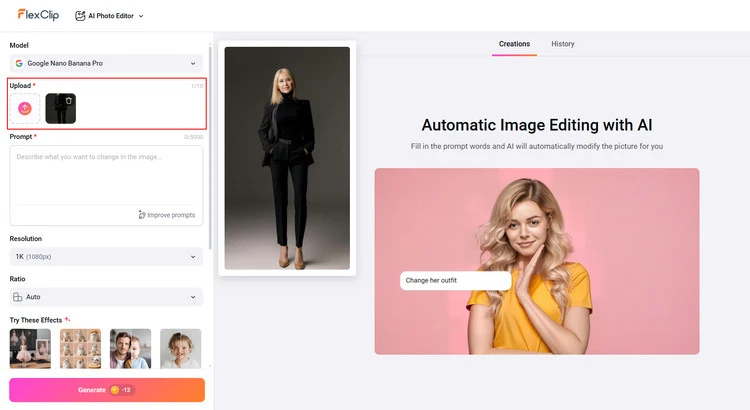
Upload Your Photo - FlexClip
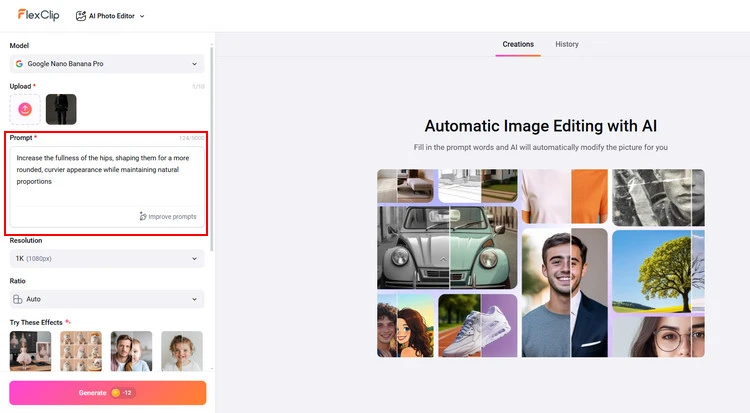
Reshape Your Body Photo - FlexClip
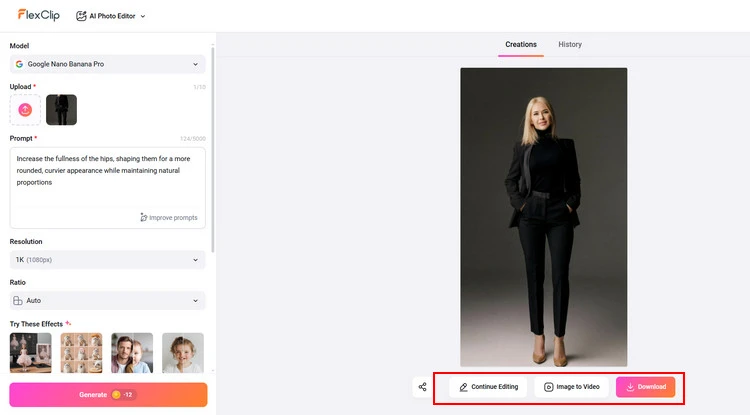
Download Your Photo - FlexClip
#2 Try Body Shape Editor App - Body Tune
The Body Tune app is a photo editor used for reshaping bodies in images, available on iOS and Android devices. It allows users to slim or lengthen parts of the body, adjust height, refine curves, and enhance features like abs. The app is described as easy to use, with tools for various touch-ups.
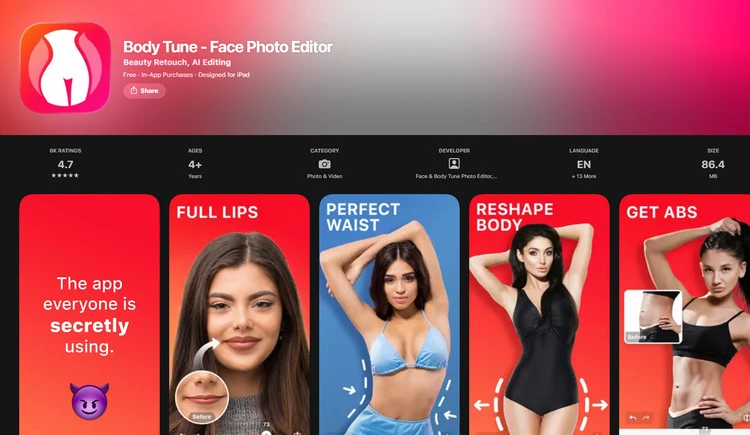
Body Shape Editor App - Body Tune
The Body Tune app is a reliable and effective body shape editor app. Here, you can easily get a slim and skinny body with it. Whether you want to slim, increase, or emphasize any area of your body, the Body Tune app will make it happen. You don’t need to edit body photos in some of those complex photo editors anymore. It allows you to slim, reshape, and enlarge any part of your body to look fit, thin, and taller in your photos.
Body Tune app provides a user-friendly interface with reshaping features, and an ideal look is realized within a few clicks, whether you want to add a slim waist, a thin body, or get a natural tan to your skin tone. It works really well for the most part. You don't have to do any weird editing. And if you are a tattoo lover, you will appreciate our fantastic tattoo designs from around the world.
Some Final Words
Now that you know the 2 excellent body shape editors to reshape your body photos effortlessly, choose your favorite one to create your slim body photo. Let’s try it!




FlexClip Video Maker
The easiest way to help you create custom videos, no design skills needed.
Start Now for Free
Hot & Trending
-

Ultimate Tik Tok Guide – How to Tik Tok & How to Make a Tik Tok Video that Gets Likes
-

7 Best Ways to Find Music in YouTube Videos
-

Instagram Story Video Quality Bad After Upload? Fix It!
-

How to Repost Video on TikTok & How to Remove TikTok Repost
-

Improve Video Quality Online: 3 AI Video Quality Enhancers You Can't Miss
-

4K Convert to HD 1080p without Watermark: Best 4k Video Converters
-
How to Change Face in Video on Phone/Desktop/Online
-

Top 13 Birthday Video Makers with Music and Effects Free