


Want to have fun with your static photos? With AI, animating images to unlock endless creative possibilities is easier than ever - whether you’re a beginner or a pro.
Here we’ll show you how to jump on the AI walking trend on TikTok by turning still images into realistic walking videos using the generative AI tool FlexClip. Discover the magic of creating high-quality, slow-motion walking videos for social media buzz in just minutes.
@pardesi_kanxa.0.x.3 TikTok full trending viral effect trending Ai walking effect editing video 📸📸💞🤞 #fypシ゚fyp #ti̇ktok #trending #aiwalkingfilter #foryoupageofficiall ♬ original sound - Cinematic_ormakal
Also Interested in: 5 Best AI Dance Video Generators for Viral TikTok Videos>>
How to Generate Your AI Walking Videos
To animate photos into natural walking videos, open web-based AI video generator - FlexClip. It’s easy to use and offers versatile ways to get astonishing AI walking videos. No curve-learning required! Just prepare your photos and let’s begin!

1)Animate Yourself in a Photo Using a Text Prompt
The first way to turn static photos into animated walking videos is with FlexClip’s AI image-to-video generator. It only requires a clear full-body or upper-body photo and a simple prompt—its intelligent AI will detect the subject and create smooth, natural walking motion that looks like it was captured on camera. Here’s it how works:

Access AI Video Generator and Upload Your Image
If the image you’re satisfied only captured your face or the photo needs restoration, upscaler or any personal adjustments, you can use FlexClip’s AI photo editor to generate full body picture from face or enhance the graphic exactly the way you like.
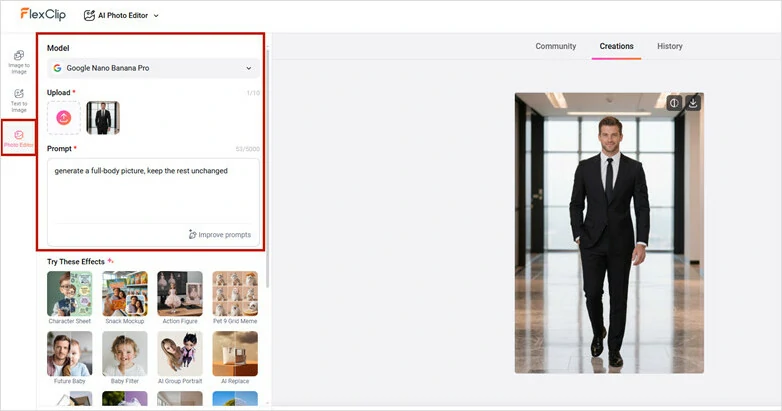
Enhance Your Image with FlexClip's AI Photo Editor
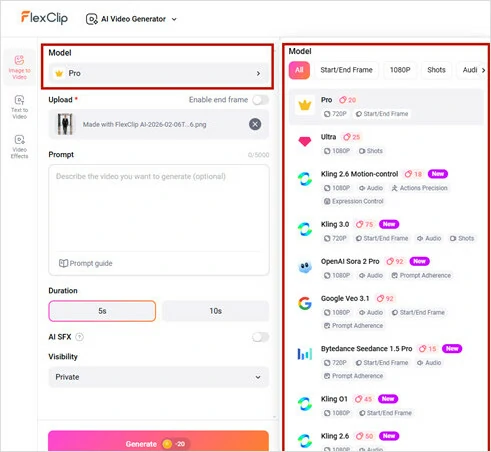
Select Your Video Generation Model
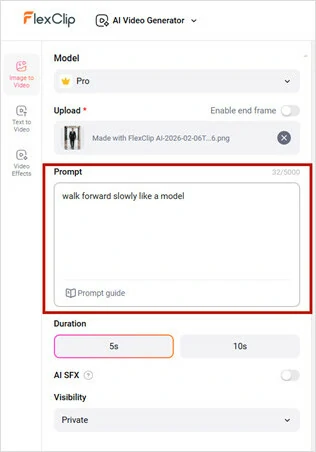
Enter a Prompt to Describe the Walking Animation You Want
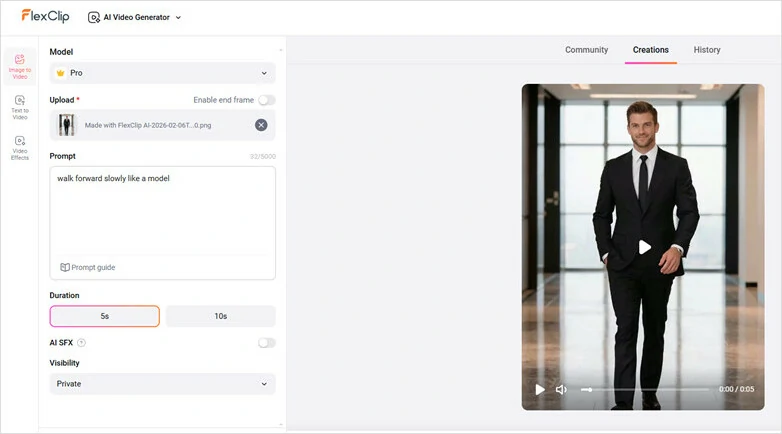
Hit Generate Button to Turn Your Image into AI Walking Video
Here is the final walking animation video generated by FlexClip:
AI Walking Animation Video Generated by FlexClip
2)Turn Photo into Multi-scenes Walking Video
Want to make your AI walking videos more creative and engaging? Try transforming your photo into a multi-scene walking transition video—a clip that makes it look like you’re walking seamlessly across different locations. Start with a single photo, and let FlexClip’s AI photo editor and AI video generator work their magic, as shown in the guide below.
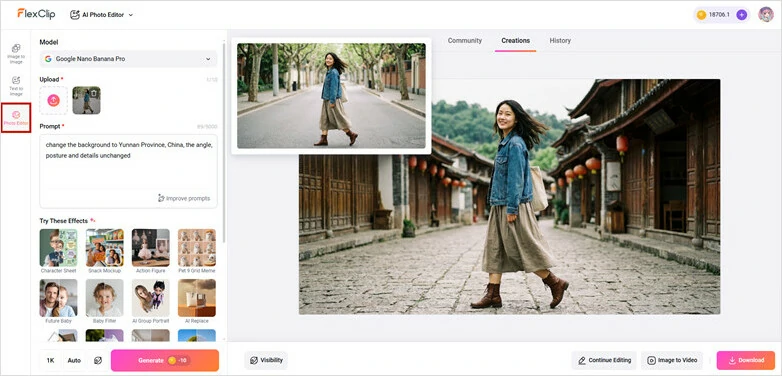
Upload a Side-angle Photo and Get Multiple Images with Various Background
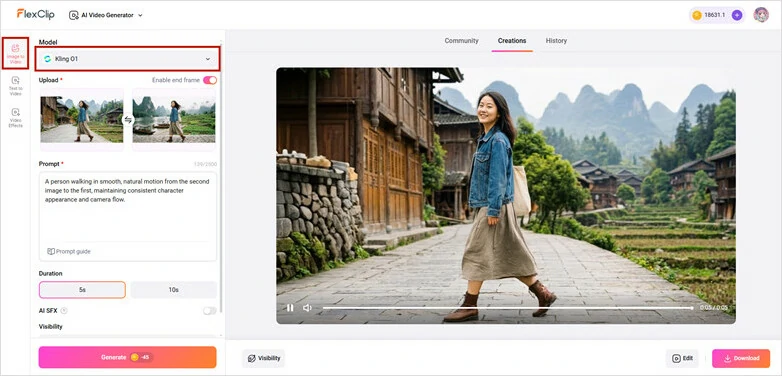
Access FlexClip's AI Video Generator and Enable End Frame Feature
A person walking in smooth, natural motion from the first image to the second, maintaining consistent character appearance and camera flow.
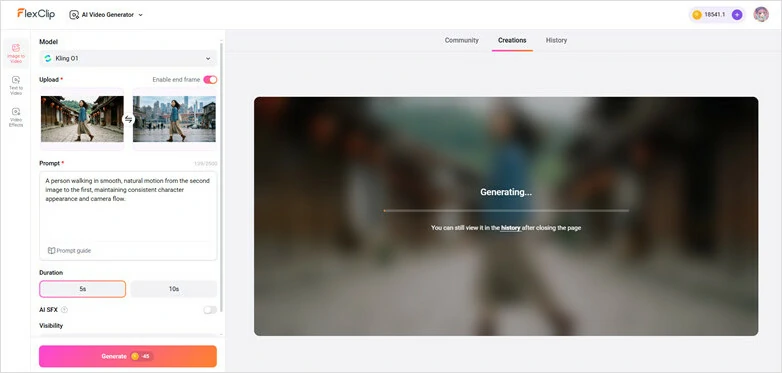
Enter Your Walking Video Prompt to Generate AI Walking Video in FlexClip
For each repeat, use the previous end frame as the new starting frame, then upload another image as the next end frame to ensure smooth transitions. Repeat this process until you’ve created all the AI walking transition clips.
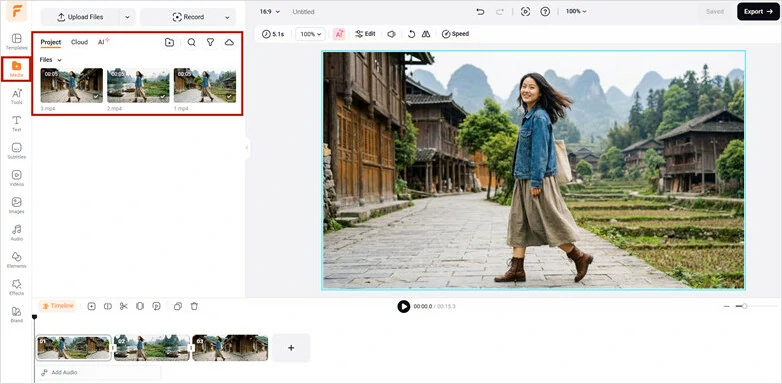
Combine the Walking Clips into a Whole Video Using FlexClip
Perfect the AI walking video with soothing background music. You can directly find a royalty-free one from FlexClip’s music stock or use its AI music generator to craft an innovative melody for your own.
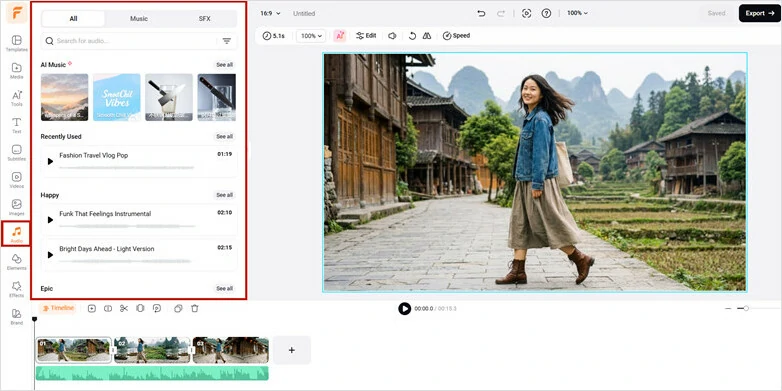
Perfect the Walking Video with Background Music

Preview and Download Your AI-generated Walking Animation Video
Here is the final AI Walking video with Multi-scenes generated by FlexClip:
Turn Photo into Multi-scenes Walking Video
3)Recreate a Trending Walking Animation into Your Picture
Scrolled past a trending walking video you want to recreate? Or want a character to copy your walking gesture? Just upload it as a reference and let AI replicate every move with precision. From quick walking steps to subtle hand gestures, the motion stays natural and fluid—while the face and body remain perfectly consistent from start to finish. Best of all, it’s social-ready and can be shared in seconds.
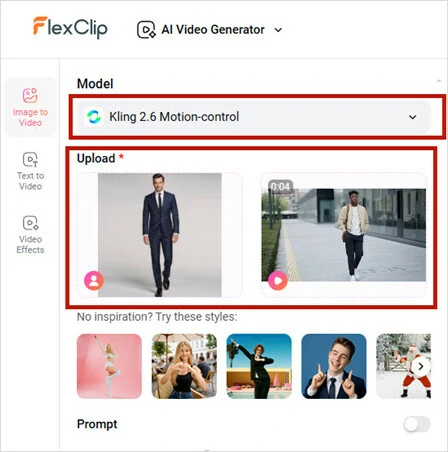
Open Kling 2.6 Motion-Control in FlexClip
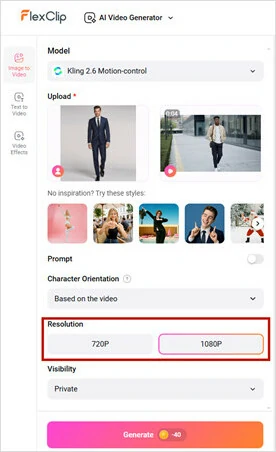
Select the Video Resolution and Hit Generate
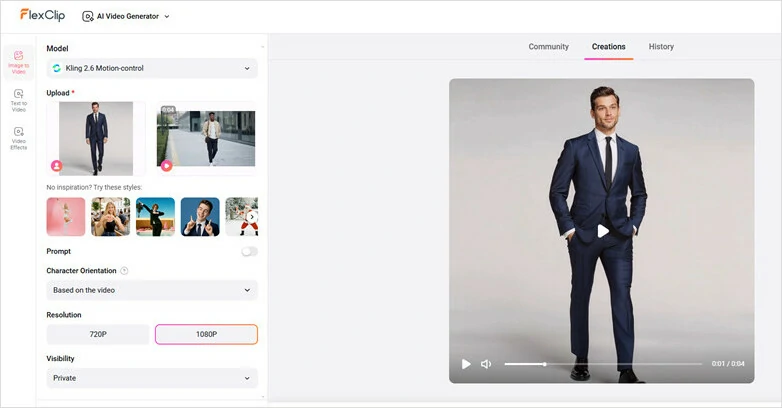
Preview and Download the Video with Ease
Here is the final recreated walking video generated by FlexClip:
Recreate a Trending Walking Animation into Your Picture
Why Choose FlexClip’s AI Walking Video Generator
FAQs About AI Walking Video
1.Can I animate a group photo for generating stunning AI walking videos?
Absolutely! Our AI can now detect and animate multiple people in a single photo. It performs best when each person is clearly visible and not heavily overlapping—so upload a group shot and watch the whole crew come to life and start walking.
2.Is it possible to apply AI walking effects on mobile?
Absolutely! Just try FlexClip’s mobile version called FlexPix. Directly upload a photo from your phone and generate a walking video, then share to TikTok, YouTube Shorts and other social media with ease.
3.What kinds of photos should I upload for better results?
Clear full-body or upper-body images with the subject fully visible work best for generating high-quality AI walking videos.




FlexClip AI Video Maker
Reach professional-quality videos faster with easy editing tools, templates, and smart AI.
Start Now for Free
Hot & Trending
-

Best Ways to Find Music in YouTube Videos
-

Instagram Story Video Quality Bad After Upload? Fix It!
-

How to Repost Video on TikTok & How to Remove TikTok Repost
-

Improve Video Quality Online: 3 AI Video Quality Enhancers You Can't Miss
-

4K Convert to HD 1080p without Watermark: Best 4k Video Converters
-

Best 8 Free Video Editors - No Download Required
-

Top 13 Birthday Video Makers with Music and Effects Free
-

How to Search Filters on TikTok & Use a Filter You See - TikTok Filter Guide




