


Dance videos dominate social media because they grab attention at first glance and keep viewers hooked with trending sounds and dynamic visuals.
In the past, creating engaging dance videos was exclusive to professionals after countless hours of practice. Now, AI dance video generators change the game—letting anyone create rhythmic, eye-catching dance videos in seconds, all from a single photo of you.
Here we've already put 20 AI dance video generators to the test and handpicked the top 5 that help you make generating viral dance videos effortless. Let’s dive in and start dancing!
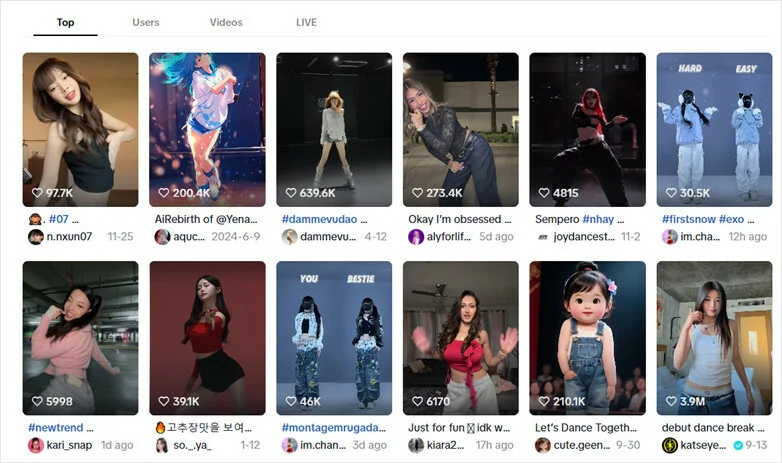
Examples of Dancing Videos Popularity on Social Media Platforms
Directly Turn Your Photo into Dynamic Dancing Video with AI>>
Also Interested in: How to Convert Photo to Video with AI>>
FlexClip: Make Your Photo into Dance Videos
Are you trying to create a dynamic dancing video from an existing photo of yourself, your pet or friend? FlexClip's AI dance video generator offers versatile ways to animate pictures into stylish dance videos.
Whether you want to transform still images into smooth dance-routine animations using different generation models based on simple prompt or swap yourself in an existing dancing video perfectly with an uploaded picture, this AI dance generator enables everyone, even the beginners, to create dancing videos with great ease.
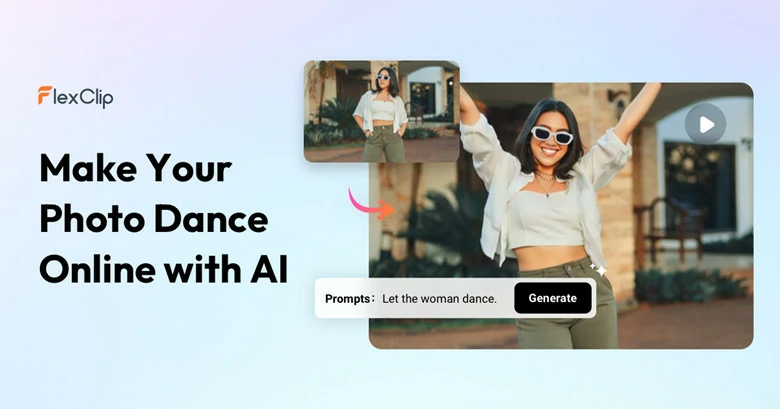
AI Dance Video Generator - FlexClip
Besides, with its built-in editor and ready-made templates, you can freely customize your generated dancing videos like adding captions, inserting cool SFX, applying filters and more to make it truly represent your taste. No editing is required!
How to Generate Appealing Dancing Videos with FlexClip
1)Turn Yourself into Any Viral Dancing Video
Want to recreate a viral dance video? With FlexClip’s Kling 2.6 Motion Control model, you can create your own version in just a few clicks. No manual editing required—AI automatically transfers the movement, gestures, and facial expressions from a reference video onto your static character image. This high-fidelity motion transfer ensures the character moves naturally while preserving its original appearance, style, and identity. Here’s how to do it.

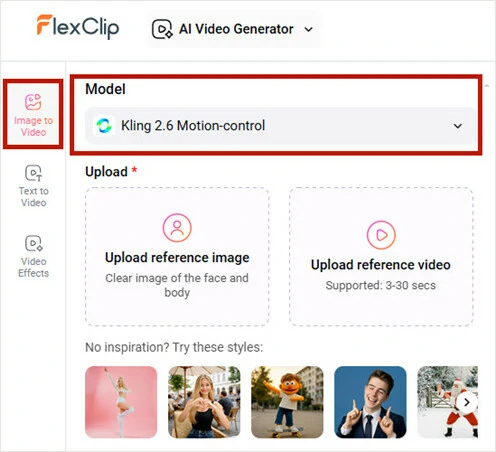
Open FlexClip's AI Video Generator and Enable Motion Control Model
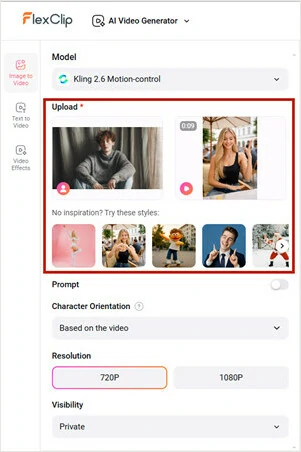
Upload a Dancing Video and Your Image
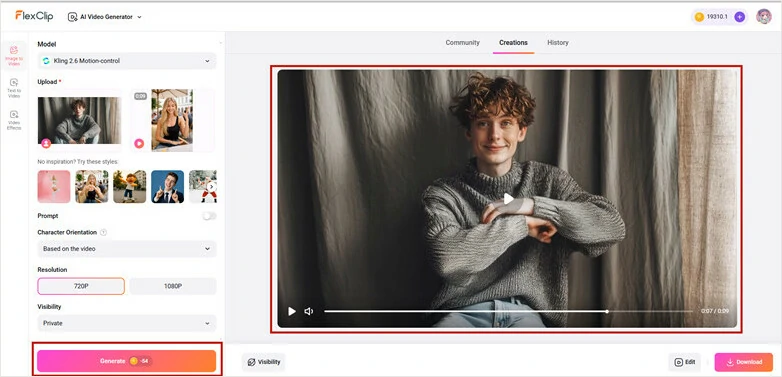
Generate Dancing Video and Download the Amazing Project
Here is the final look of the dance video generated by FlexClip's AI Video Generator:
AI Dance Video Generated by FlexClip
2)Turn Photos into Creative Dancing Videos
Add more creativity to your dancing videos with FlexClip’s AI! Whether you want to dance with your idol, create fun motion clips featuring your puppy, or bring multiple anime characters to life, simply upload your images and let FlexClip’s AI image-to-video tool animate them based on your text prompts. Follow our guide to get started.
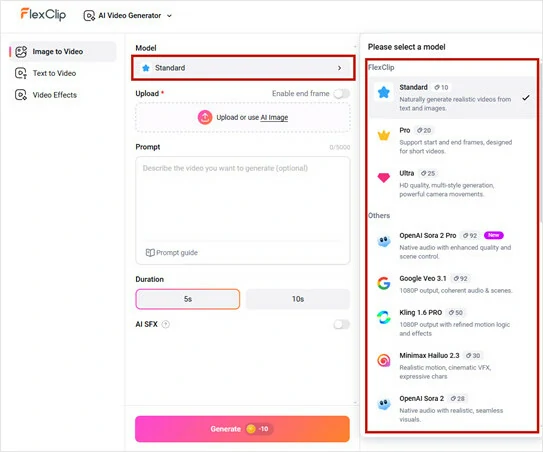
Open FlexClip's AI Image-to-video Tool and Select Your Generation Model
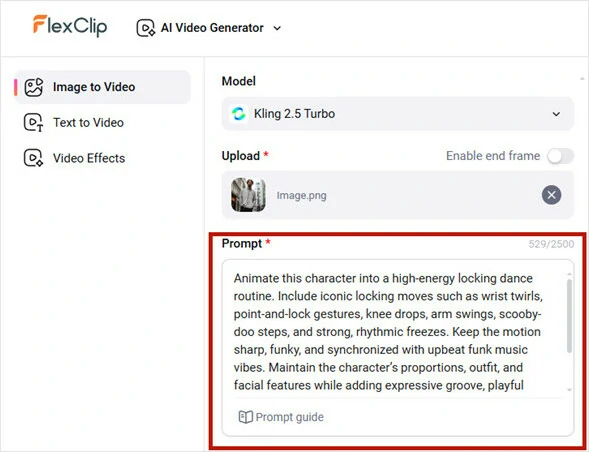
Upload an Image and Enter a Prompt
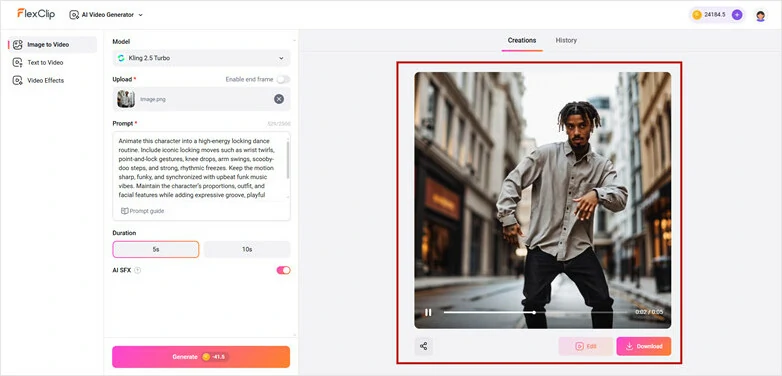
Make Settings and Generate the Dancing Video
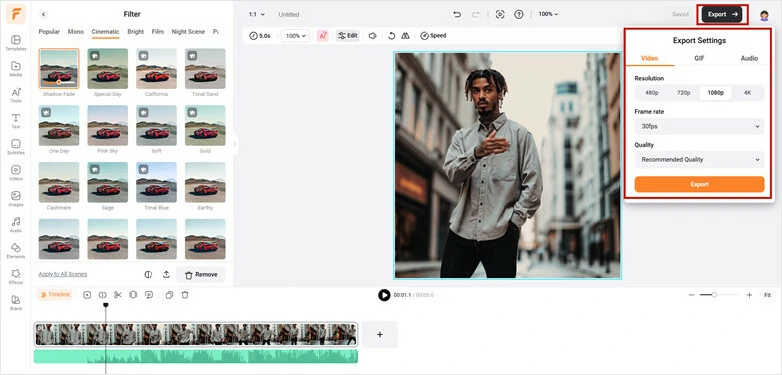
Edit the Dancing Video with FlexClip's Built-in Video Editor
Viggles: Turn Photos into Dance Videos
Viggles is an AI-powered dance video generator that makes anyone move like a pro. With just a few clicks, you can animate yourself, a friend, or any character’s image into a smooth, stylish dance video using advanced motion-transfer technology and viral-ready templates.
What truly sets it apart is its massive library of 5,000+ dance templates, from trending TikTok challenges and viral choreo to K-pop group routines, ballet spins, pole dances, Afrobeat, shuffle, and more. Whether you want something funny, elegant, or delightfully chaotic, there’s a perfect template waiting for you.
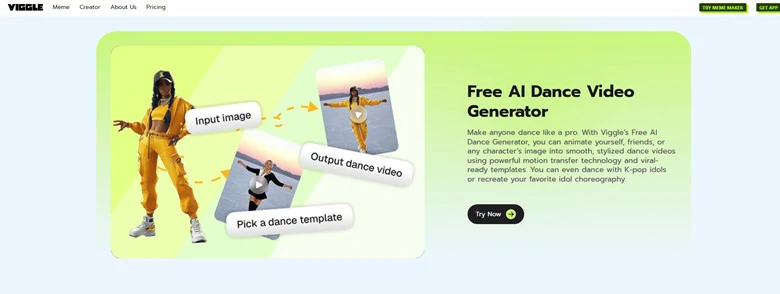
AI Dance Video Generator - Viggles
How to Generate Viral Dancing Videos with Viggles
YouCam: Make Photos Dance Online
YouCam Online Editor is the perfect AI dance generator for those seeking pre-designed dance templates to create custom dance routines. It only requires a photo to process and AI will map your face and body onto the dancer, generating high-quality dancing videos in seconds.
Whether you're crafting a K-pop dancing avatar, turning a couple’s photo into a romantic waltz, or designing a unique dance for special occasions, this tool transforms static images into captivating, dynamic performances in minutes. How about the result? Smooth, precise, and visually stunning dance movements you’ll get every time as it’s powered by advanced artificial intelligence.
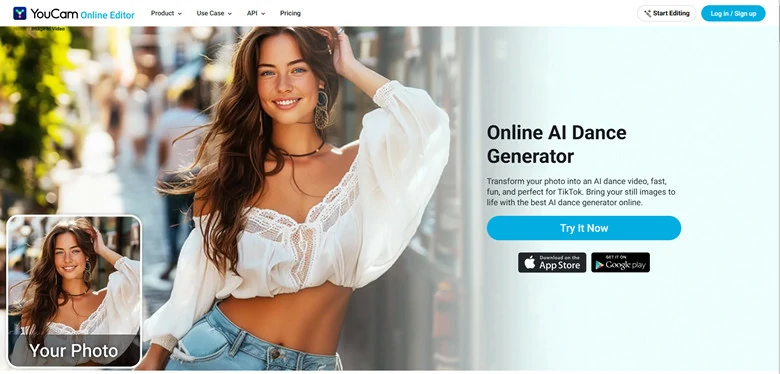
AI Dance Video Generator - YouCam
How to Generate Dynamic Dancing Videos with YouCam
Freebeat.ai: Make Dancing Videos with Your Music
Looking for an AI dance generator that lets you upload any audio track and create beat-synchronized animations? Freebeat.ai has everything you need to turn any song into a stunning dance video.
You can import a track via Spotify, YouTube, SoundCloud, Suno, or upload a local file. Its AI analyzes the beat, tempo, and mood of your audio and automatically generates a perfectly synced dance animation. Plus, you can customize the dancer by uploading an image, choose styles like hip-hop, K-pop, or jazz, and adjust the background to create a truly unique, beat-matched dancing video.
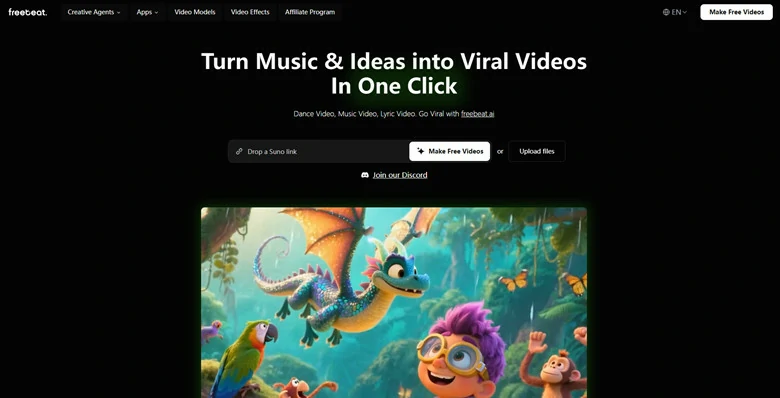
AI Dance Video Generator - Freebeat.ai
How to Create AI Dance Videos with Freebeat.ai
Krikey AI: Create 3D Dancing Animation Videos
Krikey AI makes creating dance videos feel as fun as playing a game. Instead of simply generating generic dance moves, it transforms your photo into a 3D cartoon character and uses AI to animate motions like dancing, walking, and gesturing.
These lively, animated videos open up endless possibilities for teachers, content creators, marketers, artists, and hobbyists who want to add a playful, high-energy twist to their projects. With Krikey AI, making your own dancing animation has never been easier.
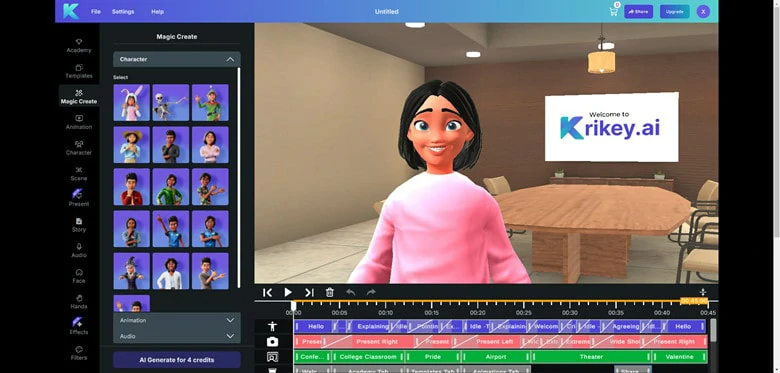
AI Dance Video Generator - Krikey AI
How to Generate Animated 3D Dancing Videos with Krikey AI
FAQs About AI Dance Video Generator
1.How does the photo to AI dance feature work?
The photo to AI dance feature transforms a static image into engaging dance video that fits the rhyme with smooth movements.Just upload an image and this tool will generate a dance routine that matches your style in minutes.
2.Is it possible to upload reference dance videos to guide the AI?
Yes, of course you can. Some AI dance generators like FlexClip allows you to upload a dance video for reference and it will instantly transform it into a high-quality dancing video, with the uploaded character perform the same moves as in the video.
3.What is the best app to make image dance on mobile?
To make image dance on mobile, applications like Pic Dance: AI Photo Animator and Face Dance AI Photo Animator are recommended for its user-friendly interface and smooth workflow.
The Bottom Line
That's all for 5 best AI dance video generators we've picked up for you. I hope that you got your answers through this article regarding getting AI-generated dancing videos. Try it!




FlexClip AI Video Maker
Reach professional-quality videos faster with easy editing tools, templates, and smart AI.
Start Now for Free
Hot & Trending
-

Best Ways to Find Music in YouTube Videos
-

Instagram Story Video Quality Bad After Upload? Fix It!
-

How to Repost Video on TikTok & How to Remove TikTok Repost
-

Improve Video Quality Online: 3 AI Video Quality Enhancers You Can't Miss
-

4K Convert to HD 1080p without Watermark: Best 4k Video Converters
-

Best 8 Free Video Editors - No Download Required
-

Top 13 Birthday Video Makers with Music and Effects Free
-

How to Search Filters on TikTok & Use a Filter You See - TikTok Filter Guide




