Ever wondered what your cat or dog would look like on a passport or ID card? Or try to make stunning portraits or art photos for your furry friends? Cool! It’s creative, it’s entertaining, and it’s easier than ever thanks to AI.
With the power of AI, we can turn our pet’s everyday photo into something truly special. From elegant portraits to whimsical pet passports, AI photo generators give pet lovers a new way to celebrate their furry friends. Let’s dive into how to use an AI pet photo generator called FlexClip to take an ordinary snapshot of your pet and transforms it into portraits, ID photos, or even novelty passports.
Meet FlexClip: Your Best AI Pet Photo Generator
Ready to turn your pet photos into something truly extraordinary—whether it’s a professional-style portrait, a funny novelty passport photo, or even a custom pet ID card? FlexClip is one of the easiest tools to get started with.
When it comes to turning pet snapshots into creative masterpieces, FlexClip stands out because of two powerful tools: AI Image-to-Image and the AI Photo Editor. These tools make it easier than ever to get professional-quality results—no design skills required.
AI Image-to-Image: Transform Your Pet Photos Instantly

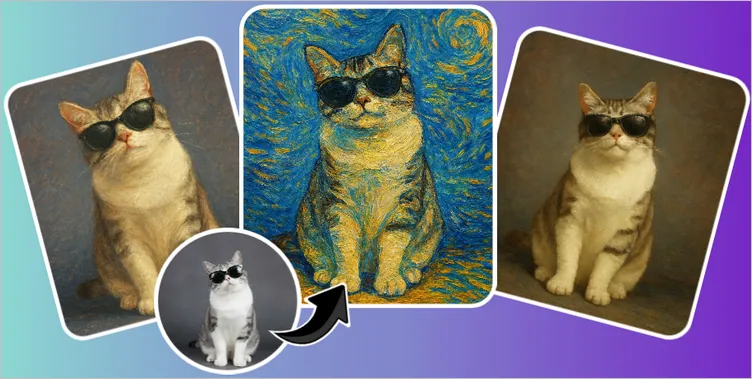
Transform Your Pet Photos with AI Image to Image Generator
The AI image-to-image tool takes your existing pet photo and reimagines it in a completely new style with preset art filters, such as cartoon, anime, sketch, oil painting, 3D character, and more, prefect for creating stunning portraits in various styles for your pet. Just upload a photo of your pet, select a style (Oil Painting, Van Gogh, Sketch, etc.), and let AI recreate your image in that style.
AI Photo Editor: Edit and Transform Pet Photos with Text Prompts

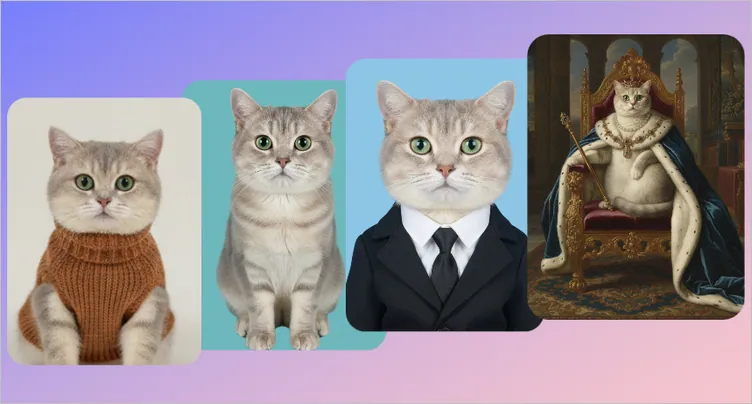
Edit and Transform Pet Photos with AI Photo Editor
FlexClip's AI photo editor is a powerful text-prompt-driven tool that allows you to generate customized portraits and official photos just by describing what you want. Whether it’s a realistic pet portrait, a fun artistic style, or an official ID photo, the AI transforms your prompt into a polished image. Simply type a prompt like: "Turn my cat into a royal queen portrait"; "Make this dog look like it’s on a passport photo".
How to Make Make Pet Portrait, Passport Photo, ID Photo with FlexClip
As you can see, FlexClip offers two standout tools for pet photo enthusiasts: the AI Image to Image tool for stylish portraits and the AI Photo Editor for professional portraits, passport photos, and more. Now, let’s see how to use them to turn your pet photos into something special.
Generate Stylish Pet Portraits with the Image to Image Tool
FlexClip's AI Image to Image Generator allows you to turn your pet's photo into a digital portrait with various artistic styles, including oil painting, watercolor, and more other creative effects. Check the detailed steps to transform your pet photos into artistic portraits.
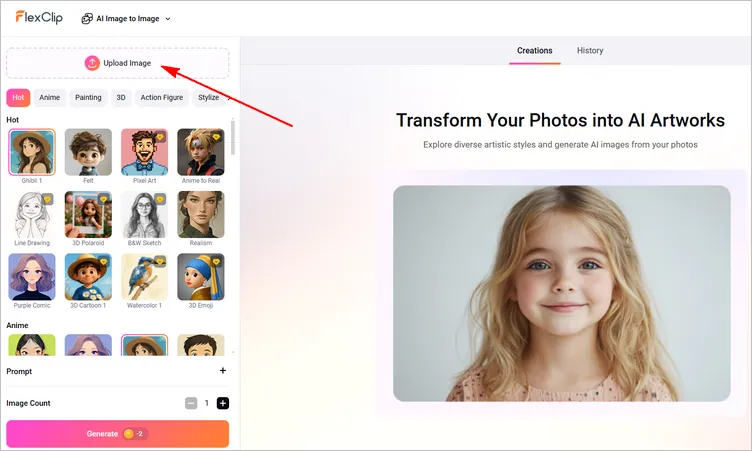
Generate Stylish Pet Portraits with FlexClip's Image to Image Tool - Upload
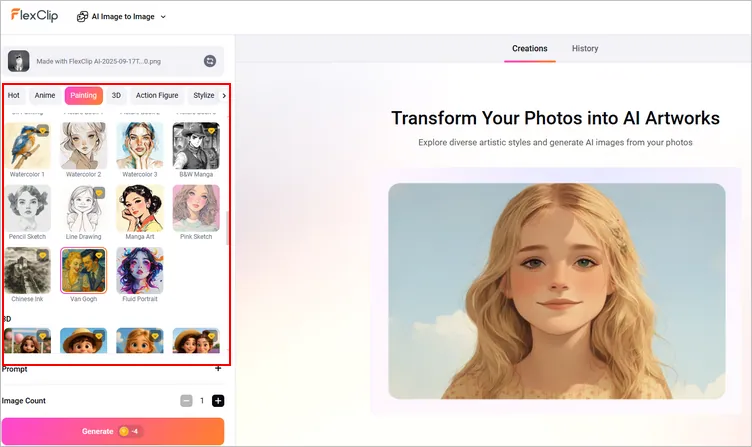
Generate Stylish Pet Portraits with FlexClip's Image to Image Tool - Choose Style
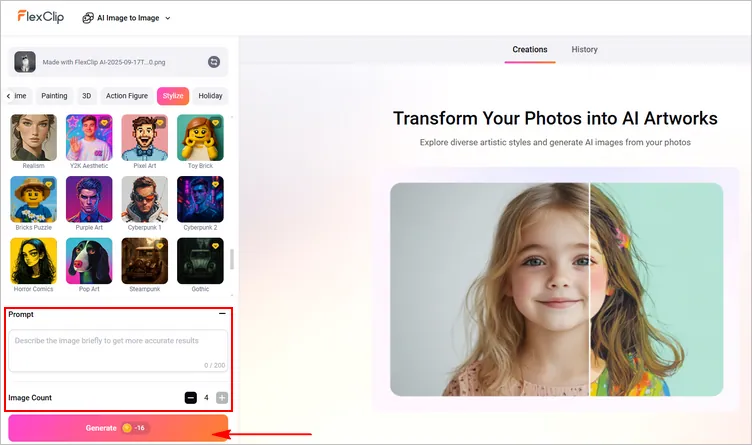
Generate Stylish Pet Portraits with FlexClip's Image to Image Tool - Settings
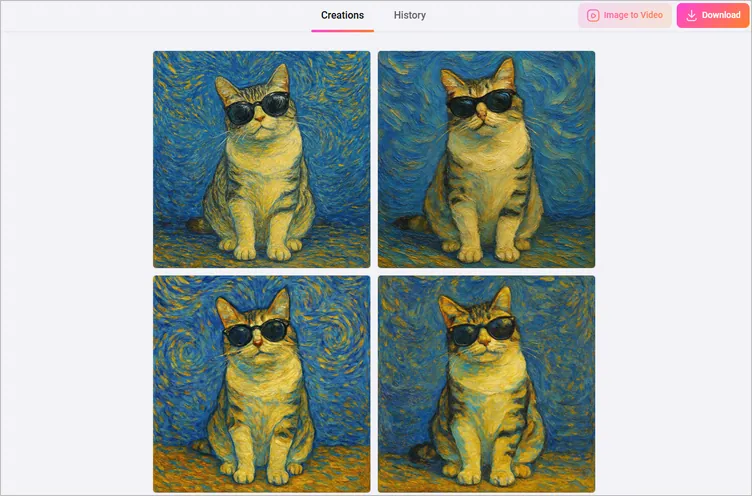
Generate Stylish Pet Portraits with FlexClip's Image to Image Tool - Download
Generate Portraits, Passport Photos, and More with AI Photo Editor
FlexClip's AI photo editor goes beyond artistic portraits. It helps you create professional-quality pet photos suitable for official purposes, including passport and ID photos simply by describe what you want. What’s more, you can also use text prompt to adjusts lighting, background, and positioning to meet requirements.
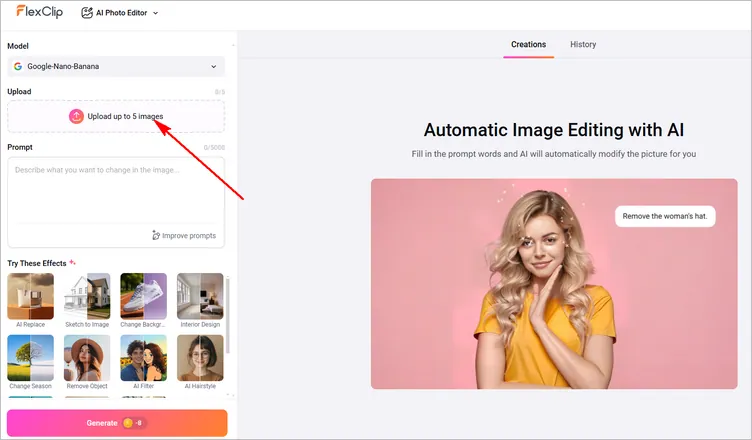
Generate Pet Photo with FlexClip's AI Photo Editor - Upload
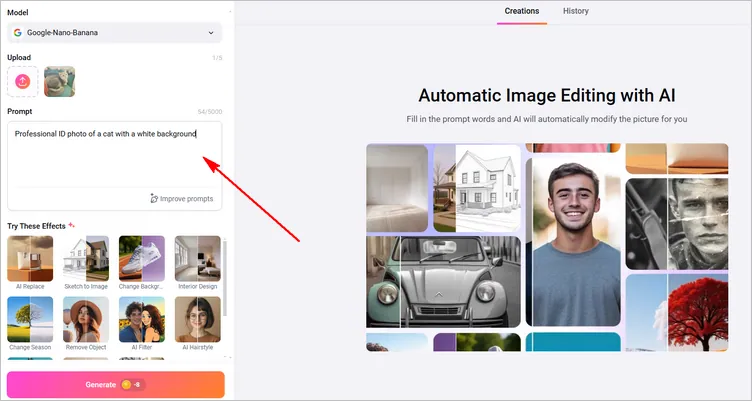
Generate Pet Photo with FlexClip's AI Photo Editor - Prompt
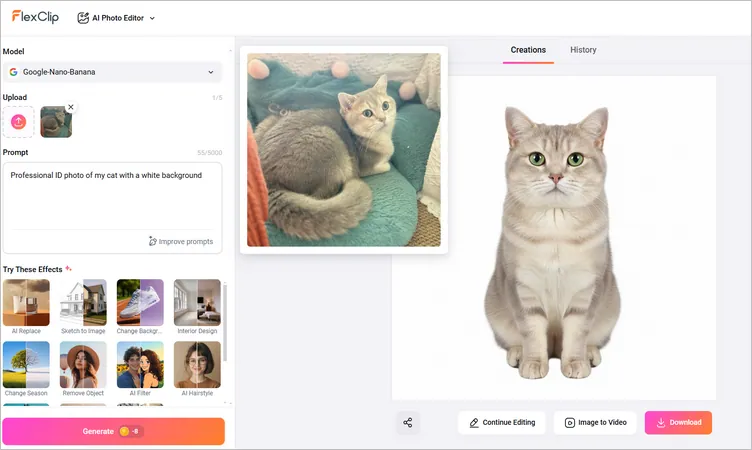
Generate Pet Photo with FlexClip's AI Photo Editor - Download
Bonus: More Examples to Play With Your Pet Photo
FlexClip's AI photo editor doesn't stop at creating a pet photo as we did above. You can create more stunning visuals that sparks your creativity. To show you what FlexClip can really do, here are some examples of AI pet photos generated using the powerful tool. Check out for reference.
Creative AI Pet Photo
AI Dog Bathroom Photo - Prompt: "Make my dog sit on a toilet, reading a newspaper, bathroom setting, realistic lighting but humorous style."
AI Model: Google-Nano-Banana
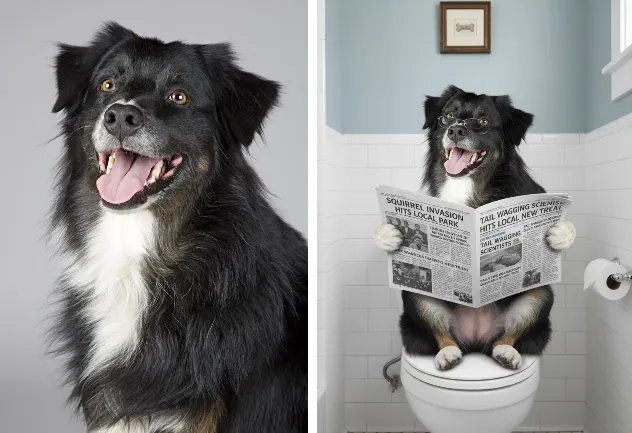
AI Dog Bathroom Photo
AI Pet Birthday Photo - Prompt: "Make my dog sit at a decorated table with a fancy birthday cake, gold balloons, ribbons, and sparkling lights, luxury birthday style."
AI Model: Google-Nano-Banana
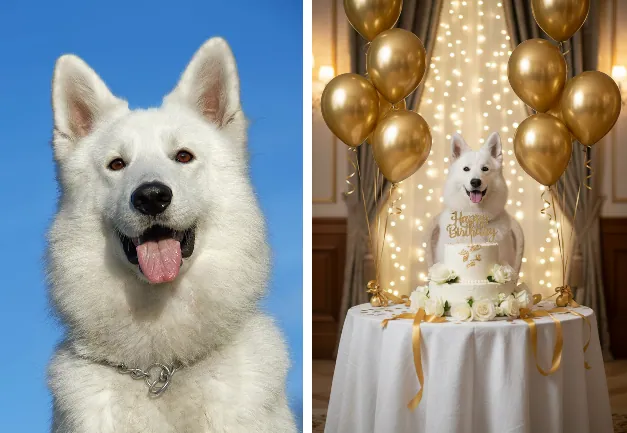
AI Pet Birthday Photo
AI Pet Art Portrait - Prompt: "Turn my cat into a royal queen portrait"
AI Model: Google-Nano-Banana
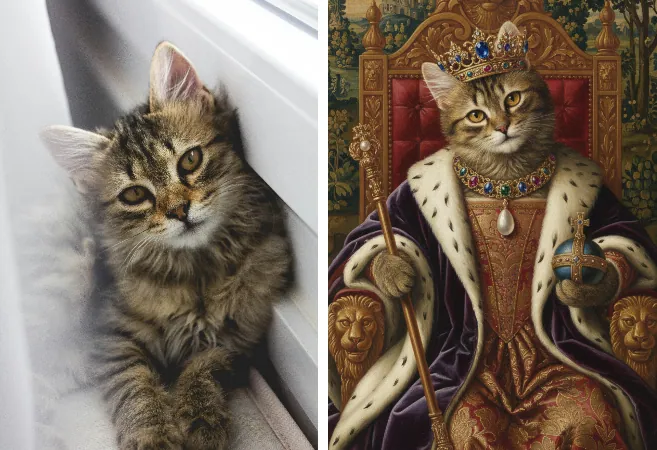
AI Pet Art Portrait
Pet to Human Transformation
Cat to Human - Prompt: "Turn this cat into a little girl, keeping the posture unchanged"
AI Model: OpenAI-GPT-Image-1
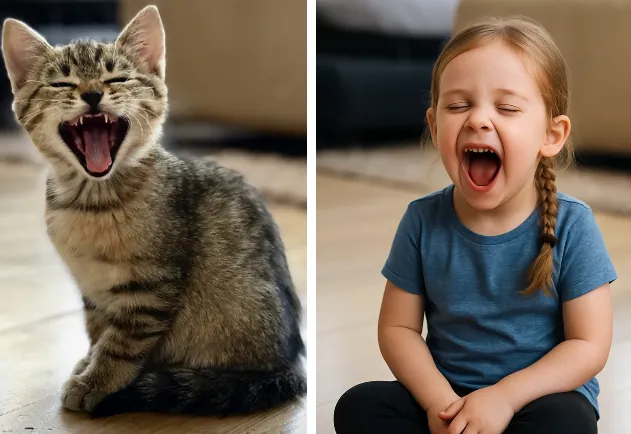
Cat to Human
Dog to Human - Prompt: "Turn my dog into a man, smiling with a confident and protective expression"
AI Model: OpenAI-GPT-Image-1
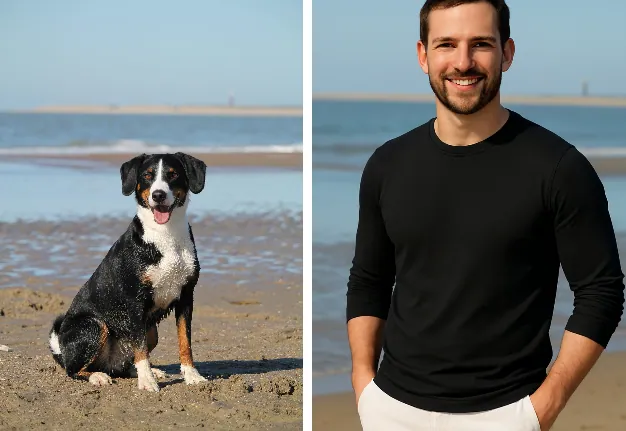
Dog to Human
Well, FlexClip’s AI tools make creating stunning pet photos effortless. The AI Image to Image tool is ideal for stylish, creative portraits, while the AI Photo Editor allows you to generate professional portraits, passport photos, and ID photos and more creative AI pet art photos using just a text prompt. Have a try right now!




FlexClip AI Video Maker
Reach professional-quality videos faster with easy editing tools, templates, and smart AI.
Start Now for Free
Hot & Trending
-

Best Ways to Find Music in YouTube Videos
-

Instagram Story Video Quality Bad After Upload? Fix It!
-

How to Repost Video on TikTok & How to Remove TikTok Repost
-

Improve Video Quality Online: 3 AI Video Quality Enhancers You Can't Miss
-

4K Convert to HD 1080p without Watermark: Best 4k Video Converters
-

Best 8 Free Video Editors - No Download Required
-

Top 13 Birthday Video Makers with Music and Effects Free
-

How to Search Filters on TikTok & Use a Filter You See - TikTok Filter Guide