How to Create News Anchor Online with AI Anchor Generator

Last Updated: 2026. 01. 06

Today, it’s no longer science fiction that AI-generated realistic news anchors can report news and single articles. These AI-generated news anchors are already being used in some places, and they look incredibly realistic. They can read scripted news, present information, and even engage with audiences in a pretty convincing way. It's definitely an interesting shift in how media might evolve in the future.

So, do you want to know how to create a news anchor with AI without professional experience? Here, we’ll take you through the easy way to create news anchor with AI online. If you read this tutorial carefully, you can easily make this kind of news anchor broadcast video below. Check this tutorial right now!

1# How to Create AI News Anchor in FlexClip
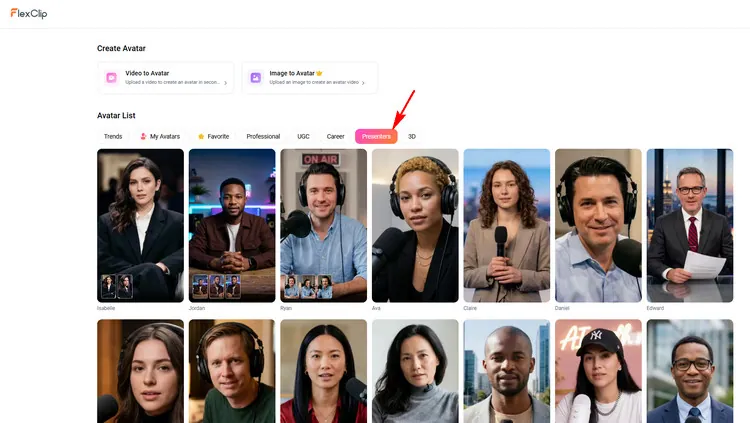
How to Create AI News Anchor Image?

Step 1
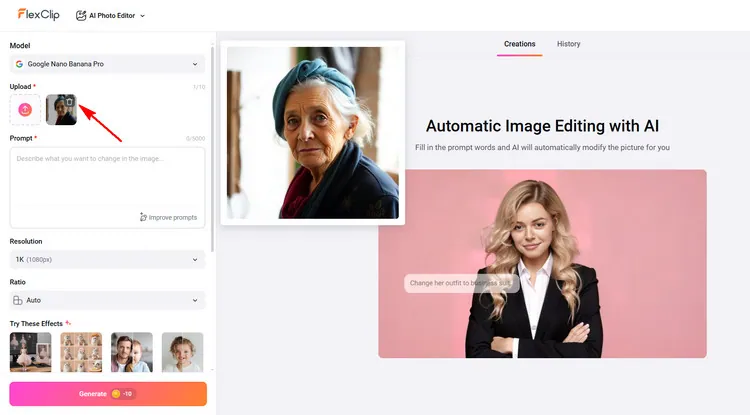
Enter FlexClip’s AI photo editor page and upload your prepared photo to begin your AI news anchor creation.
Upload Photo to AI Photo Editor - FlexClip
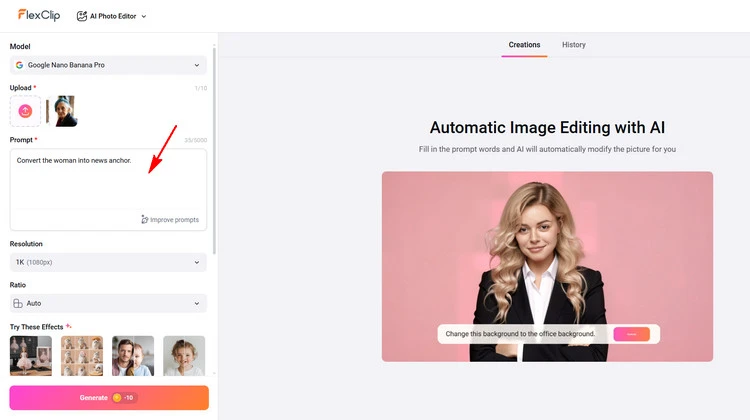
Upload Photo to AI Photo Editor - FlexClip

Step 2
Type your text prompt in the prompt box, like “Convert the man/woman into news anchor.” Moreover, you can adjust the resolution and ratio according to your needs. Then, you can click the Generate button to let our AI work its magic.
Generate AI Photo - FlexClip

Generate AI Photo - FlexClip
Step 3
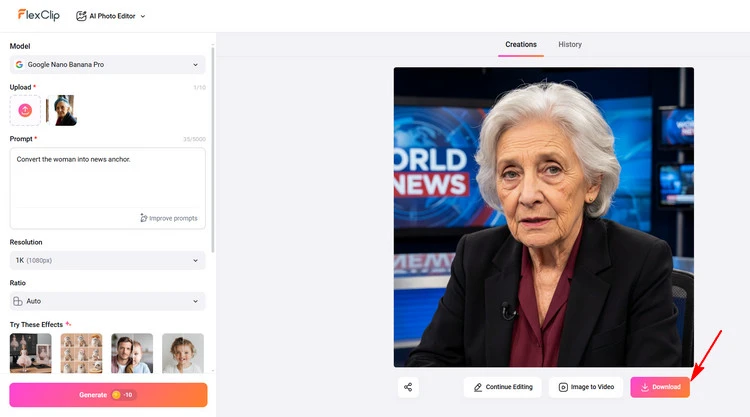
Once you’re satisfied with the AI news anchor image result, you can click the Download button to download it.
Download Your AI Image - FlexClip

Download Your AI Image - FlexClip

If you don’t want to use your own portrait to generate a news anchor image, you can choose to create a virtual news anchor figure with AI. FlexClip can also meet your needs!
Step 1
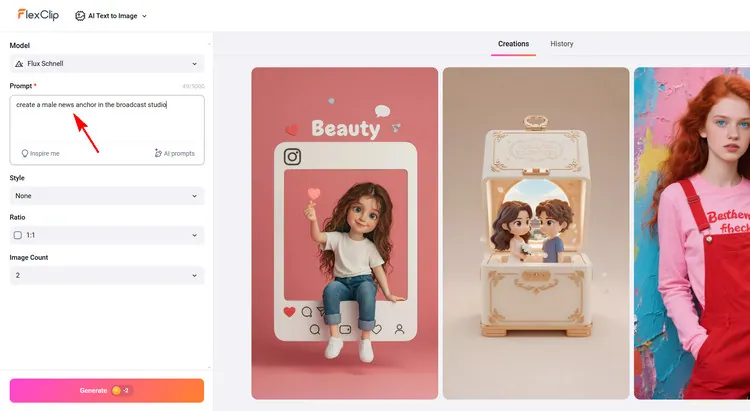
Enter FlexClip’s AI image generator page and describe the news anchor figure you want to generate in detail. For example, you can type a description about gender, clothing, and studio environment.
Type Your Prompt - FlexClip

Type Your Prompt - FlexClip

Step 2
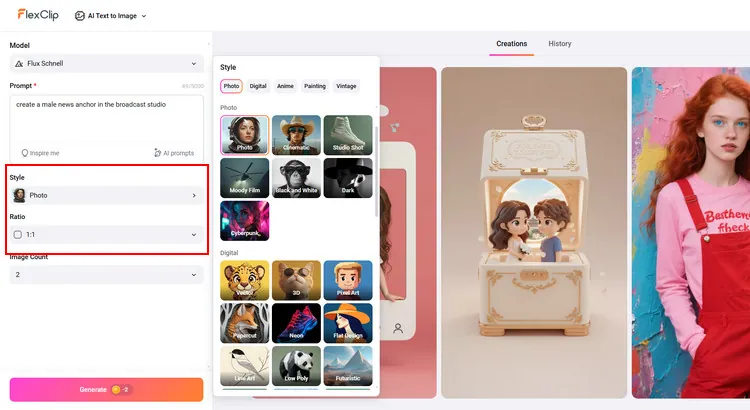
Then, you can choose the Photo style and adjust its ratio, and click the Generate button to wait for AI to generate your desired news anchor figure.
Generate AI Photo - FlexClip

Generate AI Photo - FlexClip
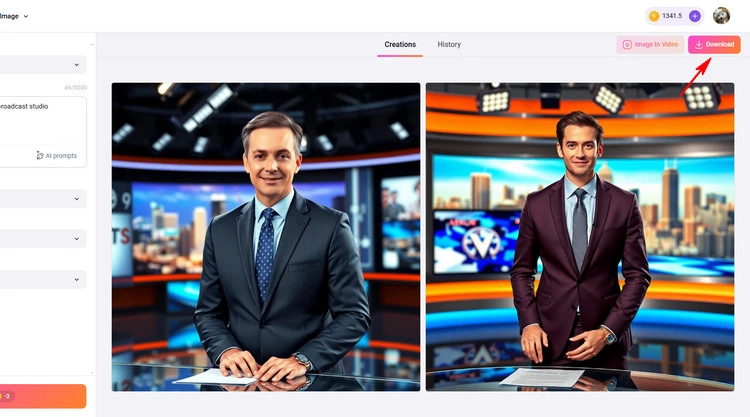
Step 3
Download AI-generated news anchor images or share them directly on social media platforms.
Download Your AI Image - FlexClip

Download Your AI Image - FlexClip

How to Create AI News Anchor Video?

Step 1
Enter FlexClip’s AI image to video generator page and upload the previously generated AI new anchor image to generate different kinds of AI news anchor videos.
Upload Photo to AI Video Generator - FlexClip

Upload Photo to AI Video Generator - FlexClip

Step 2
Then, you can choose your preferred AI model. It's Veo 3.1 and Sora 2, which allow you to generate smooth movements and native audio with enhanced lip sync.
Choose AI Model - FlexClip

Choose AI Model - FlexClip

Step 3
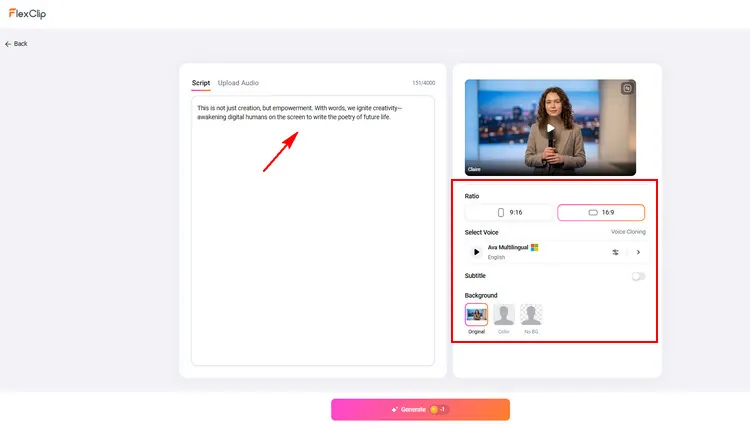
You can type a press release that you want the AI news anchor to broadcast. And choose the video duration as you like and tap the Generate button to wait for it.
Type Press Release - FlexClip

Type Press Release - FlexClip

Step 4
You can download all the AI news anchor video clips one by one and then switch to the editing page and upload them to the timeline to do more edits.
Switch to Editing Page - FlexClip

Switch to Editing Page - FlexClip

Step 5
Tap the Subtitles > AI Auto Subtitle to add corresponding subtitles to your AI news anchor video.
Add Subtitle to AI Video - FlexClip

Add Subtitle to AI Video - FlexClip

Step 6
(Plus:) If you are not satisfied with the AI-generated dubbing, you can tap the AI Tools > AI Dubbing to add different dubbing to this video.
AI Editing Feature - FlexClip

AI Editing Feature - FlexClip

Step 7
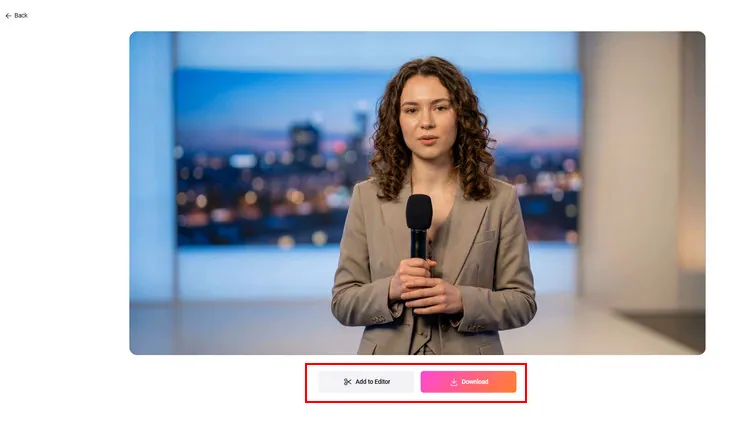
Once you are happy with this AI news anchor video, tap the Export button to download it, and you can post it on social channels.
Download Your AI Video - FlexClip

Download Your AI Video - FlexClip

2# The Benefits of FlexClip’s AI News Anchor Generator

Why recommend FlexClip to make AI news anchor video online? FlexClip is a powerful AI news anchor generator that allows you to make both AI news anchor videos and AI news anchor images as you need. With it, you can explore the endless possibilities that make your AI new anchor video unique. As an easy-to-use editing tool, there are no editing skills required for AI news anchor video production. You can enjoy the lightning-fast AI news anchor video creation there.


  • Allow you to generate AI news anchor image according to your needs - If you want to have a taste of being a news anchor, you can convert your portrait into news anchor figure with FlexClip’s AI photo editor. It will offer seamless and natural AI-generated news anchor results based on your portrait. Besides, if you want to generate a virtual AI news anchor figure, FlexClip’s AI image generator can help you! Its cutting-edge AI technology will ensure that you can get realistic and high-quality AI news anchor images that closely match your text prompt.
  • AI Photo Editor - FlexClip

    AI Photo Editor - FlexClip

  • Generate smooth AI news anchor video from an AI news anchor image - - FlexClip’s powerful AI video generator allows you to generate smooth AI news anchor video from a still image easily. Its AI will understand your video script well and create realistic, stunning AI news anchor videos corresponding to your needs. FlexClip’s AI video generator is powered by Veo 3.1 and Sora 2, which allows for generating smooth movements and native audio with lip sync in your AI news anchor video.
  • AI Video Generator - FlexClip

    AI Video Generator - FlexClip

  • Abundant AI news anchor video editing features for you to explore - Here, you can change the original dubbing in the AI-generated news anchor video through FlexClip’s AI dubbing feature. It can dub your AI news anchor videos into 140+ languages and dialects as you need. And it can generate lifelike voiceovers for you at the same time. Moreover, FlexClip’s AI auto subtitle generator can generate subtitles for your AI news anchor video automatically. It will quickly generate subtitles for your AI news anchor video in minutes and make it more accessible for viewers.
  • AI Editing Feature - FlexClip

    AI Editing Feature - FlexClip

  • Offer diverse news broadcast templates for you to choose from - FlexClip also provides diverse pre-made news video templates that are beautifully designed and easy to customize. These news templates cover breaking news videos, sports news videos, tech news, news live shows, financial news, etc.FlexClip’s template library allows you to create stunning and engaging news intros for your AI news anchor video with great ease. With an easy drag and drop, you can add these new intros and outros to your AI news anchor video to make it more engaging in minutes.
  • Breaking News
    Preview
    Breaking News
    Use This Template
    Latest News
    Preview
    Latest News
    Use This Template
    Latest News Intro
    Preview
    Latest News Intro
    Use This Template
    News Today
    Preview
    News Today
    Use This Template

    Conclusion

    This post talks about how to create a news anchor online effortlessly in the recommended AI anchor generator - FlexClip. With this online AI anchor generator, you can create a professional and realistic news anchor in seconds. Let’s have a try!

    Group 11
    Make a free video online
    Create Your First Video With FlexClip Now
    Get Started - Free