


Isn’t it harder to get viewers than ever? With endless creators releasing cooking videos every day, your recipe video can easily get lost, even if you did nothing wrong.
Here is the good news. You don’t need a professional kitchen or expensive gear to level up your cooking video. With the right tool, you can transform your ideas into viral recipe videos with just simple prompts. Follow the steps below, your next cooking video will look more professional, inspiring, and more click-worthy than ever.
AI Cooking Video Example
How to Make a Viral AI Cooking Video
The only tool we need here is FlexClip. It levels up your recipe video in every way, from generating consistent images, animating images, to designing motivating music, and editing. Let’s dive into the detailed steps.
Step 1. Generate Images
The first thing we will need are a realistic kitchen scene and a virtual character. FlexClip’s Text to Image understands your prompt and then vividly interprets your ideas into stunning visuals. Backed up with advanced image generation models like Nano Banana, Flux, OpenAI, you can render among different styles, aspect ratios in high realism.

Access FlexClip’s Text to Image tool and then describe a kitchen scene you need. Pick a generation model you like, set up image count, aspect ratio, and image style, hit Generate.
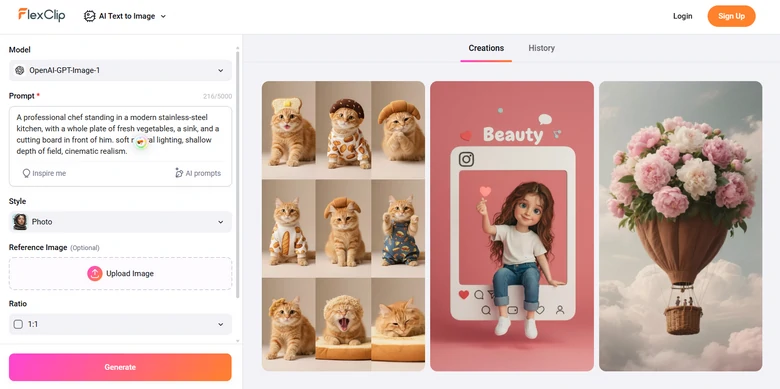
Generate Cook Scene Using FlexClip
The prompt we entered is: A professional chef standing in a modern stainless-steel kitchen, with a whole plate of fresh vegetables, a sink, and a cutting board in front of him. soft natural lighting, shallow depth of field, cinematic realism. And this is the output.
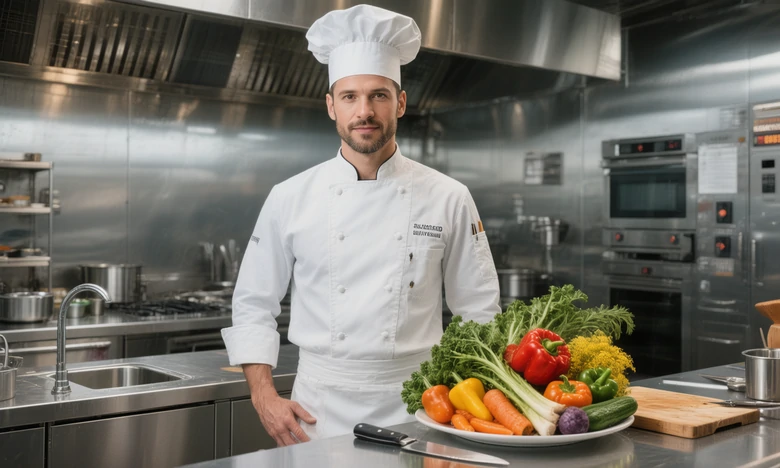
AI Cook Photo Generated with FlexClip
Step 2. Combine Multiple Images
You may need consistent characters in different kitchen scenes. That’s where FlexClip’s AI Photo Editor comes in handy. It is able to edit the photo, for instance, changing the outfit of the cook, removing utensils from the kitchen photo. It is also able to seamlessly merge two images into one.
Switch to FlexClip’s AI Photo Editor tool, upload the image you need to edit, select an AI photo editing model, then enter a prompt telling FlexClip how you want to edit the photo.
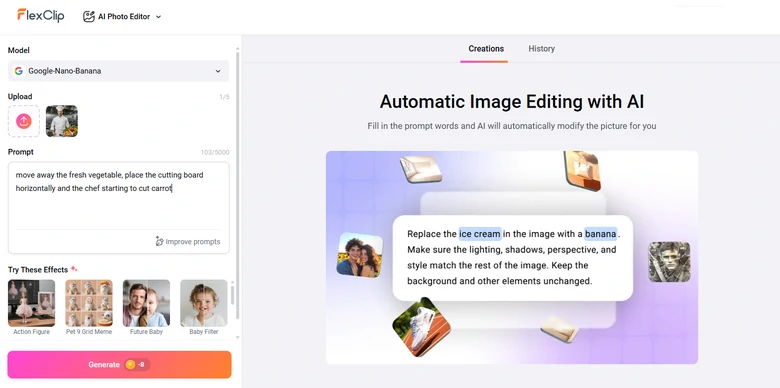
FlexClip Editing Cook Photo Using AI
For instance, we ask the chef to cut the carrot on a cutting board, this is what we got.
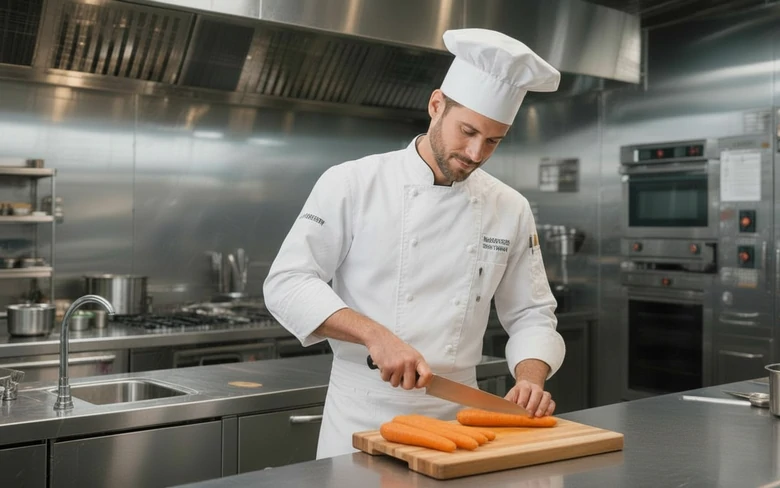
AI Edited Cook Photo from FlexClip
Step 3. Animate the Cooking Scene
Actual cooking involves washing, cutting, frying, so we got tons of animation to do here. FlexClip’s Image to Video tool animates your image in ways you want. No steep learning curve, no hallucination, no quality loss.
Go to FlexClip’s Image to Video tool. It is incorporated with the most advanced video generation models. Upload the image you want to animate, again, enter a prompt, select video duration and hit Generate. You can always get satisfying output.
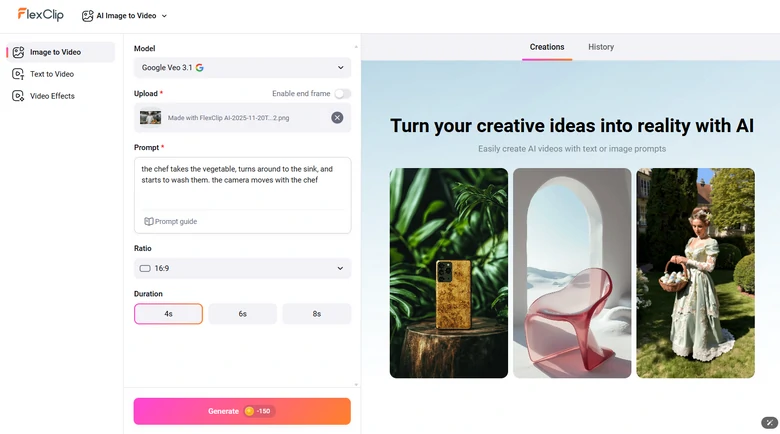
AI Generating Cooking Clip
This is the video clip we generated with the prompt: the chef takes the vegetable, turns around to the sink, and starts to wash them. the camera moves with the chef.
FlexClip Generated AI Cooking Clips
Sora 2 and Veo 3.1 are available on FlexClip. You can use them to generate AI cooking video clips with realistic audio.
Step 4. Combine All Video Clips
Now, it is time to turn to FlexClip’s timeline editor, where you can merge all AI cooking clips into a whole recipe video. Drag and drop all clips into FlexClip’s timeline, then make edits like adding captions, narrations, etc.
FlexClip’s AI timeline is quite easy to catch up with. Click any video clips you want to edit, all editing tools will pop above the preview window. The resources, like text fonts, music, photos, other AI tools like AI text-to-speech are to your left.
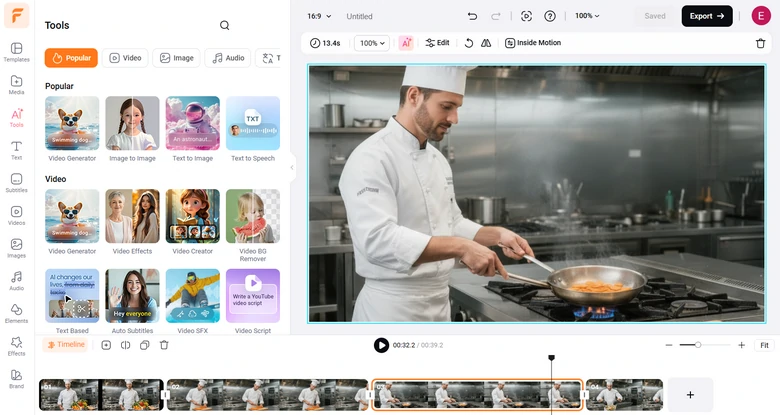
Combine Multiple Cooking Video Clips
Step 5. Instantly Share
FlexClip offers you ultimate freedom to share your video. Besides exporting to a local folder, you can save to AI cooking video to cloud services, share via a short link, or post to social media directly.
Great AI Cooking Video Generators to Try
It is not fair to recommend FlexClip only. Here we tested out 10 tools and here are 2 best AI cooking video generators that work best.
1. Pippit
Think of Pippit as a more automated version of FlexClip. While FlexClip requires manual control for tasks like image generation and animation, Pippit can automatically produce a complete AI cooking video, including voiceovers and captions, directly from your prompt. On top of that, it enhances food visuals, adjusting color, lighting, and presentation to make every dish look irresistibly appetizing.
Pippit doesn’t have a built-in editor. However, after generating the AI cooking video, you can access CapCut’s online editor to make basic edits.
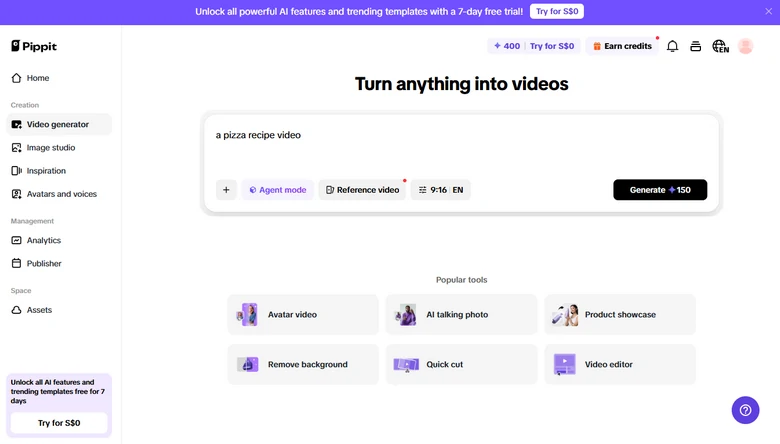
AI Cooking Video Generator - Pippit
2. HeyGen
HeyGen is an AI video generation platform that lets you turn text into full-high-quality cooking videos. Pick realistic AI chef avatars to narrate and demonstrate your recipe. This means you don’t need to film every step, the AI handles the narration, the visuals, and the flow.
You can even train an AI avatar of yourself. Upload a photo of yourself, and voice, several days later, you can use your own AI avatar.
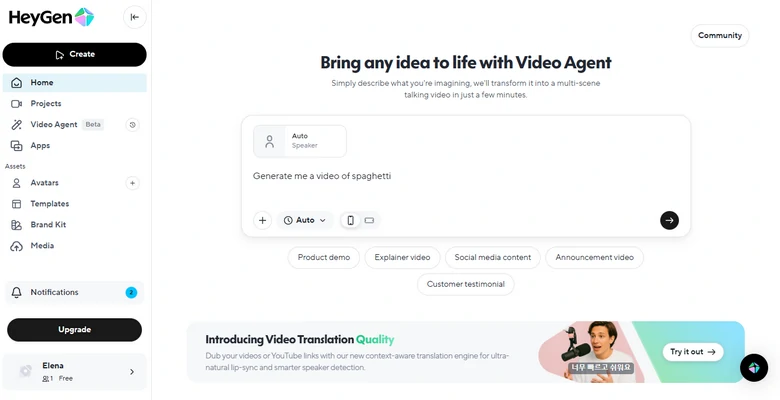
AI Cooking Video Generator - HeyGen
Frequently Asked Questions
1. Do I need real footage to create an AI cooking video?
No. AI cooking video generator can create the entire video from text alone. However, you can include real photos or clips if you want a mixed, hybrid look.
2. Can I add my own voice or avatar?
Yes, FlexClip can turn your daily shot into a cook look, then incorporate it into the kitchen scene. FlexClip’s voice clone tool can help say anything in your voice.
3. Are AI cooking videos copyright-safe?
Most AI platforms offer royalty-free output, but you should check each tool’s license to ensure commercial use is allowed. In FlexClip’s case, as long as you’ve subscribed, you can use any videos generated for commercial purposes.




FlexClip AI Video Maker
Reach professional-quality videos faster with easy editing tools, templates, and smart AI.
Start Now for Free
Hot & Trending
-

Best Ways to Find Music in YouTube Videos
-

Instagram Story Video Quality Bad After Upload? Fix It!
-

How to Repost Video on TikTok & How to Remove TikTok Repost
-

Improve Video Quality Online: 3 AI Video Quality Enhancers You Can't Miss
-

4K Convert to HD 1080p without Watermark: Best 4k Video Converters
-

Best 8 Free Video Editors - No Download Required
-

Top 13 Birthday Video Makers with Music and Effects Free
-

How to Search Filters on TikTok & Use a Filter You See - TikTok Filter Guide




