


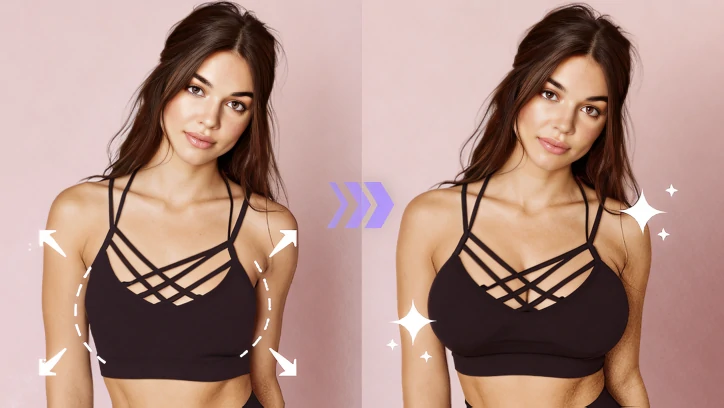
We are not promoting body shame, but everyone wants to look a little more in line with their ideal body shape. With today’s AI tools, you can easily enhance your look by making edits like slimming waist, adding abs, and most importantly, breast enlargement.
In this post, we will explore how to enlarge your breast using AI, plus the other breast enlargement tools in the market. Check it out!

Can't Miss: Turn a Normal Photo to an AI Lingerie Photo >
How to Enlarge Your Breasts
Step 1. Upload Your Photo
Access FlexClip’s Photo Editor, drag and drop your image to the upload section. This is the example image we will be using.
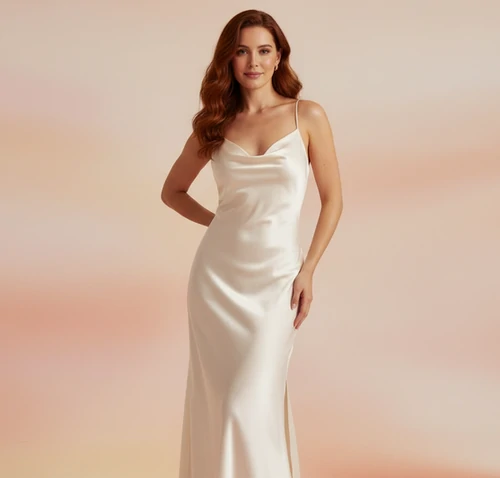
AI Breast Expansion - Example Image
Step 2. Pick a Model
FlexClip currently provides 8 editing models like Google Nano Banana, Flux Kontext, OpenAI, Seedream, and Qwen. Nano Banana, OpenAI, and Flux are quite strict on generating sensitive content. You can try Bytedance Seedream and Qwen directly.
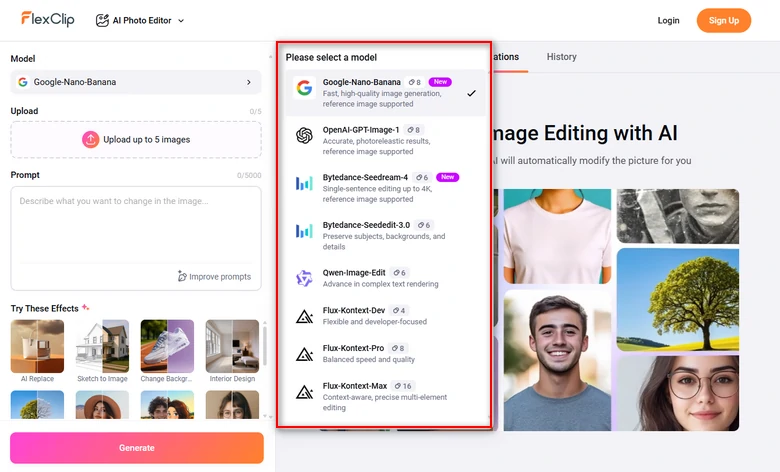
FlexClip AI Breast Expansion Generation Model
Step 3. Enter a Prompt
Enter the prompt describing the intensity of breast expansion. We put in prompt make her breast bigger while keep the same pose and natural cloth texture and folds.
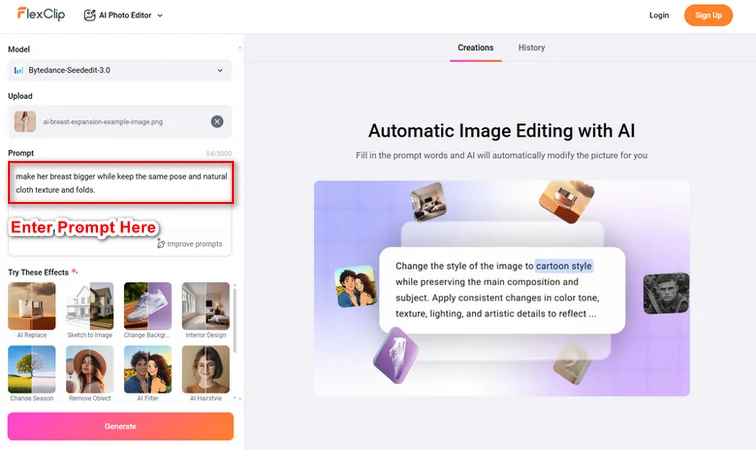
Enter a Prompt
Step 4. Preview & Export
FlexClip will finish breast expansion task within several seconds. Continue editing or post to social media directly.
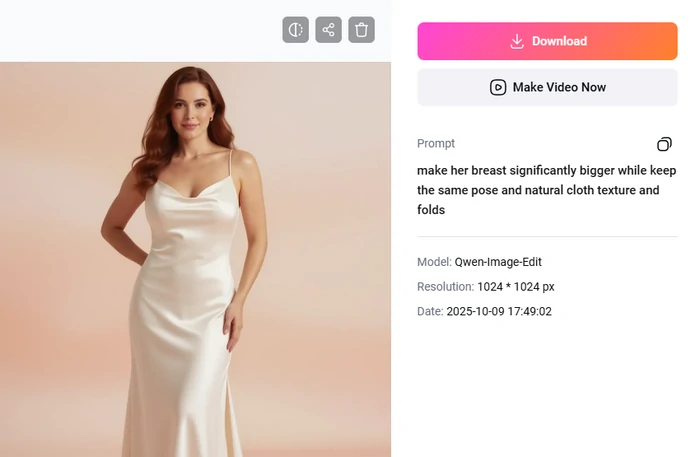
FlexClip AI Breast Expansion Output
Besides breast enlargement, you can also use FlexClip to refine body parts, for example, slimming waist, adding abs, thinning thighs, or changing skin tones. All outputs will be amazing.
What Makes FlexClip a Great Breast Enlargement AI Tool
Traditionally, you need to rely on Photoshop and fancy editing skills to get breast expansion task done. The entire process is quite unfriendly for people who are new to editing. With FlexClip, however, AI can handle all the editing tasks, saving you lots of effort and skipping steep learning curve.
AI outputs don’t always mean fake, and plastic texture. Backed up by the advanced AI photo editing models like Google Banana, OpenAI, Seedream, you can always embrace natural, enlarged breast output.
A still image is not enough to show your confidence. FlexClip’s AI image to video tool can convert a still image to natural, smooth clips. Again, use a prompt to describe a charming movement, you can get a video instantly.
Other AI Breast Expansion Tools To Try
It is easy for AI to enlarge breasts in photo, but breast expansion is still a restricted subject. Many AI tools only live in their promises and can’t really solve your problem.
In case you don’t like the way we present FlexClip, here are other tools that can also get breast expansion task done.
1. OpenArt
Instead of letting AI taking over everything, OpenArt gives you control over the editing. It employs sophisticated inpainting algorithms, allowing you to modify selected areas of the image. This makes sure the enhancements don’t affect other parts of the image.
In the meanwhile, OpenArt is trained on real images. It knows how to blend the enhancements with the original image, preserving realism and detail.
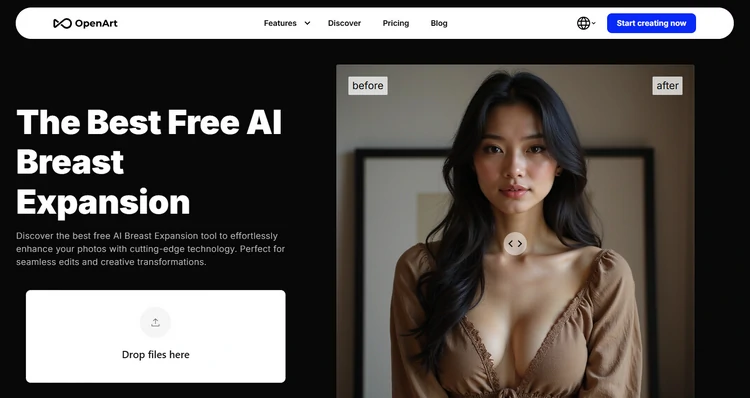
OpenArt AI Breast Expansion Tool
Pros of Using OpenArt
Cons of Using OpenArt
2. YouCam Perfect
YouCam Perfect is an unique tool where AI meets manual operation. This app offers you a slider where you can easily adjust the chest size. Additionally, it utilizes advanced AI algorithms to ensure any modifications appear realistic and proportionate to the rest of the body.
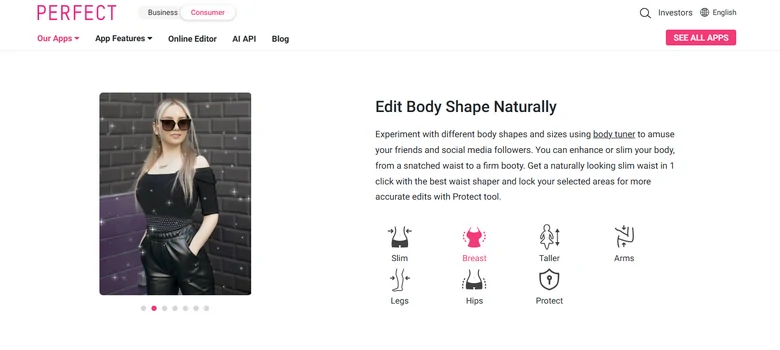
YouCam Perfect AI Breast Expansion Tool
Pros of Using YouCam Perfect
Cons of Using YouCam Perfect
3. Clipfly
Let a video to showcase your charm and confidence. With built-in model, Clipfly turns a still image into a breast expansion video. Fast, easy, and visually striking adjustments with minimal user effort.
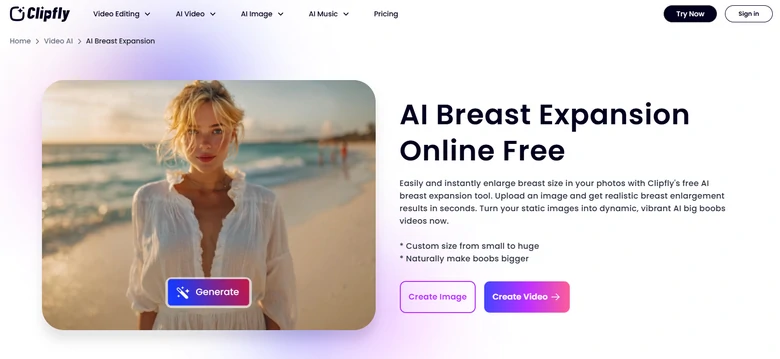
Clipfly AI Breast Expansion Tool
Pros of Using Clipfly
Cons of Using Clipfly
FAQs About AI Breast Expansion
1. Is AI breast expansion tool safe to use?
The tools we recommended are all reputable. Do feel safe using them. Also, check if the platform stores or shares your photos before uploading any personal images.
2. Can AI reshaping be reversed?
Absolutely. Take FlexClip as an example, it will not adjust the original photo directly. You can quit and refer to the original photo anytime you like.
3. How much does it take to do AI breast expansion?
Some of the AI breast expansion tools charge by subscription, and some by credits. FlexClip adopts the fair credit-based pricing policy. It takes only 4-16 credits for each generation, depending on which model you are using. 300 credits takes $13.99.




FlexClip Video Maker
The easiest way to help you create custom videos, no design skills needed.
Start Now for Free
Hot & Trending
-

Ultimate Tik Tok Guide – How to Tik Tok & How to Make a Tik Tok Video that Gets Likes
-

7 Best Ways to Find Music in YouTube Videos
-

Instagram Story Video Quality Bad After Upload? Fix It!
-

How to Repost Video on TikTok & How to Remove TikTok Repost
-

Improve Video Quality Online: 3 AI Video Quality Enhancers You Can't Miss
-

4K Convert to HD 1080p without Watermark: Best 4k Video Converters
-
How to Change Face in Video on Phone/Desktop/Online
-

Top 13 Birthday Video Makers with Music and Effects Free


