


Want to share your beach vacation pics but not feeling confident about your body?
Hoping to get more views and likes on your Instagram fitness photos?
Luckily, with a six pack filter, you can instantly turn your dream physique into reality—perfect for boosting confidence or staying motivated. Here we have an abs photo editor to add realistic six-pack abs to your pictures.
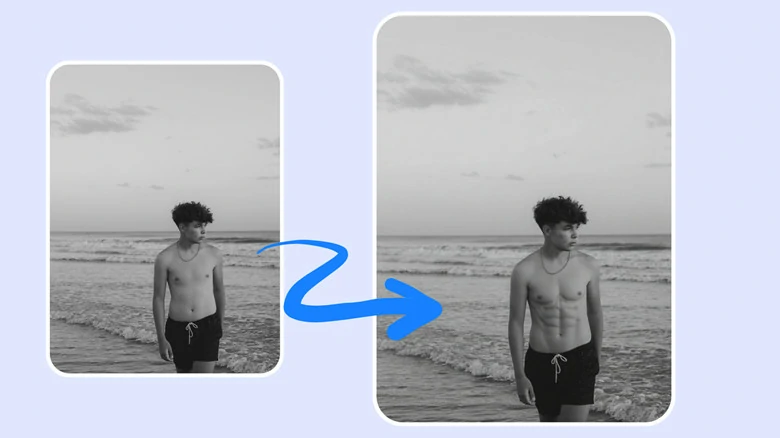
Example of Abs Before-and-After Picture
Also Interested: How to Make a Compelling Workout Video>>
Can't Miss: How to Turn Photos into Muscle Grow Videos>>
How to Add Realistic Abs to Photos in Three Ways
Want to add abdominal muscles to your photo? With FlexClip’s photo editor, you can get realistic abs in three ways.
1.Add Abs to Photo with AI Prompt
Whether you’re a man eager to have six packs or a woman looking for a healthier body shape, you can easily add realistic abs to photos in three steps.
Step 1: Upload Your Photo
Access FlexClip’s AI abs photo editor through your browser and upload the image you want to add abs.
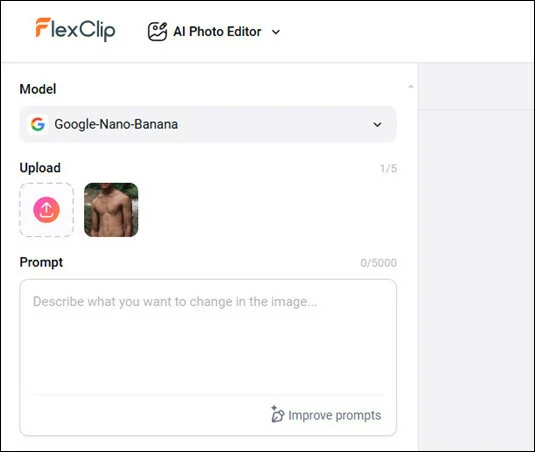
Upload Your Photo to FlexClip's Abs Filter Tool
Step 2: Add Six Packs with Prompt
Choose the generation model you like, popular options like Google Nano Banana are included. Type in add abs to photo or any similar prompt to achieve the desired result.
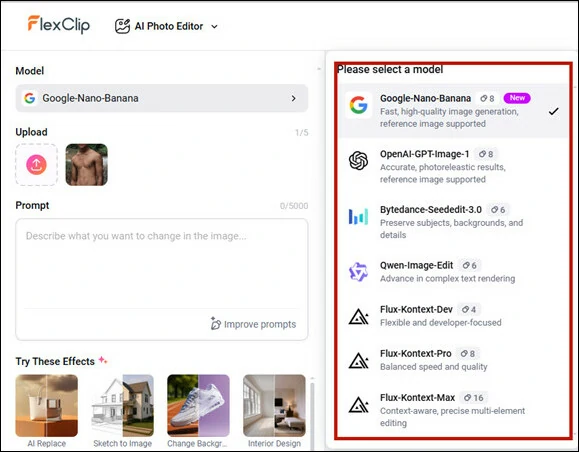
Add Six Packs to Photo with Prompt
Step 3: Generate and Download
Click the Generate button to get started. In seconds, you’ll have a new photo with abs so realistic they look like your own. Download it straight to your PC or share instantly on social media.
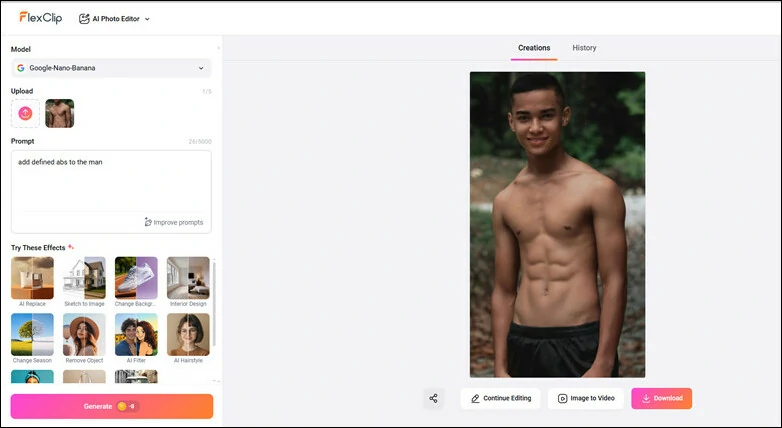
Generate Muscular Photo and Download
Here's the abs before-and-after comparison picture generated by FlexClip's AI photo editor:
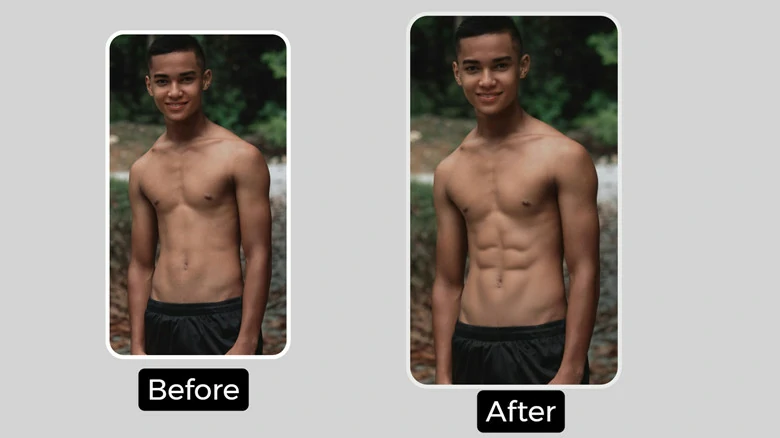
Abs Before-and-after Comparison Picture Generated by FlexClip's AI Photo Editor
2.Generate a Perfect Abs Body and Place Your Head
Another workaround to add six packs is to firstly generate a strong body with beautiful abs and seamlessly attach it to your head. Follow step-by-step guide below to make it.
Step 1: Generate a Strong Body with Defined Abs
First, open lexClip’s AI image generator and you’ll see the settings page. Describe the fitness body you want, and if you’re not satisfied, switch to AI Prompts to refine your description.
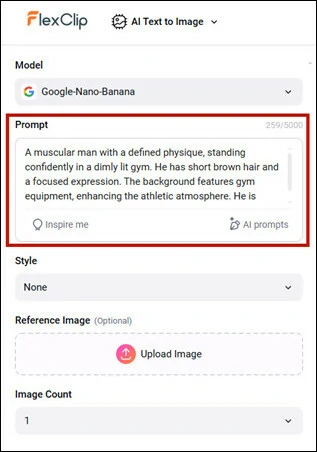
Describe Your Desired Strong Body and Improve Prompt with AI
Select the generation model, choose the image style and decide how many pictures you need before clicking on Generate button to get started
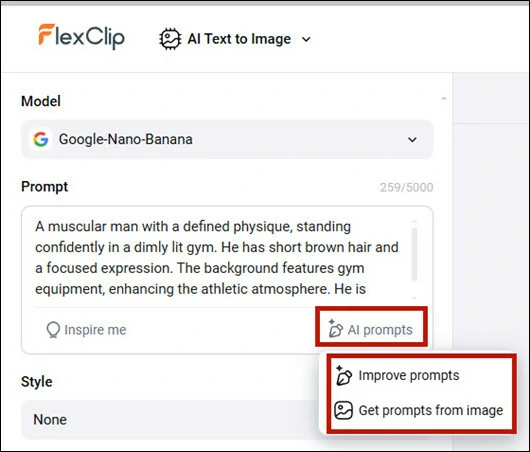
Make Setting of Image Generation and Click on Generate Button to Get Started
Step 2: Combine Your Head with the Perfect Body
Once you download the perfect AI-generated body, switch to FlexClip’s AI Face Swap Tool, where you can combine your head with the figure effortlessly.
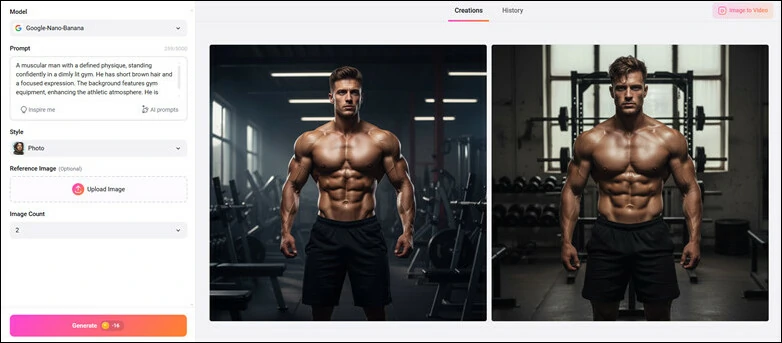
Download Your Satisfied AI-generated Picture and Switch to FlexClip's AI Face Swap
Set the AI-generated picture as your original image, then upload your own photo as the target. Now comes the magic—just hit Generate and watch your body transform with strong, defined abs seamlessly matched to your face. This isn’t just a simple swap—it’s advanced facial blending that adapts to surrounding details for a natural, realistic look.
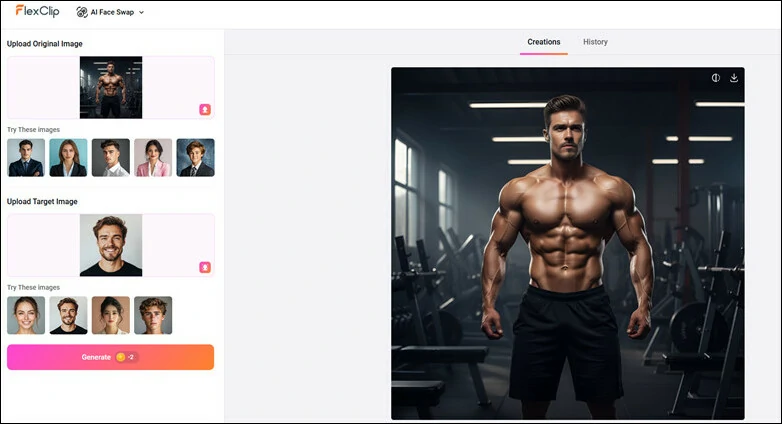
Upload Pictures and Begin Face Swap to Place Your Head over the Muscular Body
Step 3: Edit the Perfect Body Photo and Share
Now your muscular photo is ready to share. For more personal touches, upload it to FlexClip’s editor and customize it with text, fire overlays, or any effects you like.
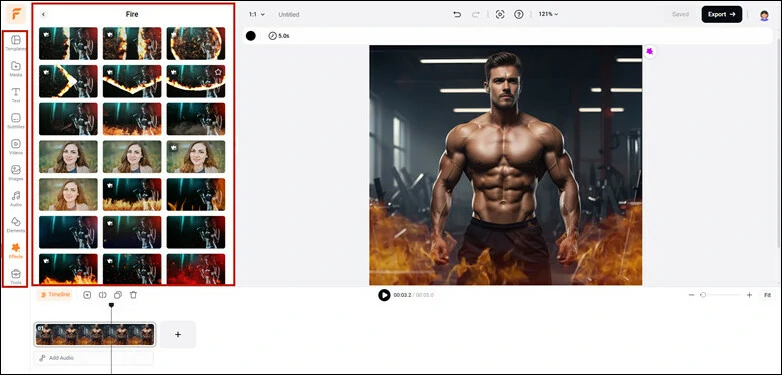
Edit the Perfect Body Photo and Share
Here's the abs before-and-after comparison picture generated by FlexClip's AI Face Swap Tool:
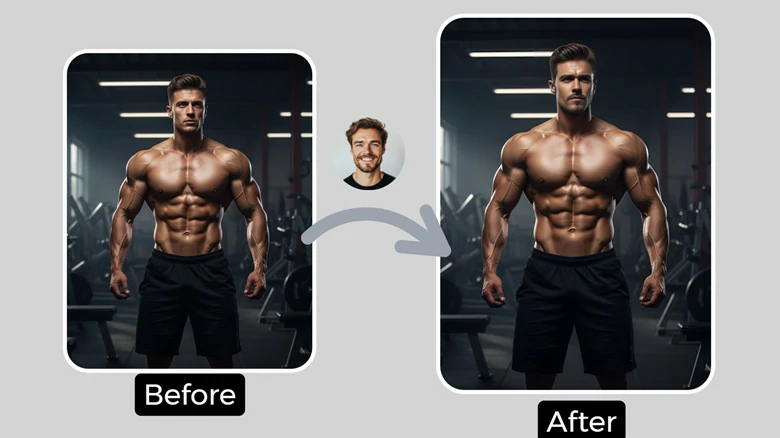
Abs Before-and-after Comparison Picture Generated by FlexClip's AI Face Swap
3.Generate AI Muscle Video and Export Frame
The final method to add abs to a photo is by using FlexClip’s AI Muscle effect. It transforms your picture into a muscle-growth video, and you can simply export a frame from it to get a new image with well-defined six-packs. Let’s see how it works.
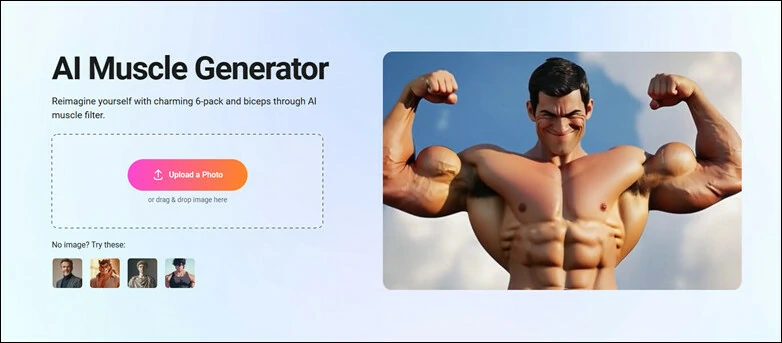
Open FlexClip's Image to Muscle Video and Upload Your Photo

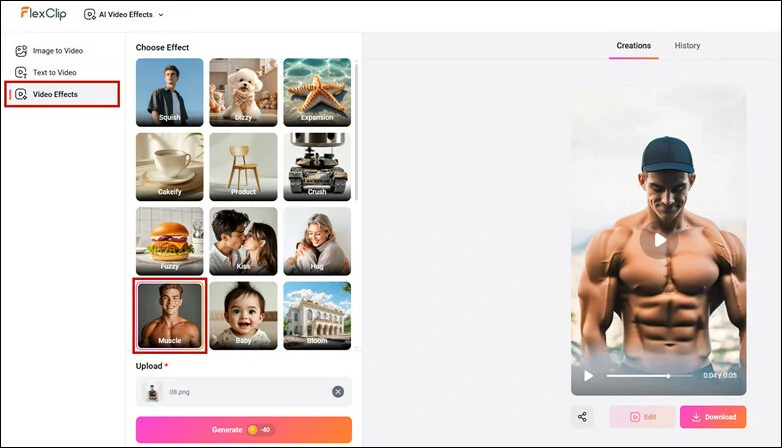
Choose Muscle Effect to Bring Your Photo into Smooth Muscle-growth Video
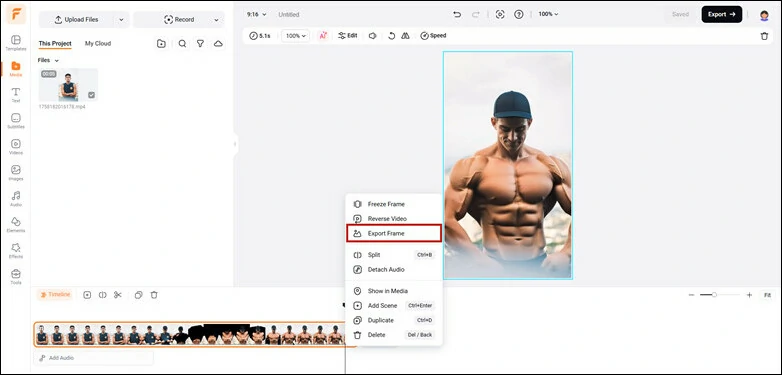
Export the Frame You Want for Six Packs Showcase
Here's the abs before-and-after comparison picture generated by FlexClip's AI Muscle Video Effect:
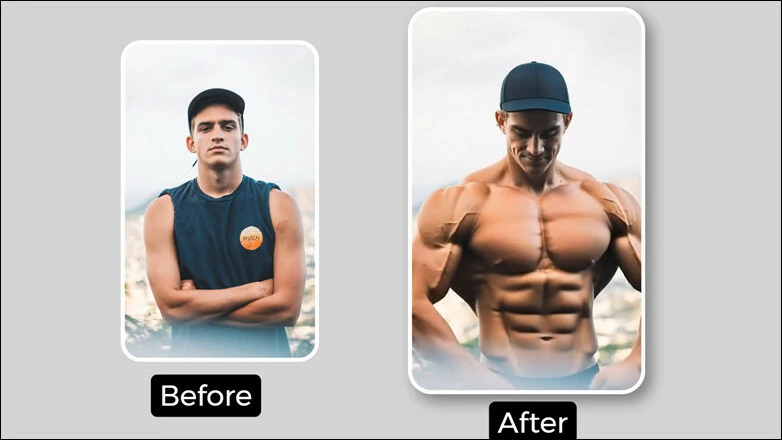
Abs Before-and-after Comparison Picture Generated by FlexClip's AI Muscle Video Effect
FlexClip is not just an excellent abs filter tool - it’s an AI playground to have fun! Let me explore more creative features for you:
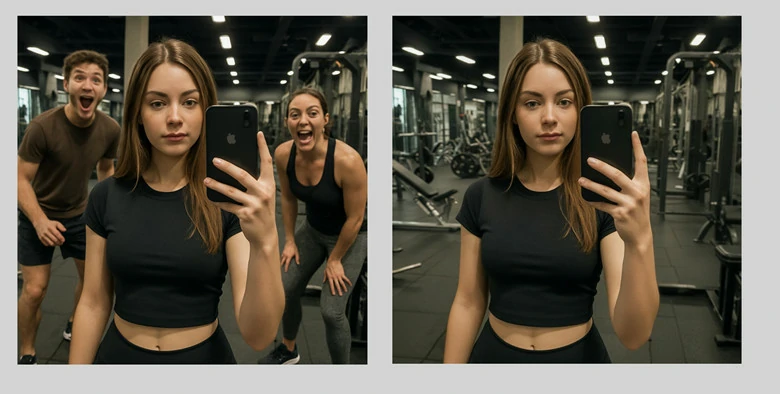
Remove Photobombers from Your Fitness Picture in FlexClip
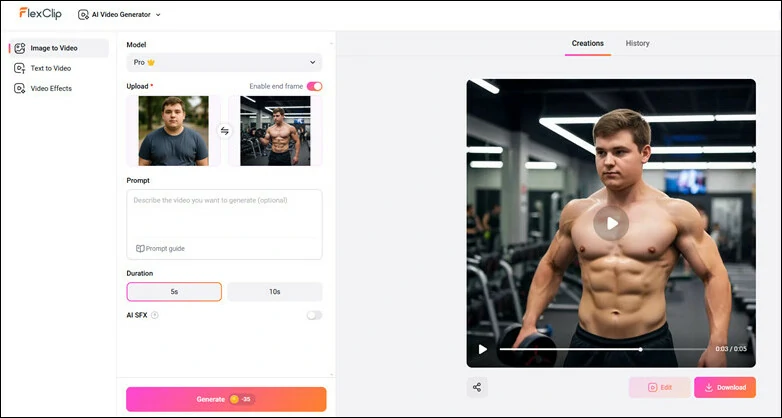
Turn Photos into Fitness Breakthrough Video Using FlexClip AI
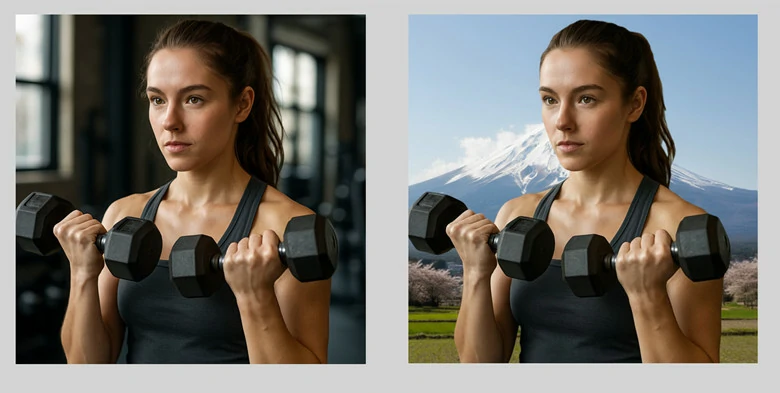
Change Your Fitness Picture for Creativity Using FlexClip
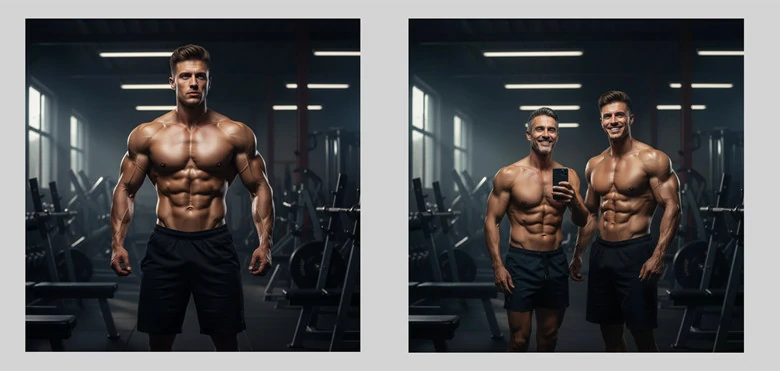
Snap a Selfie with Your Favorite Fitness Celebrity Using FlexClip
Add Abs to Photo FAQs
No. FlexClip’s abs filter is user-friendly. Jus upload a photo, define the abs you like and let AI do the rest.
Yes. Your privacy comes to the top priority. Your edits remain private and secure, with no external access to your creative process or image data. Just add defined abs to photo with peace of mind.
Mostly, it’s for fun, social media posts, or creative edits. If you want real progress tracking, it’s better to take actual fitness photos.
The Bottom Line
That’s all for how to add abs to photo for a healthier body shape. With FlexClip’s six pack filter, you can easily turn your normal pictures into muscular guy or a fit lady without much effort! Try this abs filter and get perfect six packs immediately.




FlexClip Video Maker
The easiest way to help you create custom videos, no design skills needed.
Start Now for Free
Hot & Trending
-

Ultimate Tik Tok Guide – How to Tik Tok & How to Make a Tik Tok Video that Gets Likes
-

7 Best Ways to Find Music in YouTube Videos
-

Instagram Story Video Quality Bad After Upload? Fix It!
-

How to Repost Video on TikTok & How to Remove TikTok Repost
-

Improve Video Quality Online: 3 AI Video Quality Enhancers You Can't Miss
-

4K Convert to HD 1080p without Watermark: Best 4k Video Converters
-
How to Change Face in Video on Phone/Desktop/Online
-

Top 13 Birthday Video Makers with Music and Effects Free




