


Hey, are you a devoted Zootopia fan and eagerly waiting for Zootopia 2's release? Are you eager to become your favorite Zootopia character? I'm glad you read this article that helps you make your Zootopia dreams come true!
With our recommended AI tool, you can turn yourself into the protagonist of Zootopia 2's poster and celebrate your favorite movie release moment at the same time.
Here are some example images with the AI Zootopia filter below using FlexClip. Try it!
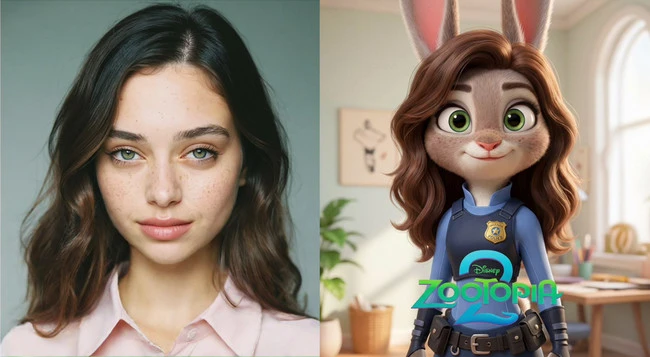
Example Image 1 - FlexClip
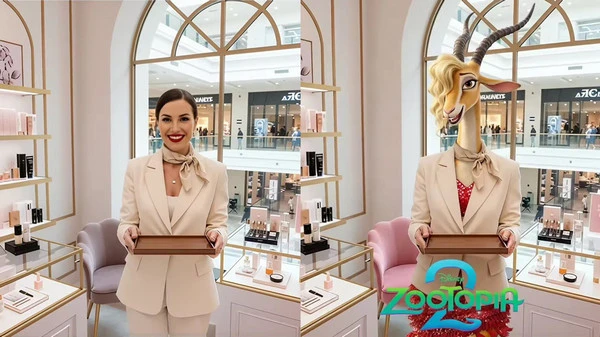
Example Image 2 - FlexClip
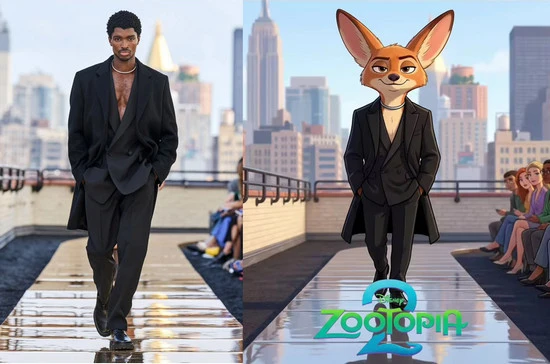
Example Image 3 - FlexClip
Also Read: Turn Your Photo into a Lego Figure >>
#1 How to Add Zootopia Filter to Your Portrait in FlexClip
Go to FlexClip’s AI photo editor page and then upload a portrait you want to apply the AI Zootopia filter.
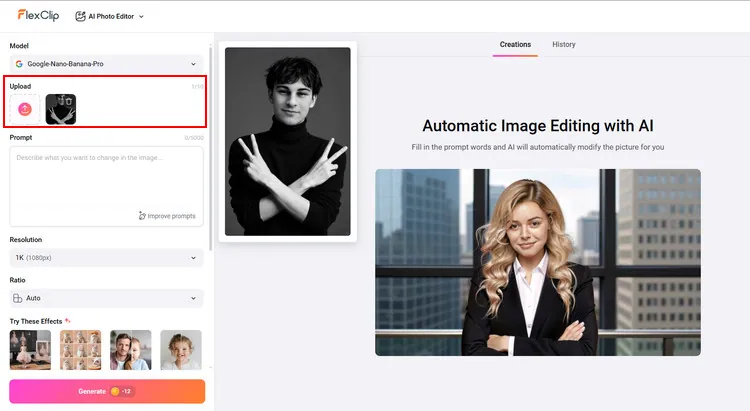
Upload Your Portrait to FlexClip - FlexClip
Type the description text in the prompt box, for example, Transform the person in the photo into Nick Wilde from Zootopia, while keeping the original pose and positioning. Hit the Generate button to wait for it.
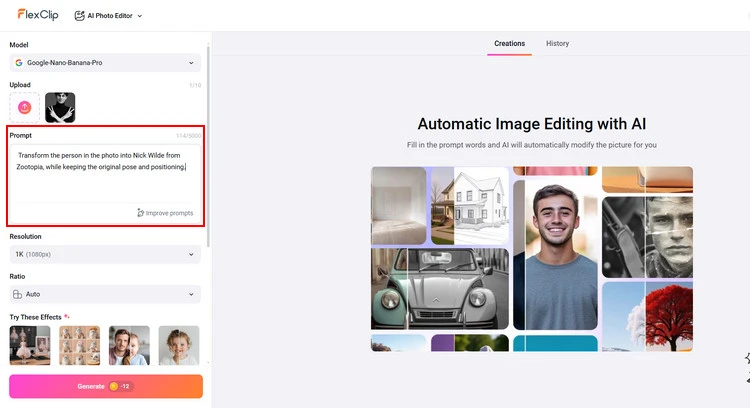
Apply AI Zootopia Filter - FlexClip
(Optional:) And you can add Zootopia 2's poster logo to your photo. You can choose to add the poster logo by typing prompts or uploading a reference photo. This will make your photo perfect.
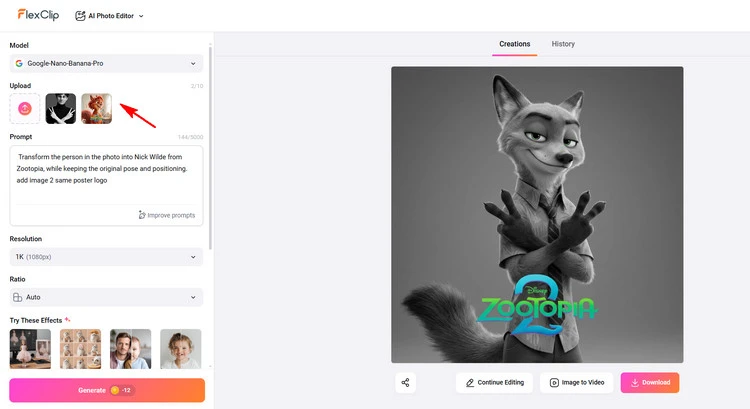
Add Poster Logo - FlexClip
Tap the Download button to save the generated Zootopia-style image to a local folder, and then you can post it directly to social media. Or you can tap the Image to Video button to turn this newly generated image into a dynamic video.
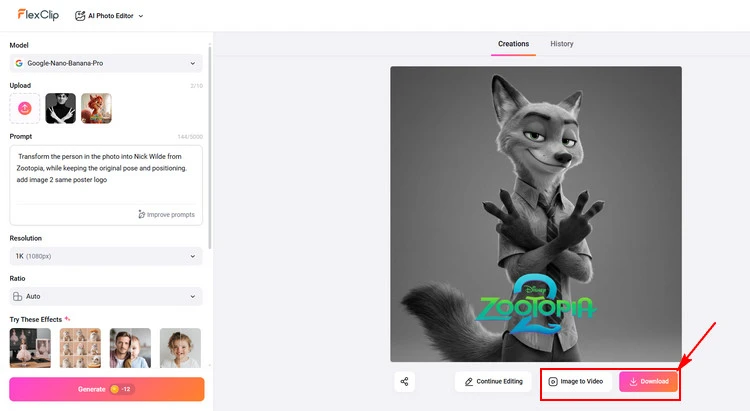
Save Your Zootopia-style Photo - FlexClip
#2 Explore More about FlexClip’s Zootopia Filter
FlexClip’s AI Zootopia filter can easily transform your selfie into a cute character in the Zootopia film. FlexClip’s AI photo editor employs cutting-edge artificial intelligence to help you experience the magic of the Zootopia filter by uploading your photo and beginning your unique character transformation. With these AI-generated Zootopia-style photos, you can share the amazing transformation on social media to express your excitement.
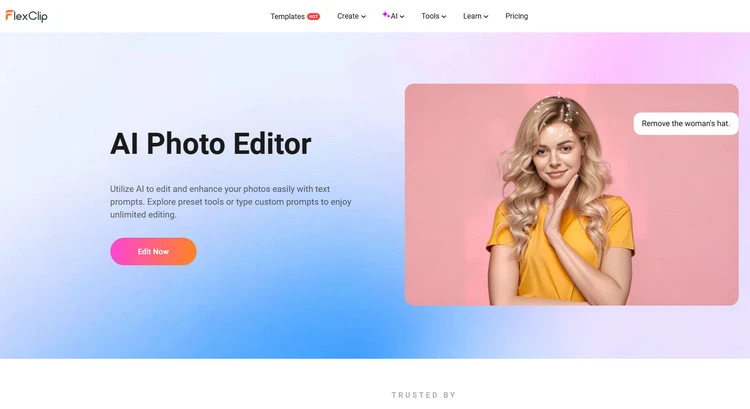
AI Photo Editor - FlexClip
And FlexClip not only enables you to add the Zootopia filter to your portrait, but also allows you to discover more ways to play around in the Zootopia world.
New Video Clip Example of Zootopia - FlexClip
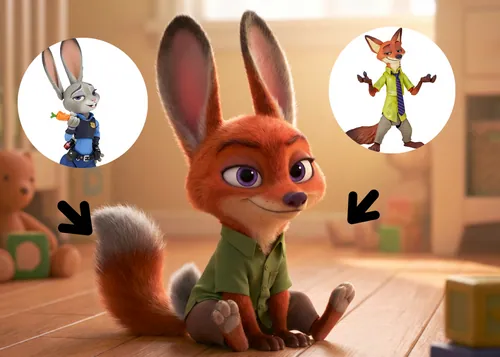
AI Future Baby Preset Example - FlexClip
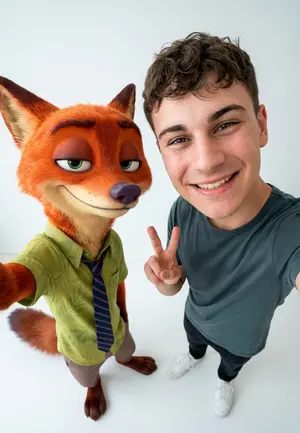
AI Group Portrait Preset Example - FlexClip
Please combine the three individuals from Image 1, Image 2, and Image 3 into a single high-angle selfie shot, with the person from Image 3 in the center. The composition should be tight, with the two main subjects close together, their heads slightly tilted upwards, and their eyes looking directly at the camera to create a strong visual impact. The person on the left should be positioned slightly forward, with their body slightly inward. The angle should be from above, exaggerating the size of their heads in a typical Japanese or Korean style selfie. The background should be a large cinema filled with people, with the screen displaying a detailed poster of Zootopia 2 (reference image 4), filling the entire screen. The overall style should be clean, bright, and natural, with a high-quality, iPhone-style front-facing selfie effect. The characters should blend seamlessly into the image, with a smooth transition, and the lighting should be bright and even. The final image should have a 3:4 aspect ratio, capturing a refined and fashionable group shot.
And upload this image photo below as the reference image 4 to FlexClip.
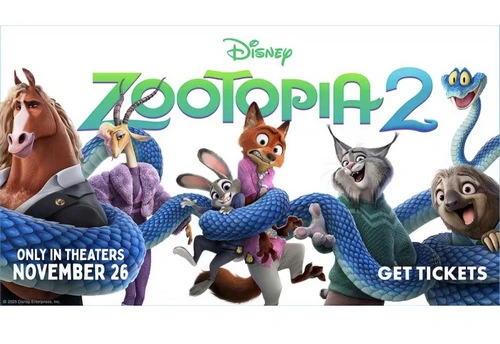
Reference Image 4 - FlexClip
Wow! You can get a photo with Judy and Nick watching Zootopia 2 at the cinema.
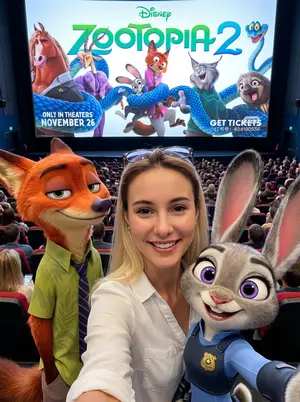
Advanced AI Group Portrait - FlexClip
Some Final Words
Now that you know how to add an amazing Zootopia filter to your photos with FlexClip’s AI effortlessly, choose your favorite Zootopia character to become them. Let’s join Judy and Nick on their adventure!




FlexClip AI Video Maker
Reach professional-quality videos faster with easy editing tools, templates, and smart AI.
Start Now for Free
Hot & Trending
-

Best Ways to Find Music in YouTube Videos
-

Instagram Story Video Quality Bad After Upload? Fix It!
-

How to Repost Video on TikTok & How to Remove TikTok Repost
-

Improve Video Quality Online: 3 AI Video Quality Enhancers You Can't Miss
-

4K Convert to HD 1080p without Watermark: Best 4k Video Converters
-

Top 13 Birthday Video Makers with Music and Effects Free
-

How to Search Filters on TikTok & Use a Filter You See - TikTok Filter Guide
-

Large Collection of Creative and Funny Birthday Video Ideas for Ones You Care




