In today's fast-moving world, where attention is limited and distractions are constant, effective training is essential for team growth and development.
Among the many training formats available, video stands out as one of the most effective. Its engaging visual nature helps capture attention, increase focus, and improve knowledge retention, making learning more impactful and memorable.
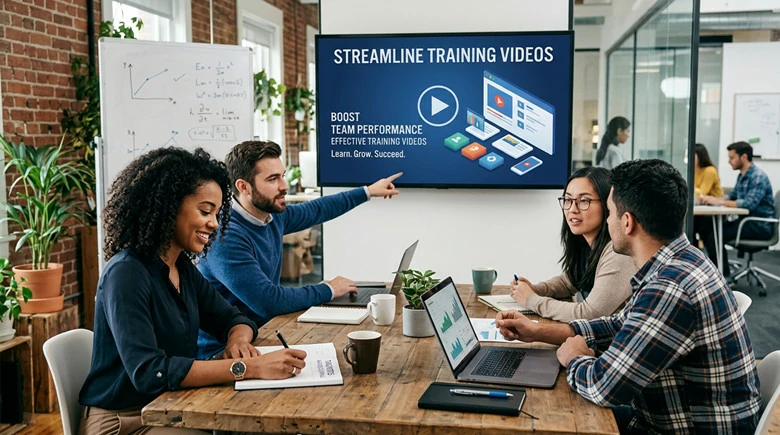
Training Videos Used in Business Learning and Development
Table of Contents:
Free and Customizable Training Video Templates for You:




Also Interested: How to Effortlessly Make Compelling AI Explainer Videos>>
Why You Need to Use Videos for Training
It’s reported that around 80% of content delivered in video format is easier to absorb and retain. This makes even more sense in an era where people increasingly rely on video to consume information. It reflects how we naturally learn—by watching, observing, and connecting information to real-world contexts.
Overall, videos can enhance your training courses for the following reasons:
In short, video isn’t the only one format for team training. But it’s very practical to scale training, reduce rework, and deliver learning that actually sticks.
Now let’s go over 10 best training video software to create diverse training videos and find the one that fits your needs.
1.FlexClip - Best All-in-one Training Video Maker Online
Known for flexibility and simplicity, FlexClip is an all-in-one training video maker that helps you deliver your message in the most effective way. Whether you want to record your screen for step-by-step tutorials, create talking head videos with company presenters, or transform documents, blog posts, or other text into engaging training videos, FlexClip provides an intuitive, all-in-one solution.
In addition, FlexClip offers over 6,000 professionally designed templates covering a wide range of business training scenarios, making it easy to create polished videos in minutes. Its Brand Kit helps you maintain a consistent visual identity by applying your logos, fonts, and colors across every video. You also get a built-in video editor packed with powerful editing tools and a rich library of stock media to customize every detail. Best of all, no video editing experience is required.
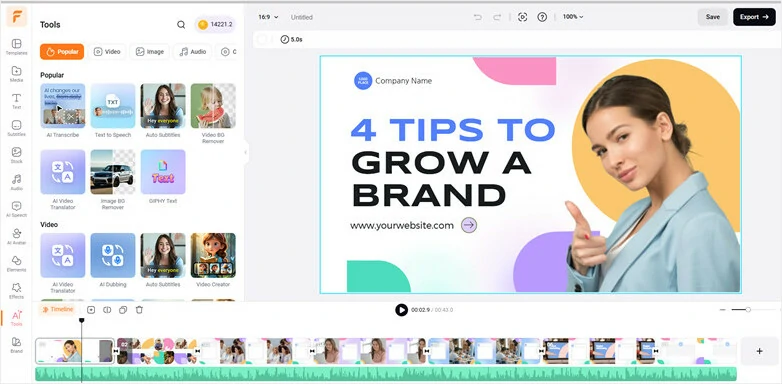
FlexClip - Best All-in-one Training Video Maker Online


Key Features of FlexClip
What Types of Video You can Create with FlexClip
FlexClip is a powerful training video maker that enables you to create professional training videos with ease, including screen-recording demos, webcam tutorials with voiceovers, presentation videos, and talking-head videos featuring AI presenters.
2.Camtasia - Best Training Video Editor for Screen Recording and Video Edits
Camtasia is a training video maker that combines screen recording and video editing in a single platform. It allows you to record your screen, webcam, and audio to create engaging instructional and training videos with ease.
After recording, you can refine your content using its built-in timeline-based editor, complete with annotations, transitions, and visual effects. Camtasia is widely used by educators, software trainers, and corporate learning and development teams for creating screencasts, tutorials, and online training materials.
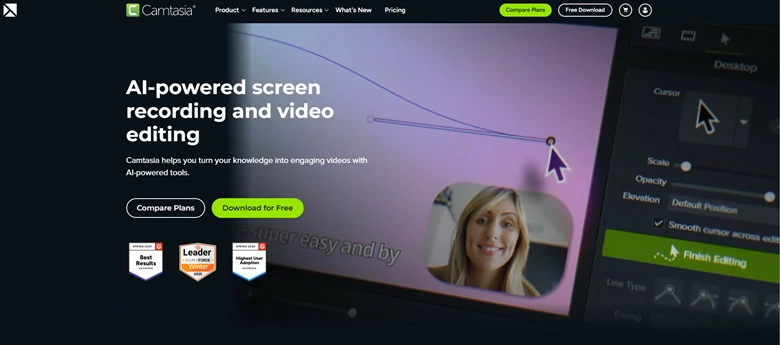
Camtasia - Best Training Video Editor for Screen Recording and Video Edits
Key Features of Camtasia
What Types of Videos You can Create with Camtasia
With Camtasia, you can build training videos, tutorials, presentation recordings, software demos, and more onscreen activities.
3.Loom - Quick Solution to Create Training Video with Screen Recording
Loom is a training video software focused on screen recording and real-time collaboration. It lets you capture your screen, webcam, and voiceover simultaneously, making it well-suited for product demonstrations, walkthroughs, and instructional content.
As a cloud-based platform, Loom enables instant sharing through automatically generated links after recording, streamlining communication and content distribution. It also includes basic analytics and engagement tracking features, allowing you to monitor how viewers interact with your videos and assess performance.
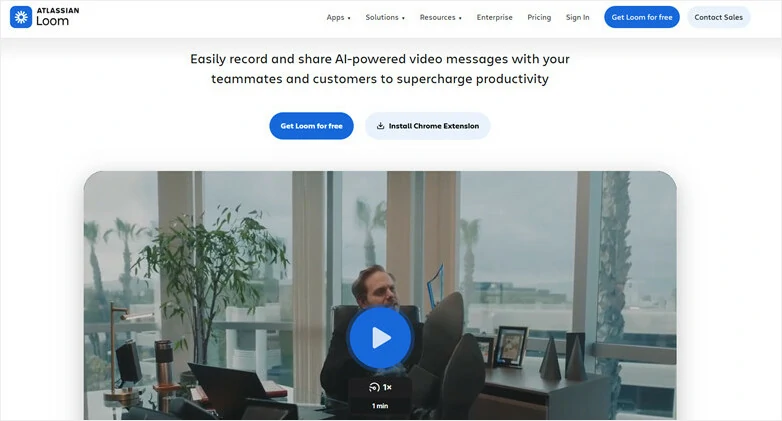
Loom - Quick Solution to Create Training Video with Screen Recording
Key Features of Loom
What Types of Videos You can Create with Loom
With Loom’s powerful screen recording capabilities, you can easily create explainer videos, software tutorials, and step-by-step walkthroughs directly from your browser.
4.Docebo - Industry-leading Training Video Platform
Docebo is an AI-powered learning management system (LMS) designed to help organizations create, deliver, and track training programs for employees, customers, and partners. It combines AI-driven content creation, personalized learning paths, and advanced analytics to deliver scalable learning experiences across global teams.
The platform integrates seamlessly with popular business tools such as Salesforce, Microsoft Teams, and Slack, making training more accessible within existing workflows. Leveraging AI, Docebo enables organizations to quickly build interactive courses, coaching scenarios, and learning content, then personalize the experience for each learner to accelerate skill development and improve training outcomes.
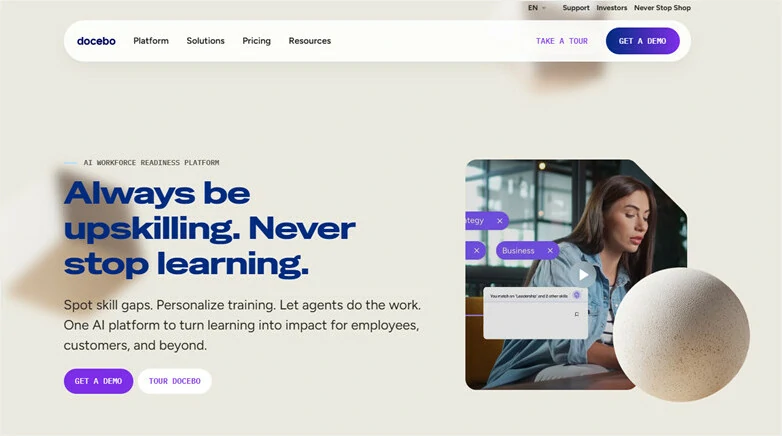
Docebo - Industry-leading Training Video Platform
Key Features of Docebo
What Types of Videos You can Create with Docebo
Docebo is an all-in-one platform to create diverse training videos, including bite-size tutorials, AI head talking videos, company compliance video and onboarding content.
5.Synthesia - Best Training Video Maker with AI Avatars
Synthesia is an AI-powered video creation tool that enables you to produce training videos without the need for on-screen talent, cameras, or studio production. It transforms traditional video creation into a simple text-to-video workflow. Instead of filming yourself, you can choose from 240+ realistic stock avatars with natural lip-sync—or even create a digital clone of yourself.
To get started, simply enter your script, select an avatar, choose a voice, and generate a branded video ready for use in any LMS or internal platform. With Synthesia’s fast and intuitive workflow, you can create professional, brand-consistent training videos in minutes while saving both time and production costs.
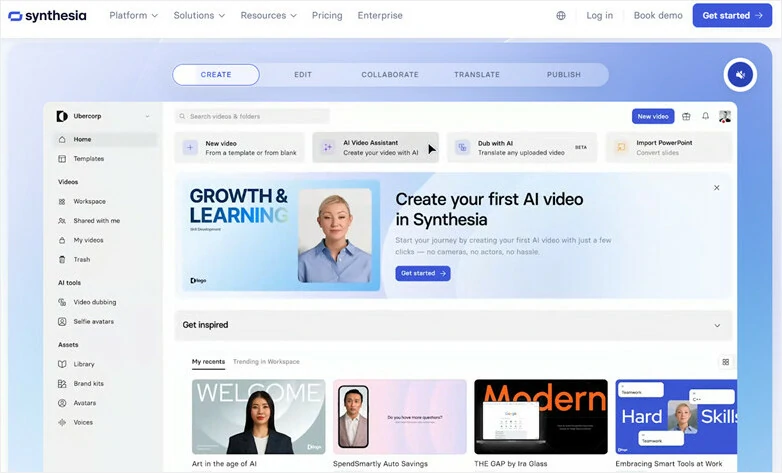
Synthesia - Best Training Video Maker with AI Avatars
Key Features of Synthesia
What Types of Videos You can Create with Synthesia
With Synthesia, you can create global team training, compliance video, standard instructional video and presenter-led onboarding content without filming real actors.
6.Vyond - Best for Animated Business Training Videos
Vyond is a web-based training video platform designed for fast and easy enterprise-ready video creation. It offers a vast library of customizable templates, allowing users to drag and drop characters, props, and scenes to produce engaging compliance, soft-skills, onboarding, and process training videos.
To streamline production, Vyond also provides AI-powered features such as text-to-video generation, AI avatars, instant video translation, and more, helping teams create professional animated training content in a fraction of the time. With Vyond, workplace training becomes as engaging and enjoyable as watching an animated show.
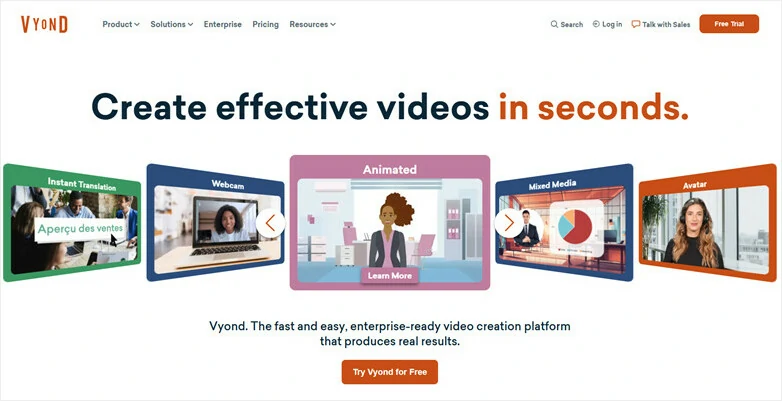
Vyond - Best for Animated Business Training Videos
Key Features of Vyond
What Types of Videos You can Create with Vyond
Vyond is ideal for creating corporate and HR training such as corporate training, compliance videos, business presentations, and onboarding materials. It uses engaging animated visuals and a professional style to make complex information easier to understand and retain.
7.LearnWorlds - Best LMS Platform for Creating and Selling Training Videos
LearnWorlds is an LMS that focuses on creating and selling online courses through video. It provides a comprehensive suite of tools that enable creators, trainers, and businesses to build engaging e-learning experiences, launch branded learning websites, market and monetize their courses, and track learner performance.
The platform also offers advanced video analytics, including data on views, rewatches, drop-off points, and learner interactions, helping course creators continuously optimize their content. With robust white-labeling capabilities, LearnWorlds allows organizations to deliver fully branded learning experiences that align with their identity.
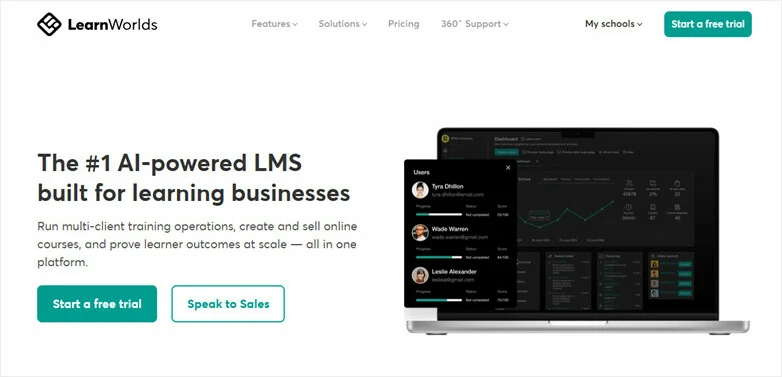
LearnWorlds - Best LMS Platform for Creating and Selling Training Videos
Key Features of LearnWorlds
What Types of Videos You can Create with LearnWorlds
LearnWorlds enables you to create and host a wide range of educational and training videos for engaging online courses. Supported formats include interactive videos, lecture-based lessons, step-by-step tutorials, and animated training content, helping learners stay engaged while improving knowledge retention.
8.iMovie - Built-in Training Video Maker for Mac
iMovie is a free training video creation tool that comes pre-installed on Mac computers. With its clean drag-and-drop interface, it provides the essential features needed to produce polished, professional-looking training videos with minimal setup.
Its built-in templates, smooth transitions, and straightforward timeline editing make it a reliable choice for small-scale training projects such as onboarding videos, internal walkthroughs, and product explainers—especially for teams already using the Apple ecosystem.
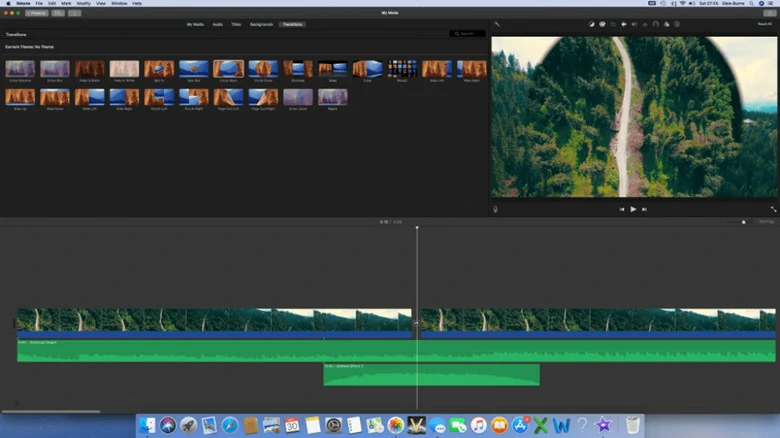
iMovie - Built-in Training Video Maker for Mac
Key Features of iMovie
What Types of Videos You can Create with iMovie
Although iMovie is beginner-friendly, it’s still powerful enough to create short videos, intros and tutorials to convey message with attractive visuals.
9.Final Cut Pro - Professional-grade video editing for Mac
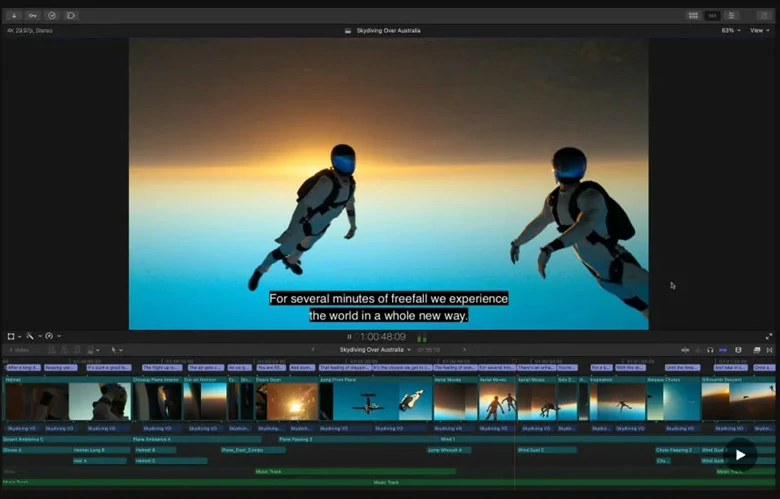
For Mac users seeking a more advanced training video maker, Final Cut Pro is a solid option. It combines high-performance editing, intelligent organization features, and AI-powered tools to streamline the entire post-production workflow. Its fast rendering speed and intuitive, professional interface make it a popular option for creating onboarding videos, product walkthroughs, and other corporate training content.
However, Final Cut Pro doesn't include built-in video hosting or LMS integration, and its feature-rich interface can feel overwhelming for users transitioning from simpler tools like iMovie or Camtasia.
Final Cut Pro - Professional-grade video editing for Mac
Key Features of Final Cut Pro
What Types of Videos You can Create with Final Cut Pro
Final Cut Pro enables you to create a variety of training and educational videos, ranging from compliance courses and onboarding presentations to voiceover-led walkthrough and explainers.
10.Adobe Premiere Pro - Top-notch Training Video Software for Professionals
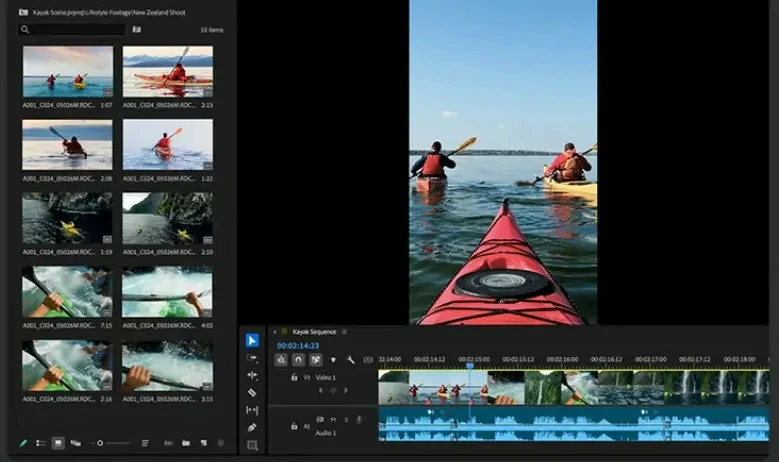
Premiere Pro is a professional-grade training video editor trusted by filmmakers, content creators, and L&D professionals alike. It offers a comprehensive set of editing tools, giving you full control over every aspect of your training videos—from color correction and audio mixing to motion graphics and multi-camera editing. For experienced video creators looking to produce polished, engaging, and dynamic training content, Premiere Pro is an excellent choice.
Adobe Premiere Pro - Top-notch Training Video Software for Professionals
Key Features of Premiere Pro
What Types of Videos You can Create with Premiere Pro
With the industry-leading training video maker, Premiere Pro helps create training videos including live action, product demonstration, onboarding, walkthrough and brand storytelling videos.
Frequently Asked Questions
1.What is the best software for making training videos?
It depends on your theme and goals. For screen recordings and software walkthroughs, Loom and Camtasia are solid choices. For animated training videos, Vyond is a strong option. If you prefer AI avatar-led videos, Synthesia is worth trying. However, if you’re looking for a more versatile yet easy-to-use all-in-one tool, FlexClip is a smart platform to experiment with.
2.How long should a training video be?
There’s no one-size-fits-all rule for training video length, but in most cases, shorter videos are more effective. Aim for 3–10 minutes per video to maintain learner engagement and improve knowledge retention. Rather than creating a single lengthy session, break complex topics into a series of bite-sized modules, each focused on a specific learning objective.
3.Can I create a training video without appearing on camera?
Certainly. You can either use screencasts to capture on-screen activities or leverage an AI avatar to turn your script into talking-head videos—all without needing a studio setup or camera.




FlexClip AI Video Maker
Reach professional-quality videos faster with easy editing tools, templates, and smart AI.
Start Now for Free
Hot & Trending
-

Best Ways to Find Music in YouTube Videos
-

Instagram Story Video Quality Bad After Upload? Fix It!
-

How to Repost Video on TikTok & How to Remove TikTok Repost
-

Improve Video Quality Online: 3 AI Video Quality Enhancers You Can't Miss
-

4K Convert to HD 1080p without Watermark: Best 4k Video Converters
-

Best 8 Free Video Editors - No Download Required
-

Top 13 Birthday Video Makers with Music and Effects Free
-

How to Search Filters on TikTok & Use a Filter You See - TikTok Filter Guide