A colored sketch is a stylized version of a photo that looks like it was hand-drawn with colored pencils or markers. So have you ever wondered what your favorite selfie would look like as a colored pencil sketch? What if your next profile picture looked like a colored pencil drawing? Or that favorite vacation photo had the charm of a hand-sketched memory?
Whether you're trying new content ideas, designing a gift, or just bored and feeling artsy, turning a regular photo into a hand-drawn colored sketch masterpiece is easier than you think—and tons of fun. In this guide, we'll introduce a powerful photo to sketch converter called FlexClip, where it offers different ways to convert a photo into a colored sketch—no advanced design skills required!

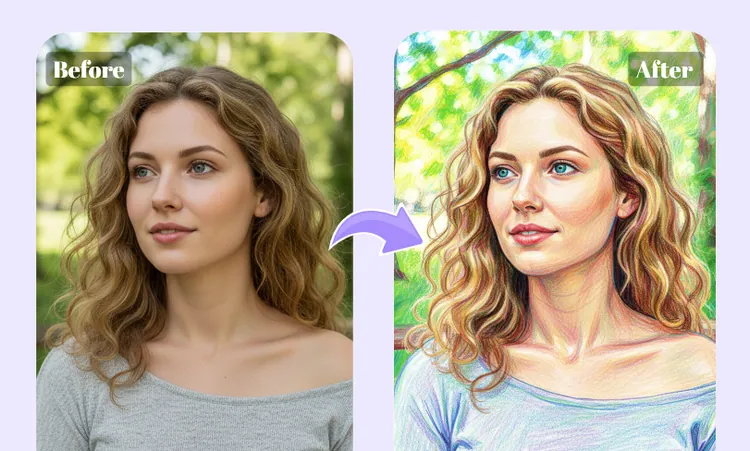
Color Sketch Examples Generated with FlexClip
Also Read: Turn Your Normal Photo into a Ghibli Style Portrait >
Method 1 Convert Your Photo to Color Sketch with AI Prompt
No drawing experience? Don't worry! FlexClip offers an advanced AI Photo Editor for you to convert an ordinary image into a color sketch simply using text prompt without spending on photo to sketch software. It turns text prompts into flawless photo edits — from background changes to pose adjustments to full colorization and image style transformation, like turning a photo to color sketch or any other art styles you want.
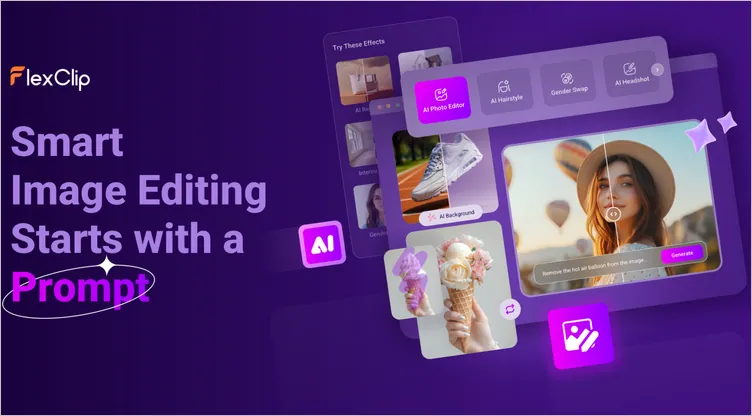
AI Photo to Color Sketch Generator: FlexClip' AI Photo Editor
When you turn a photo into a color sketch, it ensures your characters stay consistent and the true essence of the image remains intact. What's the best? Variety of integrated AI models, including Google-Nano-Banana, OpenAI-GPT-Image-1 and more, give you flexibility to experiment with different edits, effects, and color palettes. Your vision, instantly realized by entering text prompt merely.
Now, check the simples steps below to learn how to convert your photo into a color sketch using text prompt with FlexClip's AI photo editor.
Step 1 Upload Your Original Photo
Go to the AI Photo Editor, upload or drag and drop your original photo. Here are various AI models like Google-Nano-Banana, OpenAI-GPT-Image-1, Flux Kontext, etc. As for generating color sketch drawing while keeping character consistency true to the original, Nano Banana is the best choice.
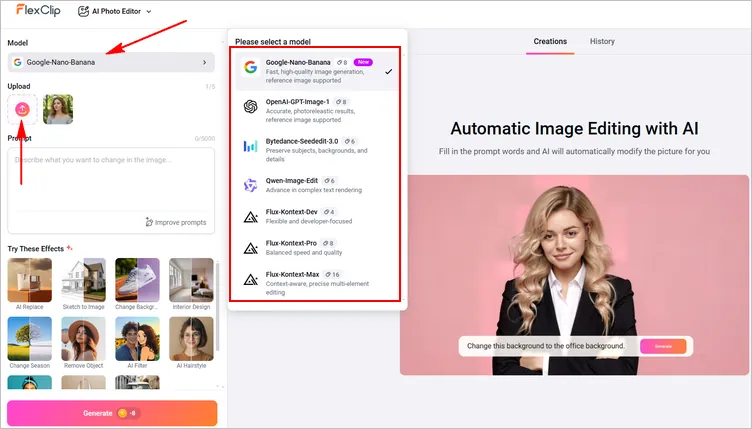
Convert Photo to Color Sketch by Prompt: Upload
Step 2 Enter Your Prompt Asking Converting Photo to Color Sketch
Now, in the prompt box, type how you want your convert your photo into a color sketch(or select the AI filter effect directly and fill in the prompt words as the color sketch), and then click the Generate button to let FlexClip process your sketch.
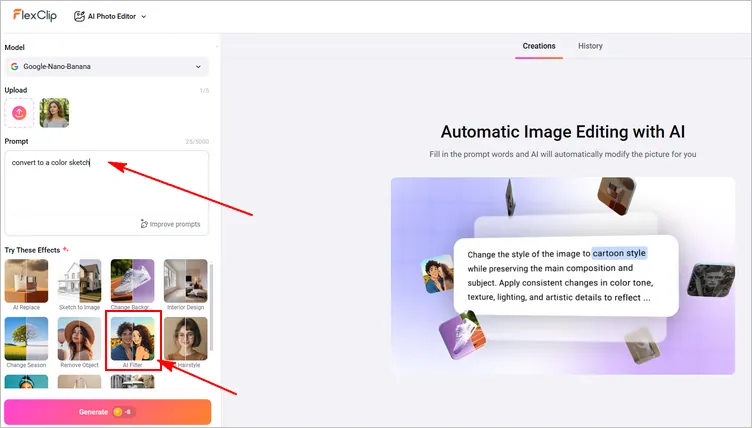
Convert Photo to Color Sketch by Prompt: Prompt
Step 3 Download and Share Your Colored Image
Once you hit Generate, you will be about to get the photo transformed into a color sketch within several seconds. Whenever you are happy with the output, you can save the image to a local folder, or post to social media directly. If not, you can continue editing via prompt to level up your colored image.
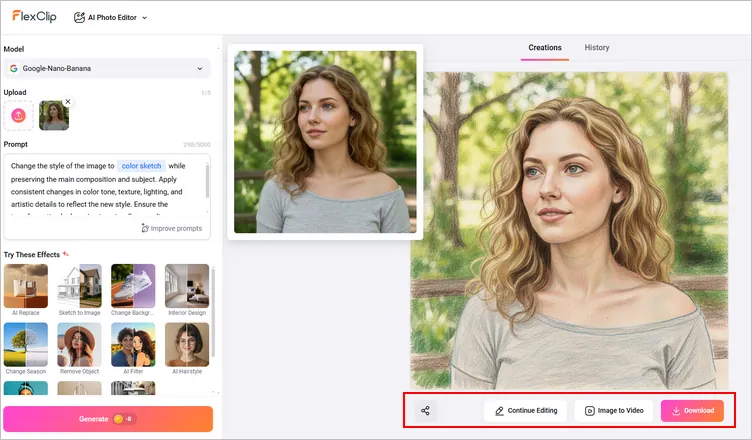
Convert Photo to Color Sketch by Prompt: Download
Method 2 Convert Your Photo to Color Sketch Using Preset Filter
Besides convert an image to color sketch drawing by text prompts using FlexClip's AI Photo editor, you can also try its image-to-image tool to instantly create a hand-drawn color sketch drawing with a preset sketch filter. With its professionally crafted color sketch filter effect, it is pretty easy to give your photos a lifelike sketching look. Whether you want to sketch faces, landscapes, or pets, FlexClip has you covered!
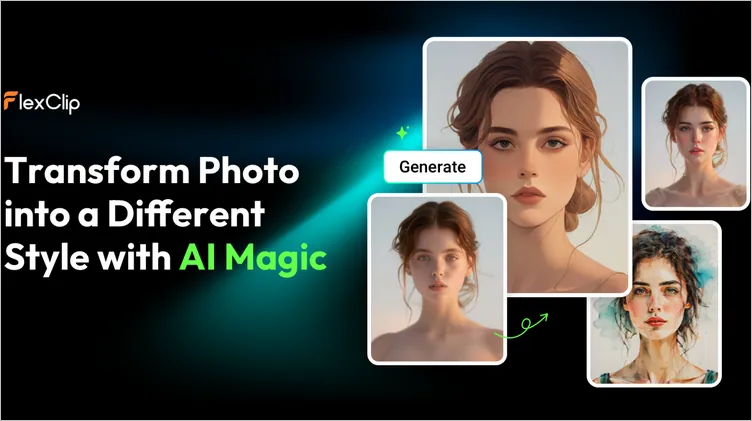
AI Photo to Color Sketch Generator: FlexClip' AI Image-to-Image Generator
Try preset sketch filter effects to instantly turn your photo into colored sketch drawing. FlexClip's image-to-image tool offers different sketch filters, like color sketch, B&W sketch, pink sketch and more that analyze your image to create realistic results. Moreover, It has lots of creative styles that can magically change your picture into anime or oil painting, 3d cartoon or watercolor, and you can even get the trendy Ghibli style to unleash your inner Miyazaki. Explore a variety of art-inspired effects to transform your images.
Quick Tip: Want to turn your photo into color sketch with AI sketch filter on your mobile device? Click the buttons below to get from app store accordingly.
Now, let's see how FlexClip's AI image-to-image tool make your color sketch come to life within seconds and marvel at its intricate details.
Step 1 Access FlexClip's AI Image to Image Tool
First, let's go to FlexClip’s image to image tool and upload your image. You don't need to download any launcher. You can convert your photo to color sketch drawing right on your browser.
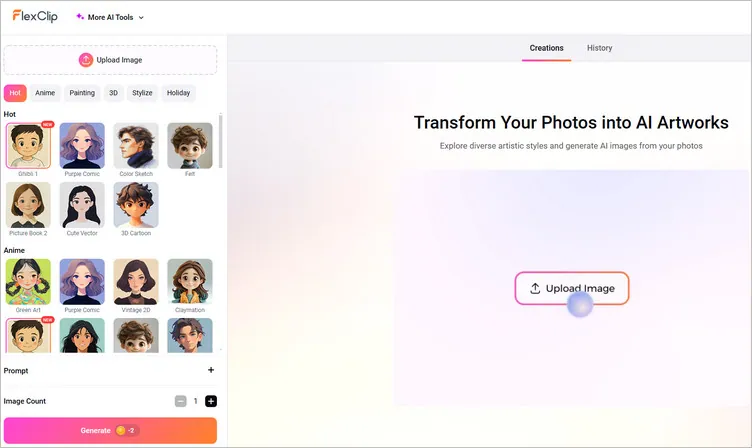
Photo to Color Sketch Using Preset Filter: Upload Your Image
Step 2 Pick a Style for Color Sketching Your Image
Select your desired AI sketch filter effect to transform your photo, you can choose from color sketch, pink sketch, mono sketch, and pencil sketch and more.
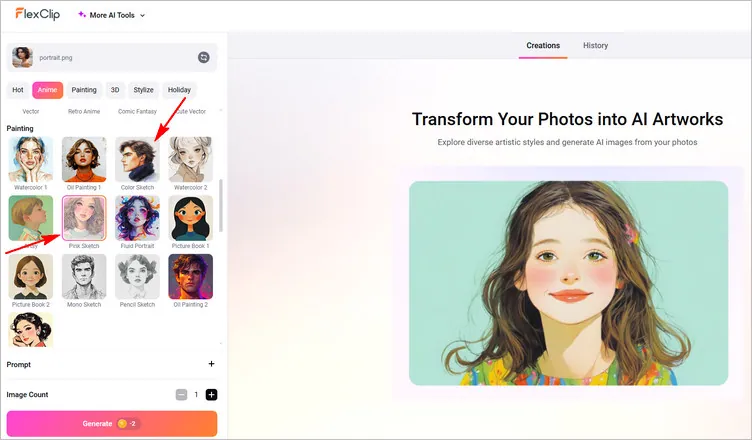
Photo to Color Sketch Using Preset Filter: Pick a Style
Step 3 Generate AI Colored Sketch from Your Photo
Select the image generation count and hit Generate. Here, you can also write a brief description defining some details to bridge the difference between the final generated image and the original one.
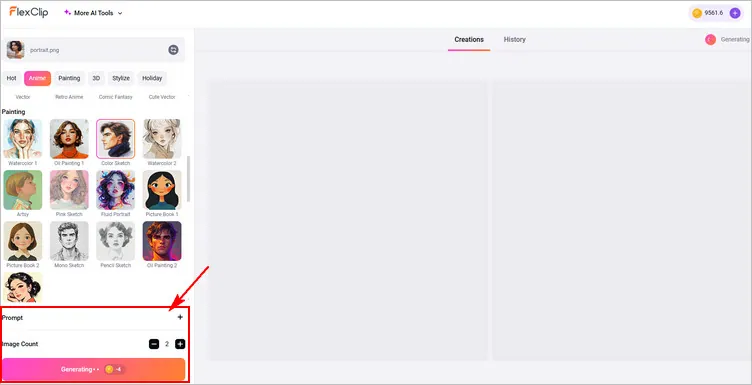
Photo to Color Sketch Using Preset Filter: Generate AI Colored Sketch
Step 4 Download and Share Your Colored Sketch Drawing
Then, the AI will analyze your photo, and different colored sketch drawings will be done instantly. You can use it image-to-video tool to animate the color sketch and make it move or directly download the AI color sketch, post it to social media platform or use the built-in editor to further edit the AI art with text, emojis, stickers, frames, and more.
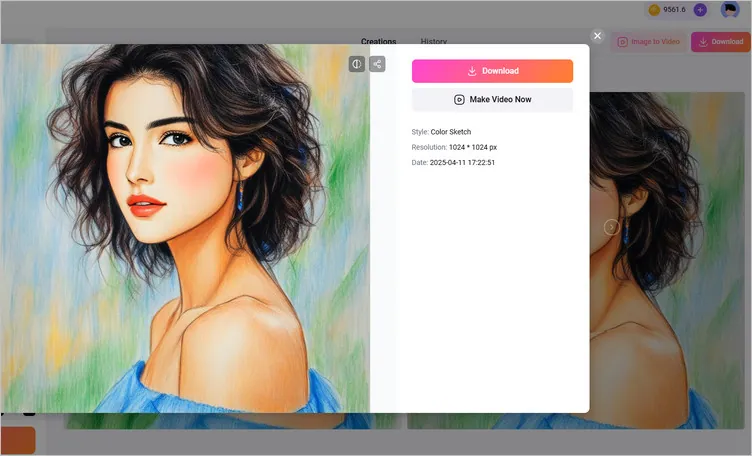
Photo to Color Sketch Using Preset Filter: Download and Share
Final Words
That’s all for how to convert a photo to color sketch using FlexClip's powerful AI tools. As you can see, With FlexClip, it’s easy to turn your photo into a colored sketch drawing. Just turn to FlexClip's AI image-to-image generator or AI photo editor and explore more styles and feature effects to transform your image right now!




FlexClip AI Video Maker
Reach professional-quality videos faster with easy editing tools, templates, and smart AI.
Start Now for Free
Hot & Trending
-

Best Ways to Find Music in YouTube Videos
-

Instagram Story Video Quality Bad After Upload? Fix It!
-

How to Repost Video on TikTok & How to Remove TikTok Repost
-

Improve Video Quality Online: 3 AI Video Quality Enhancers You Can't Miss
-

4K Convert to HD 1080p without Watermark: Best 4k Video Converters
-

Best 8 Free Video Editors - No Download Required
-

Top 13 Birthday Video Makers with Music and Effects Free
-

How to Search Filters on TikTok & Use a Filter You See - TikTok Filter Guide