


You don’t really need Photoshop and AE skills to make paper animations. Paper Animator helps you easily turn photos into eye-catching animations, right on your browser. How does it work? Why is it so special? What are other Paper Animator features? Check this post for more details.
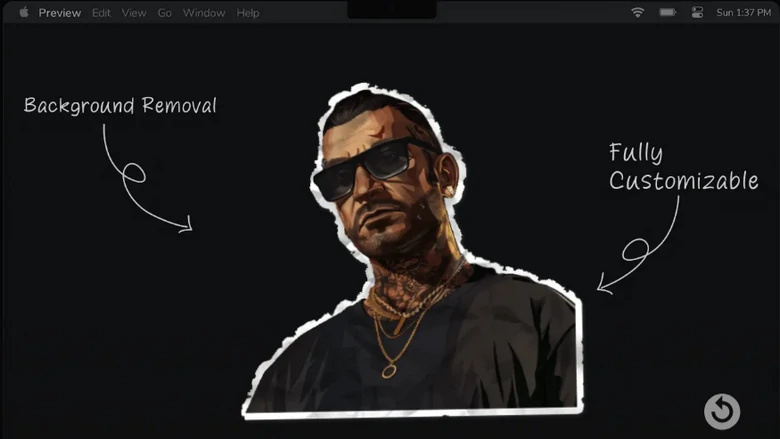
Paper Animator Preview
Table of Content
Part 1. What’s Paper Animator
Paper Animator is an animation tool ideal for anyone needing eye-catching visuals. It turns static images or text into paper-cut or folded paper style clips.
Part 2. Key Features of Paper Animator
Let’s go beyond the Image to Video Converter label, and dive deeper to Paper Animator corns.
1. Instant Paper Cut-Out & Fold-Out Animation
Paper Animator will definitely give your flat photo a little personality. A photo suddenly feels like it is made of real paper unfolding and sliding across the screen. Instead of monotonous outputs, you can add torn edges, soft shadows, adjust movement intensity to get different results each time.
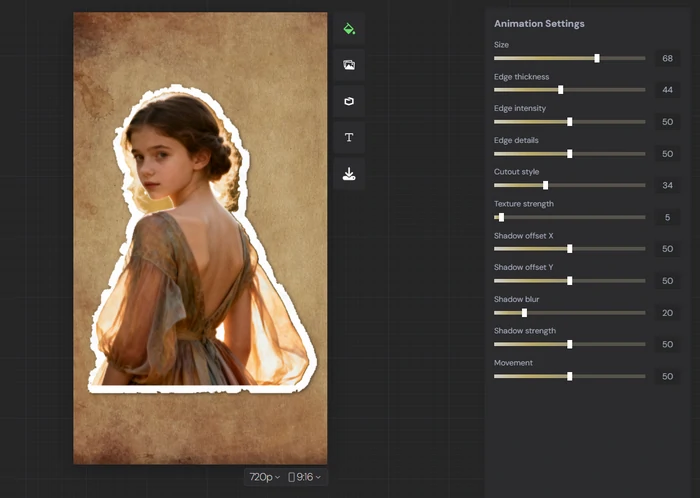
Paper Cut-Out Animation from Paper Animator Website
2. Magazine Cover Text
Any time you enter text, Paper Animator puts it on old-style paper in magazine letter style. You will never feel shy using them on your video projects, graphic design works, or even assignments.
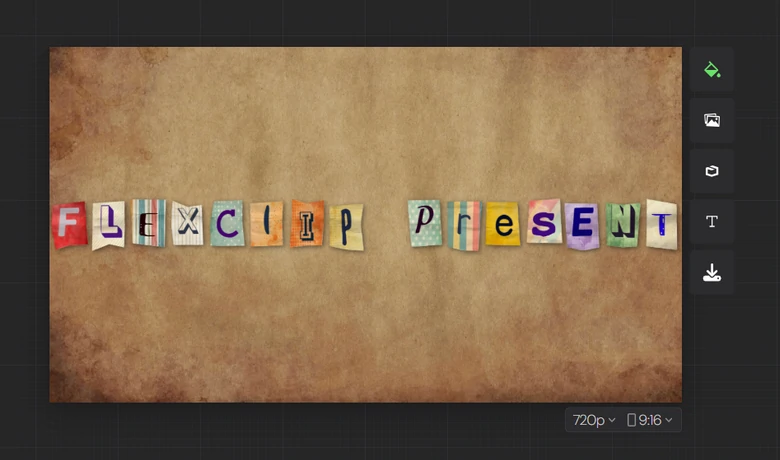
Magazine Text Generation
3. Text Match Cut
Enter any words, Paper Animator can generate a text match cut video. It can be used for promotion, social media, or fun purposes, giving people a feeling that something is of a hit of the day.
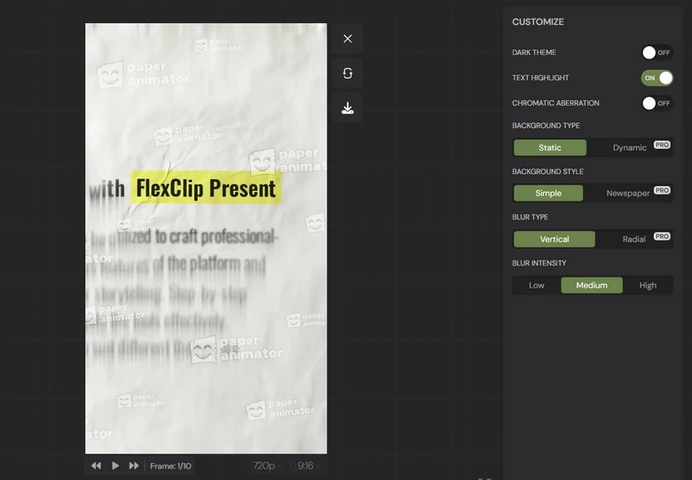
Text Match Cut
Paper Animator Downsides
How to Edit Paper Animator Clips
Paper Animator turns images into photo unfold animations. However, a single clip doesn’t tell a good story. Here we introduce you FlexClip to make edits on the paper animation clips.
FlexClip Image to Video: Turn Paper Photos into Talking Videos
Backed up by the most advanced AI video generation mode like Veo 3.1 and Sora 2, FlexClip’s Image to Video tool helps generate 4-10 second videos with perfect lip movements and voiceover. Upload the paper-style portrait, tell FlexClip how you want the portrait to move or what to say, you will soon have a talking video clip.

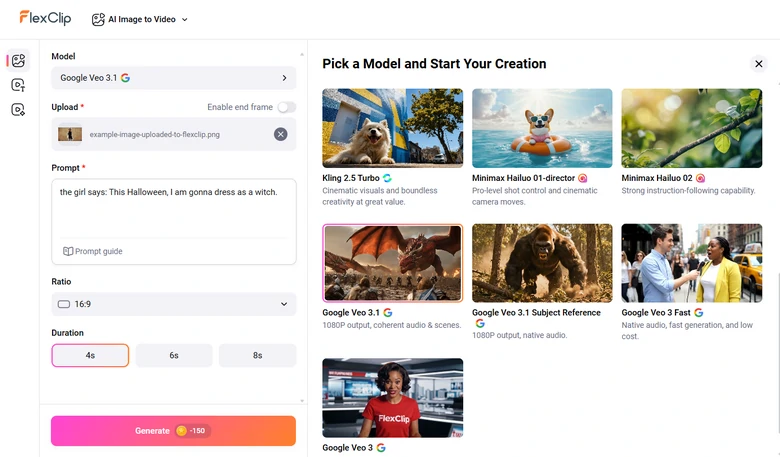
Generate Paper Animation Clip from Image Using FlexClip
We uploaded the following photo, and this is the prompt we entered: the girl says: This Halloween, I am gonna dress as a witch.
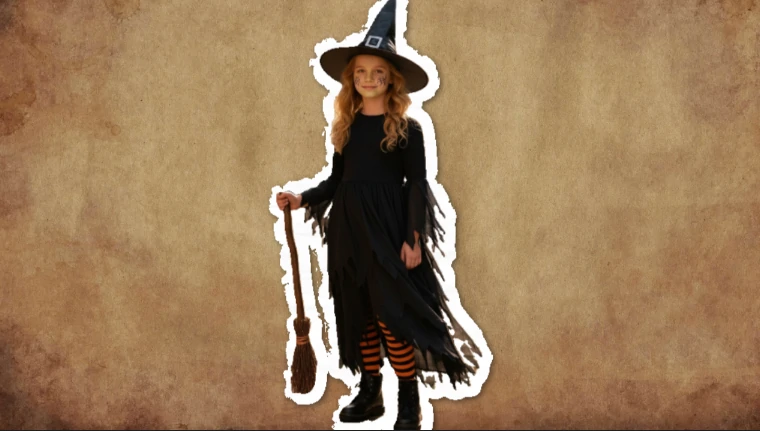
Example Image Uploaded to FlexClip
Here is the result we generated.
Paper Animation Clip Generated by FlexClip
FlexClip Editor: Combine Multiple Paper Animations into One Video
Let’s merge multiple paper animation clips to double the fun. Bring in them all to the timeline, drag and drop to change their orders, add captions, elements, you can easily create an interesting conversational video in paper animation style.
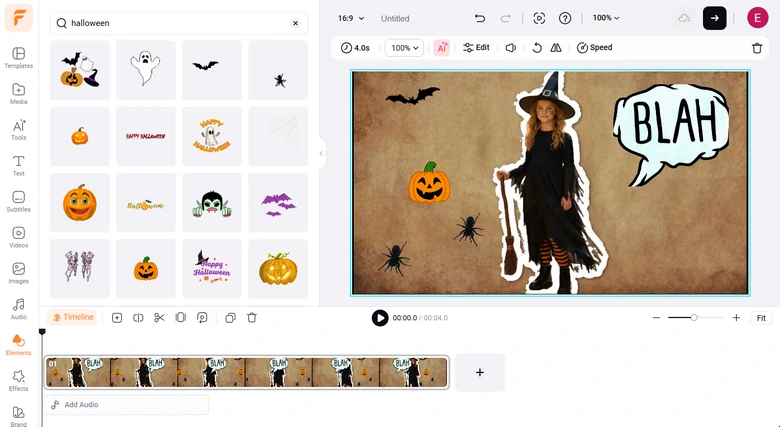
Edit Paper Animation Clip
Frequently Asked Questions
1. Can I add sound to my paper animator projects?
Currently, Paper Animator focuses on image animation and doesn’t support adding sound or music to your animations. However, you can add sound to your paper animation using a video editor like FlexClip.
2. Can I preview my animation before exporting it?
Yes, Paper Animator provides a real-time preview of your animation before exporting it. You can adjust the shadows, texture, movement, etc.
3. How much does it take to use Photo Animator?
Whenever you sign up with a new account, you can get 1 free credit for downloading a 720P video or 2 PNG images. For more credits,you can subscribe at $3.49 per month, or $2.99 for 5 credits.




FlexClip AI Video Maker
Reach professional-quality videos faster with easy editing tools, templates, and smart AI.
Start Now for Free
Hot & Trending
-

Best Ways to Find Music in YouTube Videos
-

Instagram Story Video Quality Bad After Upload? Fix It!
-

How to Repost Video on TikTok & How to Remove TikTok Repost
-

Improve Video Quality Online: 3 AI Video Quality Enhancers You Can't Miss
-

4K Convert to HD 1080p without Watermark: Best 4k Video Converters
-

Best 8 Free Video Editors - No Download Required
-

Top 13 Birthday Video Makers with Music and Effects Free
-

How to Search Filters on TikTok & Use a Filter You See - TikTok Filter Guide




