


Losing someone is already heartbreaking, and hosting a memorial event on top of that can feel overwhelming. You can easily lose yourself in coordinating guests, preparing words, and other errands. Yet, even in the chaos, it is important to share the best memories - photos that help guests connect emotionally and process sadness.
An AI memorial photo generator can quietly support this process. It easily transforms ordinary snapshots into stunning, heartfelt tributes with the power of healing. No need to download giant software, or advanced editing skills.
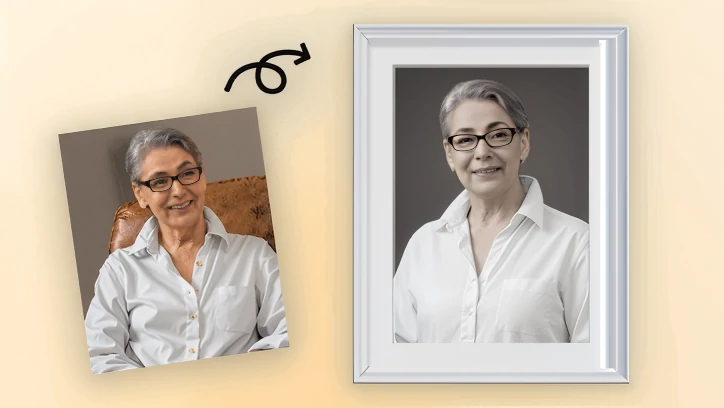
FlexClip AI Memorial Photo Maker Display Image
How to Turn a Normal Photo to a Memorial Photo
We stick to FlexClip, because it is the most handy AI memorial photo maker but generates professional-level photos. Click the Make Memorial Photo button below, follow us to witness the magic.

Step 1. Upload the Portrait
You are now at FlexClip’s AI Photo Editor. Drag and drop the lost one’s daily photo to the upload section. Here is the example image.
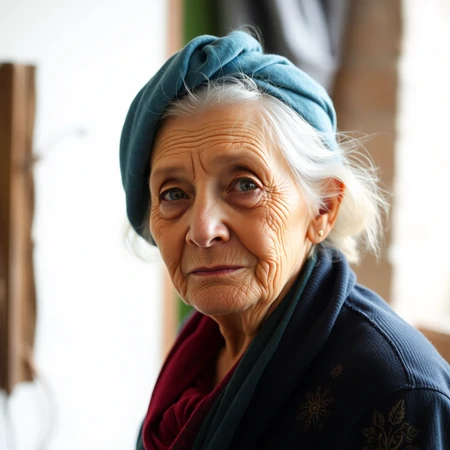
FlexClip AI Memorial Photo Maker - Example Image
FlexClip offers 8 generation models. Pick one model you love. Under Google Nano Banana, OpenAI GPT, you can upload up to 5 reference images to generate one memorial photo.
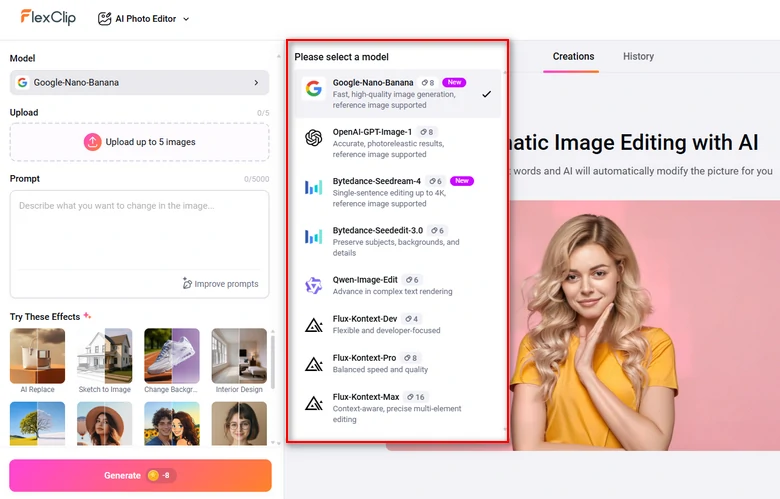
FlexClip AI Photo Editing Model
Step 2. Enter a Prompt
Describe how you want to modify the images with a simple prompt, then hit generate. This is the prompt we entered: place her at the top of thin floating clouds, a blue sky background. Decorative wooden frame the edges. memorial style.
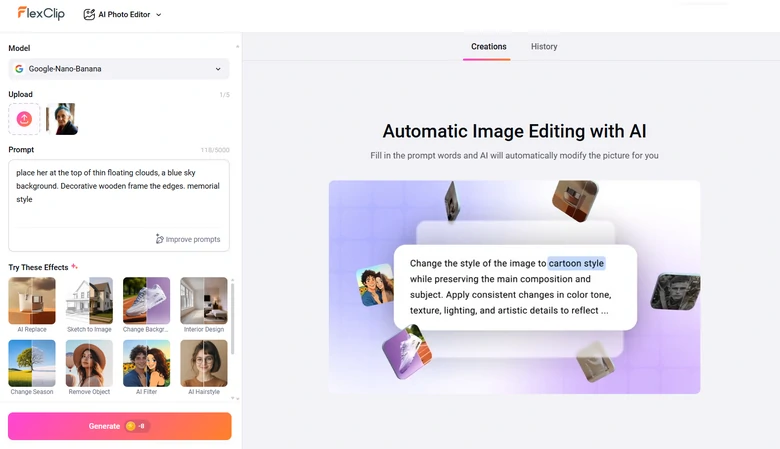
Enter AI Prompt
Step 3. Preview & Export
You are able to preview and export the generated memorial image. If you like, you can even post it to social media.
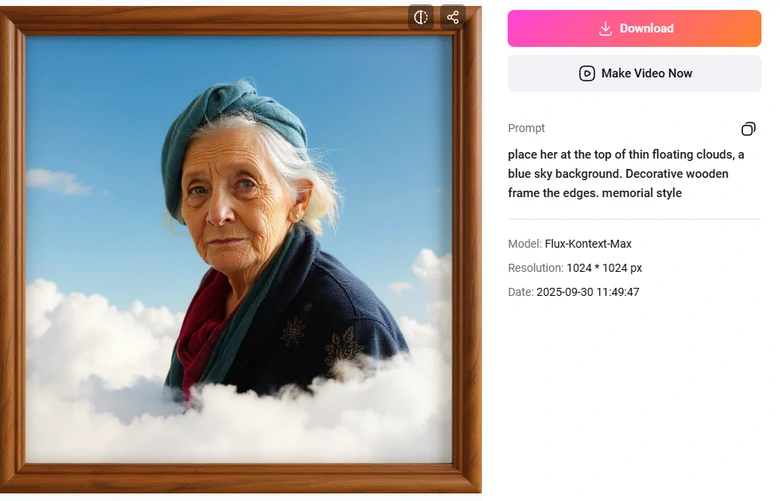
Preview Memorial Photo Output
Best Practices of AI Memorial Photo Generator
An AI memorial photo generator can transform ordinary photos into keepsakes in several ways. Here are the details.
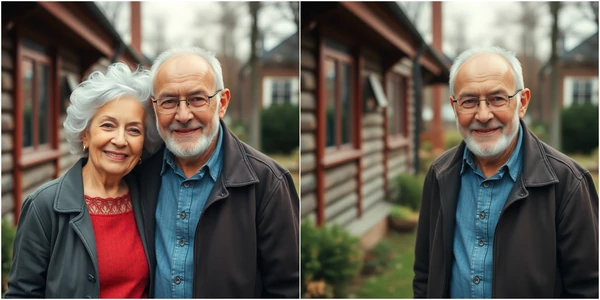
Remove Others from Group Portrait
The love one shines in group portraits, but friends, families inside can distract people from the focus. AI tools can carefully remove any people, unwanted elements, leaving only the person being honored.
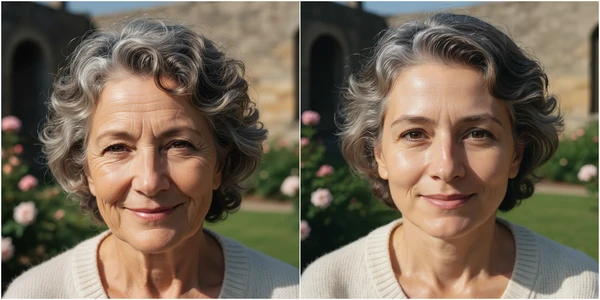
Enhance Facial Details of the Loved One
Anyone wants a beautiful last impression. AI memorial photo maker can remove wrinkles, eye bags, double chin, add a beautiful smile, change pose, etc. Ignite your creativity, make the memorial photo feel lifelike and capture the essence of the lost one.
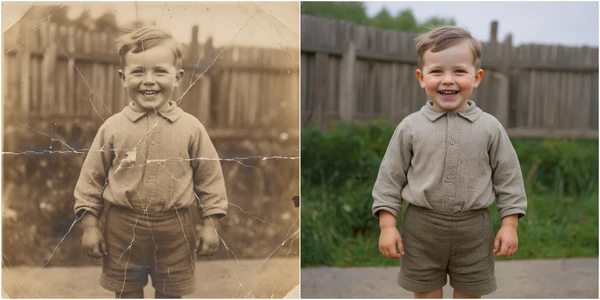
Restore and Colorize Old Photos
Old photos may be faded, torn, or lose their original color. You can bring them back to life with realistic details and vibrant color. This allows everyone to see the loved ones as they once were.
Classic Black & White Memorial Photo
Black & white style emphasizes the sad emotion over color. It evokes nostalgia, dignity and reflection. It is the choice that can never go wrong.
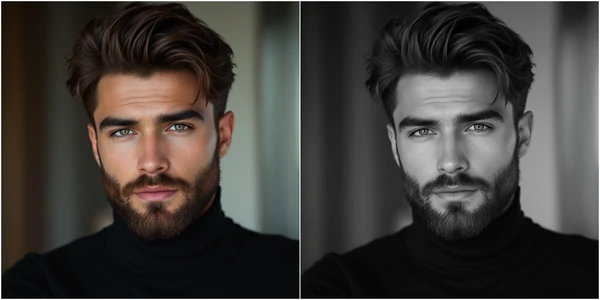
More Creative Methods to Memorize the Lost One Other
Funeral doesn’t have to be serious. Let’s make the event warm, inspiring and full of laughter. Besides transforming a daily snapshot into a memorial photo, FlexClip offers you tons of other ways to memorialize the lost one.
Memorial slideshow highlights the joy, love, and the impact of the person brought into the world. It would be a great idea to play the slideshow while giving the speech.
FlexClip is a shortcut to get a professional-level memorial slideshow. Nearly 1000 memorial slideshow video templates are free to be customized. Pick the one you love, replace the resources and make it yours.


You may want to animate a memorial photo because movements add depth, emotion and a sense of presence that a still image can’t capture.
Instead of relying on complicated animation software, try FlexClip’s AI Image to Video tool, where you can add movements to a photo using a simple prompt.
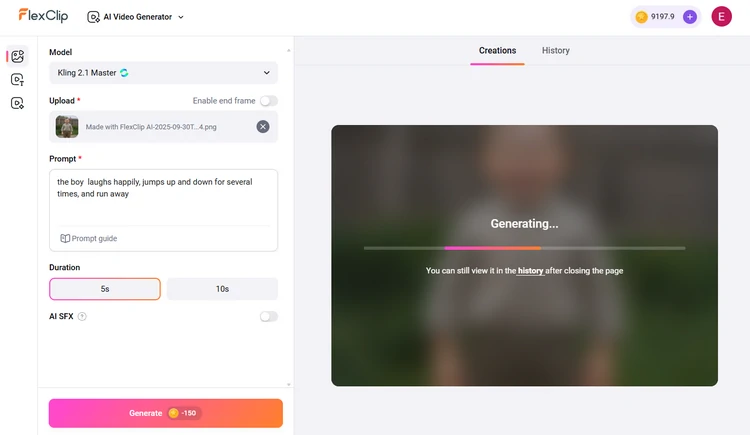
FlexClip Turn Image to Video
Here is a clip generated from a memorial photo.
FlexClip Generated Video Clip
It will be comforting to hear the deceased one again in the funeral. It is like the loved one never left! FlexClip can study the tone, accent from daily records, and speak anything for the lost one.
Like any other AI tools, FlexClip’s Voice Clone emphasizes ease of use. The entire voice clone process runs automatically. All you need to do is follow the prompt.
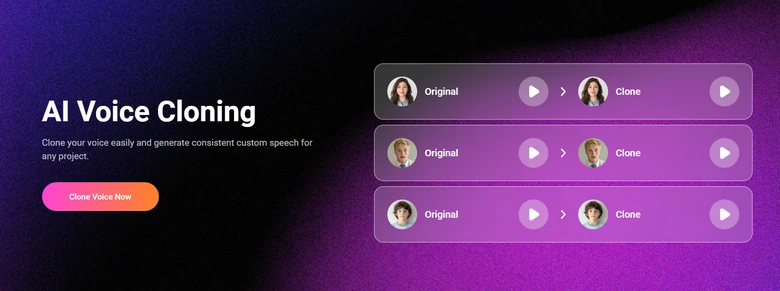
FlexClip Clone the Deceased Voice
FAQs About AI Memorial Photo Generator
1. What makes a photo feel memorial-ready?
Particular elements like subtle frames, soft filters, flowers and candles transform an ordinary picture into a meaningful tribute that conveys love and remembrance.
2. Can memorial photos be used beyond the funeral?
Yes, they can be displayed at anniversaries, kept at home as keepsakes, or shared digitally with family to keep the memory alive.
3. How much does it cost to transform a normal photo to a memorial photo?
Instead of a tedious subscription, FlexClip adopts a credit-based pricing policy to edit photos. Each generation takes 4-16, depending on the AI model you are using. 300 credits take only $14.99.




FlexClip AI Video Maker
Reach professional-quality videos faster with easy editing tools, templates, and smart AI.
Start Now for Free
Hot & Trending
-

Best Ways to Find Music in YouTube Videos
-

Instagram Story Video Quality Bad After Upload? Fix It!
-

How to Repost Video on TikTok & How to Remove TikTok Repost
-

Improve Video Quality Online: 3 AI Video Quality Enhancers You Can't Miss
-

4K Convert to HD 1080p without Watermark: Best 4k Video Converters
-

Best 8 Free Video Editors - No Download Required
-

Top 13 Birthday Video Makers with Music and Effects Free
-

How to Search Filters on TikTok & Use a Filter You See - TikTok Filter Guide




