Before creating and sharing content for Instagram, it is wise for you to know the duration limitations for every format. Post a video that doesn’t match the length requirements, you might run into upload issues, reduced reach, or content that simply doesn’t perform well.
In this guide, we will break down the current Instagram video length limitations. Also, we will also talk about how you can repurpose Instagram videos.
Instagram Video Types, Duration Limits, and Aspect Ratio Requirements
Instagram supports several video formats, Posts, Stories, Feed, and live. Each is designed for different style of content and audience engagement.
Instagram Stories
Instagram Stories are one of the most popular features for sharing quick, casual updates with followers. They appear at the top of the Instagram app and disappear automatically after 24 hours. This feature makes them quite perfect for real-time, casual content.
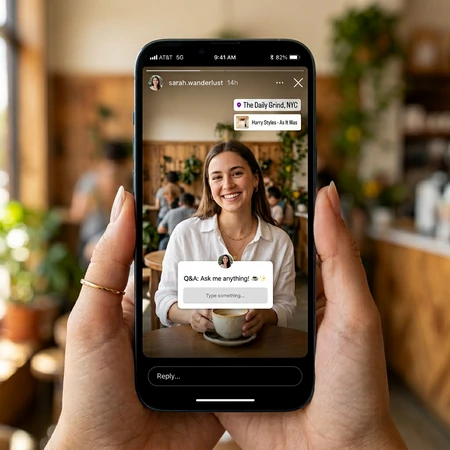
Instagram Story Interface
Instagram Post
Instagram Posts are classic content that appear in your profile grid. Audiences can also view them through the Explore part, helping giving you long-term reach. Most content creators use them to define your brand aesthetic and communicate key messages. For optimal quality, use MP4 format with H.264 codec and keep the file under 50MB.
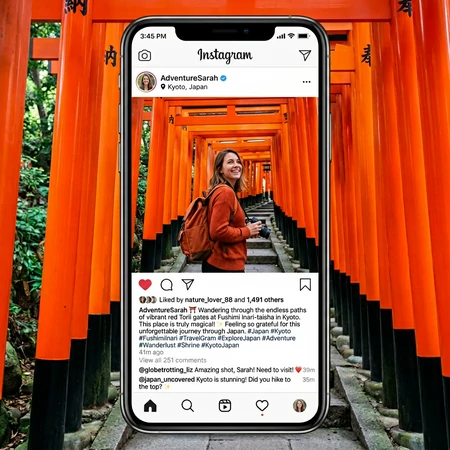
Instagram Post Interface
Instagram Reels
Instagram Posts are for followers, while Instagram Reels are designed to entertain, and reach new audiences. Reels are heavily promoted by Instagram’s algorithm. Well-performing Reels can appear in the Explore page or Reels feed, which helps creators increase visibility. Shorter, fast-paced videos often perform best because they are easier for viewers to watch completely.
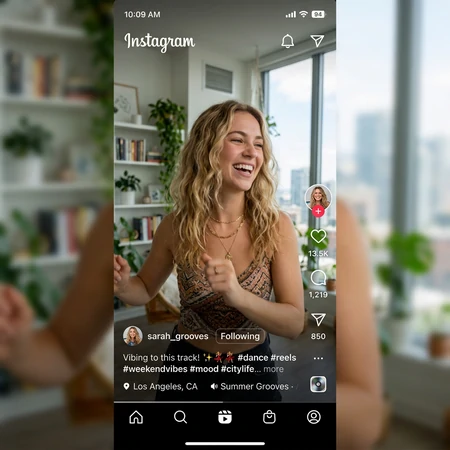
Instagram Reels Interface
Instagram Live
Instagram Live lets you broadcast video in real time and interact directly with audiences through comments, reactions, and guest appearances. When you start a live broadcast, Instagram sends a notification to your followers and helps attract viewers quickly. Your Live will also appear at the front of the bar. After the broadcast, you can share the replay to your profile, or repurpose clips to Reels or Feed posts.
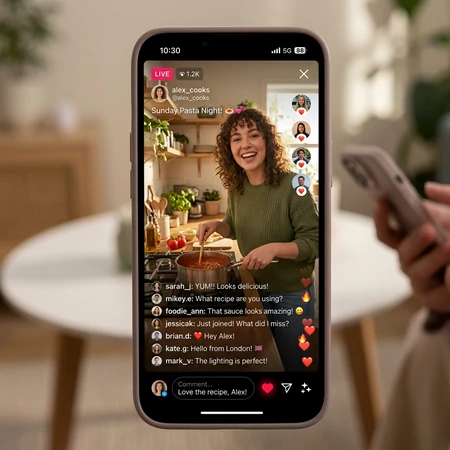
Instagram Live Interface
Instagram Carousel Video Posts
Carousels are special Instagram Posts. Normally Instagram Posts are videos or images, Carousels contain multiple photos or videos within a single post. You can swipe left to see the next slide. Carousel posts can include up to 10 slides. It is a better way to tell a story, show step-by-step guides, or educational content.
How to Repurpose Instagram Videos
Creating quality content takes time and effort. Instead of producing new content for every post, you can repurpose a single video into multiple formats across Instagram, or repurpose Instagram videos to other platforms.
The key process of repurposing is trimming and changing the aspect ratio to meet the platform requirements. To win more views, you can also bring in elements, text, music that matches the platform. We will use FlexClip to show you how. Click the Repurpose Instagram Video button to get started.

Step 1. Upload a Video to FlexClip
Once you are at FlexClip’s editing panel, move to the Media section, select a video from a local folder, a mobile device, or cloud services. Drag and drop will also do.
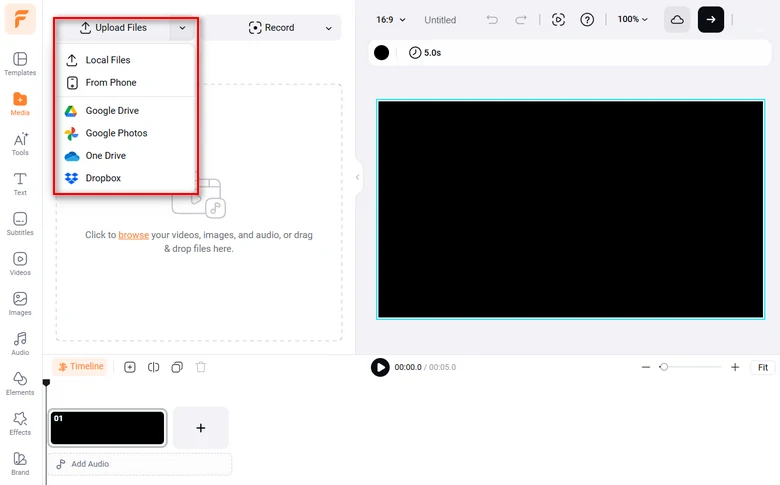
Upload Video to FlexClip
Click the Add as Scene button to add the video to the timeline.
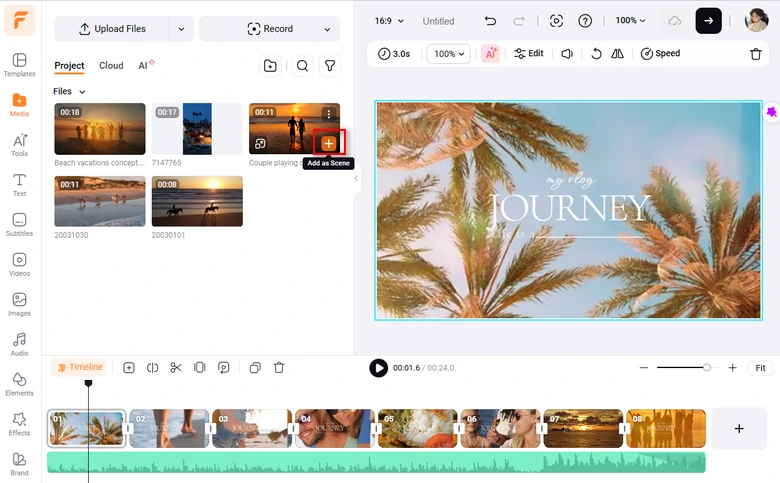
Apply Video to the Timeline
Step 2. Trim the Video
Drag the slider, you can easily trim the video to the perfect length. Instead, you can also use the Split feature to separate the video into several parts.
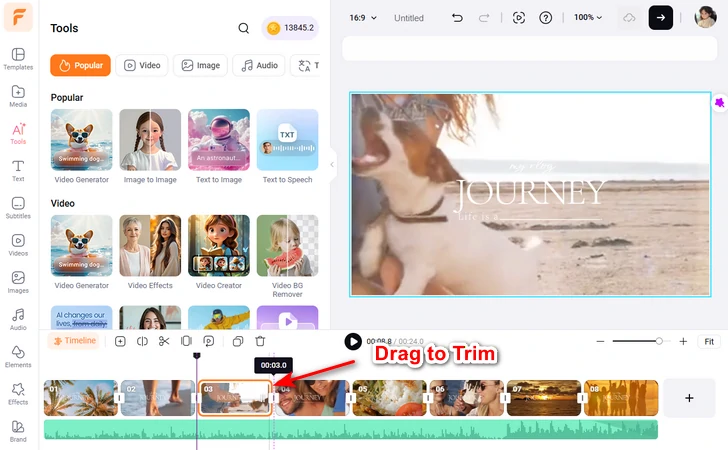
Trim the Video
Step 3. Change Video Aspect Ratio
Move to the aspect ratio part. Change the video aspect ratio to 16:9, 9:16, 1:1, 3:4, etc. Drag the video so that all key information is not hidden.
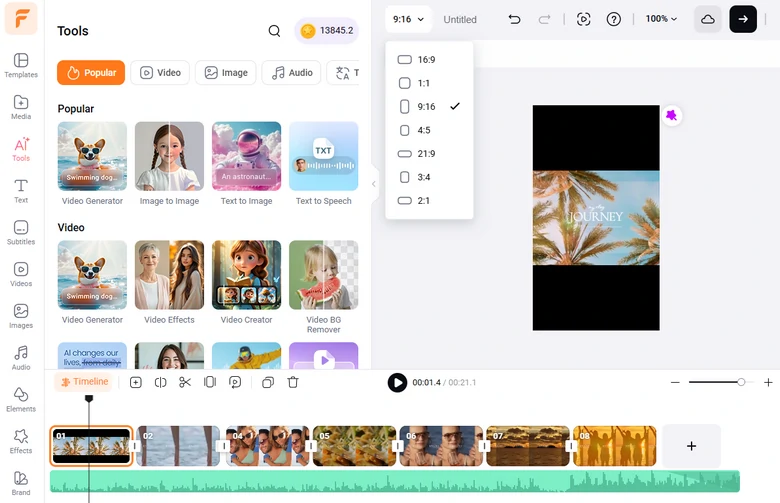
Change Video Aspect Ratio
In case you find any black bars caused by aspect ratio changing, you can go to the background color, then use the blur feature to fill in the black bars.
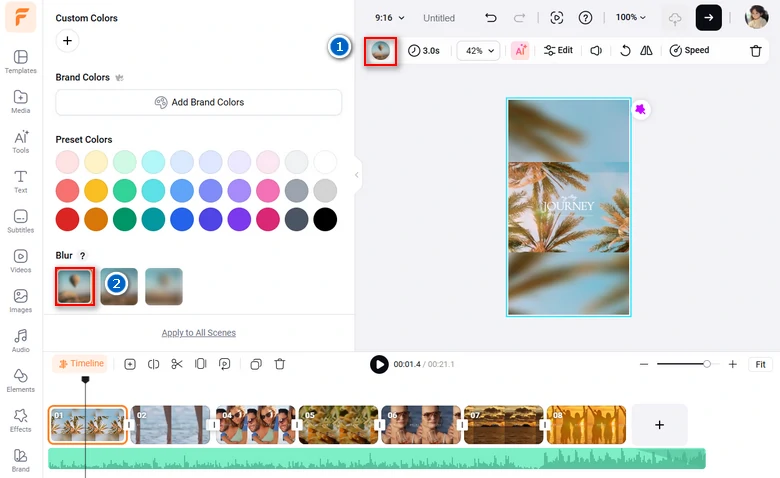
Apply Blurry Background
Step 4. Bring in More Elements
Now, it is time to make some adjustments for the platform. FlexClip provides millions of music, elements, beautiful fonts to enrich your video. Ignite your creativity!
By the way, FlexClip offers over 7000+ video templates for you to quickly create a professional-level video just by replacing the resources. Check FlexClip’s Template page.
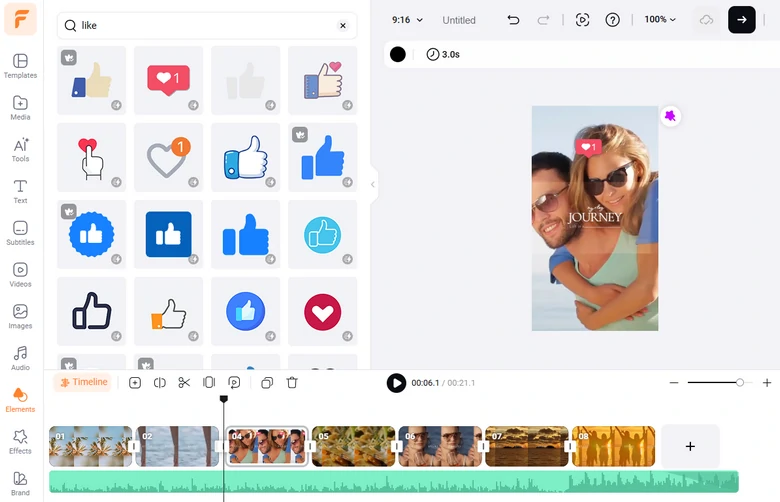
Add Elements to Video
Step 5. Download & Share
FlexClip offers tons of options for you to share videos in easier ways. Besides saving to a local folder, you can also share the video via a short link, save to cloud services, or post to YouTube & TikTok.
Frequently Asked Questions
1. How long should Instagram videos be for better performance?
While Instagram allows longer videos, shorter content often performs better. For Reels, the best length is 7-30 seconds. The best video length for Feed videos is 30-60 seconds. When it comes to Stories, it is 7-15 seconds.
2. Can I turn Instagram Live videos into other content?
Yes. After your live session ends, you can save the video and repurpose it by creating shorter clips, or turning key points into carousel posts.
3. Can I edit video length after uploading to Instagram?
No, Instagram doesn’t allow you to change the video length after posting. You should delete the post, then re-upload the corrected version.




FlexClip AI Video Maker
Reach professional-quality videos faster with easy editing tools, templates, and smart AI.
Start Now for Free
Hot & Trending
-

Best Ways to Find Music in YouTube Videos
-

Instagram Story Video Quality Bad After Upload? Fix It!
-

How to Repost Video on TikTok & How to Remove TikTok Repost
-

Improve Video Quality Online: 3 AI Video Quality Enhancers You Can't Miss
-

4K Convert to HD 1080p without Watermark: Best 4k Video Converters
-

Best 8 Free Video Editors - No Download Required
-

Top 13 Birthday Video Makers with Music and Effects Free
-

How to Search Filters on TikTok & Use a Filter You See - TikTok Filter Guide