Recording audio on a phone is incredibly convenient, offering a hassle-free way to capture moments or audio content anytime. Whether you’re recording a phone call for backup, creating a voice recording for podcast, or producing other creative audio content, the process is as simple as tapping the Record button. However, background noise and the limitations of built-in microphone can compromise audio clarity and quality, resulting in a less enjoyable listening experience. To achieve clear and high-quality audio, post-production cleanup is essential. In this blog, we’ll guide you through three effective methods to remove unwanted noise and restore your recordings to crystal-clear quality.
Free and Customizable Video Ideas for You:



Also Interested in: 6 Methods to Remove Wind Noise from Audio or Video>>
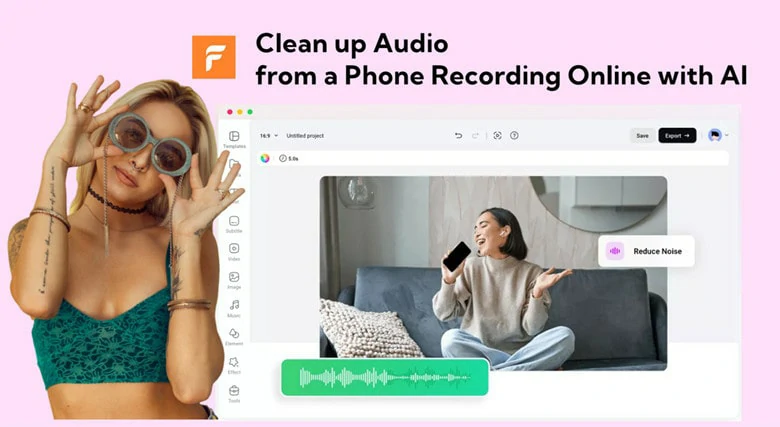
Clean up Audio from a Phone Recording Online with AI
FlexClip is an excellent online tool for cleaning up audio from phone recordings. It allows you to import audio files directly from your mobile device via a QR code, eliminating the risk of quality loss during complex transfer processes. With advanced AI technology, audio cleanup is effortless—simply enable the feature, and the AI handles the rest.
FlexClip can accurately identify and remove various types of background noise, including honking, echoes, indoor sounds, and reverb effects, significantly improving audio quality. Its intuitive interface, robust audio editing tools, and flexibility make it a top choice for audio enhancement. Additionally, it supports a wide range of audio formats, such as MP3, WAV, M4A, and AAC, ensuring unwanted background noise is removed while preserving the original audio quality.
Clean up Audio from a Phone Recording Online with AI - FlexClip
Key Features of FlexClip for Cleaning up Audio from Phone Recording
How to Clean up Audio from a Phone Recording with FlexClip
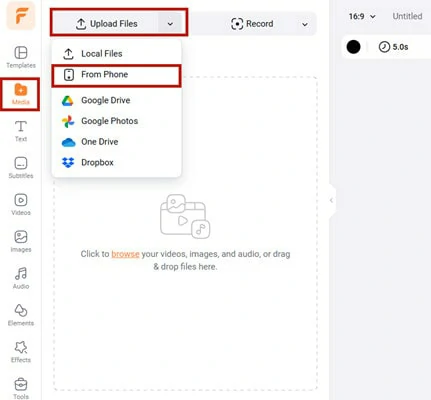
Visit FlexClip Editor Page and Upload Audio Recording from Mobile Phone

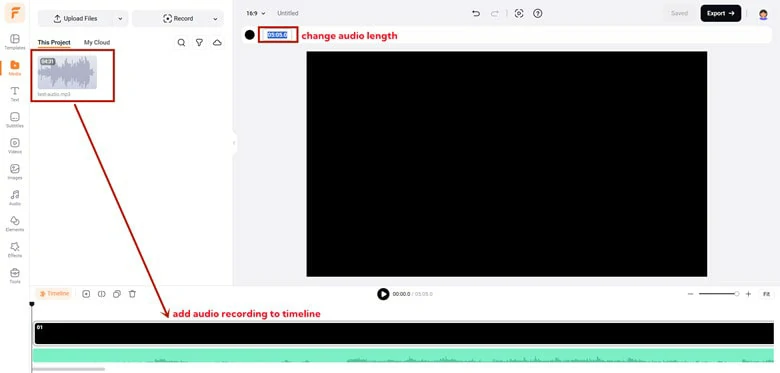
Add the Audio File to Timeline and Adjust the Duration
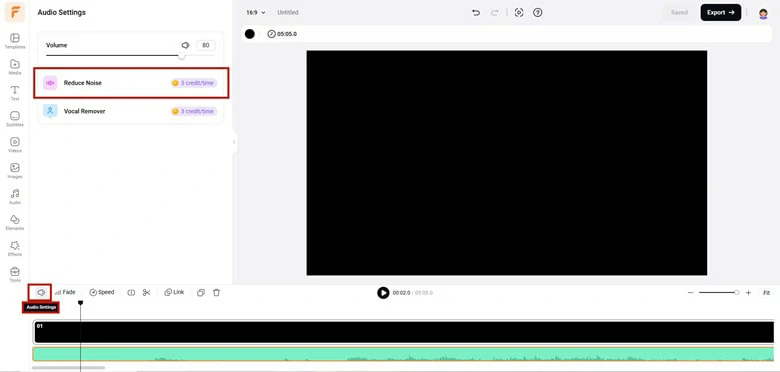
Enable Reduce Noise Option to Clean up Audio Recording
In addition to the excellent audio cleanup process, FlexClip has more to offer to address your diverse audio related needs as following:
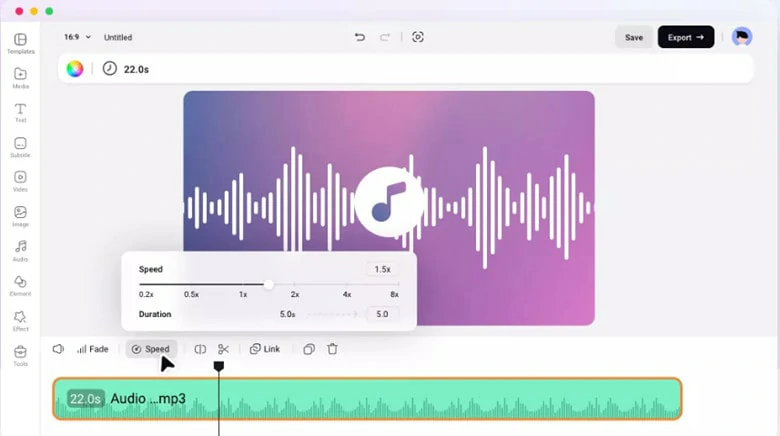
Change Audio Speed and Volume in FlexClip
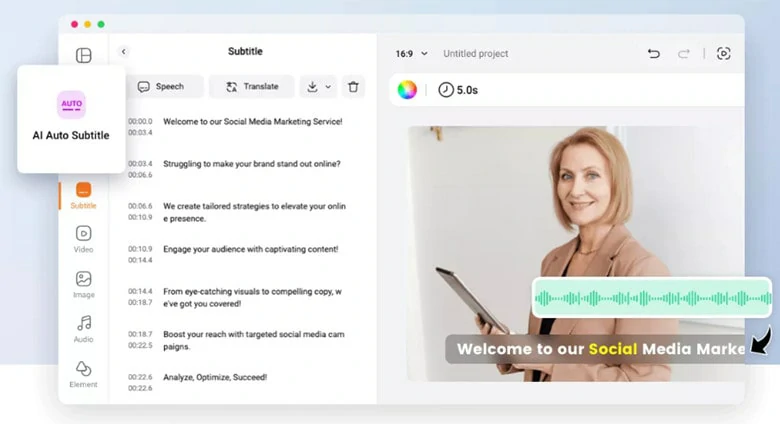
Transcribe Audio Recording to Text in FlexClip
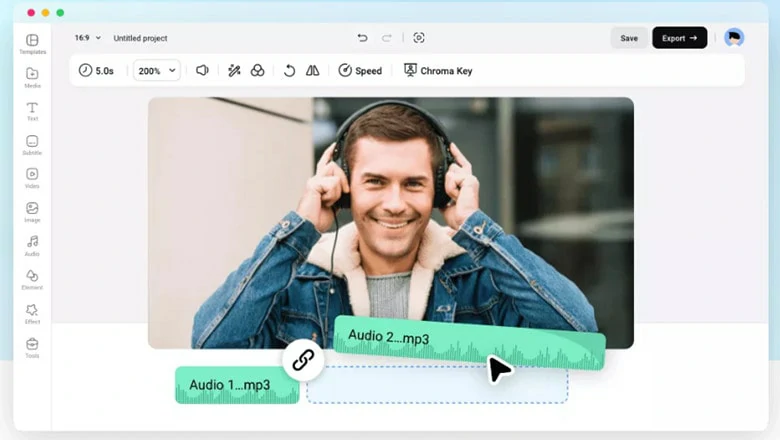
Combine Audio Recording with Background Music in FlexClip

Translate Audio Recording to Other Languages in FlexClip
Clean up Audio from a Phone Recording with Audacity
When it comes to cleaning up voice recording, Audacity is a reliable option to go. As a versatile audio recorder and editor, it has a number of features to remove noise from audio and improve the audio quality. Whether you’re dealing with traffic noises, dog barks or other unwanted background noises, Audacity has a suitable tool for you. For example, you can use noise reduction, filters or removal to get rid of annoying noises. In addition to general noises, Audacity also supports features like breathing removal and overdubbing to make professional-grade audio edits. However, due to its feature-rich functionality, the complex interface and slow preview performance might hinder the beginner to enjoy a breeze editing experience.
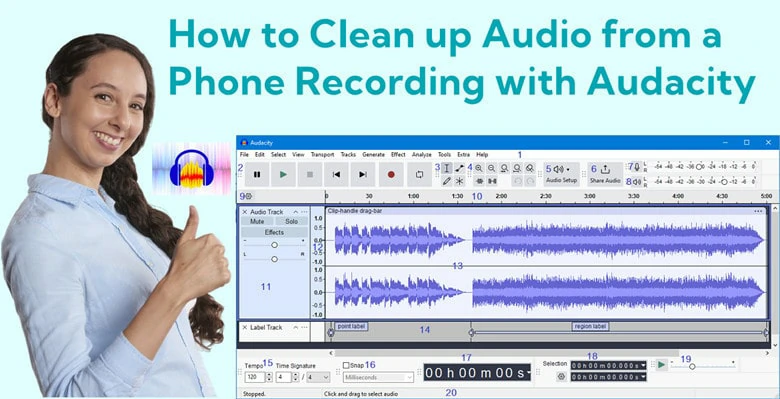
Clean Up Audio from a Phone Recording with Audacity
Key Features of Audacity for Cleaning up Voice Recording
How to Get Rid of Noise from Phone Recording with Audacity
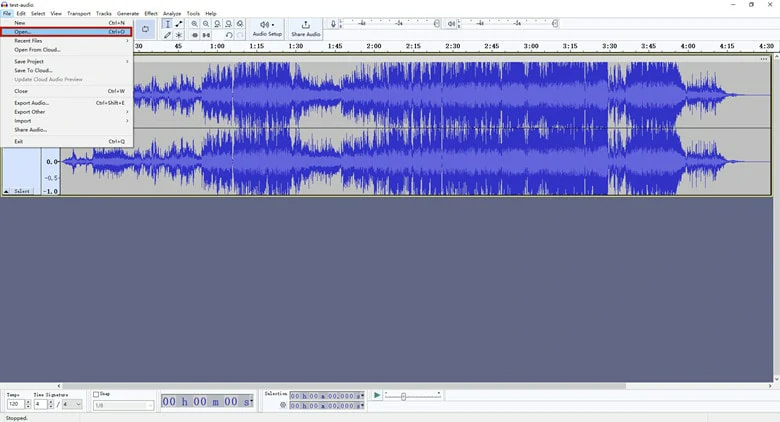
Open the File You Want to Clean up Audio in Audacity
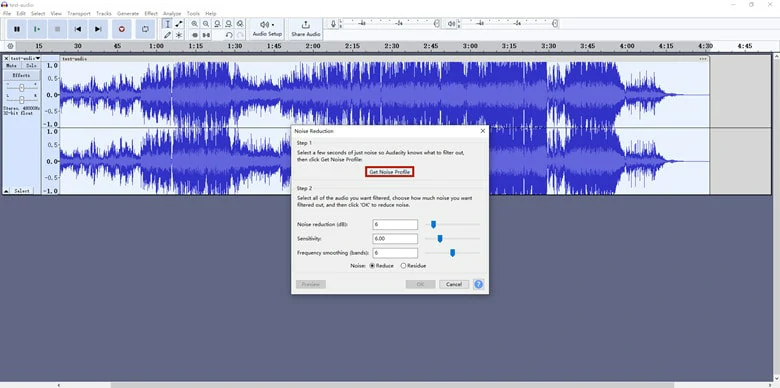
Enable the Cleanup Process in Audacity
Clean up Voice Recording on Mobile with Dolby On
Search for an all-in-one solution to recording and removing noises on mobile? Dolby On, a great app available for both Android and iOS users is what you need. With a click press, you can directly record voice narration, music tunes and other sounds through the phone’s built-in microphone. Then, it allows you to eliminate the background noises to enhance the audio quality without a third-party platform switch. Additionally, its dynamic equalizer and stereo mixer feature will benefit you a lot if you’re a musician or professional has specific requirements.
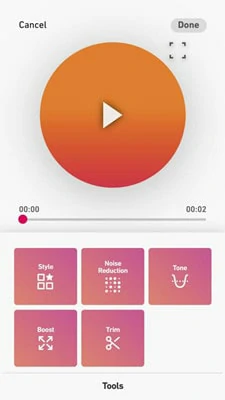
Clean up Voice Recording on Mobile with Dolby On
Key Features of Dolby On for Cleaning up Audio from Phone Recording
How to Eliminate Background Noises from Phone Recording with Dolby On
The Bottom Line
Well, that’s all for how to clean up audio from phone recording online, desktop and mobile. Have an existing audio file to eliminate background audio from? Pick your favorite method and get started right now!




FlexClip AI Video Maker
Reach professional-quality videos faster with easy editing tools, templates, and smart AI.
Start Now for Free
Hot & Trending
-

Best Ways to Find Music in YouTube Videos
-

Instagram Story Video Quality Bad After Upload? Fix It!
-

How to Repost Video on TikTok & How to Remove TikTok Repost
-

Improve Video Quality Online: 3 AI Video Quality Enhancers You Can't Miss
-

4K Convert to HD 1080p without Watermark: Best 4k Video Converters
-

Best 8 Free Video Editors - No Download Required
-

Top 13 Birthday Video Makers with Music and Effects Free
-

How to Search Filters on TikTok & Use a Filter You See - TikTok Filter Guide