


Half swipe isn’t an official feature on Snapchat, but a “freemium” trick. It works by gently swiping a chat half open, partially revealing the message content while keeping Snapchat from registering the conversation as Opened. When done correctly, the sender remains unaware that their message has been seen.
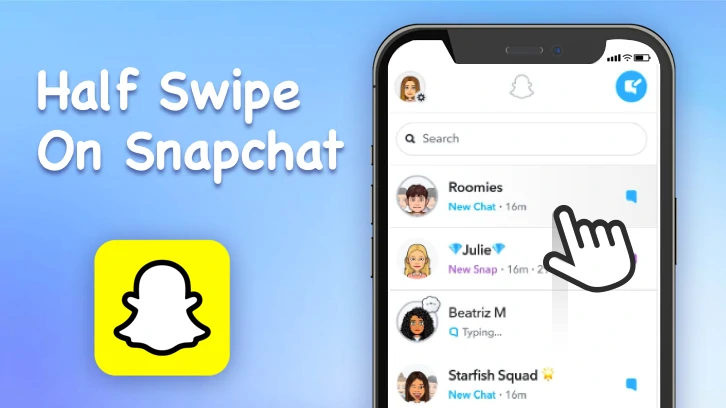
Half Swipe on SnapChat
When You Should Use the Half Swipe Trick
Step-by-Step Guide on Do Half Swipe on Snapchat
Read Snapchat messages without opening is easy, but it takes practice. Use chats with trusted friends to refine your technique.
Step 1. Access Chat
Launch the Snapchat app and swipe left to access the Chat screen. This is where all the conversations are.
Step 2. Swipe Without Lifting Your Finger
Find the message you want to preview. Gently swipe to the right, right enough to take a peek of the message. Do not lift the finger or the chat may be fully opened or registered as read.
Step 3. Swipe Back to the Left
After getting a glimpse of the message, carefully swipe back to the left. Release your finger only when the conversation is back to its original position.
Step 4. Double-Check the Message Remains Unread
Exit the chat and confirm the message still shows as New Chat or has a blue unread icon.
Half Swipe on Snapchat Video Tutorial
What You Can’t See via Half Swipe
Half Swipe only works on certain types of messages. You can read text messages, including emojis. Here are messages you can’t read via half swipe.
Why Half Swipe Failed
As we mentioned earlier, half swipe is not a 100% success trick. You can make mistakes and fail. Here are common ones to avoid.
Half swipe, literally means you can only swipe to the half way at most. If you swipe past the halfway point, Snapchat registers the chat as opened and sends a read receipt.
Releasing your finger while the chat is fully visible can trigger the Opened status.
Swiping too fast or at an angle instead of straight across increases the chance of accidentally opening the chat.
Each Snapchat update changes the interface, which can limit how much content is visible and how sensitive the half swipe gesture is.
Old devices, lag, slow animations, or background apps can make it harder to control the swipe precisely and register incorrectly.
Frequently Asked Questions
Does Half Swipe Still Work?
Yes, Half Swipe works now, even though it may fail sometimes. However, it is not an official feature, and Peek a Peek feature is rolling out for Snapchat Plus users. In the near future, Half Swipe may be removed.
Can You Half Swipe on Snapchat Without Getting Caught?
Yes, but only if you swipe slowly, stop halfway, and keep your finger on the screen until the chat is back to the original place. Swiping too far will mark the message as opened.
Does Half Swipe Work on All Devices?
Half Swipe works best on iOS devices, but most Android devices work well too. It very depends on the device and app version.
Does Half Swipe Work in Group Chats?
The most tricky thing about group chat is there are multiple messages on one chat. You can half swipe to read only the one latest message.




FlexClip AI Video Maker
Reach professional-quality videos faster with easy editing tools, templates, and smart AI.
Start Now for Free
Hot & Trending
-

Best Ways to Find Music in YouTube Videos
-

Instagram Story Video Quality Bad After Upload? Fix It!
-

How to Repost Video on TikTok & How to Remove TikTok Repost
-

Improve Video Quality Online: 3 AI Video Quality Enhancers You Can't Miss
-

4K Convert to HD 1080p without Watermark: Best 4k Video Converters
-

Best 8 Free Video Editors - No Download Required
-

Top 13 Birthday Video Makers with Music and Effects Free
-

How to Search Filters on TikTok & Use a Filter You See - TikTok Filter Guide




