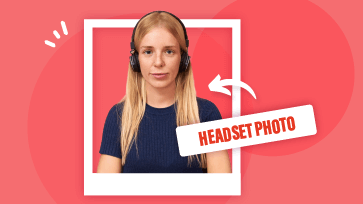
Need an impressive headshot for your resume, LinkedIn, or website? A headshot is often the first impression people get of you — but scheduling a professional photoshoot can be both time-consuming and expensive.
Ever wondered if you could turn a simple selfie into professional headshot? Thankfully, with AI headshot generators like Gemini, you can now create a studio-quality portrait from a single selfie effortlessly, using just a prompt.
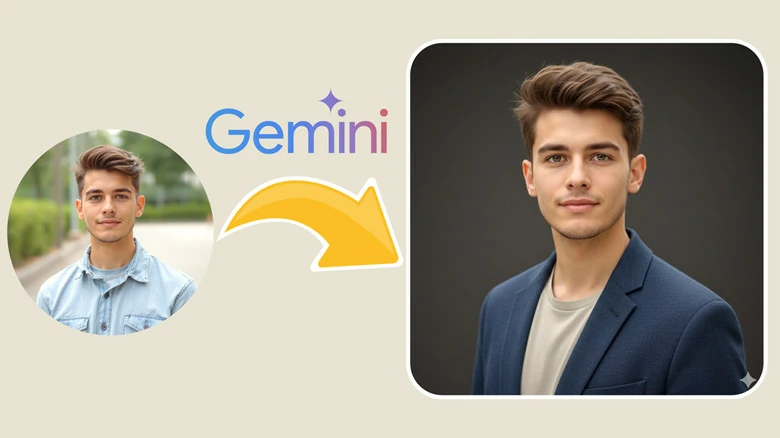
An Impressive Headshot Generated by Gemini Headshot Generator
Sounds incredible right? Here we’ll show you step-by-step guide to create catchy portraits from your casual selfies with the help of Gemini Headshot Generator. Let’s dive in.
Directly Turn Your Selfies into Impressive Professional Headshots in Clicks>>
Can't Miss: Top 3 AI LinkedIn Profile Photo Generators to Create Studio-quality Headshots>>
How to Turn Selfies into Professional Headshots Using Gemini
Step 1: Prepare a Regular Photo
First, prepare a regular photo of yourself. It doesn’t have to be perfect — just make sure your face is clearly visible. A selfie, a casual event photo, or even a random snapshot taken by friends at dinner will work just fine.
Here we use this picture as an example:

A Casual Photo Used for Headshot Generation with Gemini
Step 2: Access Gemini and Upload Your Photo
Open gemini.google.com on your browser or launch Gemini app on mobile. Then start a new conversation and click Add files > Upload files to select and import your photo.
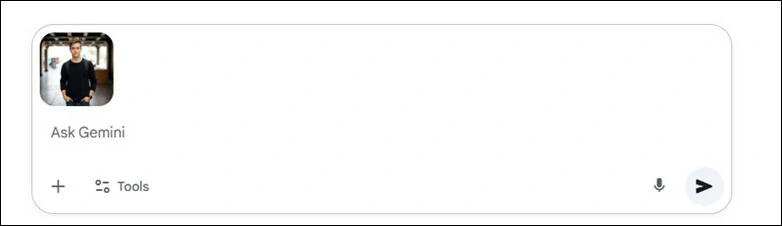
Open Gemini and Upload Your Regular Photo
Step 3: Enter Prompt for Headshot Generation
A prompt is what the Gemini headshot generator uses to create your image. Simply describe the type of headshot you want in your text prompt. For best results, include details such as the angle, background color, outfit, and other elements that define your desired look.
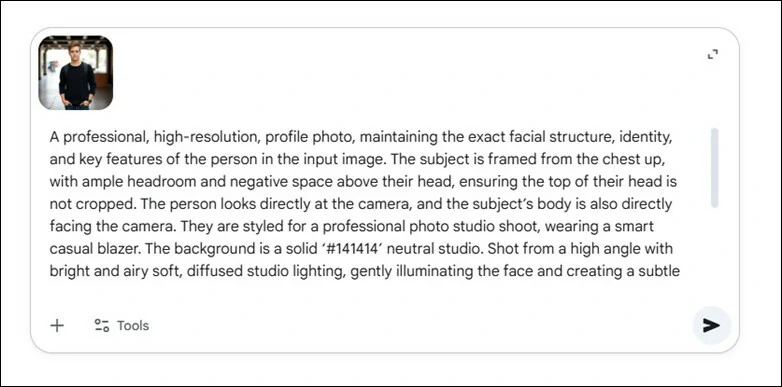
Enter Prompt for Headshot Generation in Gemini
Have no experience of compositing a headshot? No worries! Gemini team shared this prompt on X and it’s elaborated enough to give you exactly what you need for a professional headshot. Copy and paste prompt as below:
A professional, high-resolution, profile photo, maintaining the exact facial structure, identity, and key features of the person in the input image. The subject is framed from the chest up, with ample headroom and negative space above their head, ensuring the top of their head is not cropped. The person looks directly at the camera, and the subject's body is also directly facing the camera. They are styled for a professional photo studio shoot, wearing a smart casual blazer. The background is a solid '#141414' neutral studio. Shot from a high angle with bright and airy soft, diffused studio lighting, gently illuminating the face and creating a subtle catchlight in the eyes, conveying a sense of clarity. Captured on an 85mm f/1.8 lens with a shallow depth of field, exquisite focus on the eyes, and beautiful, soft bokeh. Observe crisp detail on the fabric texture of the blazer, individual strands of hair, and natural, realistic skin texture. The atmosphere exudes confidence, professionalism, and approachability. Clean and bright cinematic color grading with subtle warmth and balanced tones, ensuring a polished and contemporary feel.
Step 4: Preview and Download
Gemini will instantly process your photo and generate a professional-looking headshot in seconds. Once it’s ready, you can preview the result and download your new image for an instant update.
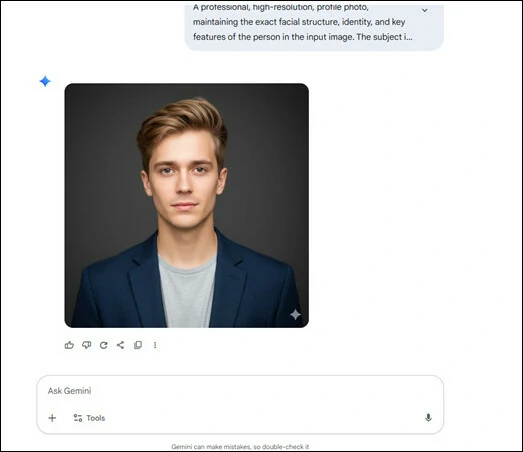
Preview and Download Your Gemini-generated Headshot
The Gemini headshot generator is easy to use, but you may encounter a few common issues while using it:
So, if you’re looking for an easier and more flexible way to generate headshot from a casual photo, consider trying the Gemini alternative below.
Gemini Alternative to Create Studio-quality Headshot Without Watermark
Transforming a casual photo into a studio-quality headshot is effortless with FlexClip. There’s no need to enter a prompt — simply upload a clear photo, and FlexClip’s AI headshot generator will automatically create multiple professional-looking results, all without any distracting watermarks.
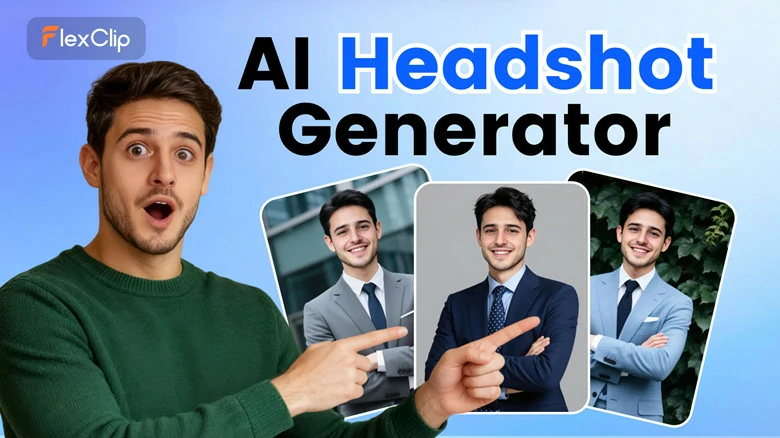
Gemini Alternative to Create Studio-quality Headshot Without Watermark - FlexClip
Key Features of FlexClip’s AI Headshot Generator
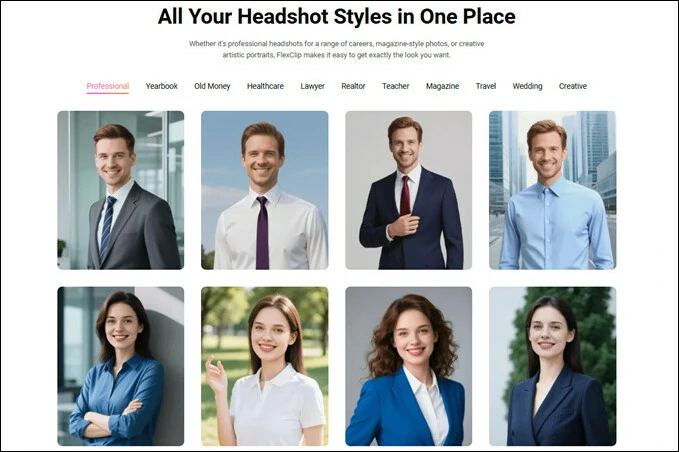
All Headshot Styles in One Place with FlexClip's AI Headshot Generator
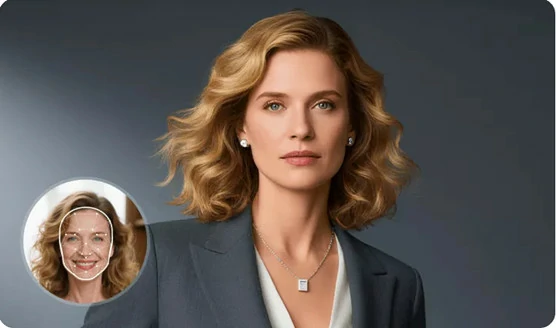
Realistic Headshot Results with FlexClip's AI Headshot Generator
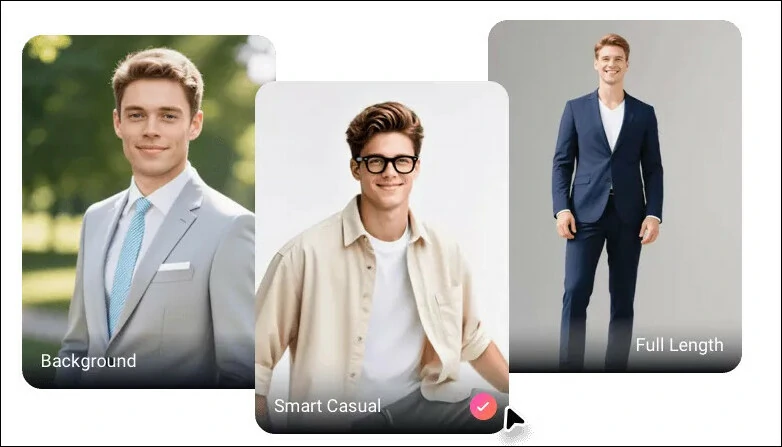
Flexible Outfits and Types with FlexClip's AI Headshot Generator
More Creative Ways to Edit Your Headshots with FlexClip
How to Create Professional Headshot with FlexClip’s AI Headshot Generator
Excited to give it a try? Just prepare a single, clear photo and follow our step-by-step guide.
Step 1: Access FlexClip’s AI Headshot Generator and Customize Settings
Head to FlexClip’s AI headshot generator and choose a headshot category to get started. Then select your gender, hair length & color, attire, background and more options to help AI generate better results.
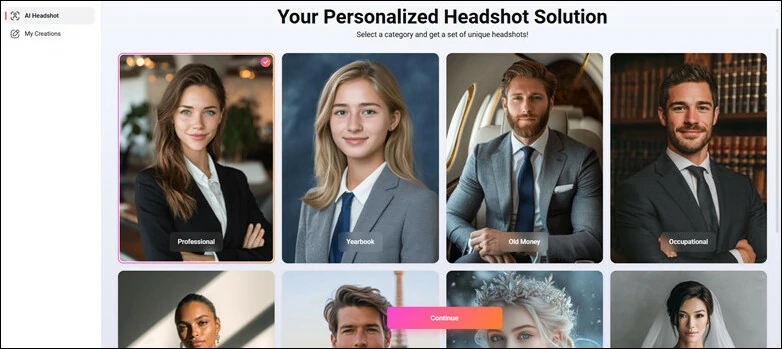
Access FlexClip’s AI Headshot Generator and Customize Settings
Step 2: Upload Your Photo and Generate
Simply upload a clean, front-facing picture and AI will instantly recognize, analyze and generate pro-quality headshot that truly resemble you.
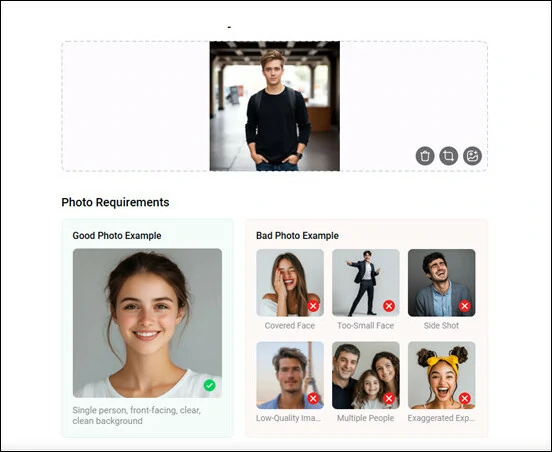
Upload Your Photo and Generate
Step 3: Download Your Headshots
In just minutes, you’ll have dozens of AI-generated headshots ready to download effortlessly.
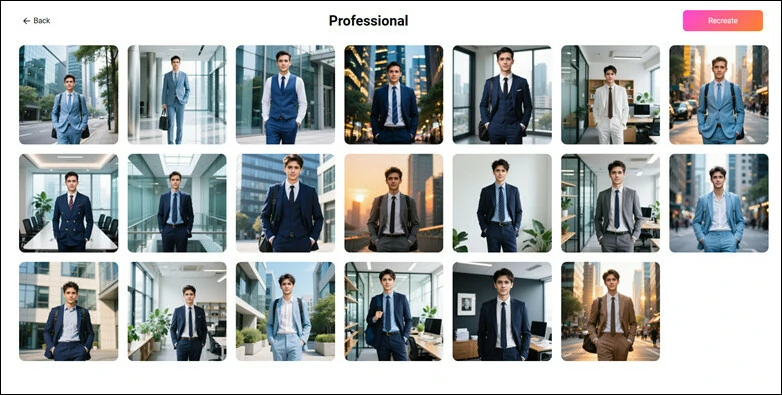
Preview and Download Your AI-generated Headshots
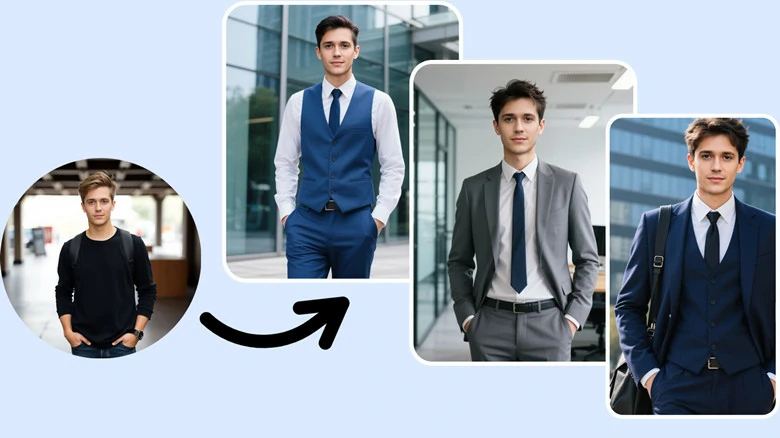
Selfie to Professional Style Headshot with FlexClip's AI Headshot Generator

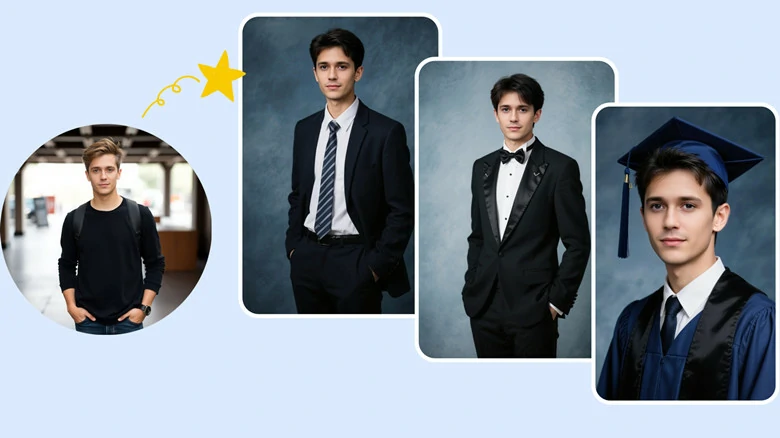
Selfie to Yearbook Style Headshot with FlexClip's AI Headshot Generator
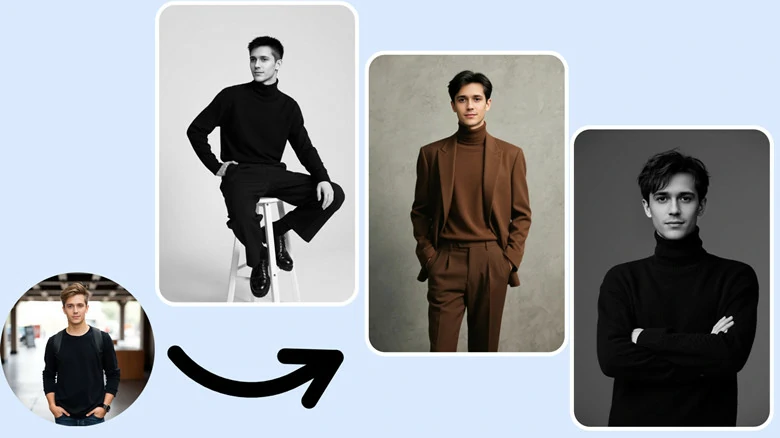
Selfie to Magazine Style Headshot with FlexClip's AI Headshot Generator
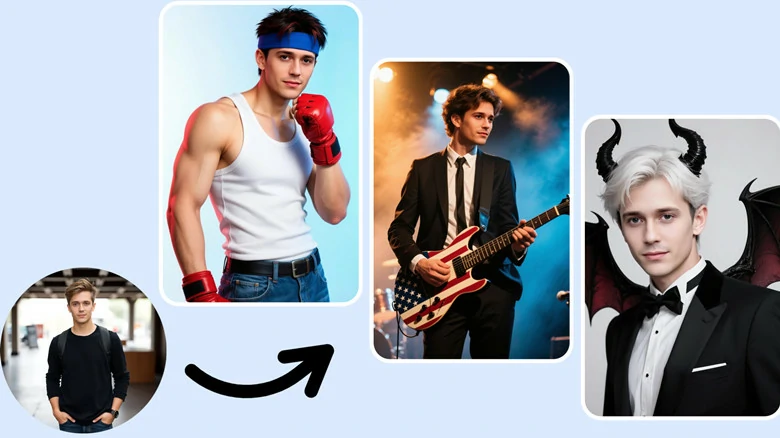
Selfie to Creative Style Headshot with FlexClip's AI Headshot Generator
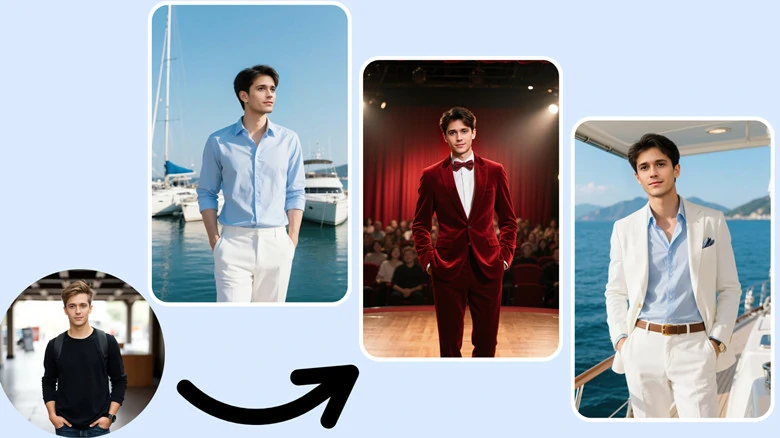
Selfie to Old Money Style Headshot with FlexClip's AI Headshot Generator
FAQs About Gemini Headshot Generator
1.How to write a good Gemini headshot generation prompt?
To write an effective headshot generation prompt, consider including the following details:
2.Do I need a professional photo to start?
No, you can start with any selfie or portrait where your face is visible. AI will automatically adjust lighting, posture and details to make it look professional.
3.Can I use these headshots for professional purposes?
Absolutely. Gemini-generated headshots are suitable for resumes, LinkedIn profiles, company websites, and other professional platforms.
4.How many headshots can I generated at once?
The number of headshots you can generate depends on each platform’s policy. On FlexClip, you can create dozens of headshots in a single session, depending on the categories you choose.
The Bottom Line
Thanks to AI technology, transforming a clear selfie into a professional-looking headshot is easier than ever. In this article, we showed you how to create polished headshots using the Gemini Headshot Generator. We also introduced an alternative solution for an even quicker and simpler process. Now it’s your turn to get started!




FlexClip AI Video Maker
Reach professional-quality videos faster with easy editing tools, templates, and smart AI.
Start Now for Free
Hot & Trending
-

Best Ways to Find Music in YouTube Videos
-

Instagram Story Video Quality Bad After Upload? Fix It!
-

How to Repost Video on TikTok & How to Remove TikTok Repost
-

Improve Video Quality Online: 3 AI Video Quality Enhancers You Can't Miss
-

4K Convert to HD 1080p without Watermark: Best 4k Video Converters
-

Best 8 Free Video Editors - No Download Required
-

Top 13 Birthday Video Makers with Music and Effects Free
-

How to Search Filters on TikTok & Use a Filter You See - TikTok Filter Guide