How to Create Cinematic Eye Zoom Effect Online with AI

Last Updated: 2026. 02. 28

AI eye zoom is an engaging visual effect that smoothly and naturally zoom subject inward into the iris, adding depth and cinematic appeal. It is also often used as a transition effect in high-quality videos.

And if you hope to create this cinematic eye zoom effect, we will recommend an eye zoom effect generator for you to let the lens zoom steadily into the subject’s eye.

Here is an eye zoom effect example video using FlexClip’s AI video generator. Is it this eye zoom video effect you want?

How to Create Eye Zoom Effect with AI in FlexClip?

If you want to create an eye zoom video effect, all you need is FlexClip, a strong AI video editing tool online, easy for you to get a cinematic AI eye zoom video effect. No curve-learning required! Just prepare your photos and access FlexClip to go on your video creation journey!
Step 1
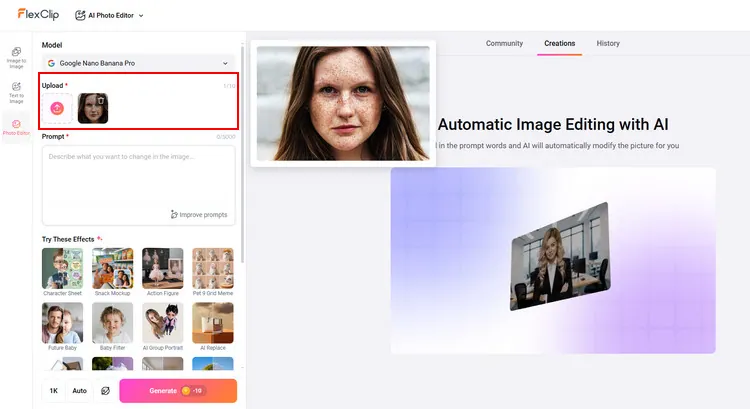
Go to FlexClip’s AI photo editor page and upload your portrait to it.
Upload Photo to AI Photo Editor - FlexClip
Upload Photo to AI Photo Editor - FlexClip

Step 2
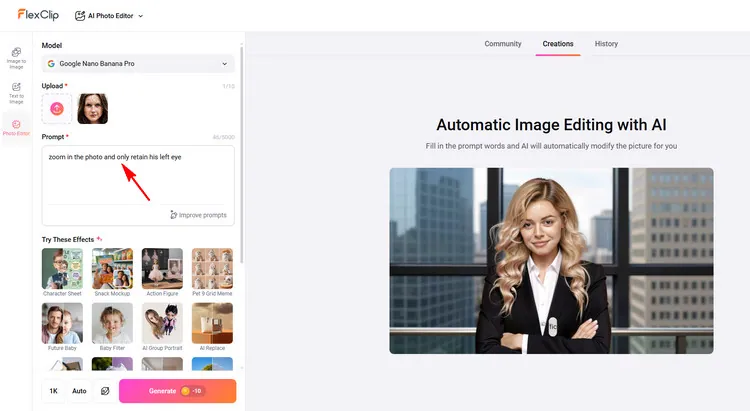
Type prompts like zoom in the photo and only retain his left/right eye to let FlexClip generate a new photo with AI.
Type Your Prompts - FlexClip

Type Your Prompts - FlexClip
Step 3
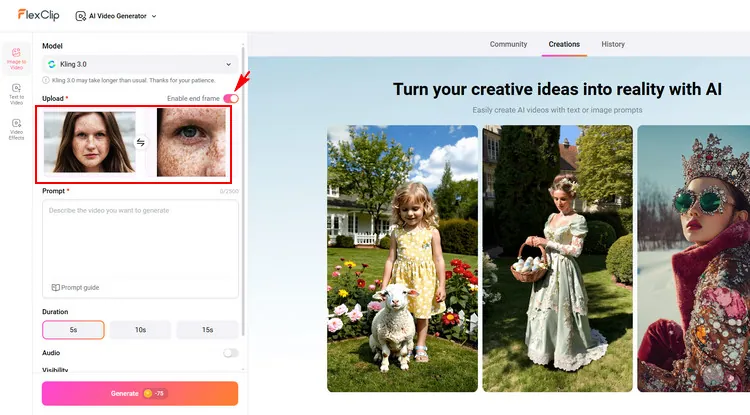
Tap the Image to Video button and switch to FlexClip’s AI image to video generator page. You can tap the Enable end frame section to upload your original portrait as the start frame and the AI-generated eye photo as the end frame.
Upload Photo to AI Image to Video Generator - FlexClip
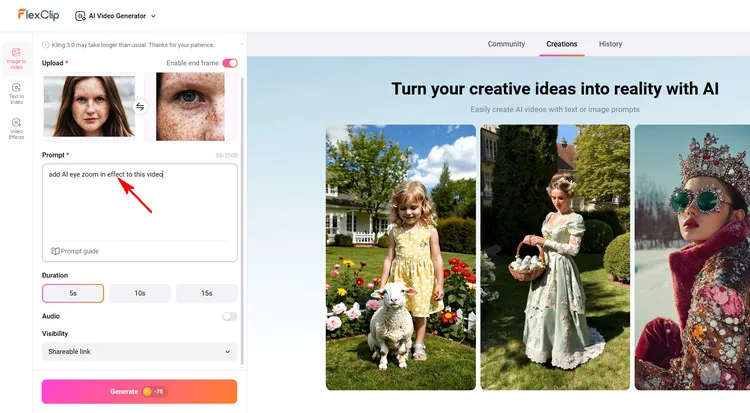
Upload Photo to AI Image to Video Generator - FlexClip

Step 4
Type the AI eye zoom video effect prompt to tell AI to naturally zoom inward to the eye. And you can choose the video duration as you like and tap the Generate button to wait for it.
Type Your Prompts - FlexClip

Type Your Prompts - FlexClip
Step 5
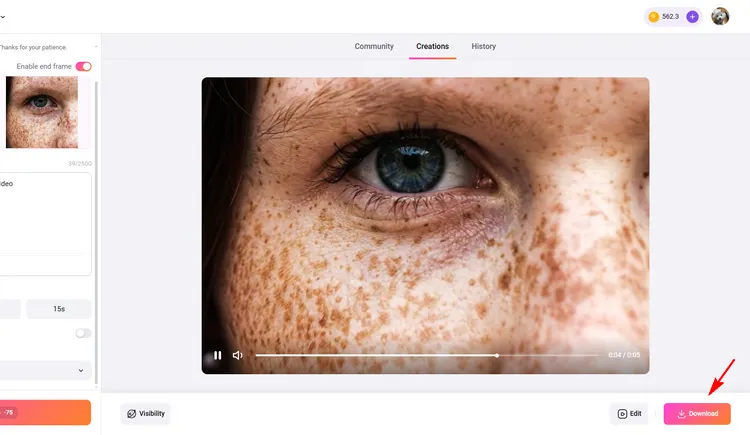
When you are done with the AI eye zoom effect video process, you can directly save this new AI-generated video to a local folder or continue editing on its editing page, such as adding music or SFX.
Download AI Eye Zoom Effect Video - FlexClip

Download AI Eye Zoom Effect Video - FlexClip

Benefits of FlexClip to Create AI Eye Zoom Video Effect

If you are looking for a strong AI video editing tool that is accessible anytime, FlexClip is the one for you! FlexClip, with its versatile AI video editing features, can be your best bet for creating an AI eye zoom video effect online. With a simple image and video editing process, you can easily get a cinematic AI eye zoom video effect. And you can also explore the endless possibilities that make your AI-generated video unique here. People with little editing experience can also find it easy for them to create an AI eye zoom video effect between two uploaded images.
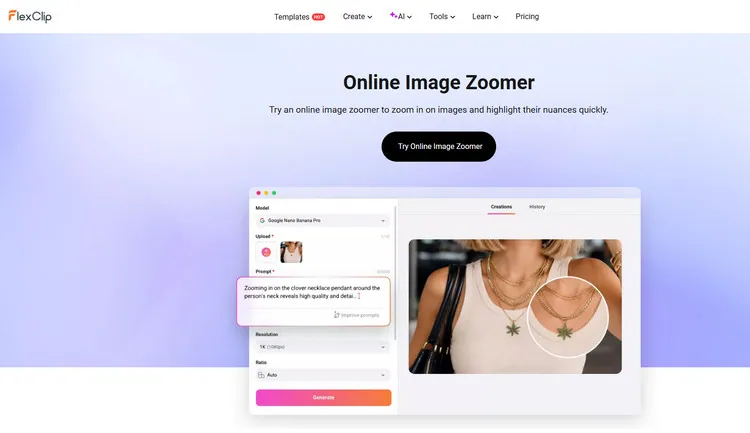
  • Online image zoomer for you to get a perfect eye photo - FlexClip’s image zoomer can zoom in on your uploaded portrait and get a new eye photo with AI quickly. With this easy-to-use AI image zoomer, you can instantly zoom in on images and highlight their eye in just a few seconds. You can upload a portrait and type some prompts to let AI zoom in on the eye of your portrait. Even if you are new to AI, FlexClip’s simple interface can let you use this image zoomer with lightning speed. The possibilities in FlexClip are endless. You can enjoy a fast and seamless performance here.
  • AI Image Zoomer - FlexClip

    AI Image Zoomer - FlexClip

  • Smooth eye zoom video effect powered by AI - FlexClip’s AI image to video generator can turn any photo into an animated video with just one click. So using FlexClip’s AI image to video generator to create AI eye zoom video effect is a breeze. You only need to upload 2 photos - the original portrait and the AI-generated eye photo to FlexClip and write a simple eye zoom effect prompt. Then, its AI will magically generate a cinematic AI eye zoom effect video for you. FlexClip’s advanced AI will understand your prompts well and create realistic, stunning eye zoom effect videos corresponding to your needs. Moreover, you can customize the video duration according to your needs.
  • AI Image to Video Generator - FlexClip
    AI Image to Video Generator - FlexClip

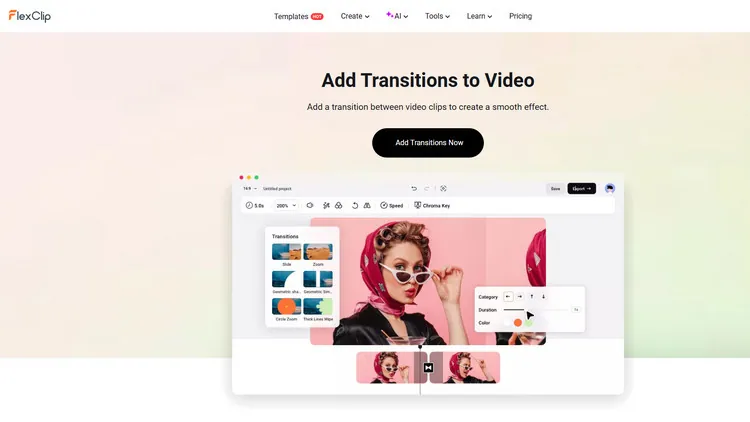
  • Level up your AI eye zoom effect video in the editing page - If you’re not satisfied with the AI eye zoom effect video, you can switch to the editing page directly to do more edits. For example, its music library can add suitable music or SFX to your AI eye zoom effect video to make it perfect. Moreover, its video speed changer can help you to easily turn your AI eye zoom effect video into a different speed. Besides, if you want to add more video materials to it, you can choose to apply FlexClip’s transition library to level up the visual effect. It also allows you to customize the added transition, like adjusting the easing and duration.
  • Transition Library - FlexClip

    Transition Library - FlexClip

    Some Final Words

    Now that you know the excellent method to create a cinematic eye zoom effect online with AI effortlessly. Let’s choose it to begin your AI video creation!

    Group 11
    Make a free video online
    Create Your First Video With FlexClip Now
    Get Started - Free