


Photos can capture moments, but sometimes they're too quiet to awaken long-buried memories in vivid detail.
Maybe it’s the bright smile of a late grandparent you’ve deeply missed, or a faded family portrait you’d love to bring back to life.
Thankfully, with an AI photo animator, you now can easily turn images into realistic, captivating videos, animating old photos with subtle, smooth movements to impress. The workflow is incredibly easy to follow and true-to-life results you'll always get.
Example of Still Image to Animated Video
Can't wait to have a try? Just follow our lead and explore the list of 5 AI-powered photo animators that can make your pictures move in realistic way online. Let's dive in!
Directly Start to Animate Old Photos Online>>
Can't Miss: How to Convert Photo into Video with AI
#1 FlexClip - AI-powered Old Photo Animator
FlexClip is a renowned photo animator that uses advanced AI technology to bring still images into lifelike videos. It's incredible easy to use: just upload your old photo, select a video effect preset or directly enter your prompt, click on Generate and watch AI bring your picture to life with stunning, true-to-life animations in minutes.
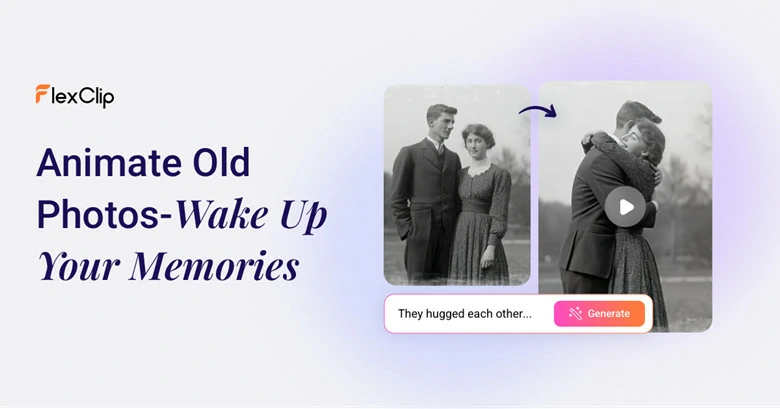
Animate Old Photos Online with FlexClip's Old Photos Animator

To help you achieve the best results, FlexClip includes a photo colorizer that transforms black-and-white pictures into vibrant visuals, an AI old photo restoration tool to restore damaged pictures and an image upscaler that restores sharpness, clarity, and detail to your precious photos. With its creative animation options and user-friendly interface, it’s perfect for both beginners and professionals to relive cherished memories with ease.
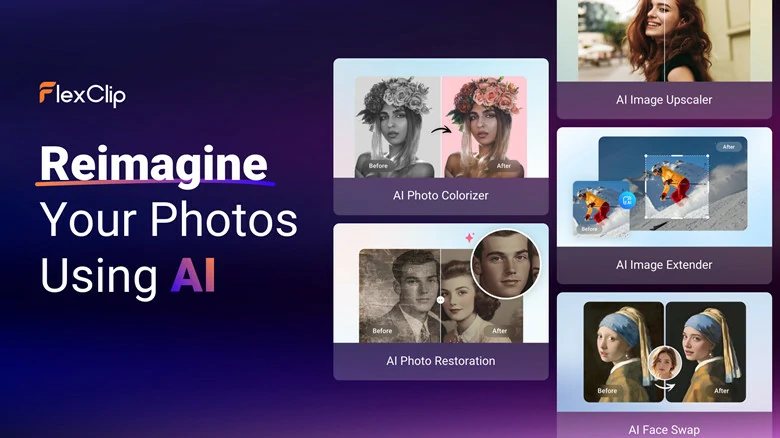
Versatile AI Tools to Restore the Beauty of Your Old Photos
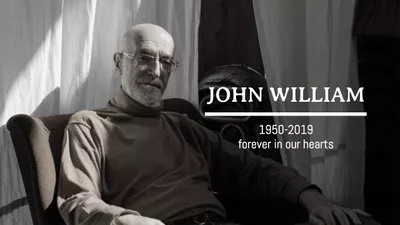
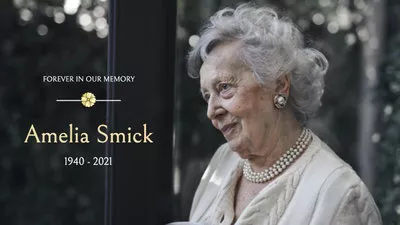
Key Features of FlexClip's AI Photo Animator

#2 Virbo - Animate Old Photo with AI Online
Want to make the still image moved as true as the person were talking to you? Virbo AI, an old photo animator from Wondershare, is what you need to breathe life into your treasured memories. Simply add a voice clip to your photo, and watch it transform into an interactive, engaging moment you can relive and share.
It uses advanced AI to detect faces in your photo and analyze the audio file, then animates the image with natural facial expressions—turning still pictures into talking photos and opening up a new dimension of storytelling. Whether it’s a vintage family portrait, a special moment, or a retro collection, bringing old photos to life and creating memorable narratives has never been easier with Virbo AI.
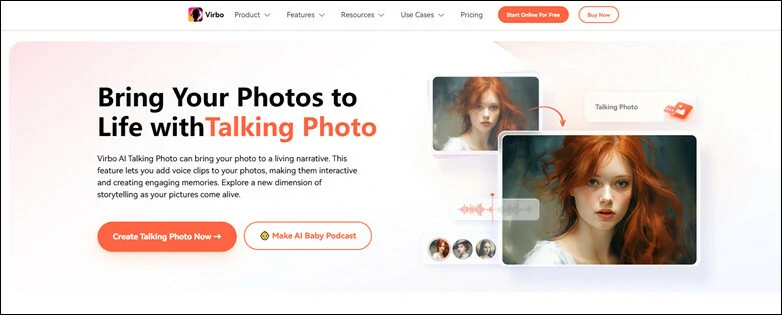
Animate Old Photos Online with Virbo AI
Key Features of Virbo AI
#3 Fotor - Animate Old Photos with AI Animation
Fotor's Animate Old Photos is an AI-powered tool that turns your old static images into short videos or animated visuals. You upload the image, optionally describe what kind of motion or effect you want and let AI analyze the image and add movement so it looks like the subjects are coming to life.
From family portraits and beloved pet photos to classic celebrities, historical figures, famous artworks, and vintage ads, any clear, high-quality old photo can be transformed into a vivid, creative motion video with Fotor’s AI tool.
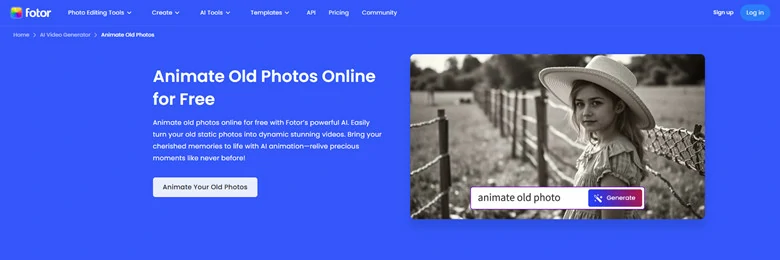
Fotor - Animate Old Photos with AI Animation Online
Key Features of Fotor's AI Old Photo Animator
#4 HitPaw - Bring Life to Your Old Photos Online
Animating old photos with HitPaw feels as thrilling as opening a blind box. Unlike other tools that rely on prompts or preset effects, HitPaw is fully automatic—adding random yet natural facial motions like blinking, head movement or subtle expressions to bring the image into life. This unique workflow makes it perfect for turning old photos into fun, eye-catching videos that stand out on Instagram, TikTok, and other social platforms.
However, because it relies heavily on facial recognition, make sure the face in your selected photo is front-facing and clear; otherwise, the animation may not process correctly. The animation process is completely free—upgrading is only necessary if you want to download without a branded watermark.
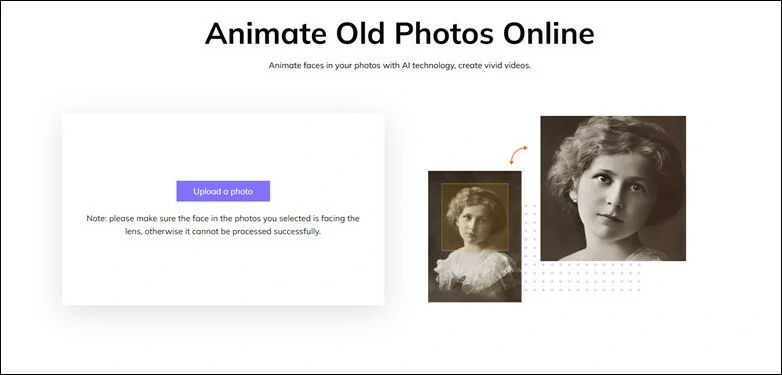
HitPaw - Bring Life to Your Old Photos Online
Key Features of HitPaw
#5 Reface - Animate Old Photos to Sing and Dance
Reface's unboring makes it fun and easy to animate old photos. Instead of achieving general animation videos, it turns still images into talking, singing, or even dancing creations with hilarious, high-quality effects. Whether it’s a childhood snapshot, a family portrait, or a cherished photo of your furry friend, Reface breathes new life into it—ready to spark joy and laughter.
Simply upload your image, select an animation preset, choose the face you want to animate, and hit the Animate button to start. The result? A realistic, dynamic animation powered by advanced algorithms that analyze key facial landmarks, like eyes, nose, mouth, and eyebrows, to capture natural structure and movement. Try Reface today and bring your photos to life with fun and creativity!
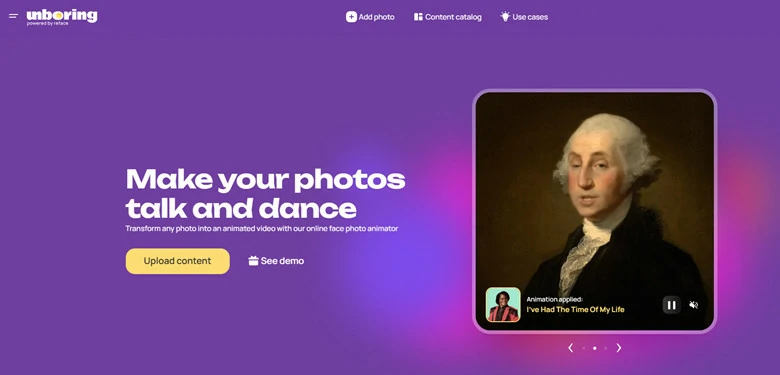
Reface - Animate Old Photos to Sing and Dance
Key Features of Reface
How to Animate Old Photos with FlexClip
Now that you have a general idea of how old photo animators work, let’s walk through the step-by-step process of bringing old photos to life using FlexClip as an example.
Have a damaged old photo? No worries! Restore it with FlexClip's AI old photo restoration tool in advance. Furthermore, you can colorize this black& white footage into vibrant visuals for astonishing results. The clearer image you use, the better animated video you'll get.
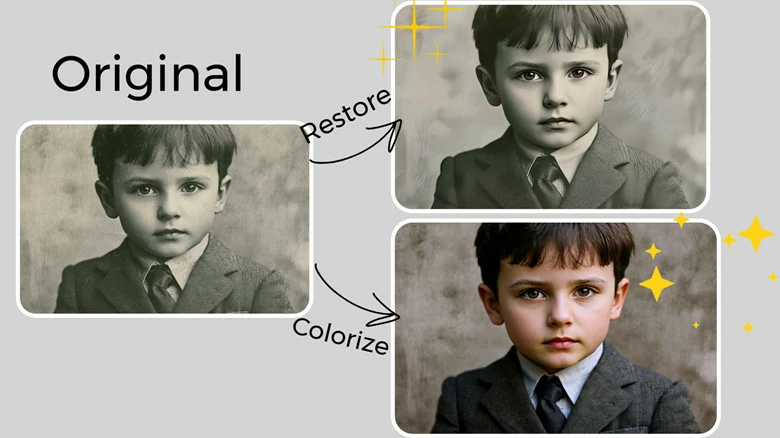
Optionally Restore Your Old Photo with FlexClip's AI Picture Tools
Step 1: Upload Your Old Photo
Begin by accessing FlexClip's old photo animator and here are two ways you can choose to animate your photo. Pick an effect preset to turn your old photos into life without any textual or additional setup needed. Just select your preferred preset and upload the image.
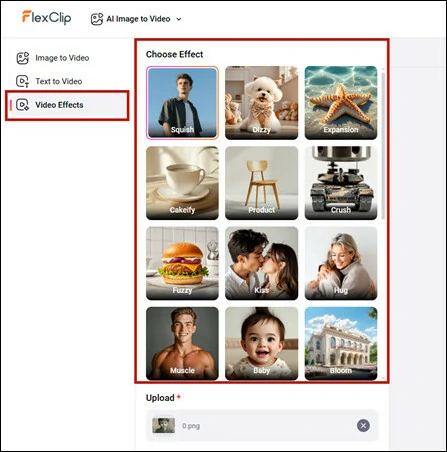
Pick an Effect Preset and Upload Your Old Photo
Alternatively, you can transform still images into vivid videos with FlexClip’s image-to-video feature for more control over the animation. Simply enter prompts, choose a generation model, and upload your old photo—then watch it come to life.
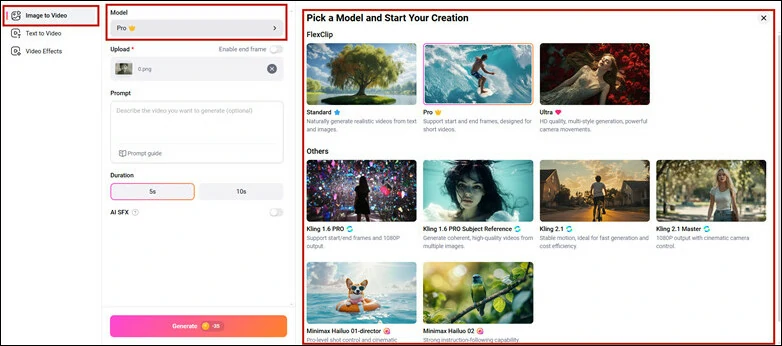
Animate Old Photos with Text Prompt in FlexClip
Step 2: Start the Photo Animation
Now it's time to make the magic happen! Hit on Generate and let AI turn your still image into dynamic video in a realistic way. The process might take a few minutes for AI to detect, analyze and render the animated video.
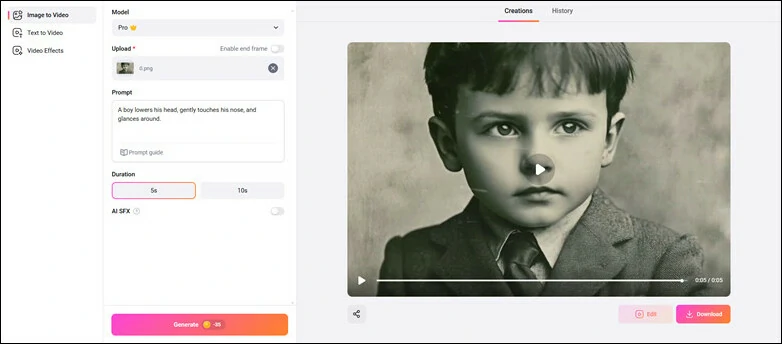
Start the Photo Animation Process in FlexClip
Step 3: Download the Animated Video or Continue Edits
Your animated video is now ready to download and share. You can also enhance it further with background music, sound effects, and personal touches using FlexClip’s built-in editor—perfect for making it stand out on TikTok and other social platforms..
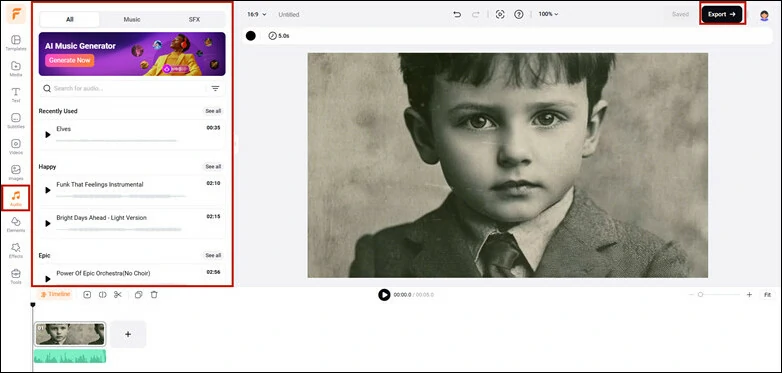
Download the Animated Video or Continue Edits in FlexClip
Here is the final animated video generated by FlexClip.
Animated Old Photo Video Generated by FlexClip
FAQs About Animating Old Photos with AI
1. What is AI old photo animation?
It's a technology that utilizes artificial intelligence to bring old static images to life, creating animations with natural expressions, fluid motions, and seamless frame transitions.
2. Do I need any editing skills to animate old photos?
No. Most AI old photo animators are user-friendly. Just upload a vintage photo, pick an animation style or enter your text prompt and AI will handle the rest.
3. Can I add music or effects to the animated photo?
Absolutely! Many tools like FlexClip, allows you to add background music, sound effects, or even convert the animation into a short video with AI generated sound effects.
4. What types of old photos can I animate?
AI photo animators can handle all types of old photos, but they work best with clear, front-facing portraits. Blurry, damaged, or group photos may result in less accurate animations.
5. Are AI-generated animated video realistic?
Yes, modern AI animators use deep learning to detect and analyze photo characteristics, producing natural-looking movements. However, the quality depends on the tool and the input photo.
The Bottom Line
That's the end of 5 best AI old photo animators to bring still images into life. No matter you want to animate photos for a short video, talking photo, singing avatar or facial movement animation, you can find the right tool to get started. Now pick your favorite tool and start the animation journey today!




FlexClip AI Video Maker
Reach professional-quality videos faster with easy editing tools, templates, and smart AI.
Start Now for Free
Hot & Trending
-

Best Ways to Find Music in YouTube Videos
-

Instagram Story Video Quality Bad After Upload? Fix It!
-

How to Repost Video on TikTok & How to Remove TikTok Repost
-

Improve Video Quality Online: 3 AI Video Quality Enhancers You Can't Miss
-

4K Convert to HD 1080p without Watermark: Best 4k Video Converters
-

Best 8 Free Video Editors - No Download Required
-

Top 13 Birthday Video Makers with Music and Effects Free
-

How to Search Filters on TikTok & Use a Filter You See - TikTok Filter Guide




